Overview
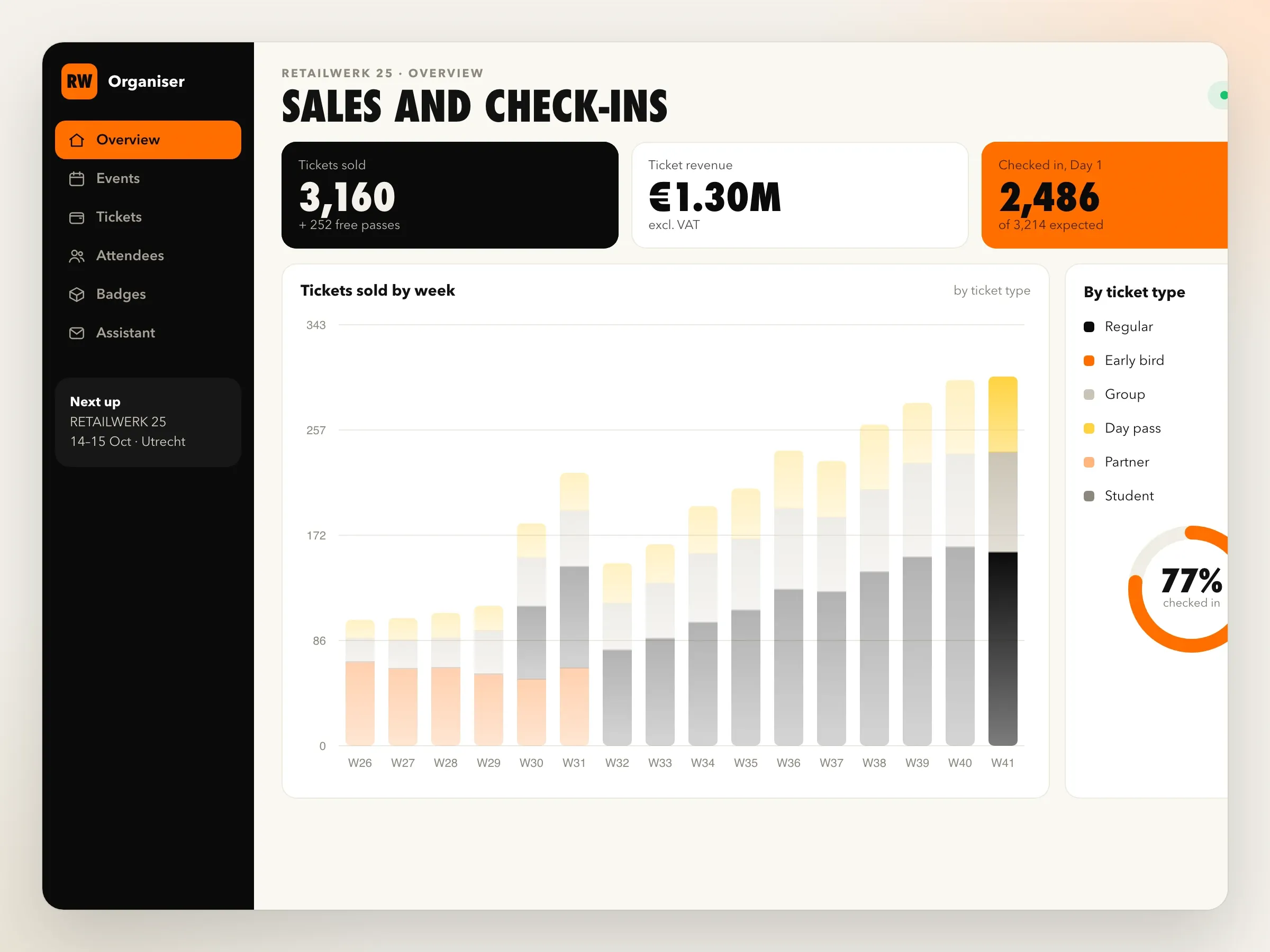
Event ticketing platform with QR check-in for a conference organiser: online tickets, wallet passes, offline scanning, badges and an AI attendee assistant.
- Client
- A conference and trade show organiser in Utrecht
- Industry
- Events
- Location
- Utrecht, Netherlands
- Year
- 2025
- Duration
- 4 months
At a glance
- The challenge
The organiser was paying a ticketing service for an experience it didn't control.
- What we learned at the last event
We walked through the organiser's last event with the team, from the first ticket sold to the last badge collected.
- Tickets the organiser designs
Each event on the platform has the ticket types the organiser wants, each with its own rules:
- Payments and invoices for companies
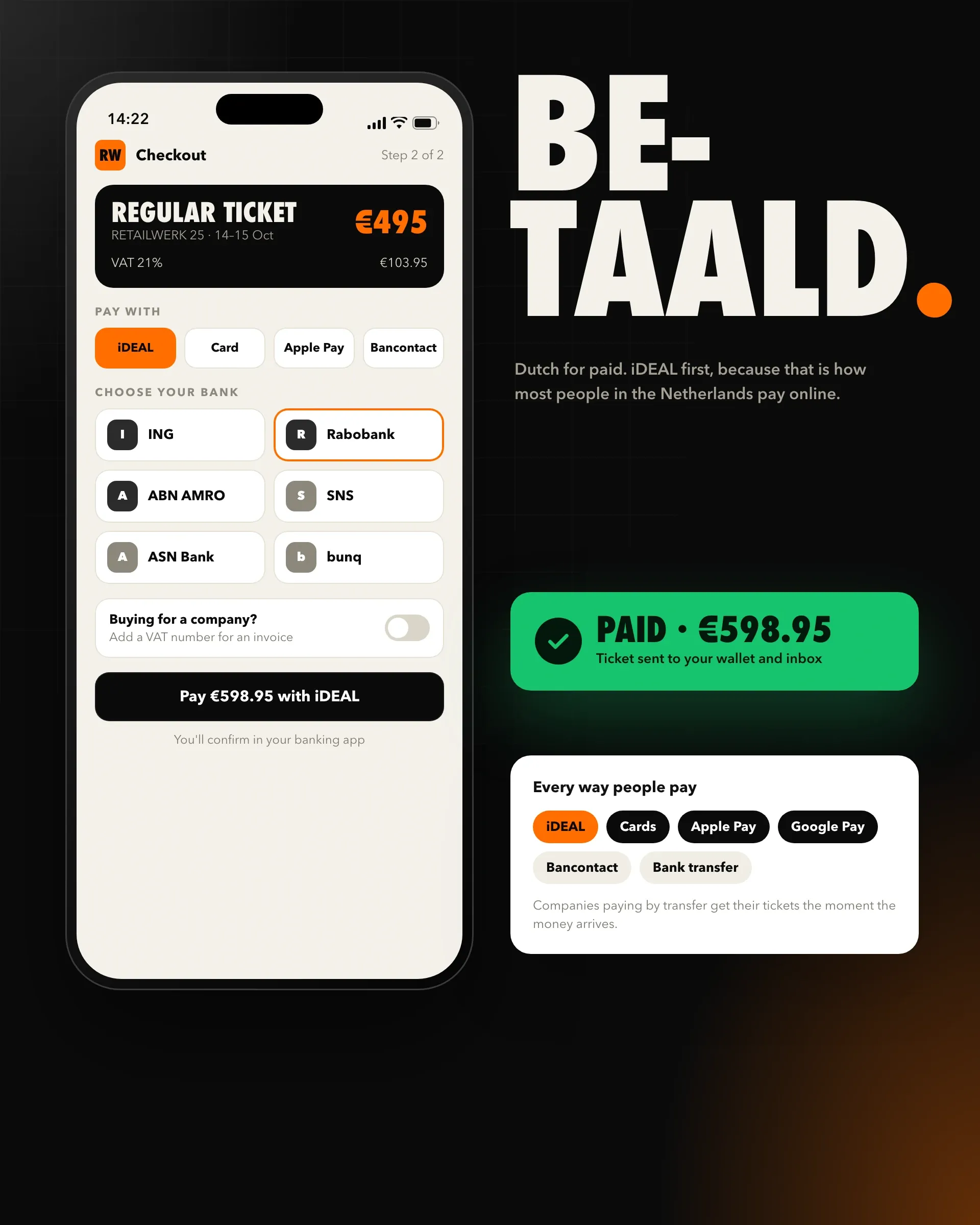
Attendees pay by iDEAL, card, Apple Pay, Google Pay, or Bancontact for visitors from Belgium.
- From wallet to door
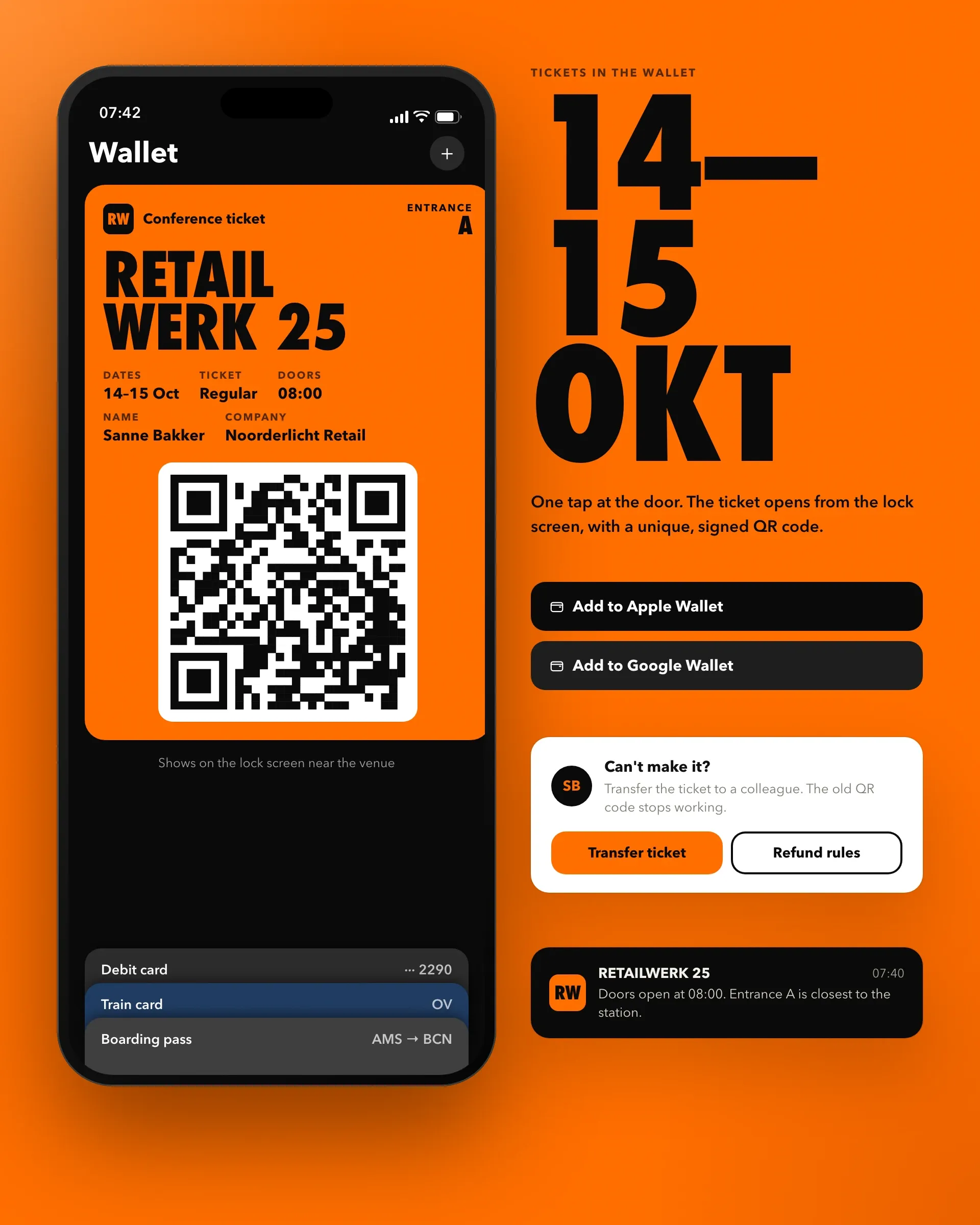
Tickets arrive as Apple Wallet and Google Wallet passes, each with a unique, signed QR code, so attendees open them in one tap at the door.
- Badges on arrival and exhibitor leads
Badges print on demand as each attendee checks in, with their name, company and a colour for their ticket type, so only people who actually arrive get one, including those who registered that morning.
- The AI attendee assistant
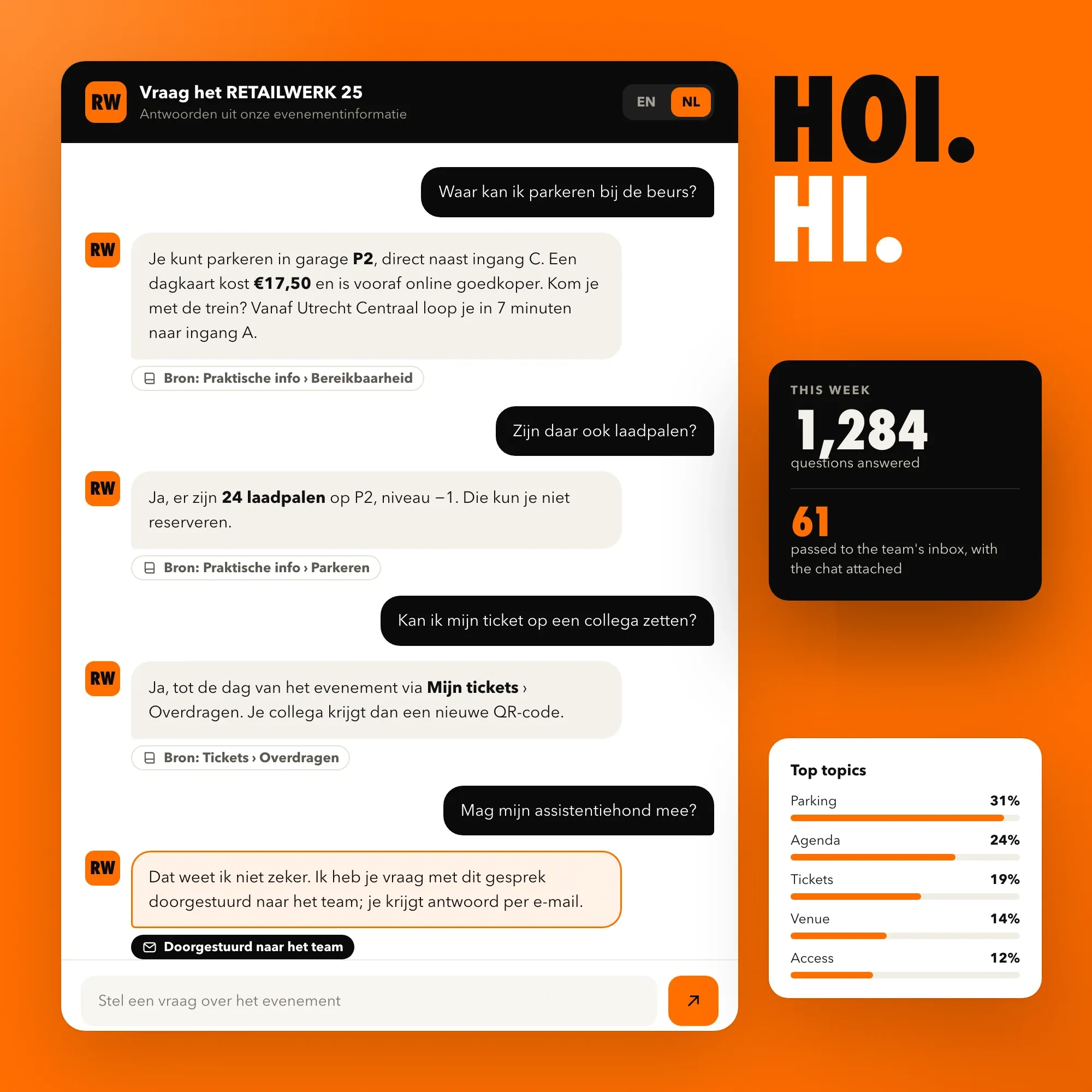
An AI assistant answers attendees' questions on the event website and by email, in English and Dutch: the agenda, speakers, rooms, venue, travel and parking, accessibility and tickets.
- How it's built
The ticket shop and organiser dashboard are Next.js in TypeScript on Vercel, with Supabase and PostgreSQL holding events, tickets and check-ins.
- First event
Before the first event, we rehearsed doors opening in full, with staff, badge printers, the venue's own Wi-Fi switched off, and a crowd of test tickets.
- The outcome
The organiser now sells tickets on its own site and keeps its relationship with attendees.
The challenge
The organiser was paying a ticketing service for an experience it didn’t control. It runs conferences and trade shows across the Netherlands and Belgium, and sold tickets through a third-party service that charged a fee on every ticket and kept attendee data in its own system.
Custom tickets were awkward: early bird prices, group rates, partner codes, and exhibitor, speaker and press passes. Companies wanted proper VAT invoices and to pay by transfer. At the door, check-in slowed whenever the venue Wi-Fi struggled, badges were printed in advance and many went unused, and the team answered the same questions about the agenda, parking and the venue by email for weeks before every event.
What we learned at the last event
We walked through the organiser’s last event with the team, from the first ticket sold to the last badge collected.
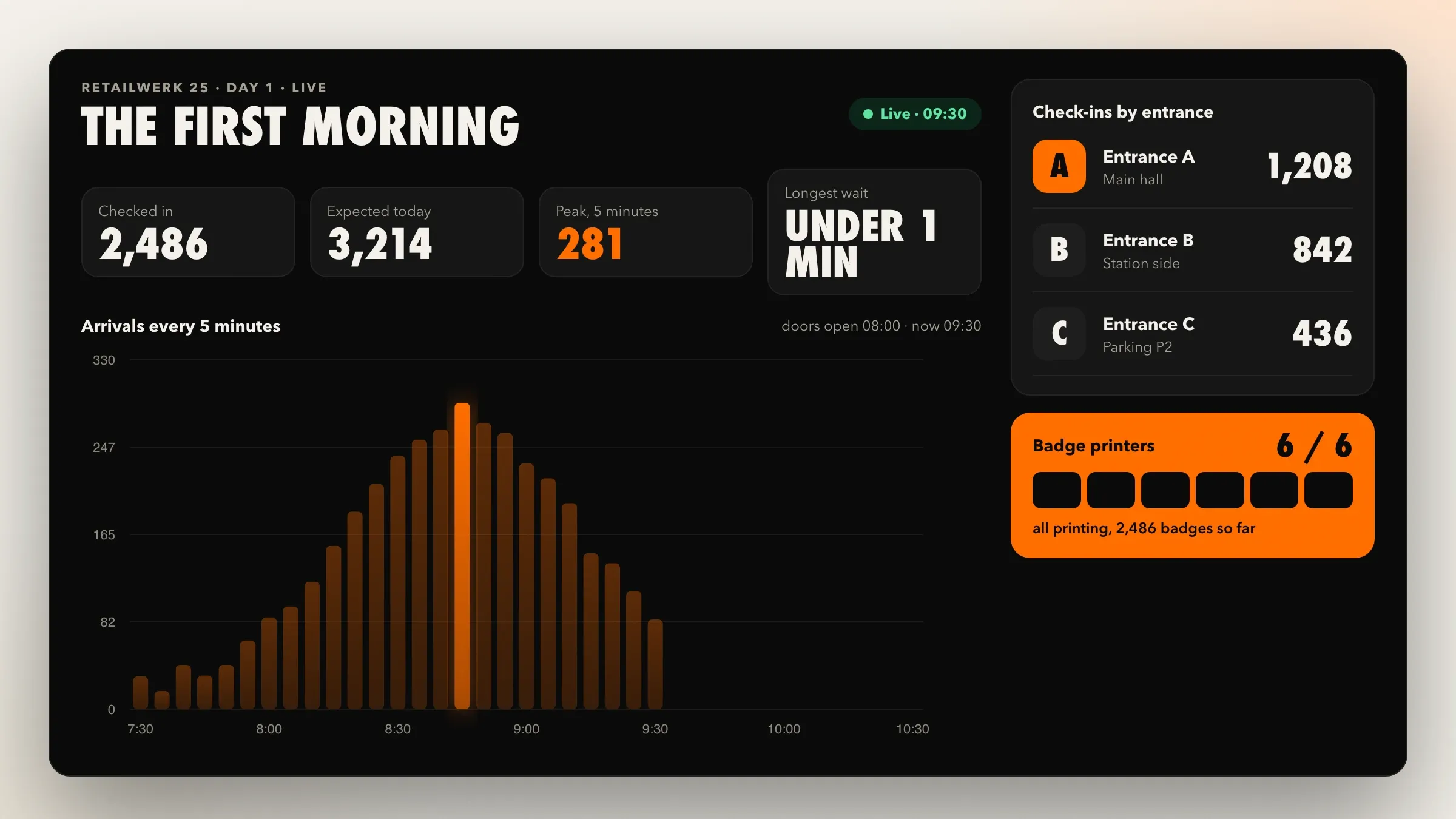
- The first hour decides the day. Most attendees arrive in the same short window, and every second at the door counts.
- Venue Wi-Fi can’t be trusted on a full morning, when thousands of phones join at once.
- Pre-printed badges waste paper and time, and people who registered late are always missing from the boxes.
- Companies buy the most tickets, and they need invoices that their finance teams accept first time.
Tickets the organiser designs
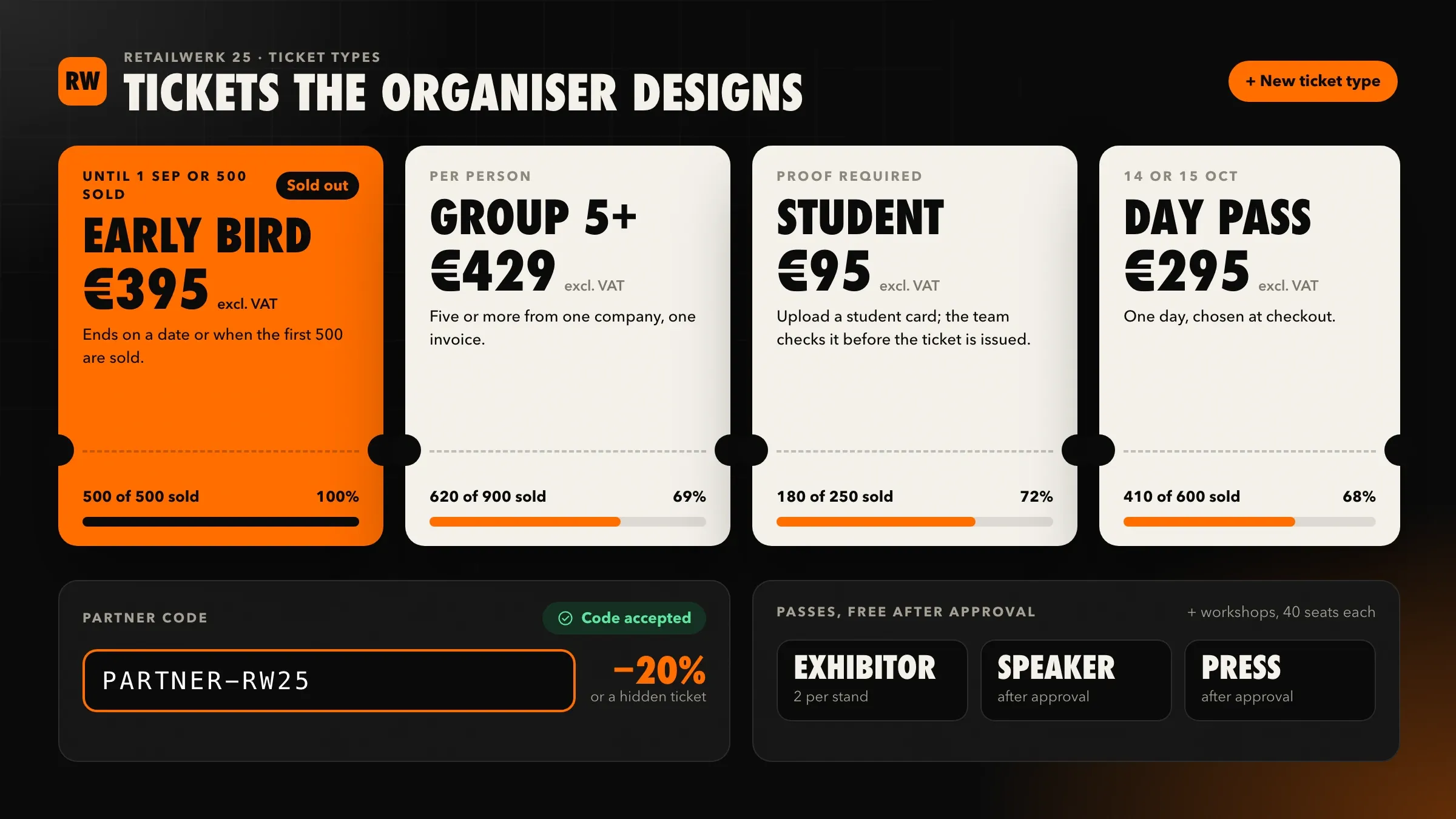
Each event on the platform has the ticket types the organiser wants, each with its own rules:
- early bird prices that end on a date or after a set number of tickets;
- group tickets with a lower price per person;
- student tickets that ask for proof;
- partner codes that unlock a discount or a hidden ticket type;
- exhibitor, speaker and press passes, issued free after approval;
- multi-day tickets, day passes, and workshops with their own capacity.
Attendees can transfer a ticket to a colleague, and the organiser’s refund policy is applied automatically up to the deadline.
Payments and invoices for companies
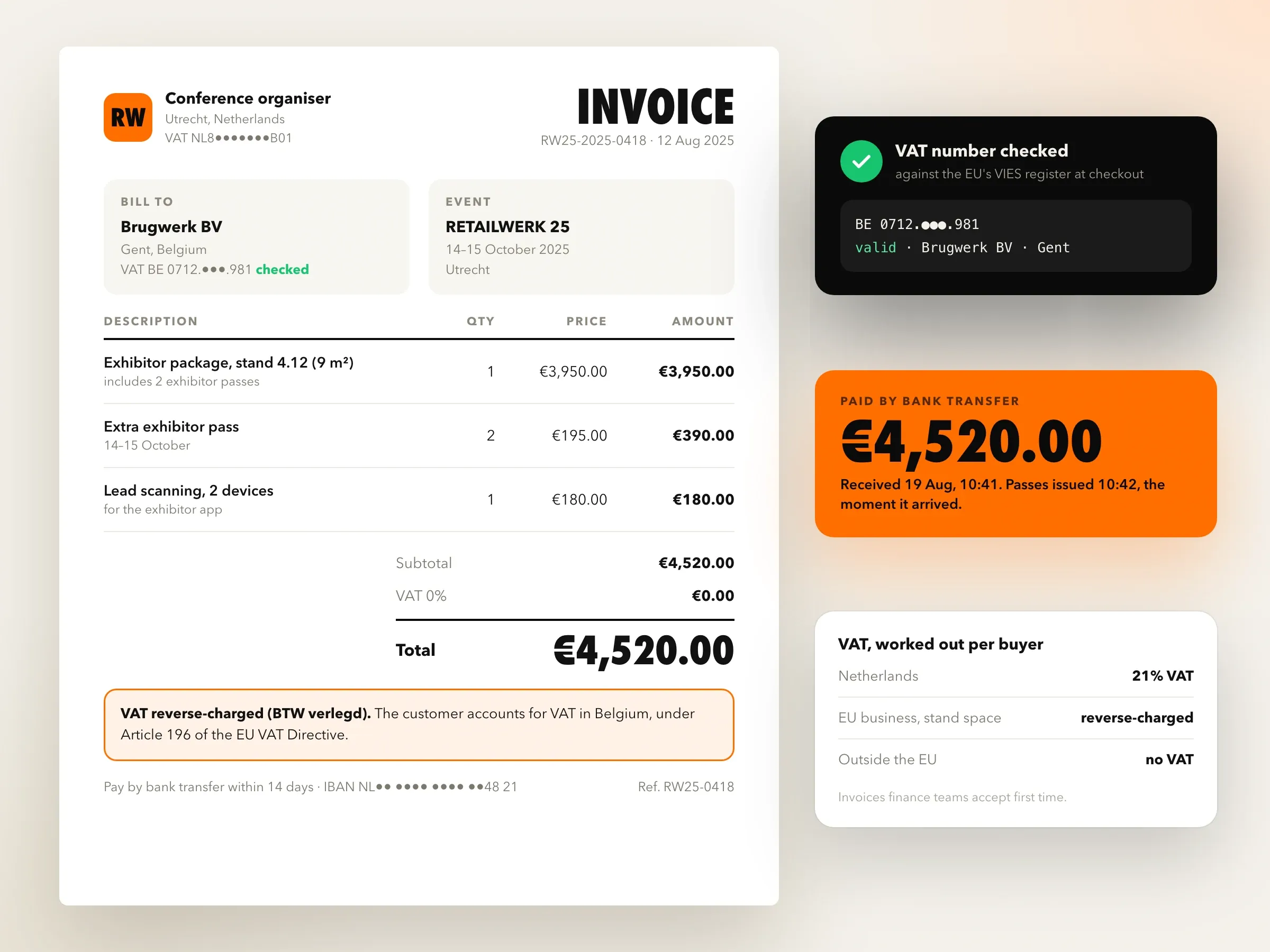
Attendees pay by iDEAL, card, Apple Pay, Google Pay, or Bancontact for visitors from Belgium. Companies enter their details and VAT number, which is checked, and receive a proper VAT invoice. Businesses elsewhere in the EU are invoiced under the reverse-charge rules. Companies can choose to pay by bank transfer, and their tickets are issued as soon as the payment arrives.
From wallet to door
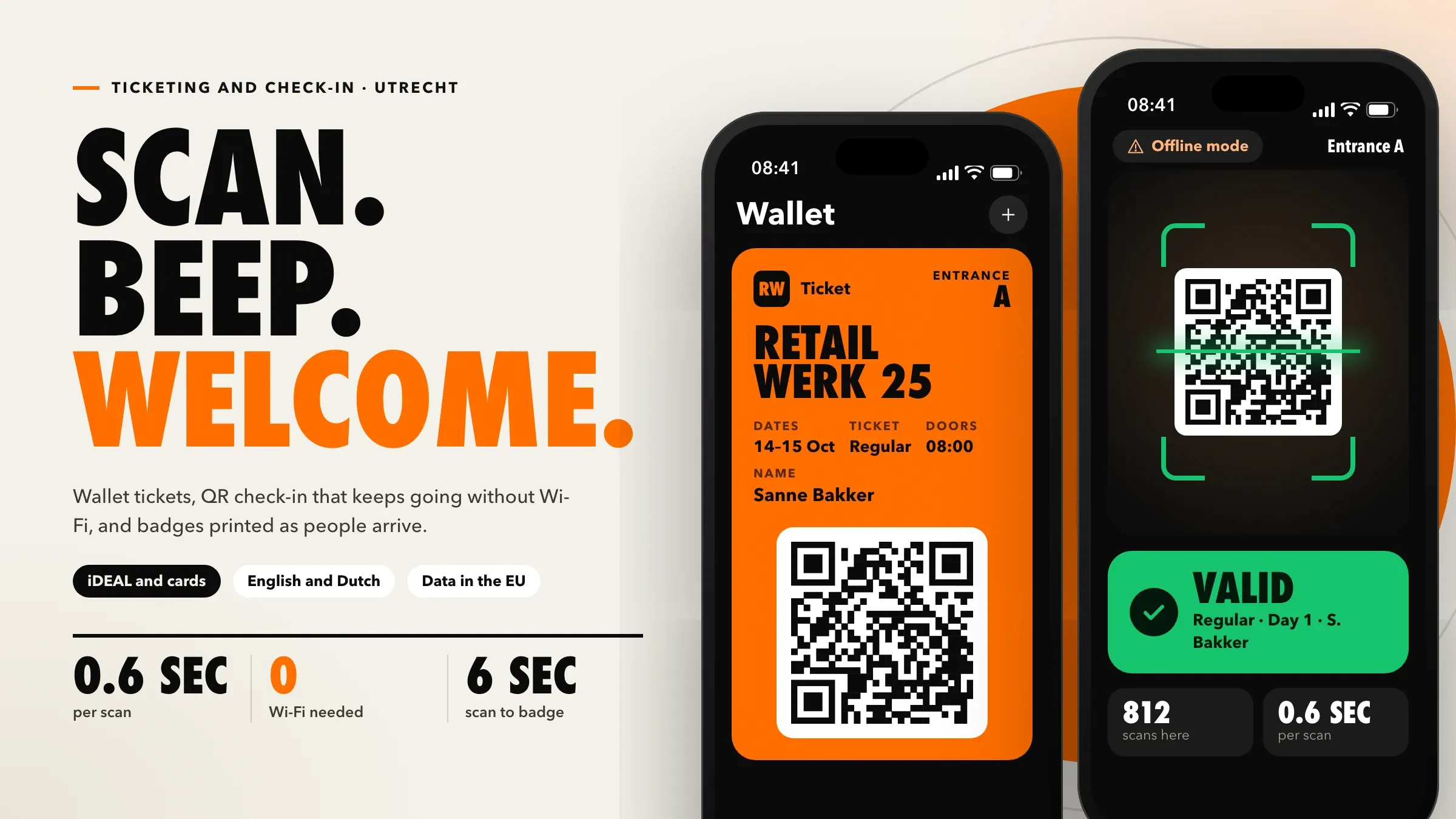
Tickets arrive as Apple Wallet and Google Wallet passes, each with a unique, signed QR code, so attendees open them in one tap at the door.
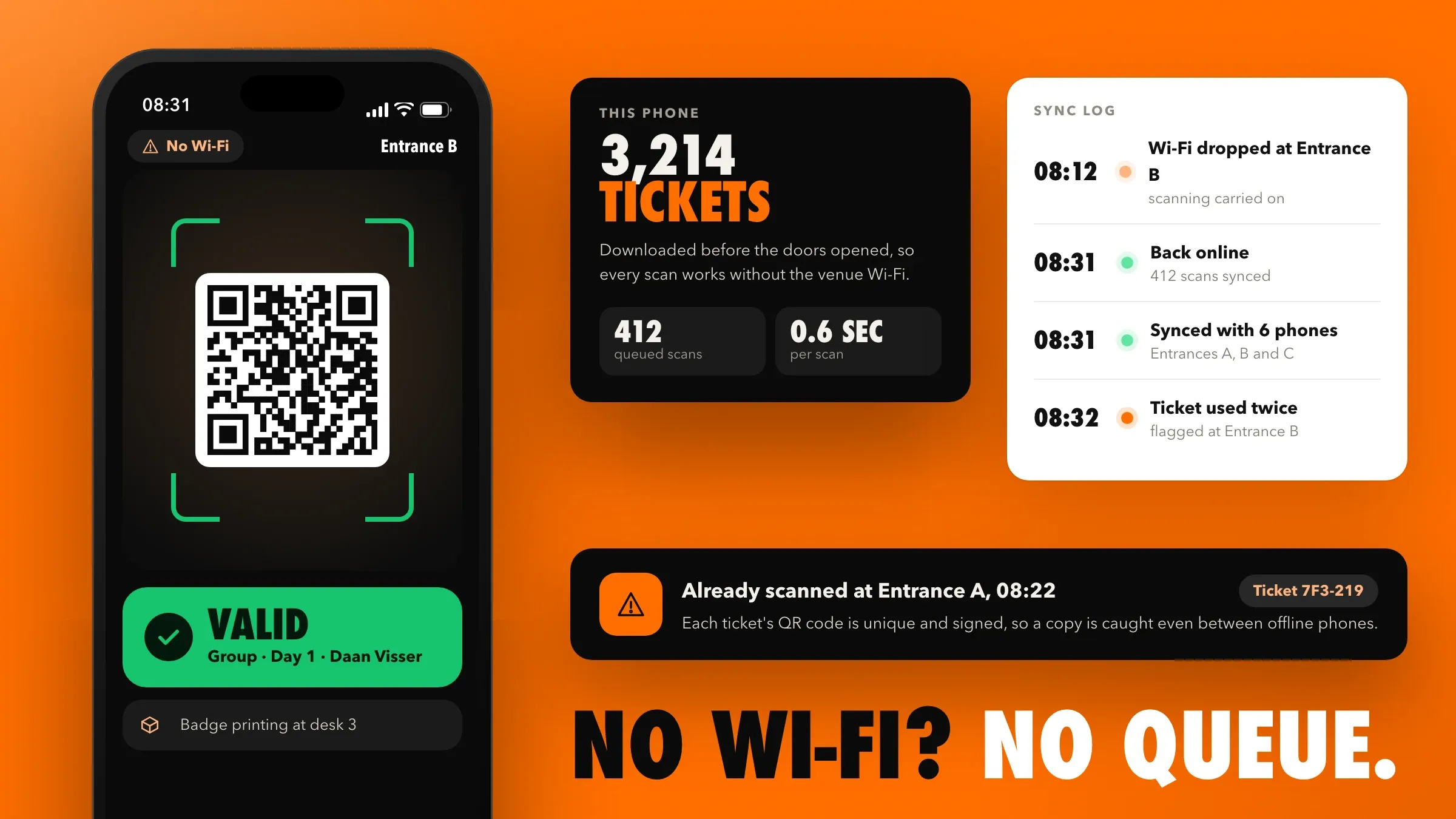
At the venue, staff use a check-in app on their own phones. Before doors open, it downloads the attendee list, so scanning keeps going even when the venue Wi-Fi doesn’t. Each scan takes under a second. Phones sync check-ins with each other when the connection returns, and a ticket used twice at different entrances is flagged.
Badges on arrival and exhibitor leads
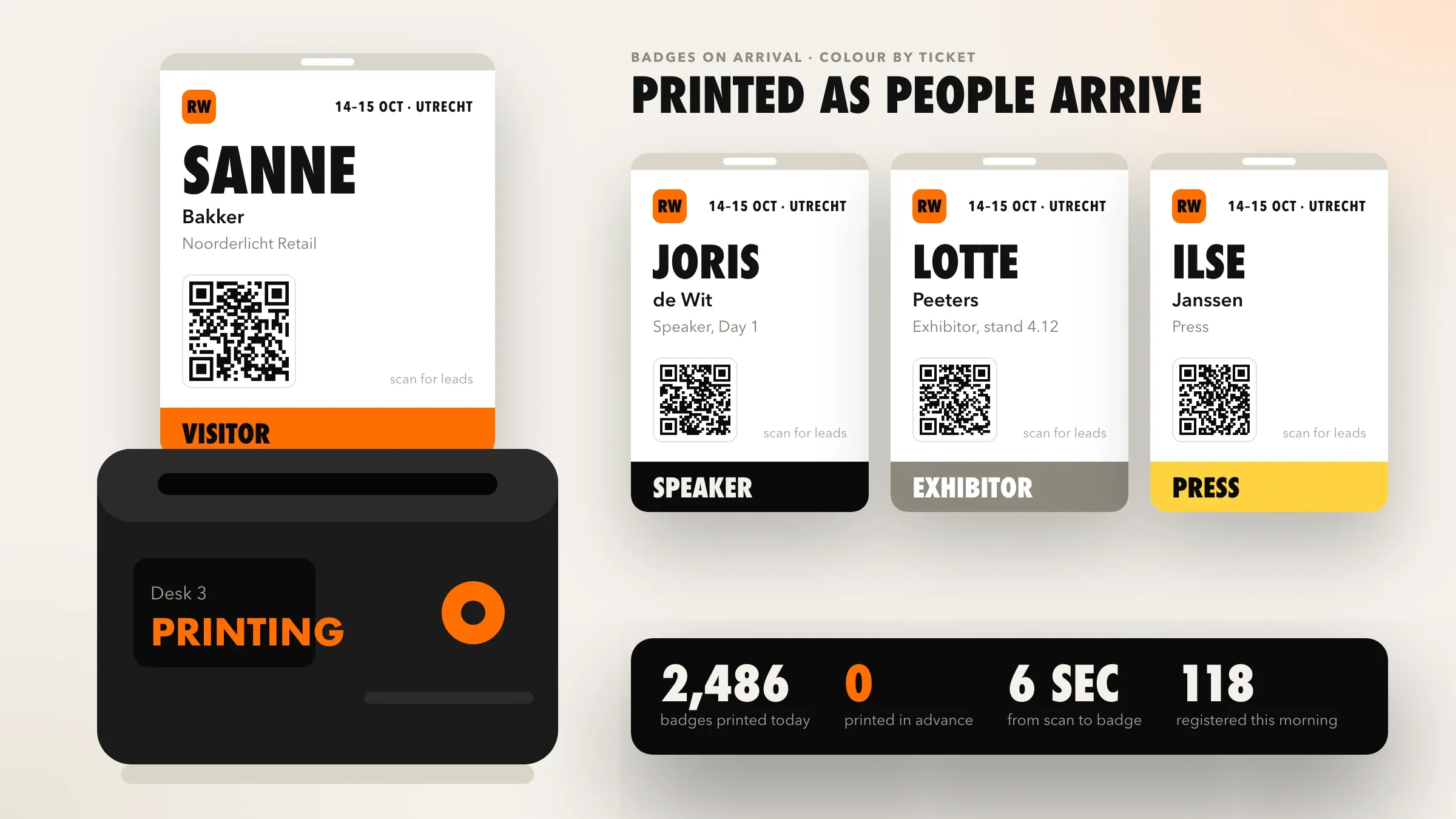
Badges print on demand as each attendee checks in, with their name, company and a colour for their ticket type, so only people who actually arrive get one, including those who registered that morning.
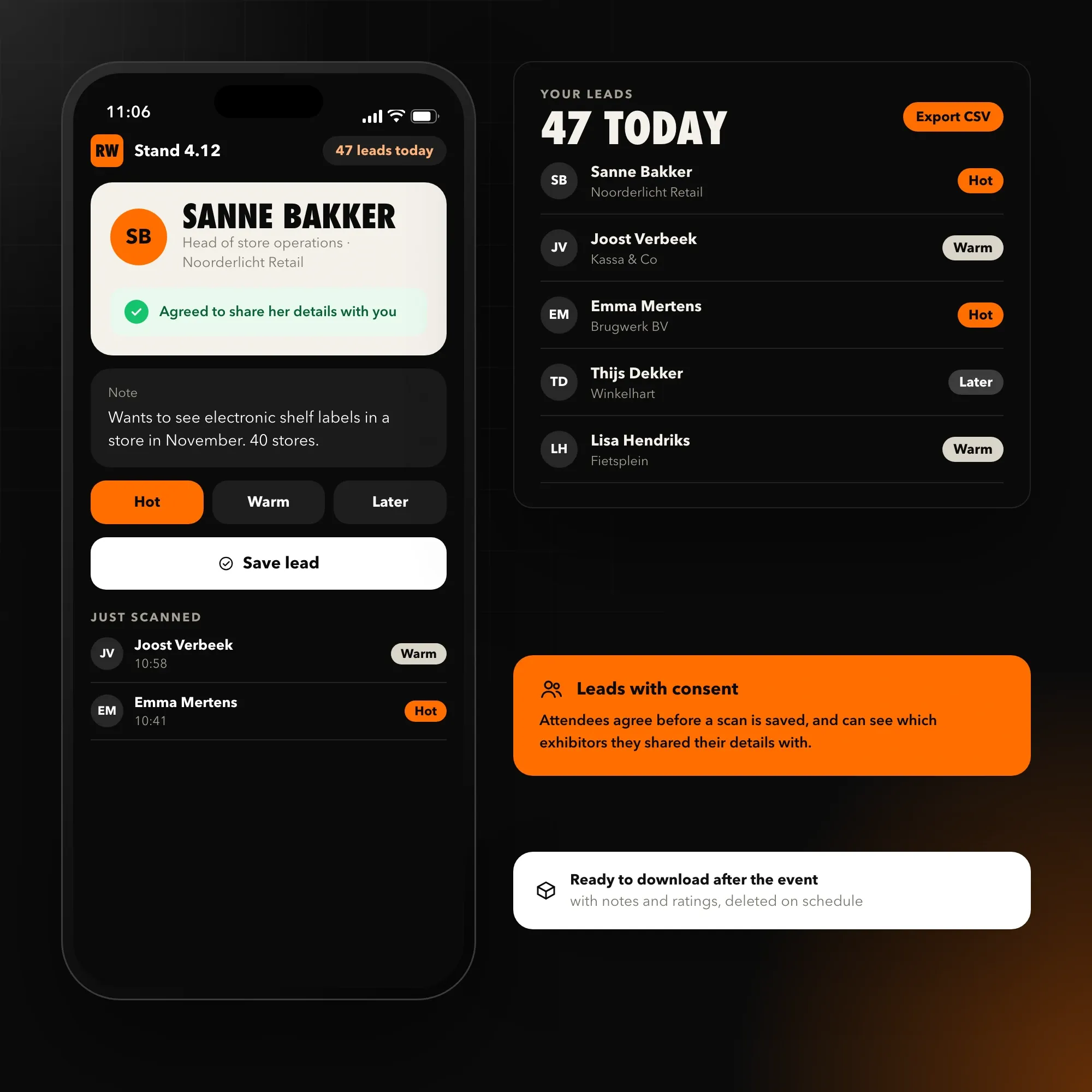
Exhibitors scan attendees’ badges on their stands, with the attendee’s agreement, and add notes as they talk. Their leads are ready to download after the event, and attendees can see which exhibitors they shared their details with.
The AI attendee assistant
An AI assistant answers attendees’ questions on the event website and by email, in English and Dutch: the agenda, speakers, rooms, venue, travel and parking, accessibility and tickets. It answers only from the organiser’s own event information, and when it isn’t sure, it passes the question to the team’s inbox with the conversation attached. The team now answers the questions that need a person.
How it’s built
The ticket shop and organiser dashboard are Next.js in TypeScript on Vercel, with Supabase and PostgreSQL holding events, tickets and check-ins. Stripe handles every payment method and the bank transfer flow. The check-in app is built in Flutter and works offline. Wallet tickets are issued for Apple Wallet and Google Wallet, and the assistant runs on OpenAI models over the organiser’s event information.
All data is hosted in the EU. Attendees give clear consent for marketing and for sharing their details with exhibitors, only the data each event needs is collected, and it is deleted on a set schedule after the event.
First event
Before the first event, we rehearsed doors opening in full, with staff, badge printers, the venue’s own Wi-Fi switched off, and a crowd of test tickets. The team’s notes from the first event shaped the next release, and every event since has run on the platform.
The outcome
The organiser now sells tickets on its own site and keeps its relationship with attendees. New events and ticket types are set up in minutes, companies get invoices their finance teams accept, check-in keeps moving when the Wi-Fi doesn’t, badges are printed only for people who arrive, and the team’s inbox is no longer full of the same questions.
How the project ran
4 months in 6 phases
- Weeks 1–2
Discovery
A walk through the last event with the organising team: ticket types, invoices, registration desks, badges, exhibitor leads and the questions attendees asked most.
- Weeks 3–5
Design
The ticket shop, wallet tickets, the check-in app, badge layouts and the organiser dashboard, designed for the busy first morning of an event.
- Weeks 6–10
Ticketing and payments
Ticket types and rules, iDEAL, cards and Apple Pay, company invoices with VAT, transfers and refunds.
- Weeks 9–13
Check-in, badges and leads
Offline check-in on staff phones, badge printing on arrival, and exhibitor lead scanning with consent.
- Weeks 13–15
AI assistant and rehearsal
The AI attendee assistant, then a full rehearsal of doors opening with staff, printers and a crowd of test tickets.
- Weeks 16–17 onwards
First event and support
The first event run on the platform, improvements from the team's notes, and every event since.
What we delivered
- Discovery
- Product design
- Web app
- Mobile app
- Payments
- AI agents and automation
- Cloud
- Maintenance and support
Inside the project
7 pictures
Questions and answers
10 answered
What did FIRELIFE Ventures build for a conference organiser in Utrecht?
FIRELIFE Ventures built an event ticketing platform for a conference and trade show organiser in Utrecht. It sells tickets on the organiser's own website, issues VAT invoices and wallet tickets, checks attendees in by QR code even without Wi-Fi, prints badges on arrival and answers attendee questions with an AI assistant.
What is an event ticketing platform?
An event ticketing platform sells tickets online, sends them to attendees and checks them in at the door. Running it on its own website lets an organiser set its own ticket types, keep its fees down and keep its attendee data.
How does QR check-in work, even without internet?
Each ticket carries a unique, signed QR code. Before doors open, the check-in app downloads the attendee list to staff phones, so tickets scan in under a second even if the venue Wi-Fi drops. Check-ins sync between phones when the connection returns, and a ticket used twice is flagged.
What are Apple Wallet and Google Wallet tickets?
Wallet tickets are saved in the phone's built-in wallet instead of an email or PDF. Attendees open them in one tap at the door, and the ticket shows the event date and venue and can appear on the lock screen on the day.
Can companies pay by invoice with VAT?
Yes. Companies enter their details and VAT number, which is checked, and receive a proper VAT invoice. Businesses elsewhere in the EU are invoiced under the reverse-charge rules, and companies can choose to pay by bank transfer instead of at checkout.
Which payment methods do attendees use?
Attendees pay by iDEAL, which most people in the Netherlands use, by card, by Apple Pay or Google Pay, or by Bancontact for visitors from Belgium.
How does exhibitor lead scanning work?
Exhibitors scan an attendee's badge on their stand with their own phone, with the attendee's agreement, and add notes. Their leads are ready to download after the event, and attendees can see which exhibitors they shared their details with.
How does the AI attendee assistant work?
The assistant answers attendees' questions about the agenda, speakers, venue, travel, accessibility and tickets, using only the organiser's own event information, in English and Dutch. When it isn't sure, it passes the question to the team's inbox.
How long does it take to build an event ticketing platform?
The platform took four months, including ticketing, payments and invoices, offline check-in, badge printing, exhibitor lead scanning and the AI assistant, with a full rehearsal before the first event.
Can FIRELIFE Ventures build a ticketing platform for my events?
Yes. FIRELIFE Ventures builds ticketing, check-in, badge and attendee apps for conferences, trade shows and event organisers, and supports them after launch. Start a project through the contact page.
More from the portfolio
All portfolio-
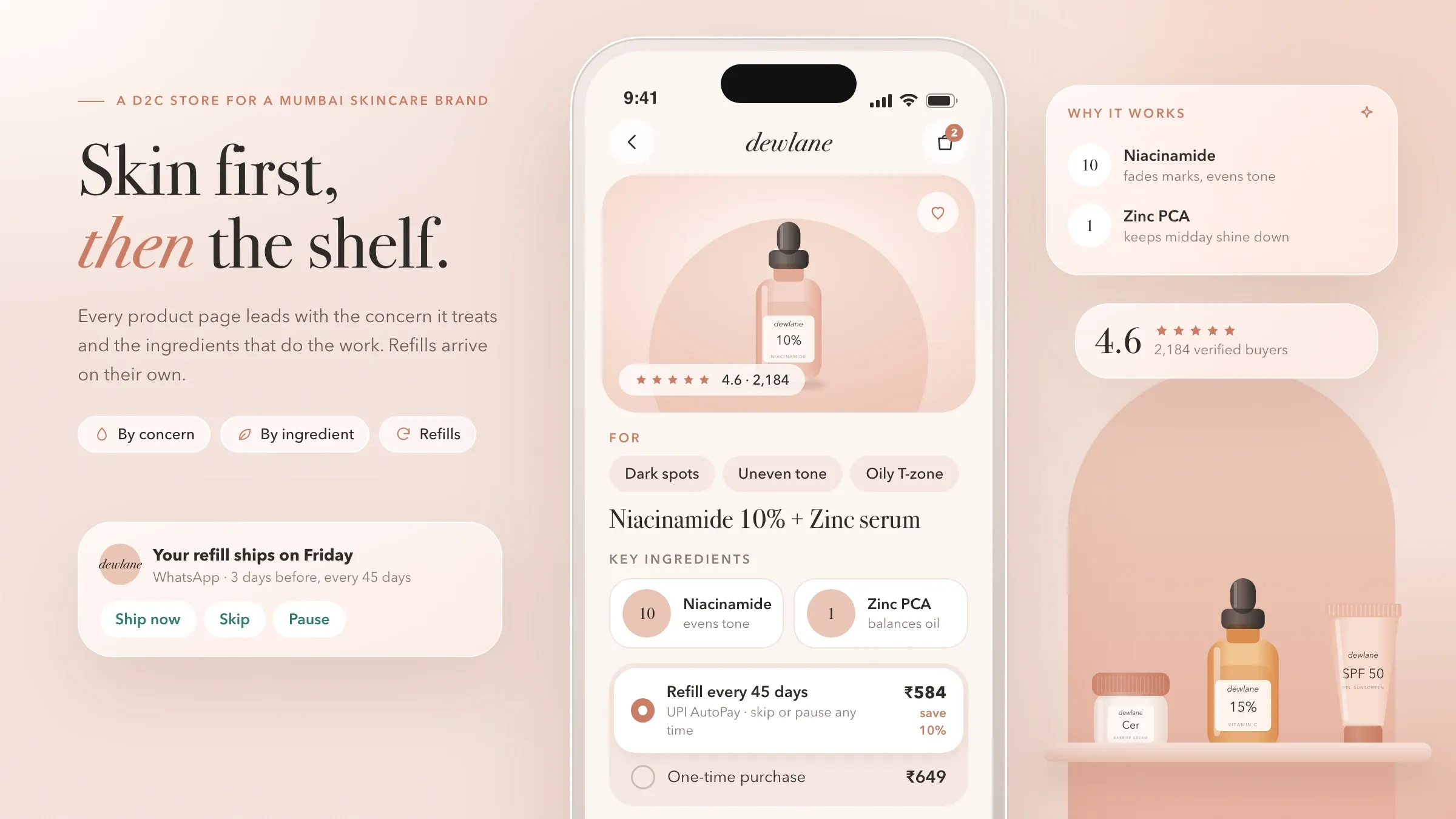 D2C Skincare Store A headless D2C e-commerce platform for a skincare brand in Mumbai: a fast mobile storefront, a skin quiz with AI recommendations, refill subscriptions on UPI AutoPay and delivery updates on WhatsApp.
 -
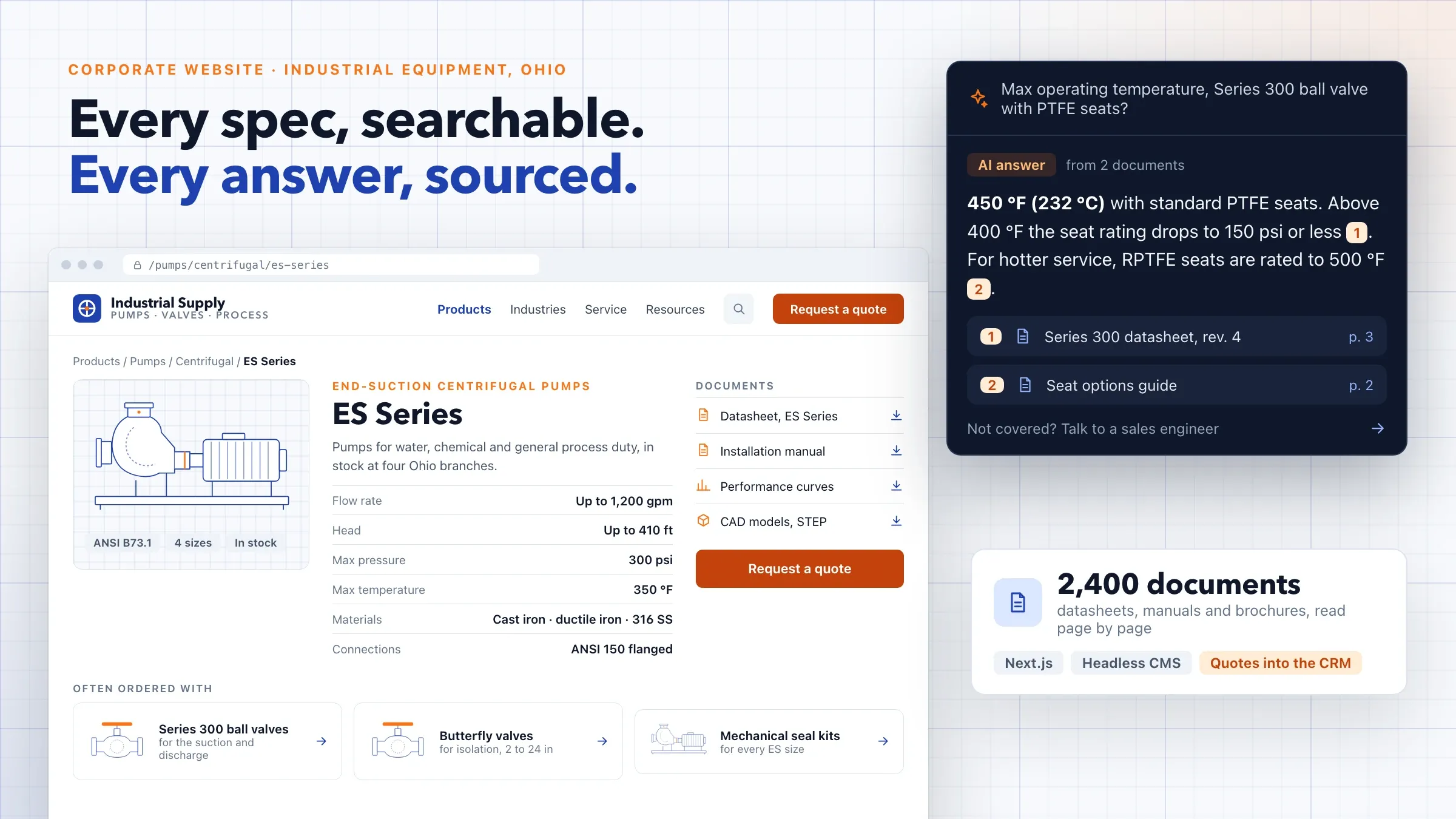 Industrial Equipment Website A corporate website on a headless CMS for an industrial equipment distributor in Ohio: a product catalogue the marketing team runs, AI search that answers from datasheets with sources, quotes straight into HubSpot, and a careful SEO migration.
 -
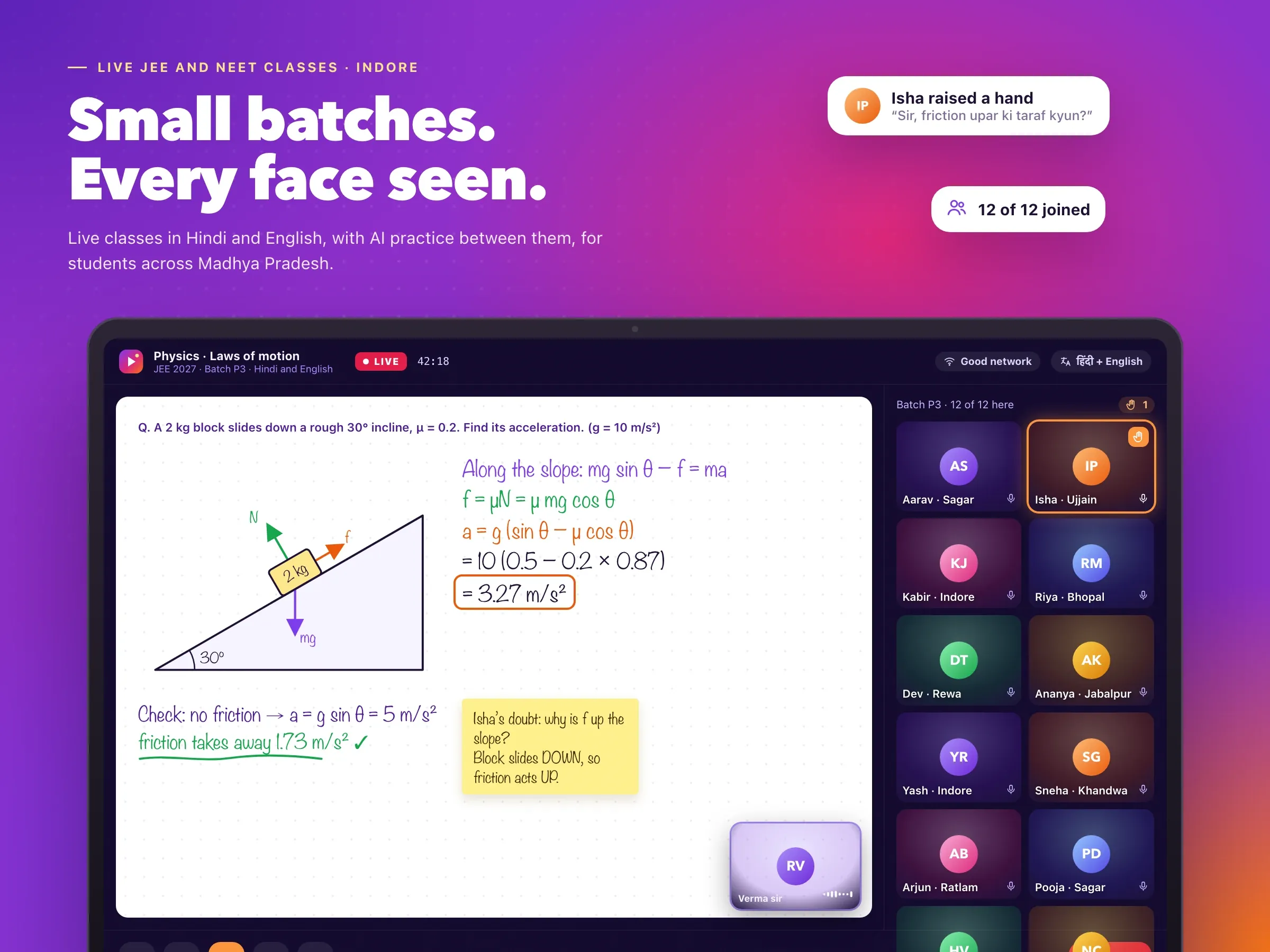 Live JEE and NEET Classes Small-batch live classes and AI practice for JEE, NEET and board exams, taught in Hindi and English, built for students in Madhya Pradesh's smaller cities.
Need something like this built?
Tell us what you want to build and where you are with it, and we'll get back to you.
Start a project