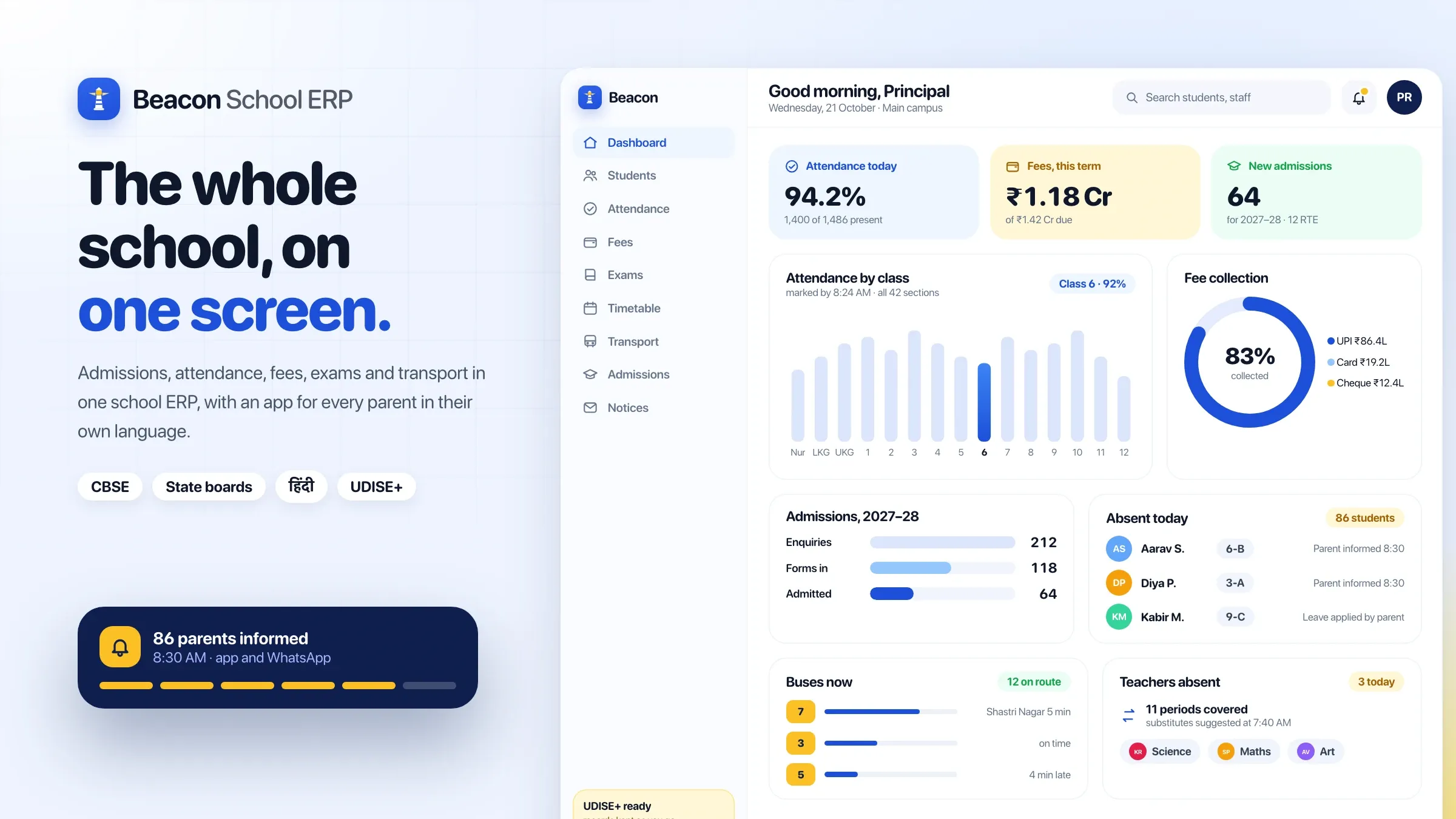
School ERP software that runs admissions, attendance, fees, exams and parent updates in one school management system, with a parent app.
Why it exists
Why schools need a school ERP
Most schools still run on registers, spreadsheets and phone calls. The office chases fees by hand, teachers enter the same data in three places, and the principal waits for reports at the end of the month. Parents hear about absences and dues too late, and every admission season means piles of paper.
What Beacon School ERP does
Beacon School ERP is school management software that brings admissions, attendance, fees, exams and parent communication into one system. Each person sees only what they need: the office runs admissions and fees, teachers handle attendance and marks, the principal sees the whole school, and parents follow their child on a phone app.
Who it’s for
Private schools, CBSE and state-board schools, and school groups that want less paperwork in the office, faster fee collection and closer contact with parents.
Key features
8 features
- 01
Admissions and student records
Online admission forms, document uploads, enquiry follow-ups and RTE seats, then one complete record for every student, from first enquiry to transfer certificate.
- 02
Attendance in seconds
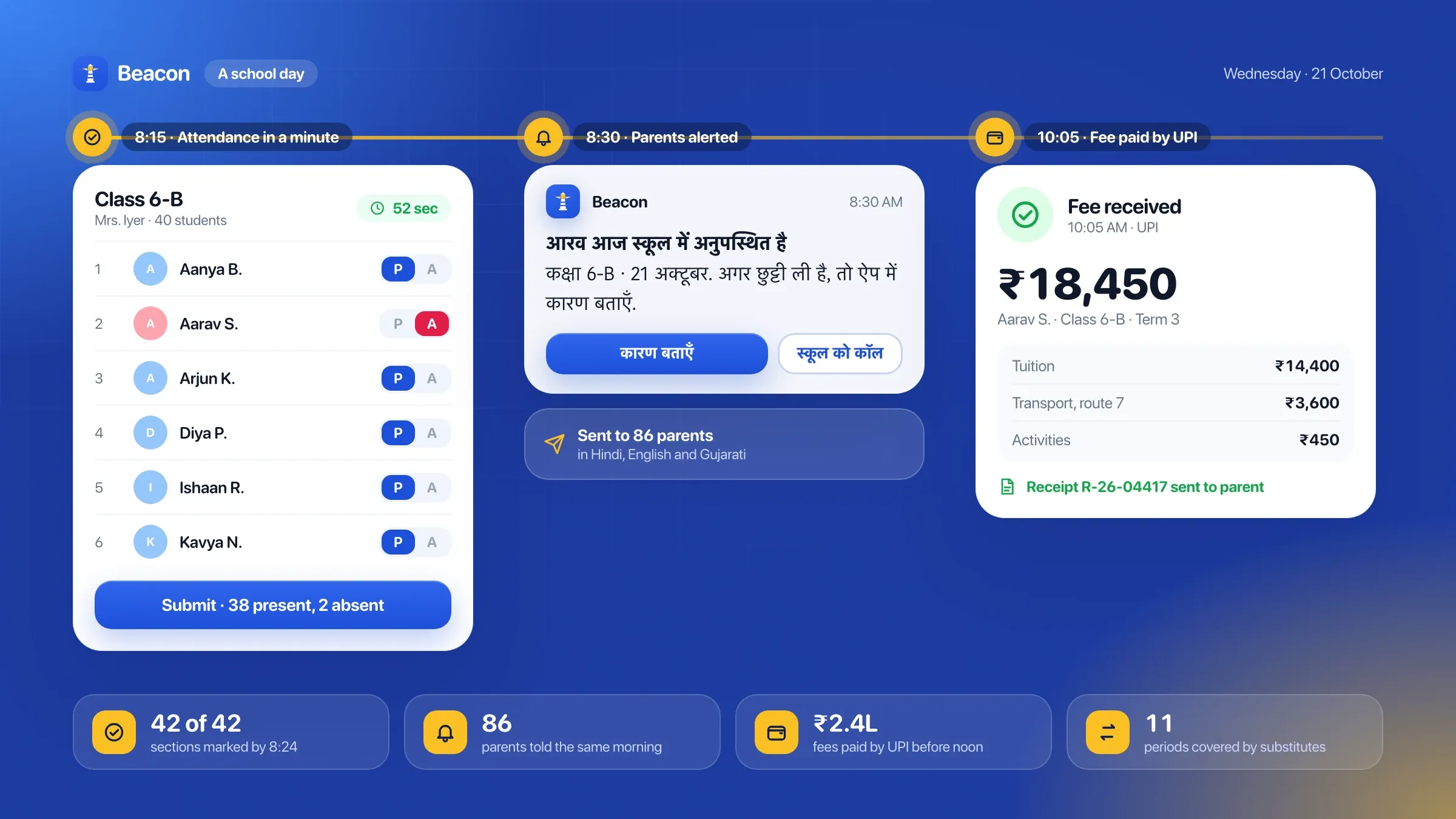
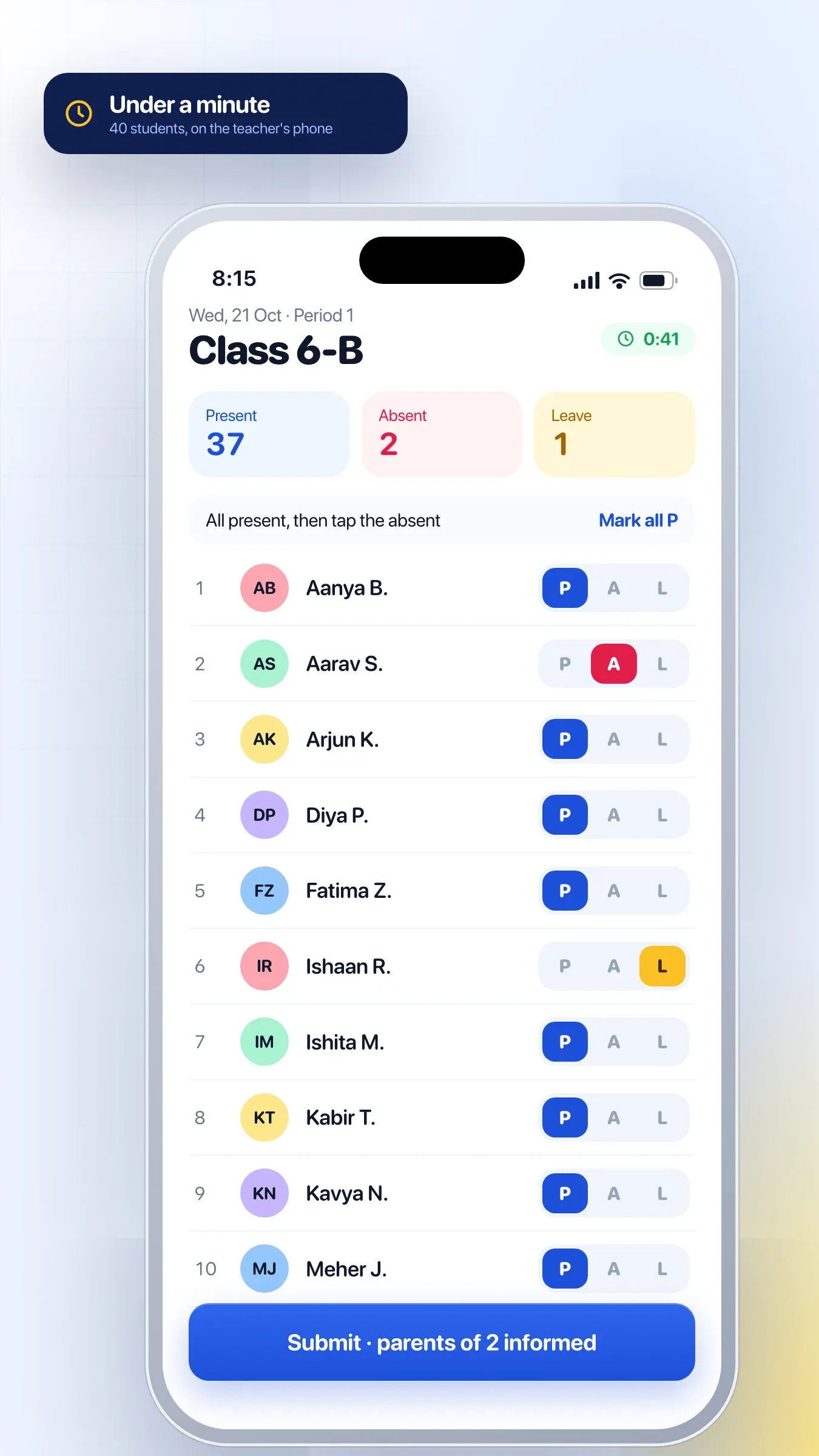
Teachers mark attendance for the whole class on their phone. Parents of absent students get a message the same morning, and the office sees every class at a glance.
- 03
Fee management with online payments
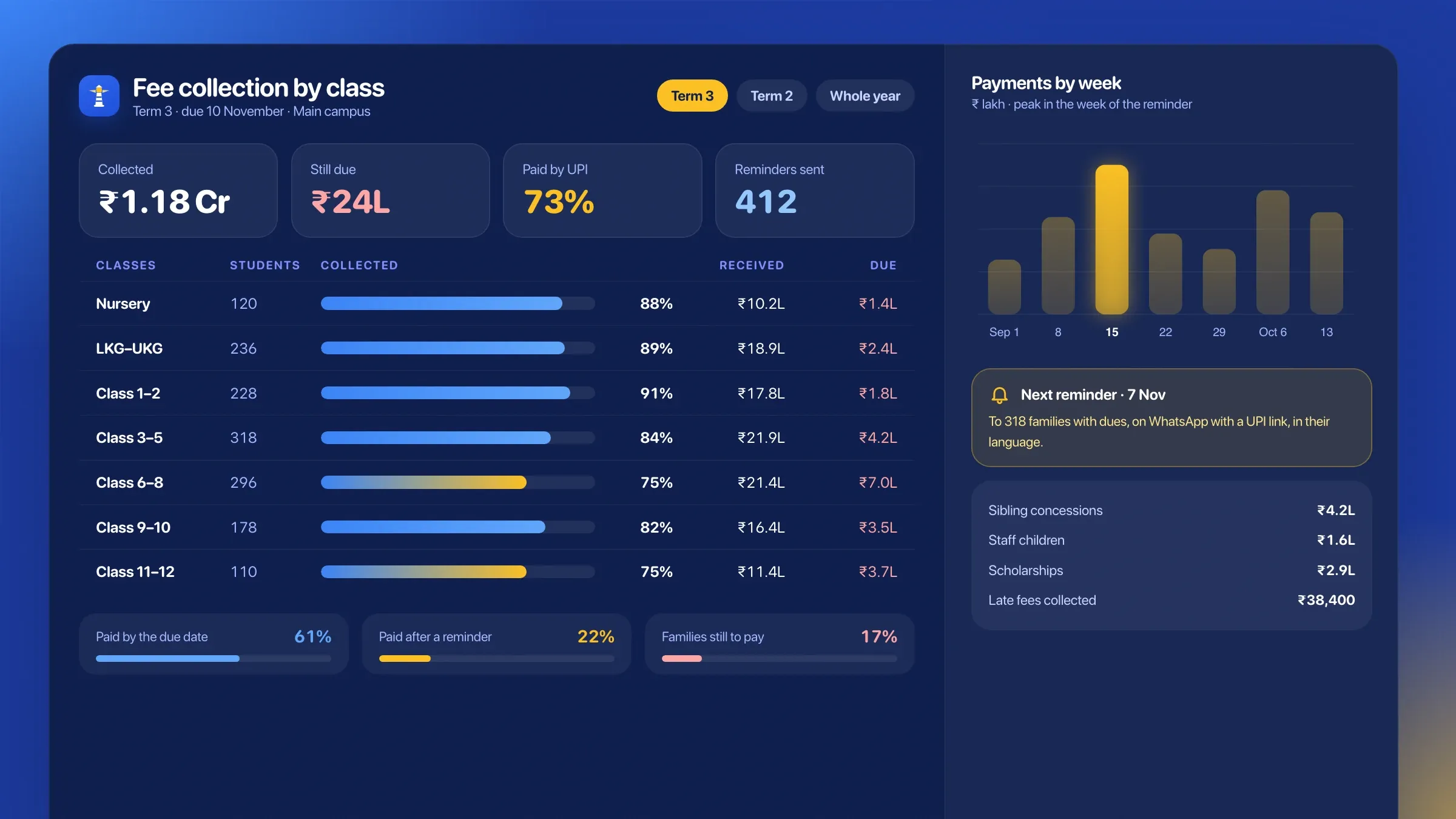
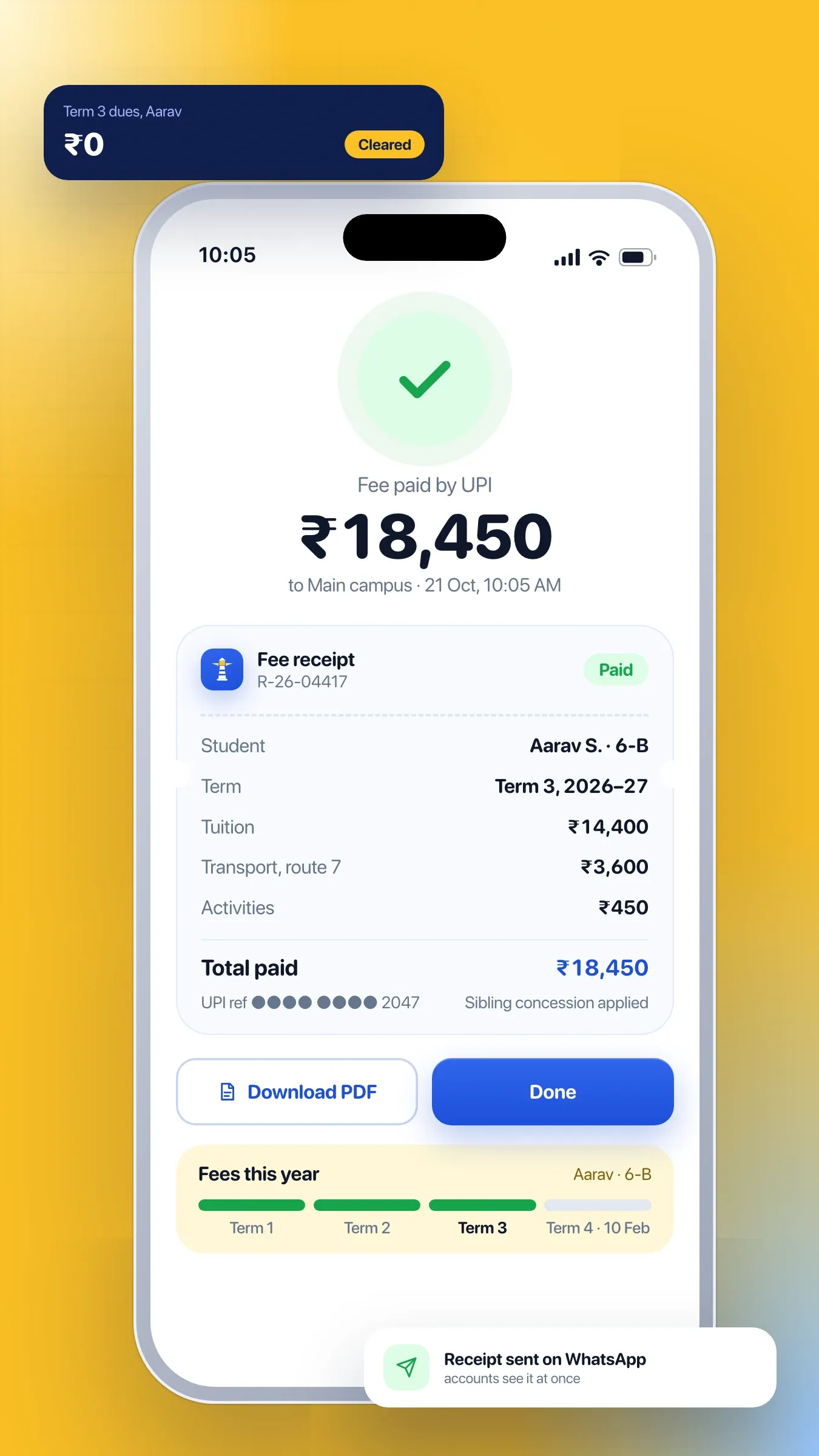
Fee plans, concessions, late fees and reminders, with payments by UPI or card, receipts sent automatically and dues always up to date for the accounts team.
- 04
Exams and report cards
Marks entry, grading rules and report cards in the school's format, including holistic progress cards, with AI-drafted remarks each teacher reviews.
- 05
Timetables and substitutions
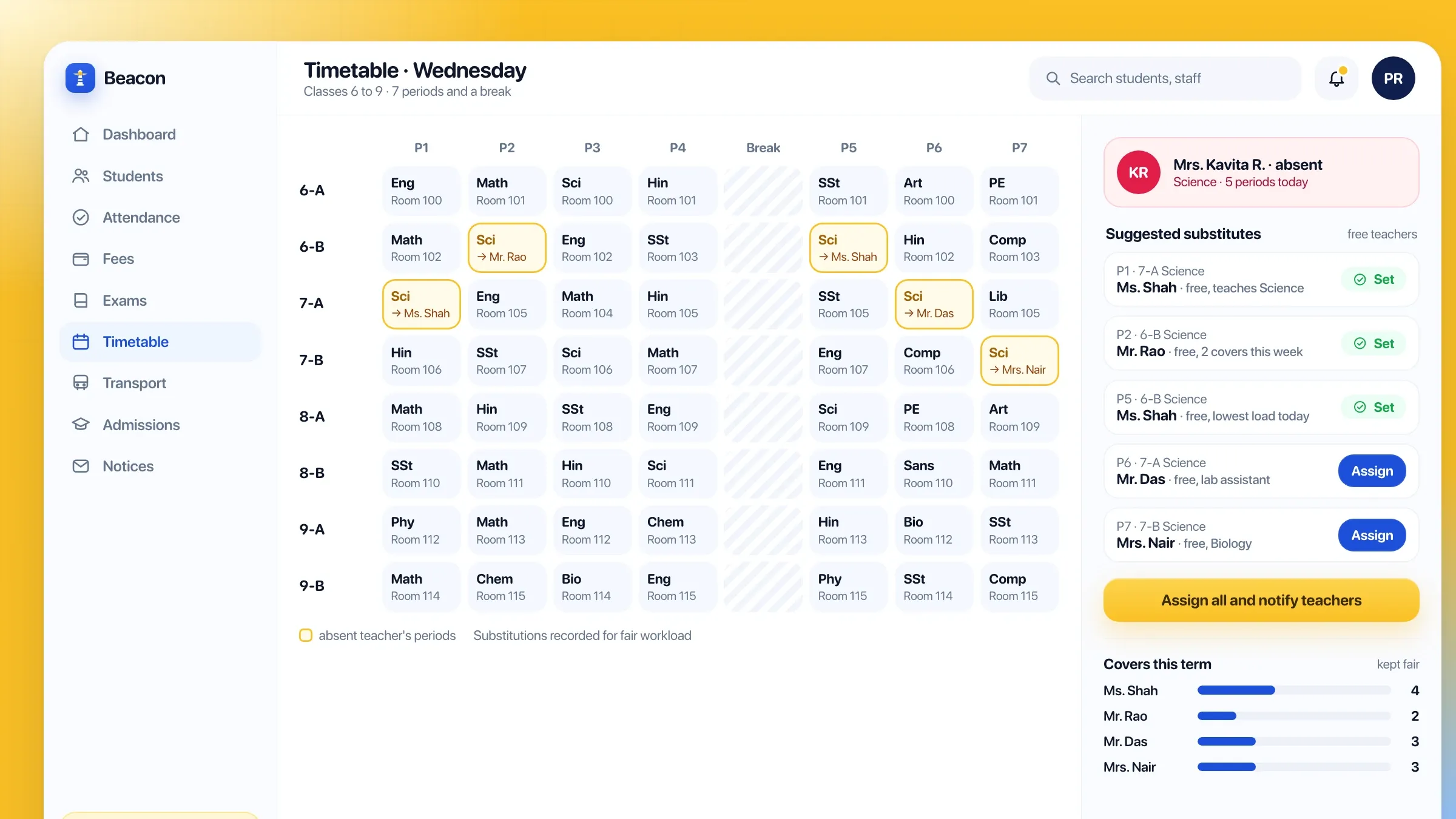
Build the timetable once. When a teacher is absent, the system suggests free teachers for every period, so no class is left without one.
- 06
School transport
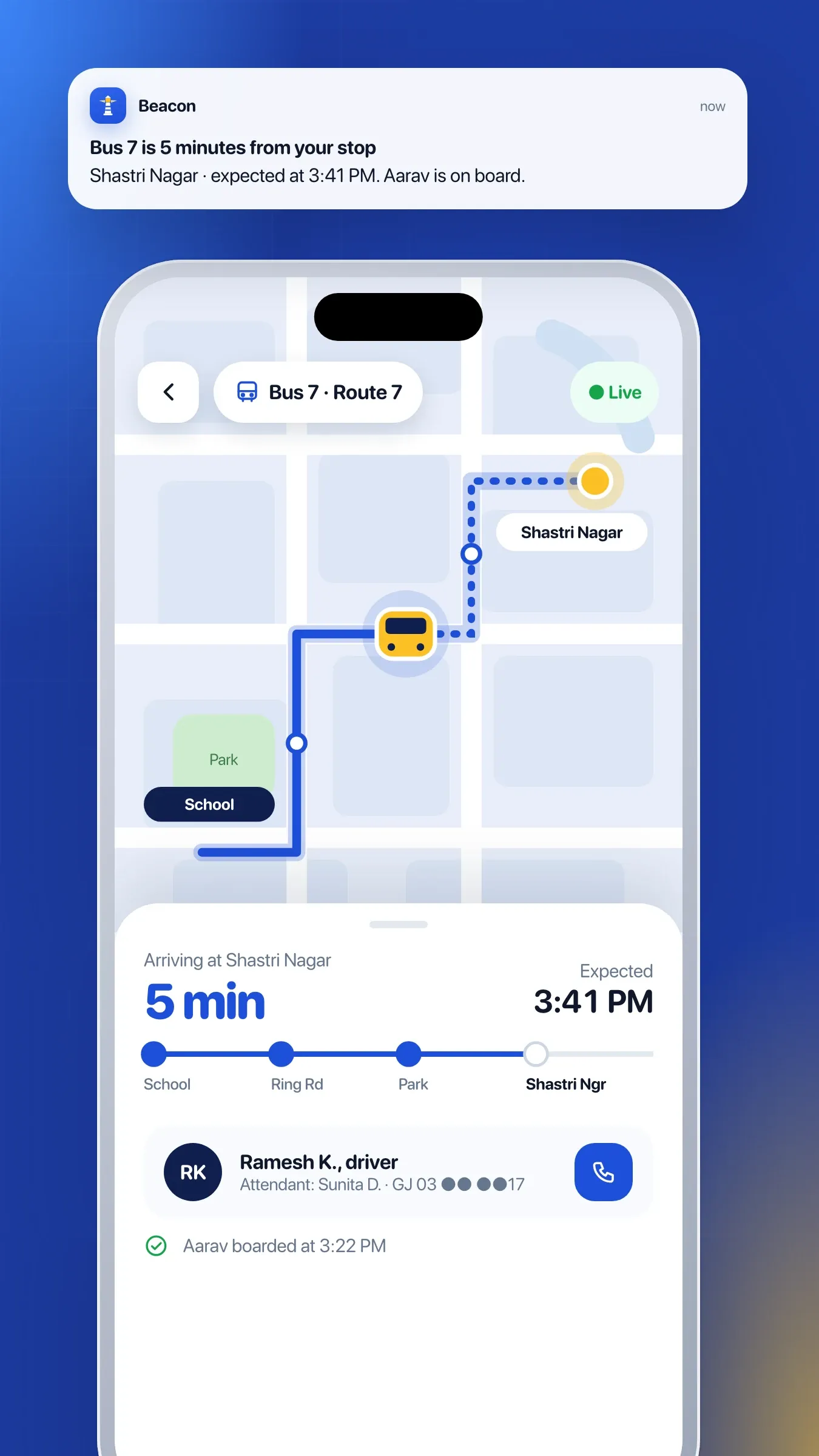
Bus routes and stops, students assigned to each, and live bus location for parents, with alerts as the bus approaches.
- 07
A parent app in their language
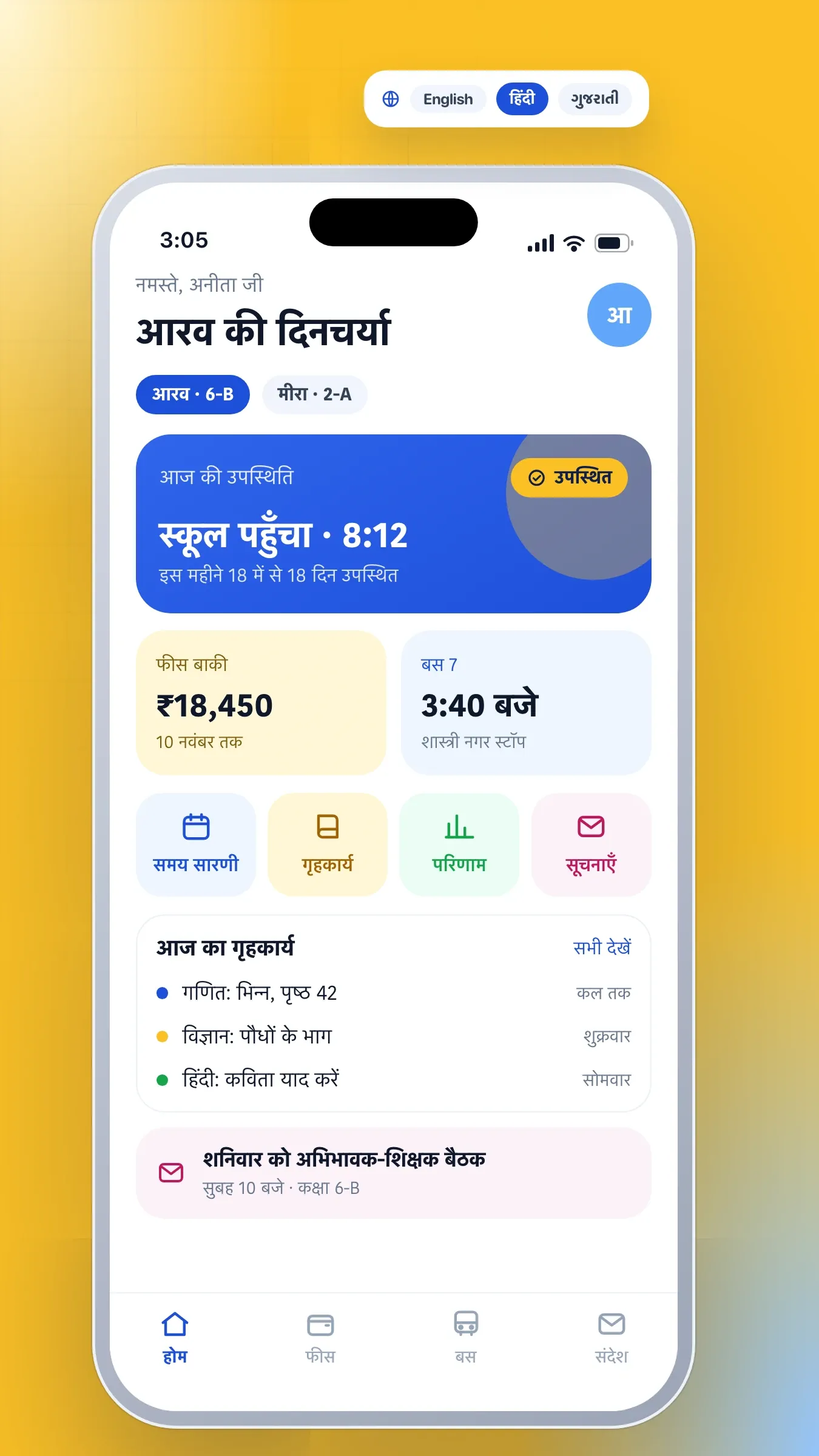
Notices, homework, attendance, results and fee dues on the parent's phone, in English, Hindi or their regional language.
- 08
Government reporting
Student and staff data kept ready for UDISE+ returns and APAAR IDs, so annual reporting takes hours, not weeks.
A school day with Beacon
At 8:15, class teachers mark attendance on their phones in under a minute. By 8:30, parents of absent children have a message, and the office sees which classes are short and which teachers are absent. Beacon has already suggested substitutes for every period they would have taught.
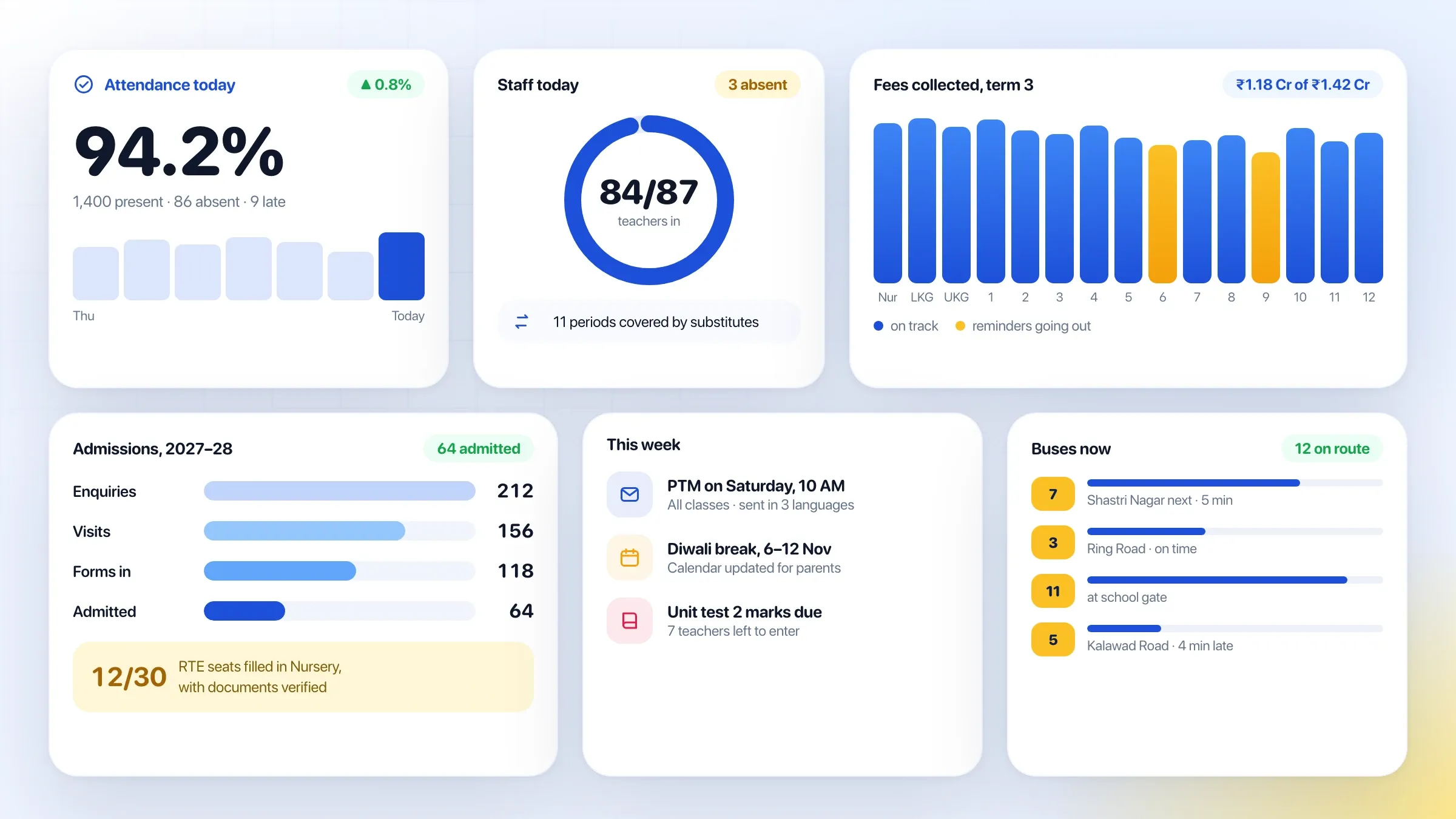
During the day, teachers post homework to the parent app and enter marks after each test. The accounts team sees fees paid overnight by UPI, with receipts already sent. In the afternoon, the transport in-charge watches the buses leave, and parents get an alert as the bus approaches their stop. The principal ends the day with the whole school on one screen.
Admissions without the paper pile
Admissions begin online. Parents fill in the enquiry form, the school follows up, and the admission form collects documents, photos and previous school records. Seats are tracked by class, including the seats reserved under the Right to Education Act, with their own documents and fee concessions.
Once admitted, each student has one record for their whole time at the school: personal and medical details, siblings, documents, attendance, fees, results and certificates. Transfer and character certificates are issued from that record in a click.
Fees that collect themselves
Each class has its fee plan: tuition, transport, activities and one-time fees, paid monthly, quarterly or yearly. Concessions such as sibling discounts, staff children and scholarships apply automatically, and late fees follow the school’s rules.
Parents pay by UPI or card from the app or a payment link sent on WhatsApp. Receipts go out automatically, reminders go out before each due date, and the accounts team sees collections and dues by class, without a single register.
Exams, report cards and holistic progress
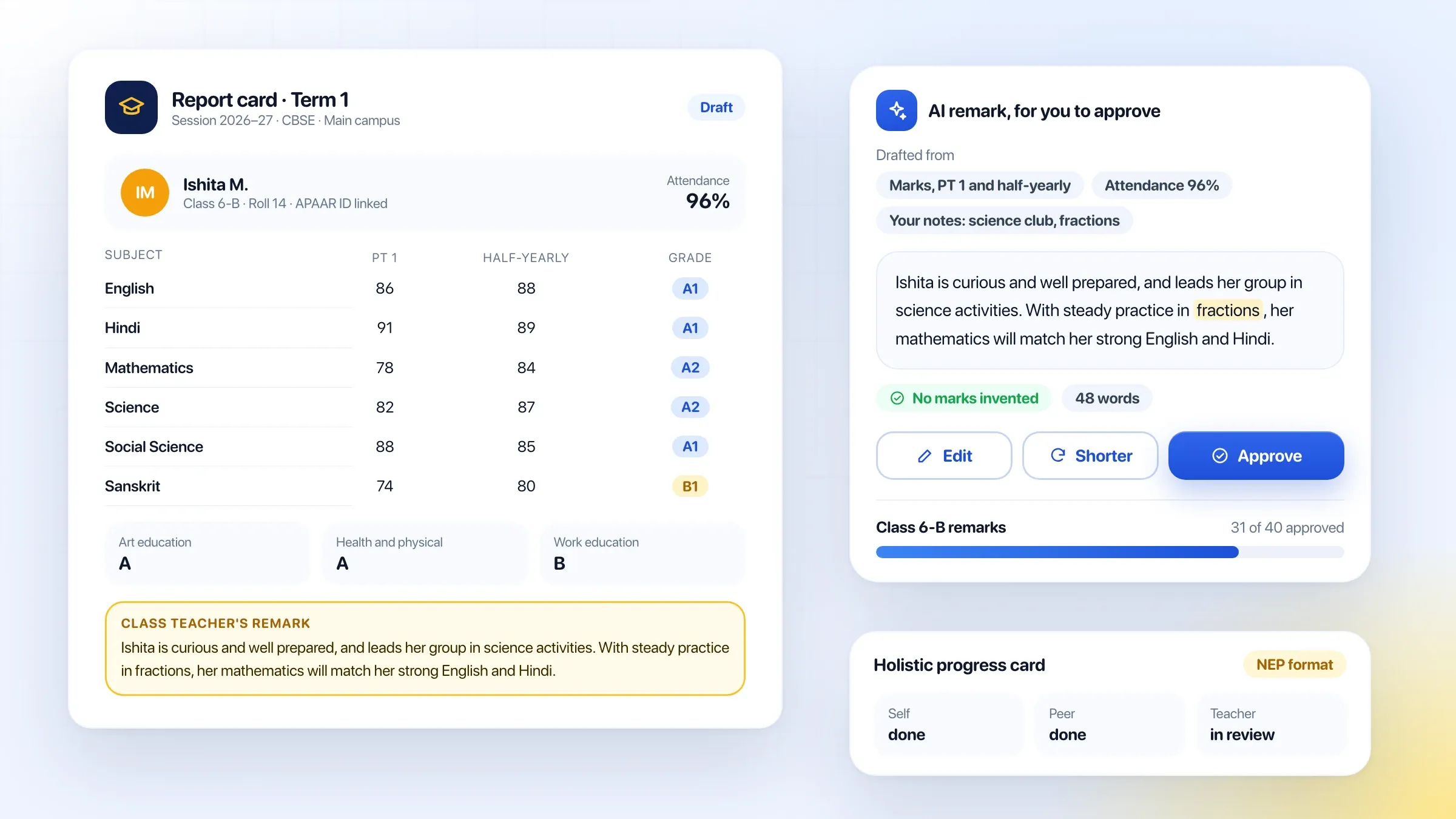
Teachers enter marks by subject and assessment. Grading rules follow the school’s board and class, and report cards print in the school’s own format, including CBSE formats and the holistic progress card introduced under the National Education Policy, with co-scholastic areas and teacher observations.
AI drafts a remark for each student from their marks, attendance and the teacher’s notes. Teachers start from a draft instead of a blank page, and every remark is checked and approved before it reaches a report card.
Timetables and substitutions
The timetable is built once for the year, with each teacher’s subjects, classes and load. When a teacher is absent, Beacon suggests free teachers for every period they would have taught, so no class is left without one. Substitutions are recorded, so workload stays fair across the term.
Transport parents can see
Bus routes, stops and timings are set up once, and each student is assigned to a route and stop. During the trip, parents see the bus on a map and get an alert as it approaches their stop, and the school sees every bus at once. Transport fees follow the student’s route.
The parent app
Parents have one app for everything: notices, homework, attendance, results, fee dues and payments, the timetable and bus location. It speaks English, Hindi and regional languages, so every parent reads it comfortably. Parents with more than one child at the school see all of them in one place.
Government reporting, done as you go
Schools file UDISE+ returns every year, and every student now has an APAAR ID. Beacon keeps student and staff records in the fields these ask for as part of everyday work, so annual reporting draws on data the school already has, instead of a scramble in the office.
Children’s data, handled with care
Student data is stored in India and encrypted. Each staff member sees only what their role needs, and parents see only their own children. Parents’ consent is recorded, in line with India’s data protection law for children’s data, and every change to a student’s record is logged.
How it works
4 steps
- 1
Set up your school
Add classes, sections, subjects, staff and students, or import them from the spreadsheets you already have.
- 2
Set your rules
Fee plans, concessions, grading rules, report card formats and the timetable, set once for the year.
- 3
Run the school day
Teachers mark attendance and marks; the office collects fees, issues certificates and sends notices from the same system.
- 4
Keep parents close
Parents see attendance, results and dues on their phone the moment they change, and pay fees without visiting the school.
Inside the product
7 pictures
Questions and answers
10 answered
What is Beacon School ERP?
Beacon School ERP is school management software built by FIRELIFE Ventures. It runs admissions, student records, attendance, fees, exams and report cards, timetables, transport and government reporting in one system, with a parent app in the parent's own language.
What is a school ERP?
A school ERP (enterprise resource planning) system is school management software that runs admissions, student records, attendance, fees, exams and parent communication in one place, instead of registers, spreadsheets and separate apps.
Can parents pay school fees online?
Yes. Parents pay fees by UPI or card from the parent app or a payment link. Receipts are sent automatically, and the accounts team sees every payment as it happens.
Does Beacon support CBSE and state board report cards?
Yes. Grading rules and report card formats are set per board and class, including CBSE formats and the holistic progress card introduced under the National Education Policy.
How does Beacon help with RTE admissions?
Private schools reserve seats under the Right to Education Act. Beacon tracks RTE seats and admissions separately, with the documents and fee concessions that apply to them.
Does it help with UDISE+ and APAAR ID?
Yes. Student and staff records are kept in the fields that UDISE+ returns ask for, and each student's APAAR ID can be recorded, so annual reporting draws on data the school already keeps.
Does it work for a group of schools?
Yes. Each school runs its own day-to-day work, while the group office sees admissions, attendance and fee collection across all schools together.
How does AI help teachers?
AI drafts report card remarks from each student's marks, attendance and teacher notes, so teachers start from a draft instead of a blank page. Every remark is reviewed and approved by the teacher.
How is children's data protected?
Student data is stored in India, encrypted, and visible only to the staff and parents who need it. Parents' consent is recorded, in line with India's data protection law for children's data.
When can our school use Beacon School ERP?
Beacon School ERP is in development. Schools that want early access can ask through the contact page, and we will get back to you with dates.
More from the portfolio
All portfolio-
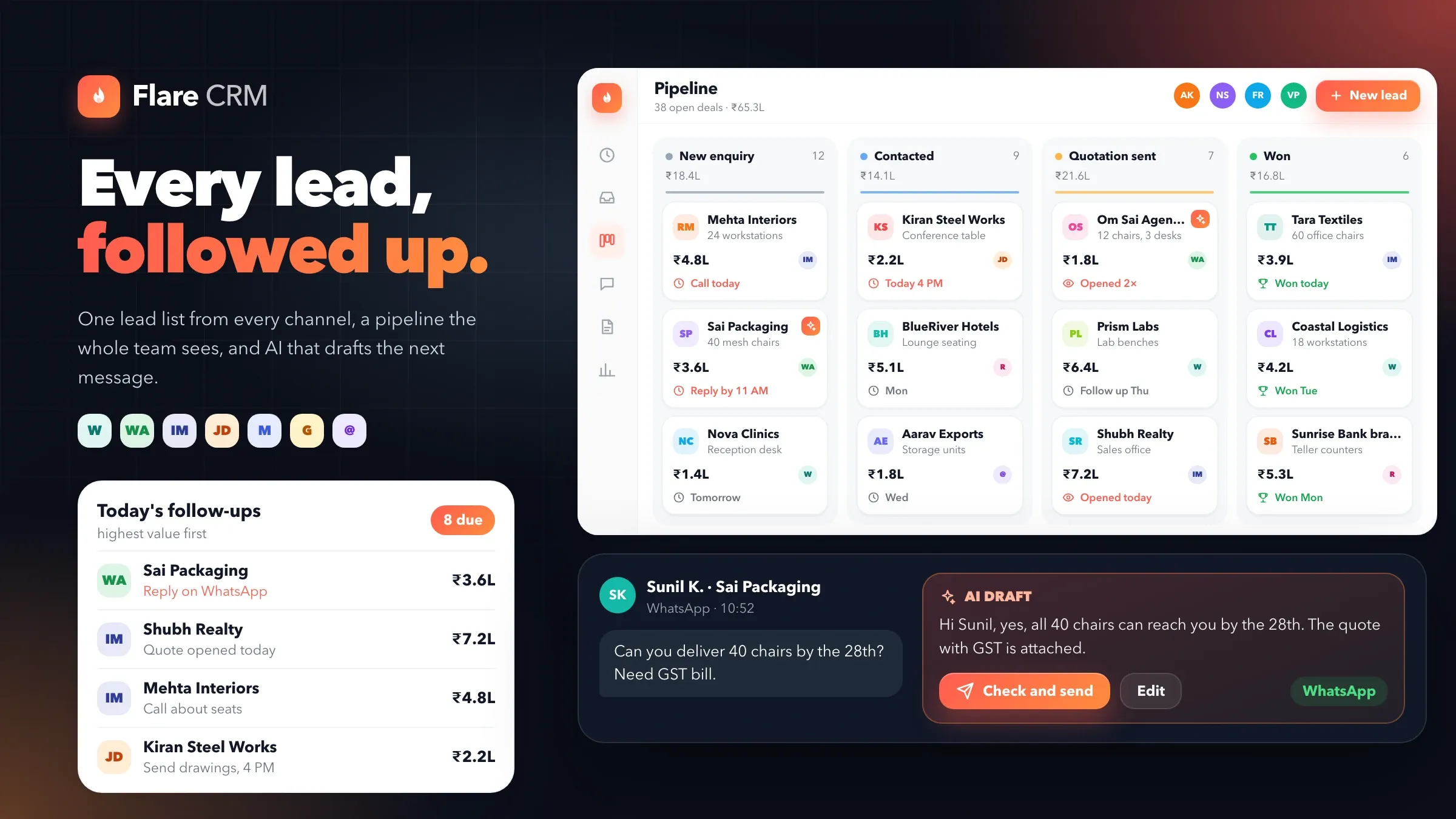 Flare CRM CRM software for small business: every lead from every channel in one list, a pipeline the whole team can see, WhatsApp inside every deal, and AI that drafts the next message.
 -
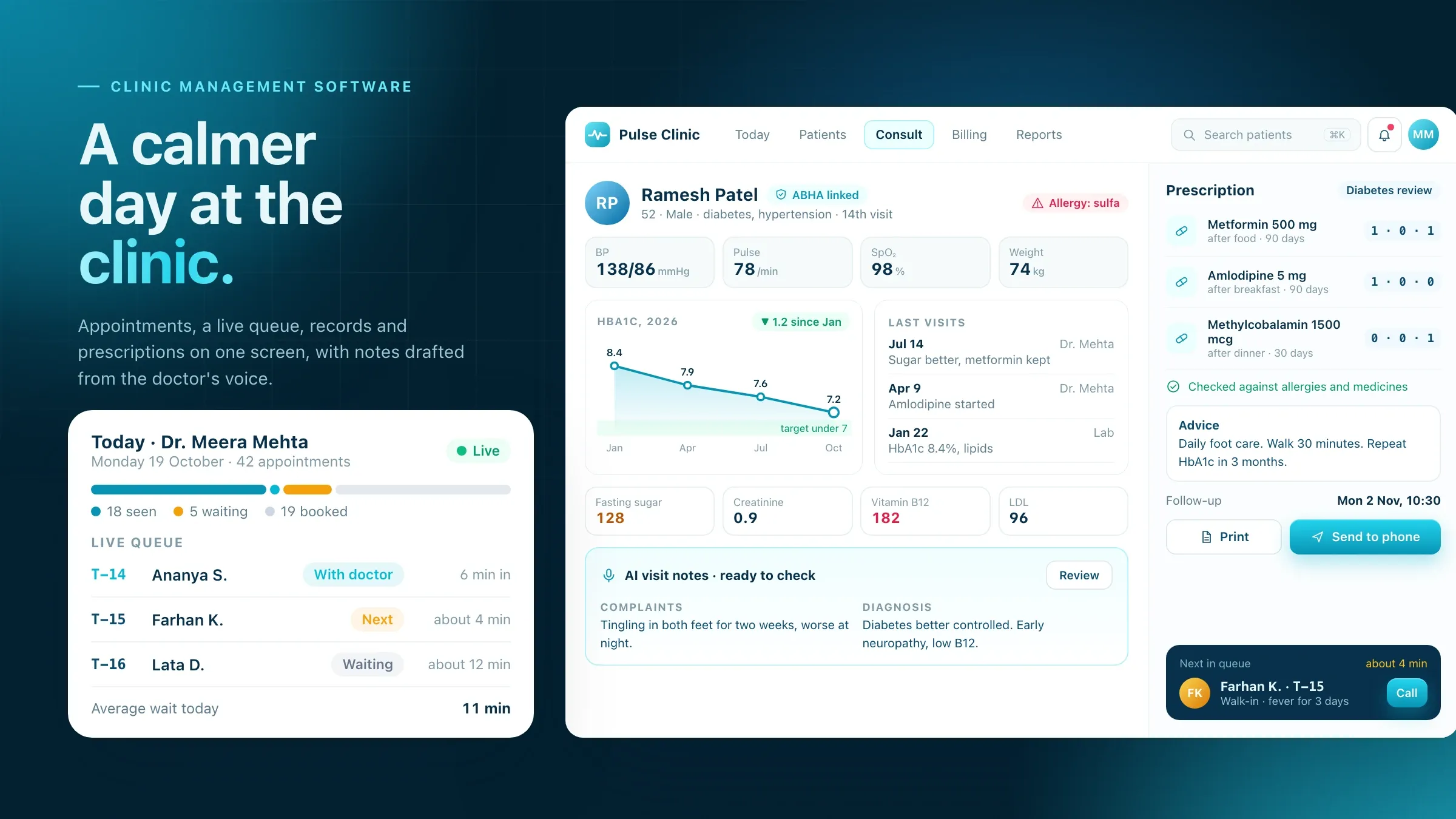 Pulse Clinic Clinic management software for appointments, a live queue, patient records, e-prescriptions, billing and ABHA-linked records, with AI visit notes drafted from the doctor's voice.
 -
 Salon and Spa Software All-in-one software for independent salons and spas: online booking, GST billing, staff commissions, memberships and packages, product stock, client history and an AI receptionist on WhatsApp.
Want Beacon School ERP in your business?
Tell us about your business and what you'd use it for, and we'll get back to you.
Ask for early access