Build something new custom software development
Software built around how you work
We build custom software around the way your business already works: your steps, your rules and your paperwork in one system, so orders, jobs and approvals move without retyping, chasing or guesswork.
- We learn your process before we build
- Moved over one team at a time
- Connected to the tools you already use
Sound familiar?
What we hear before we start
- The business runs on spreadsheets, WhatsApp groups and a few people's memory.
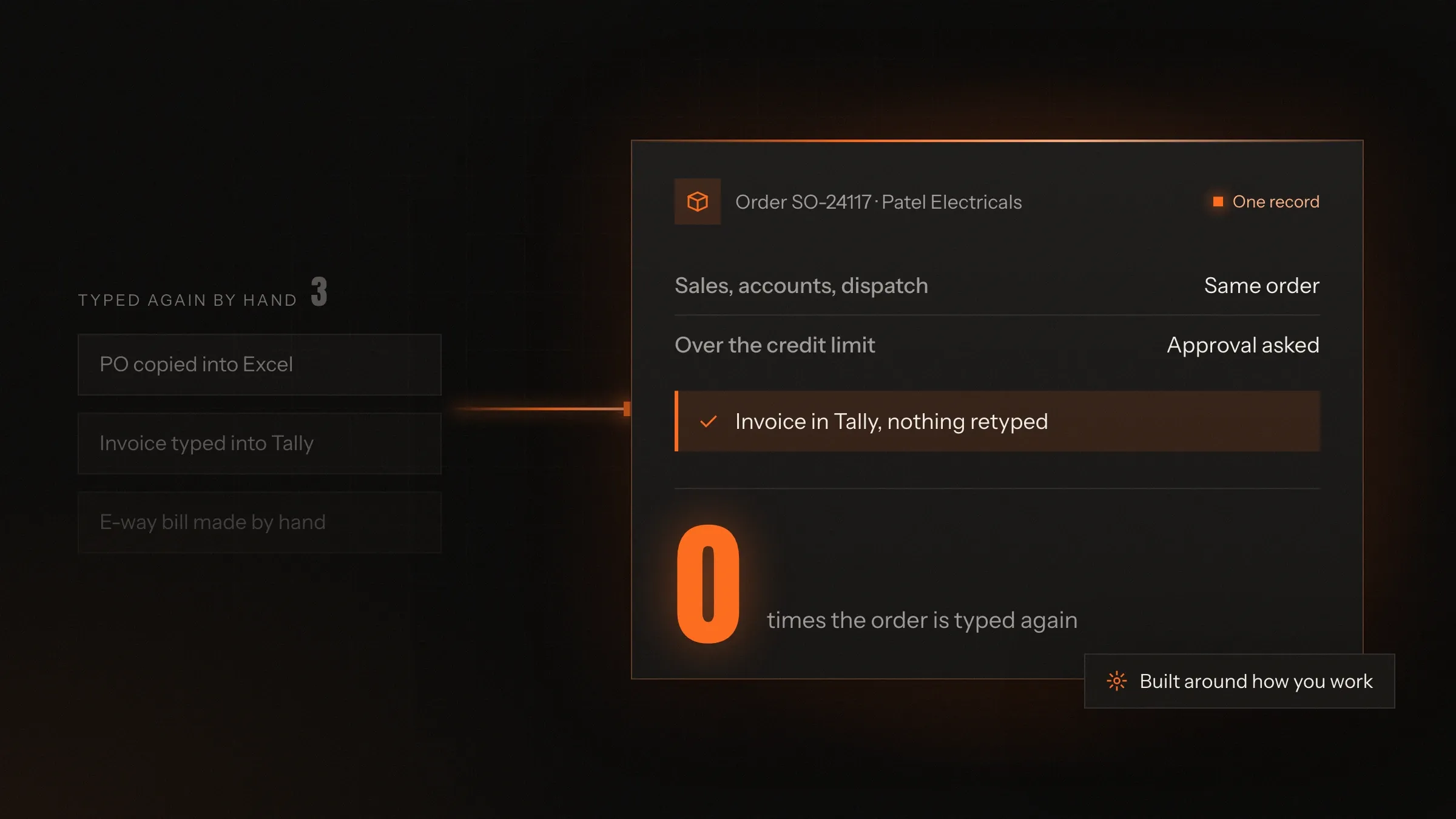
- The same order is typed into three places, and the three places never quite agree.
- Ready-made software made you change how you work, so half the team went back to Excel.
- You can't tell where a job has reached without walking the floor or making a call.
- When one key person is on leave, half of what they know goes with them.
What changes
-
Today: Each team keeps its own spreadsheet, and none of them match.
After: Everyone works from one system, and each person sees what their role needs.
-
Today: An order is typed again for accounts, stores and dispatch.
After: It is entered once and carried through every step, to the invoice and the e-way bill.
-
Today: Approvals happen on calls and WhatsApp, with no record of who said yes.
After: Approvals arrive as tasks with the facts attached, and every decision is recorded.
-
Today: Knowing the status of anything means asking someone.
After: Every order, job or case shows where it is and what it is waiting for.
-
Today: Month-end reports take days to put together.
After: Reports come from the same records everyone works in, on the day you need them.
What it does for you
-
Your process, step by step
Each stage of your work, from enquiry to invoice, with your rules for moving to the next.
For exampleA batch can't move to dispatch until its final inspection has been passed.
-
Approvals that wait for the right person
The right person is asked at the right moment, with what they need to decide in front of them.
For exampleAn order over a customer's credit limit waits for the owner's approval instead of being refused.
-
Paperwork from the records
Invoices, challans, e-way bills, payslips and certificates produced from data already in the system.
For exampleDispatch produces the GST e-invoice and the e-way bill, and the invoice goes on to Tally.
-
Access by role
Each person sees and changes only what their job needs, and every change is logged with a name.
For exampleA supervisor records output on a tablet; only accounts can see each customer's rates.
-
Connected to your tools
Accounting, GST, payments, biometric machines, GPS trackers, WhatsApp and email, linked so nothing is typed twice.
For exampleAttendance from the office's biometric machines is imported each night and matched to shifts.
-
Reports you can trust
Live views and month-end reports from the same records your teams work in every day.
For exampleThe owner sees what each workshop is holding, in pieces and in grams, without asking anyone.
-
Apps for the floor and the road
Tablet and phone apps for shop floors, warehouses and drivers that keep working through network drops.
For exampleA driver records a delivery on a highway with no signal, and it reaches the office later.
How it works
-
Work comes in
An order, job, request or case is entered once, by the person who receives it.
-
Your rules apply
The system checks stock, capacity, credit or eligibility the way your business does.
-
The next person acts
Tasks and approvals go to whoever is next, on a computer, tablet or phone.
-
Paperwork follows
Documents come straight from the record: invoices, challans, labels and letters.
-
Everyone sees the status
Each record shows its stage, its history and what it is waiting for.
-
The numbers agree
Reports and your accounting software read the same records, so they match.
Where we've built it
5 from our portfolio
-
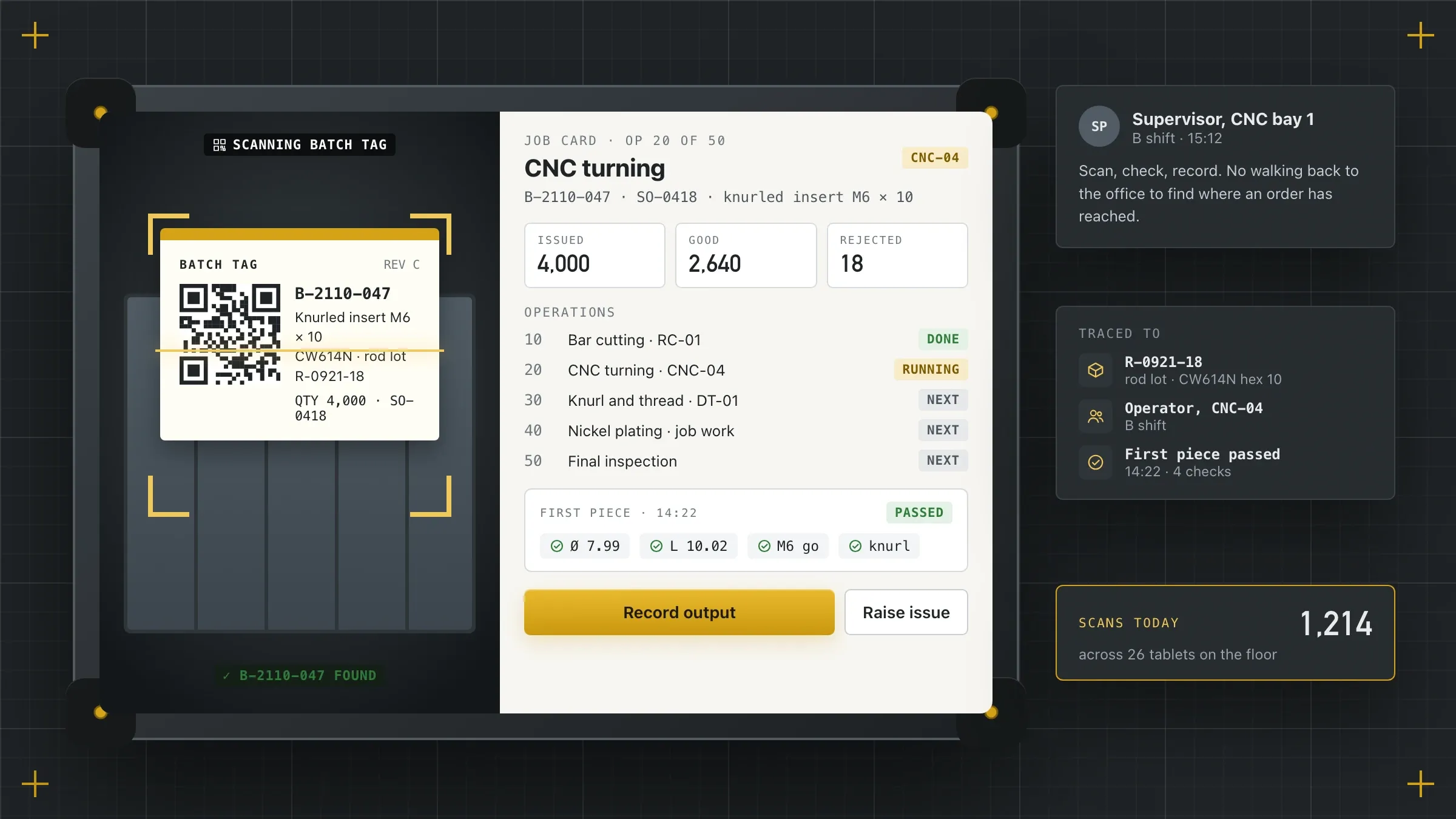 From purchase order to truck For a brass components manufacturer in Jamnagar, one system for sales orders, machine planning, shop-floor job cards, quality checks and dispatch with e-invoices. Read the case study
 -
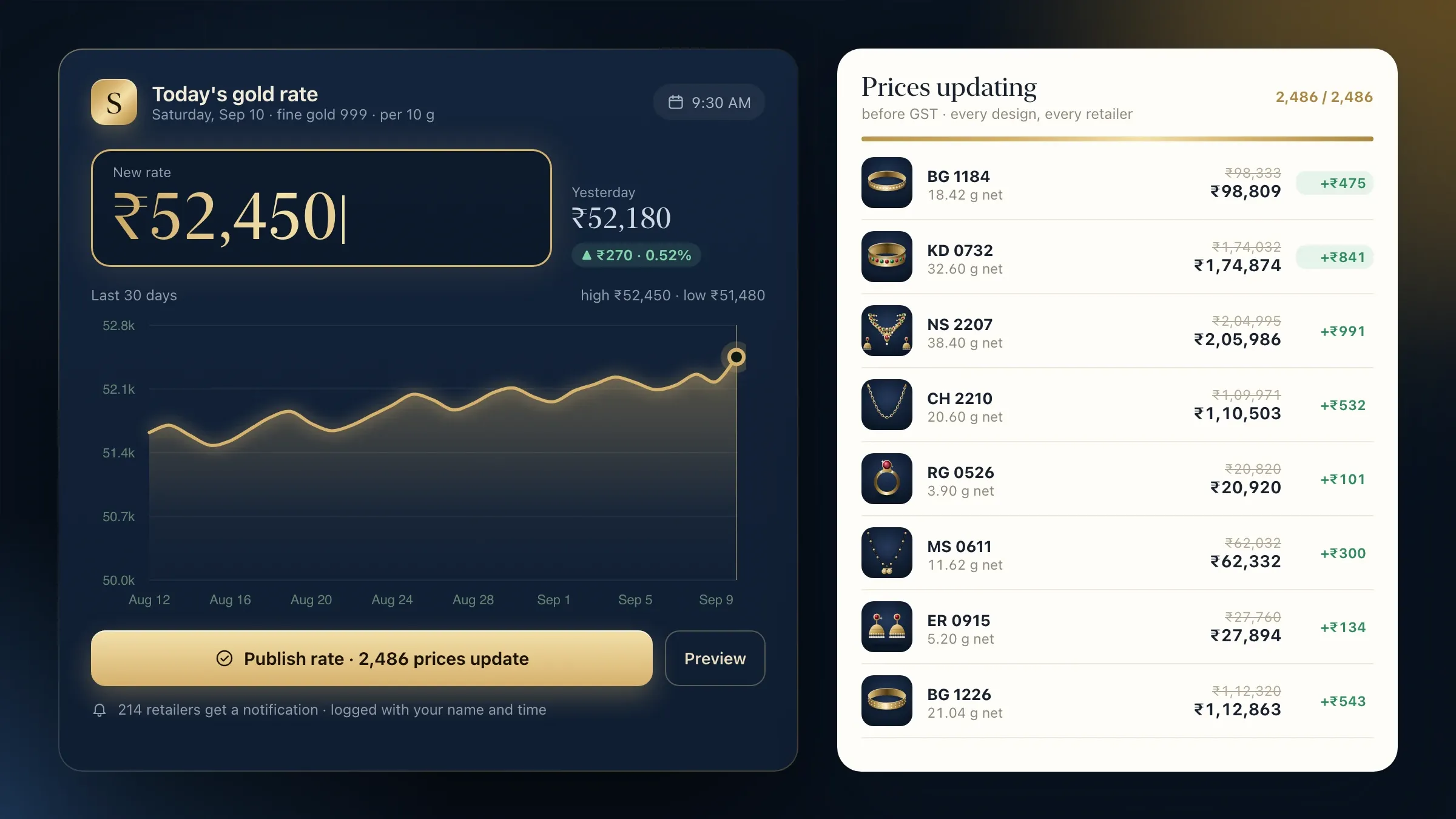 Pricing the way the trade prices For a gold jewellery wholesaler in Rajkot, ordering at the day's gold rate, metal and cash ledgers for each retailer, and every order tracked to hallmarking. Read the case study
 -
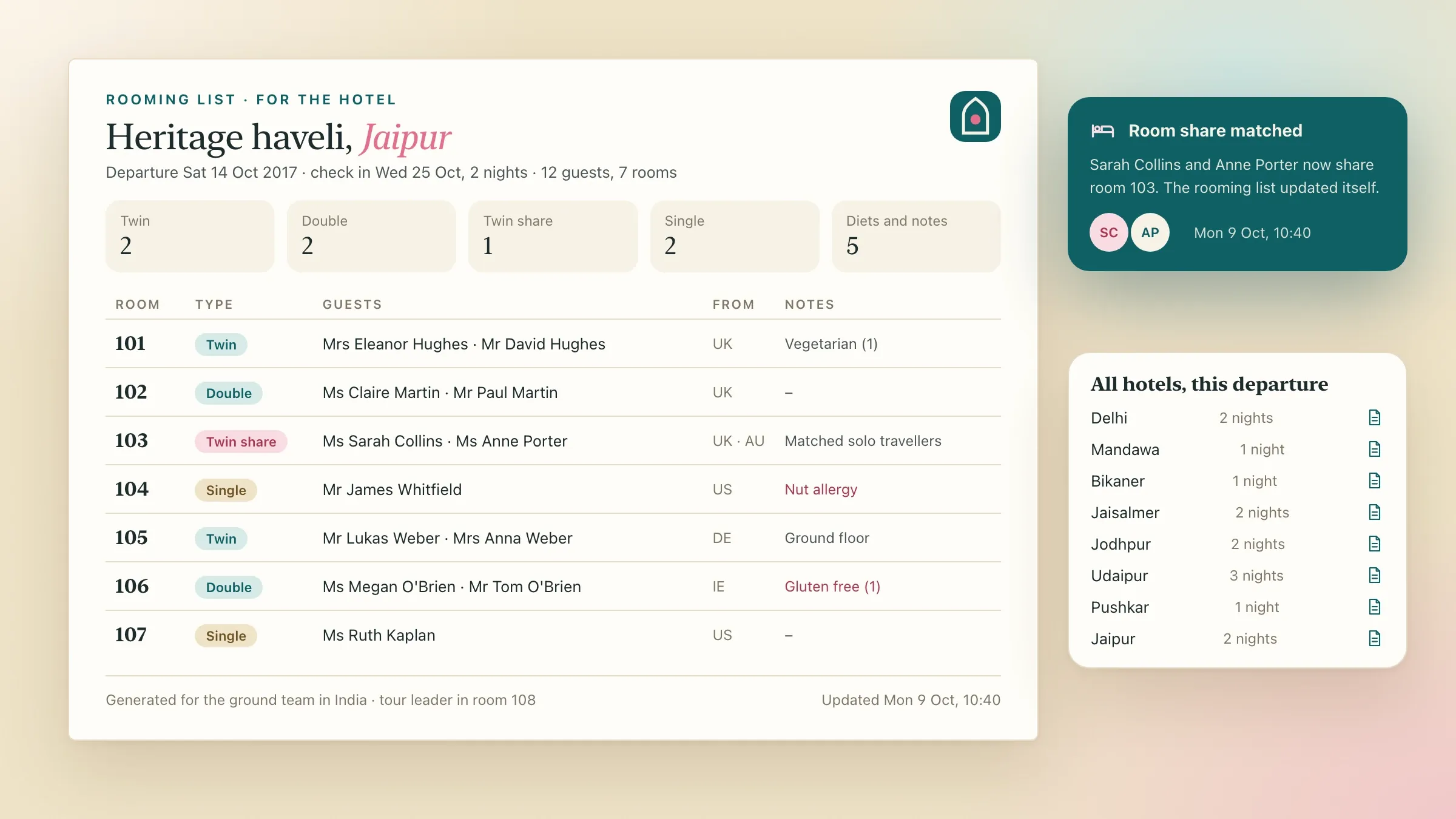 Rooming lists without retyping For a tour operator in London, live seats for every departure, deposits in four currencies, and rooming lists produced for the ground team in India. Read the case study
 -
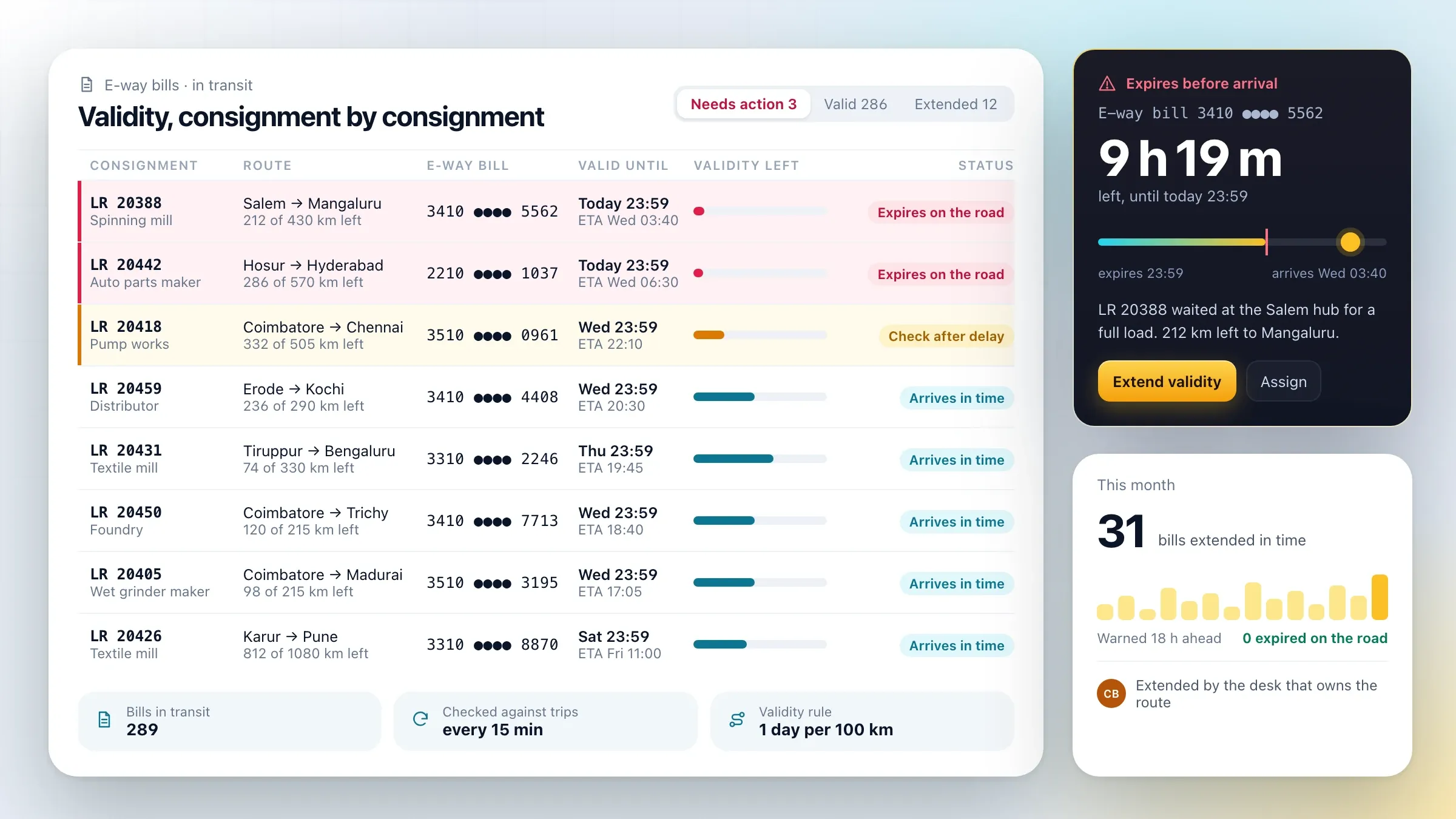 E-way bills watched before they expire For a transport company in Coimbatore, one dashboard that reads every GPS supplier's devices, learns each route's normal timings and warns before e-way bills expire. Read the case study
 -
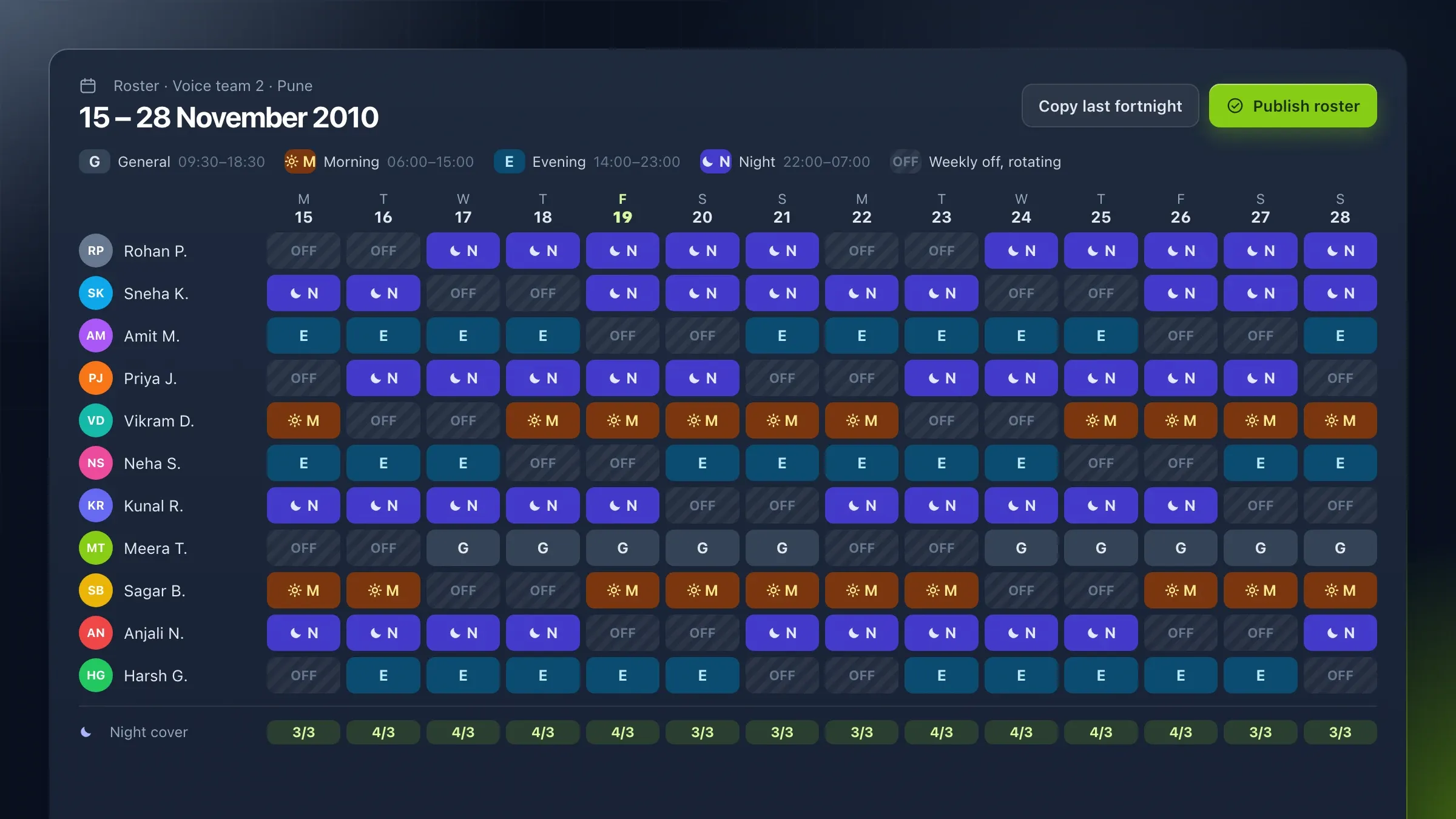 Payroll for night shifts in two states For a support company in Pune and Ahmedabad, attendance matched to rotating shifts, and payroll with PF, ESI and each state's professional tax. Read the case study
What custom software is, and when it’s worth it
Custom software is a system built around one business’s own way of working. Instead of buying a ready-made product and bending your process to fit it, you get software that follows your steps, applies your rules and produces your paperwork.
It is worth it when the way you work is part of what makes your business good, or when ready-made software leaves you keeping spreadsheets beside it. A jewellery wholesaler that prices in grams of fine gold, a manufacturer that tracks expensive brass to the gram, and a support company with night shifts that cross midnight each needed software that could hold what made them different.
It is not always the answer. For standard jobs, such as basic accounting or email, ready-made software is cheaper and better, and we will tell you so. Often the right system is a mix: custom software for the work that sets you apart, connected to ready-made tools for everything else.
Start with how the work really moves
We start where the work happens, not in a meeting room. Before designing anything, we follow real orders, jobs or cases from the first call to the last document, through every team that touches them, and write down what actually happens.
That is where the useful findings are. In a Jamnagar manufacturing plant, we found that delivery dates were promised without anyone seeing how loaded the machines were, and that brass losses only showed up when the stores were counted. In a Coimbatore dispatch room, dispatchers spent their day phoning drivers for positions their GPS devices already knew. Findings like these rarely appear in a written list of requirements.
The result is a process map your team recognises: each step, who does it, what they need to know, what they produce and where things go wrong. It becomes the plan for the software, and it is often the first time the whole business has seen its own process on one page.
What we need from you
We need the people who do the work, the rules they follow, and one owner for the project on your side.
The people matter most. Supervisors, accountants, storekeepers and sales staff know the exceptions no document mentions: the customer who always pays late, the part that needs a second inspection, the shift that ends the next morning. We spend time with each of them, and each team checks its own part of the design before we build it.
The rules include prices, discounts, approval limits, tax and statutory rules, and the formats of the documents you send out. Copies of real invoices, challans, reports and spreadsheets help more than descriptions of them.
The owner is one person who can settle disagreements between teams and decide quickly. It is often the business owner or a senior manager who knows how all the parts fit together.
One record, many hands
At the heart of a custom system is a single record that every team works on. An order is entered once, by the person who receives it, and then carries its details through stores, production, quality, dispatch and accounts, with each team adding its part.
That ends the retyping and the arguments. Sales, the floor and accounts look at the same order, so there is one answer to “where has it reached?” and one figure for what is owed. Every step is time-stamped, so you can see how long each stage really takes and where work waits.
Each person sees the record through their role. A supervisor on a tablet sees the job card, the drawing and the checks for the next operation. An accountant sees rates, credit and invoices. The owner sees everything, including what each team is holding and what is running late.
Rules, approvals and exceptions
Your rules become part of the system, so they are applied the same way every time. A batch can’t move on until its inspection is passed. An order that would take a customer over their credit limit waits for approval instead of being refused outright. Attendance follows your own grace minutes, late marks and overtime rules, for every shift.
Approvals arrive as tasks for the right person, with the facts they need attached: the customer’s balance, the order’s value, the employee’s leave history. They can approve from a phone, and the decision is recorded with their name and the time.
Exceptions are where spreadsheets usually break, so we design for them on purpose. A rush order that must jump the queue, a part sent back for rework, a payment split across two invoices: each gets a defined path, so nobody has to invent one on a busy day.
Paperwork from the records: GST, Tally and the rest
Documents should come out of the system, not be typed beside it. Once the record holds the facts, the paperwork follows: quotations, invoices, delivery challans, packing lists, labels, payslips, certificates and letters, all in your own formats.
In India, that includes GST. A custom system can generate GST e-invoices and e-way bills through an authorised GST API provider, prepare job work challans and the details for the ITC-04 return, and send invoices to Tally so your accountant never retypes them. For the Jamnagar manufacturer, dispatch now produces the e-invoice, the e-way bill and the invoice in Tally from the same record.
For businesses elsewhere it means VAT invoices, deposits in several currencies or rooming lists, whatever your business sends out. The principle is the same: enter it once, use it everywhere.
Screens for the office, the floor and the road
People work in different places, so the system meets them there. Office teams use a web application on their computers. Shop-floor supervisors use rugged tablets and scan QR codes on each batch. Drivers and field staff use a phone app with large buttons, in their own language.
Apps for the floor and the road keep working when the network drops. They save what was recorded and send it when the connection returns, so a highway with no signal or a factory corner with weak Wi-Fi doesn’t stop work.
Every screen is designed with the people who will use it, for the moment they use it. A supervisor at a machine needs large buttons and few choices, an accountant needs keyboard shortcuts, and a manager needs the exceptions first.
Moving over without stopping work
A new system should arrive without a day when nothing works. We move over one team at a time, and the old way keeps running beside the new one until the figures match.
For a payroll system, that means running a full pay cycle in both and comparing every payslip line by line. For orders and planning, it means planners using the new board beside their spreadsheets until they trust it. Data from spreadsheets and old software is cleaned, checked and moved across before each team switches.
Training happens where people work: at their desks, beside their machines, or at the hub as drivers come in. By the time a team switches, it has already used the system on its own real work.
How we measure success
We agree what better looks like before we build, in your own terms. It might be how long month-end payroll takes, how often promised dates are met, how many calls the dispatch room makes to find a truck, or how many invoices are typed twice.
We record the starting point while we learn how the work moves, and measure again after each team moves over. Because the new system time-stamps every step, the later figures come from the system itself rather than from anyone’s estimate.
Changing as your business changes
Custom software has to keep fitting a business that doesn’t stand still. New products, branches and customers arrive, tax and labour rules change, and a report someone needs today didn’t exist last year.
We keep the system running and change it with you. The payroll portal in our portfolio was updated for every budget and statutory change in the years after it launched, and the fleet tracking dashboard took on new routes and customers, and then FASTag toll records once FASTag became mandatory.
Because the system was built around your process, changing it usually means changing a rule or adding a step, not waiting for someone else’s next release.
How we work with you
From the first call to running it
- Start
Learn how you work
We sit with each team, follow real orders or jobs from start to finish, and write down every rule, form and exception.
- Design
Agree it on paper first
You see the process map and the key screens, and each team checks its own part before we build.
- Build
Build in working parts
We deliver the system part by part, each one usable, starting with the step that hurts most.
- Pilot
Run it beside the old way
One team uses it alongside the old spreadsheets until the figures match and they trust it.
- Launch
Move over team by team
Each department switches in turn, trained at its own desks, machines or hubs.
- Every month
Keep it fitting
We change it as your business changes: new products, rules, branches and reports.
Safe and in your control
Access by role
Each person sees and changes only what their job needs, and you decide who gets what.
Every change on record
Who changed what, and when, is logged, including rates, approvals and ledger entries.
Backed up and recoverable
Data is backed up automatically, and we check that a backup can actually be restored.
Hosted where you need it
On AWS or Google Cloud in the region you choose, including India, or on your own servers if you prefer.
No day when nothing works
Old and new run side by side until the numbers match, so work never stops for the switch.
Your data can leave with you
Your records can be exported in standard formats whenever you need them.
Time and cost
The cost of custom software depends on how much of your business it covers and what it has to connect to. Most businesses start with the part that hurts most, see it work, then add the next. After the first call we send a written plan and a quote for the first part.
How much of the business it covers
One process, such as orders or payroll, is a quicker start than the whole operation at once.
How many rules and exceptions
Simple steps are quick to build. Special prices, approval chains and unusual cases take more design and testing.
Who uses it, and where
Office screens are one build. Tablets on a shop floor or phones for drivers add apps that work offline.
What it connects to
Tally, the GST system, payment gateways, biometric machines and GPS trackers each add a connection to build and test.
Moving your data across
Tidy spreadsheets move quickly. Years of mixed records need checking and cleaning first.
Built with
Chosen for each project, never by habit
Questions and answers
11 answered
What is custom software development?
Custom software development is building software around one business's own process, rules and paperwork, instead of buying a ready-made product and changing how you work to fit it. It can include a web system for the office, apps for the floor or the field, and connections to the tools the business already uses.
When is custom software better than ready-made software?
When the way you work is part of what makes your business good, or when ready-made software leaves you running spreadsheets beside it. For standard jobs such as basic accounting, ready-made software is usually the better choice, and we will say so.
How much does custom software cost?
It depends on how much of the business it covers, how many rules and exceptions it must handle, who uses it and where, and what it connects to. One process is far less than a whole operation. After the first call we send a written plan and a quote for the first part.
How long does it take to build custom software?
It depends on the scope. One process on modern tools can be a matter of weeks to a few months; a system that runs a whole operation is built and rolled out in stages over a longer period. The written plan sets out each stage.
Can custom software connect to Tally and the GST system?
Yes. We have connected custom systems to Tally so invoices are never typed twice, and generated GST e-invoices and e-way bills through an authorised GST API provider. Other accounting software, payment gateways and devices can be connected too.
Can you build on our existing software instead of replacing it?
Often, yes. If your current system holds good data, we can build around it and connect the new parts to it. If it is holding you back, we plan a step-by-step move rather than a risky overnight switch.
How do you move our data from spreadsheets?
We map each column to the new system, clean the data and merge duplicates, then check the totals with your team. Old and new run side by side for a full cycle, such as a month's orders or one payroll, until the figures match.
Will our team actually use it?
They will if it fits how they work, which is why we build it with them. Each team checks its own screens before launch, is trained at its own desk or machine, and moves over only when the system is ready for its work.
Can the software work in Hindi or Gujarati?
Yes. Screens can be in English, Hindi, Gujarati or other languages, so people on the floor, in the warehouse or on the road use it in the language they read most easily.
Do you build custom software for businesses outside India?
Yes. FIRELIFE Ventures works with small and mid-size businesses worldwide, from Rajkot, India, on India time. Our portfolio includes custom systems for clients in the United Kingdom and across India.
What happens after the software goes live?
We keep it running and keep it fitting: fixes, updates for new tax and labour rules, and new products, branches and reports. The payroll portal in our portfolio, for example, was updated for each budget and statutory change in the years after it launched.
Tell us what you want to build
Write a few lines about the idea and who it is for. We reply with our questions, a first plan and how we would start.
Write to us