Make it work better legacy software modernisation
Replace old software without stopping work
We replace the old software your business still depends on, one part at a time. We move and check your data, run the new system beside the old one, and switch each part only when your team trusts it.
- Old and new run side by side
- Your data moved and checked
- One part at a time
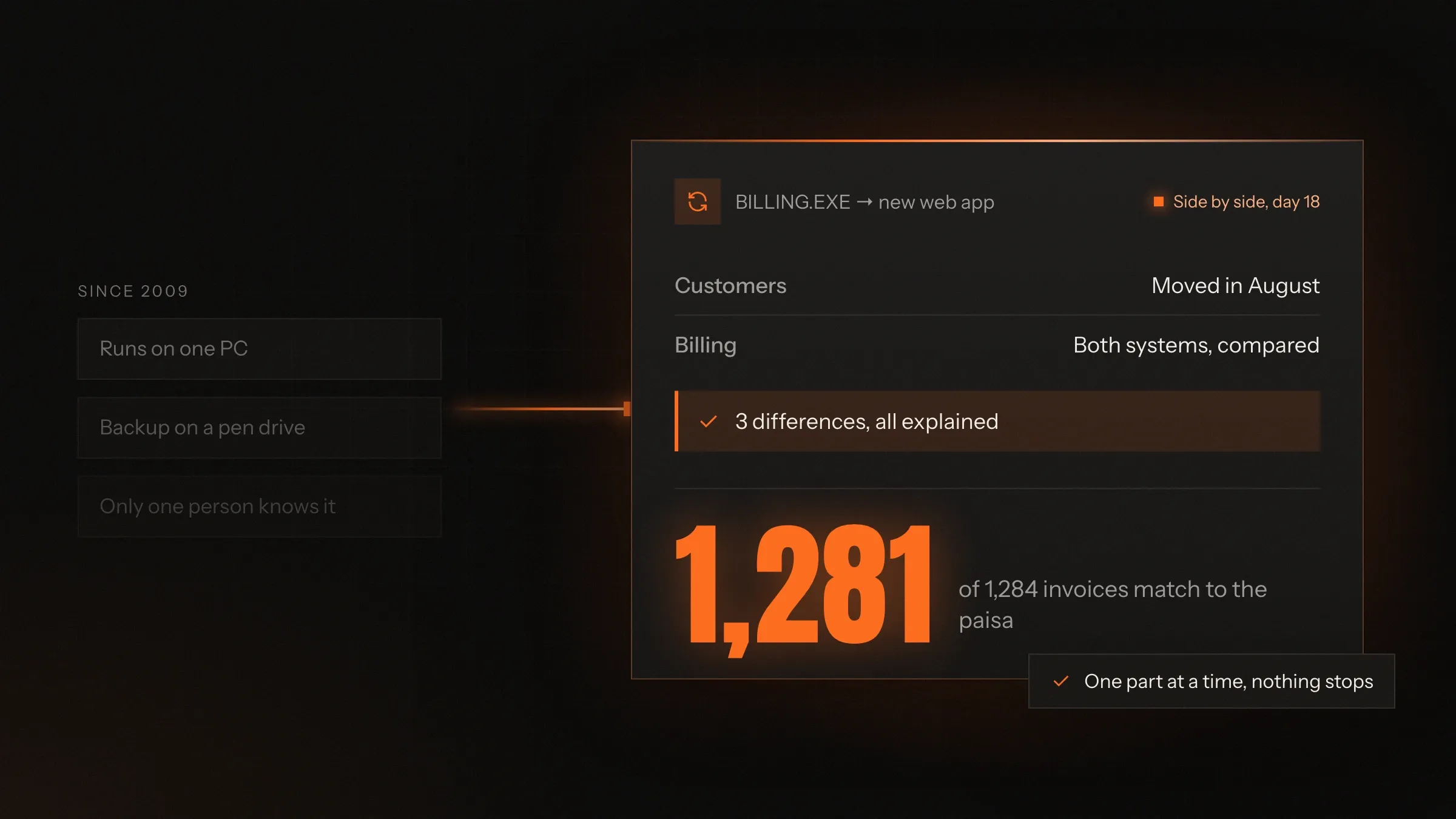
Sound familiar?
What we hear before we start
- Your business runs on software nobody can change any more, and the person who wrote it is long gone.
- It only works on one old Windows PC in the office, and everyone is afraid to touch it.
- Staff type the same details into the old system, a spreadsheet and Tally.
- It won't open on a phone, and your team now works from everywhere.
- Every new rule, like GST e-invoicing, means another workaround.
- You'd like to replace it, but you can't stop the business for a month to do it.
What changes
-
Today: One old system that does everything, slowly and with workarounds.
After: A modern web app that replaces it one part at a time.
-
Today: Data trapped in an old database or a dozen spreadsheets.
After: Data moved, cleaned and checked, in a database you own and can report from.
-
Today: It only runs on the office PC.
After: It works in a browser and on phones, wherever your team is.
-
Today: Every change needs the one person who understands the code.
After: Clean, documented code that any capable developer can work on.
-
Today: The same details typed into three places.
After: Entered once, and sent on to Tally, GST e-invoicing and your other tools.
-
Today: A big-bang switch nobody dares to plan.
After: Each part goes live beside the old system, and the old one retires when nothing needs it.
What it does for you
-
Find out what it really does
We read the old code and database and sit with the people who use it, so the rules nobody wrote down are found before anything is rebuilt.
For exampleA discount rule hidden in an old report turns out to set every dealer's price, and is written down before it is lost.
-
Rebuild one part at a time
Orders first, then stock, then billing: each part rebuilt and switched on its own, while the old system carries on with the rest.
For exampleSales enter orders in the new app while the stores team still works in the old one, and both stay in step.
-
Move and clean your data
Years of records moved from old databases, Access files or spreadsheets, with duplicates merged and every total checked.
For exampleEvery customer since the first year moves across, and the three spellings of the same dealer become one.
-
Run old and new side by side
Each new part runs in parallel with the old one, and the results are compared until they match.
For exampleA month's invoices are raised in both systems and compared line by line, GST and all.
-
Connect what stays
Tally, GST e-invoicing and e-way bills, payment gateways, banks and attendance devices, connected instead of retyped.
For exampleAn invoice raised in the new app appears in Tally with its e-invoice number, and nobody types it again.
-
Bring it to browsers and phones
A web app and, where it helps, a mobile app, so work no longer waits for one office PC.
For exampleA supervisor updates a job from the shop floor on a tablet instead of walking to the office.
-
Keep the old history open
When the old system retires, its records stay searchable in an archive for audits, tax and disputes.
For exampleAn auditor asks for an invoice from years ago and finds it in the archive, with its original print.
How it works
-
We map the old system
Screens, reports, data, rules and night-time jobs, with the people who use them every day.
-
We choose the order
The part that hurts most or risks least goes first; the rest waits its turn.
-
We build the new part
In a modern, documented stack, connected to the old system so both stay in step.
-
We move the data
Old records are moved, cleaned and checked against the original, totals and all.
-
We run both
Your team uses the new part while the old one keeps running, and we compare the results.
-
We switch and retire
When results match and your team is ready, the old part is switched off and its history archived.
Where we've built it
5 from our portfolio
-
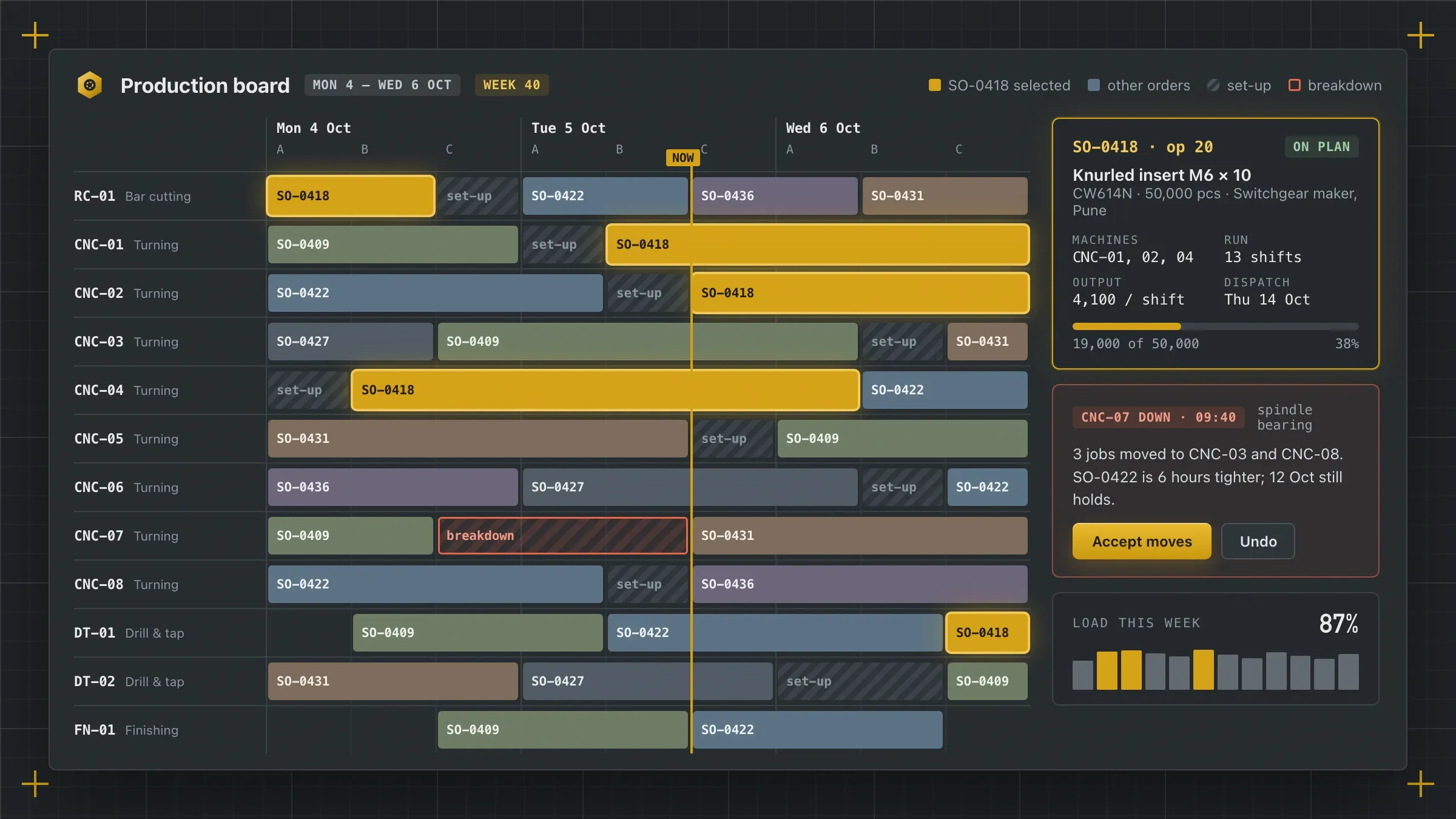 Spreadsheets and a whiteboard, replaced in stages For a brass parts manufacturer in Jamnagar, orders and planning ran beside the old spreadsheets for a month, then the plant moved over department by department. Read the case study
 -
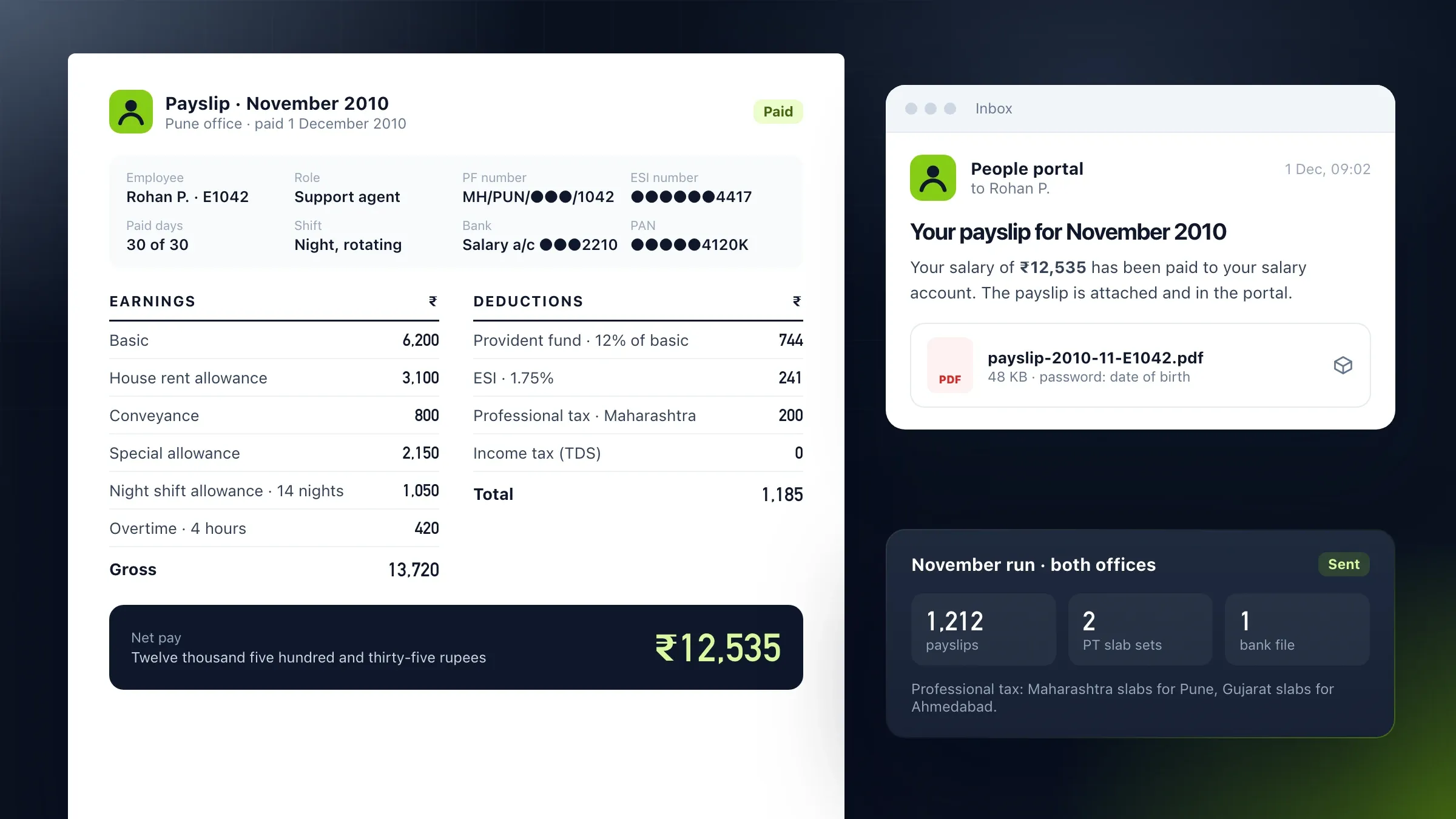 Payroll in parallel until every payslip matched For a support company in Pune and Ahmedabad, the new portal and the old payroll spreadsheets ran side by side for a full cycle, compared line by line. Read the case study
 -
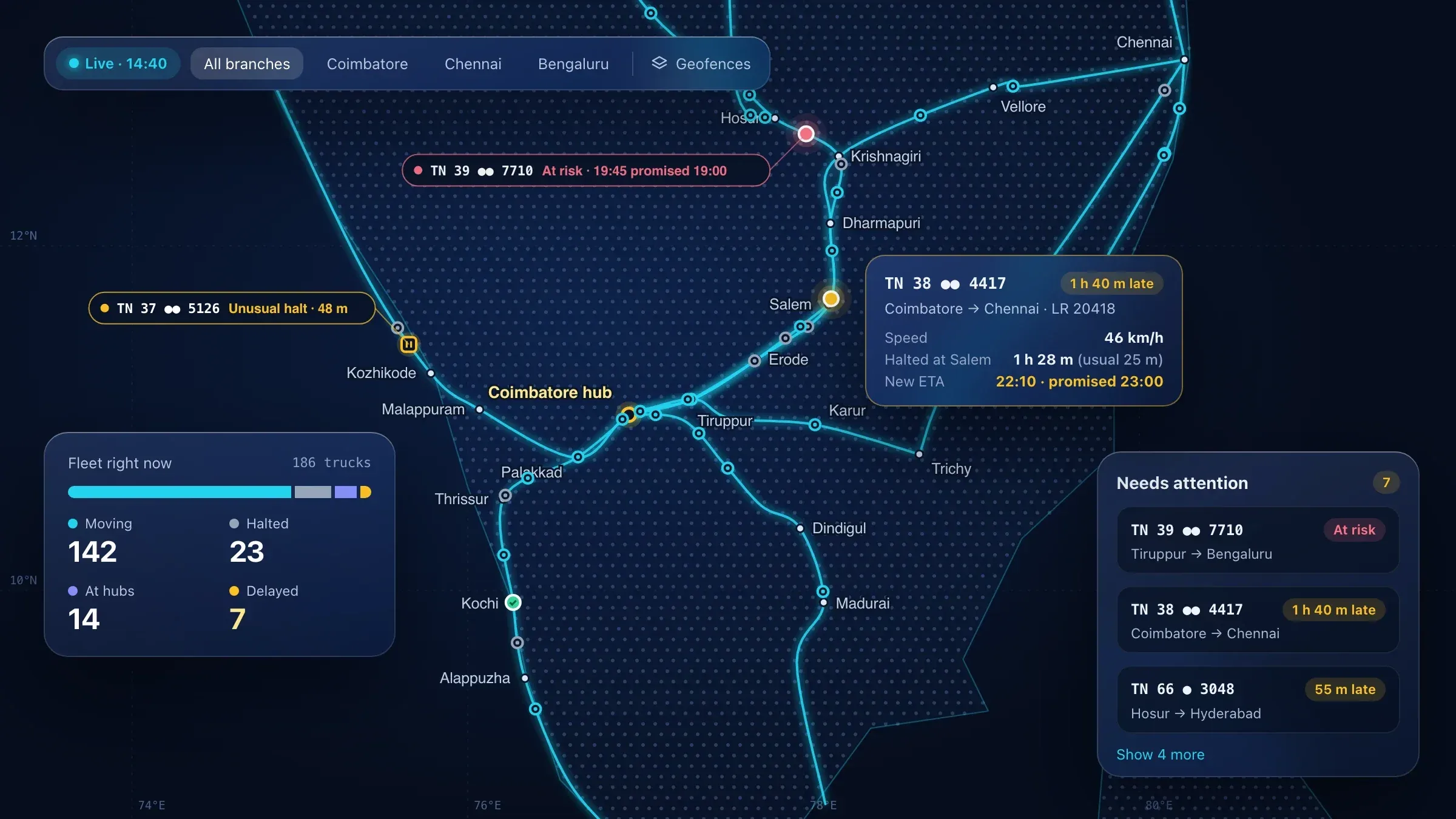 From five tools to one live map For a transport company in Coimbatore, two dispatchers used the new live map beside their old tools first; then the whole team moved over and the spreadsheets were retired. Read the case study
 -
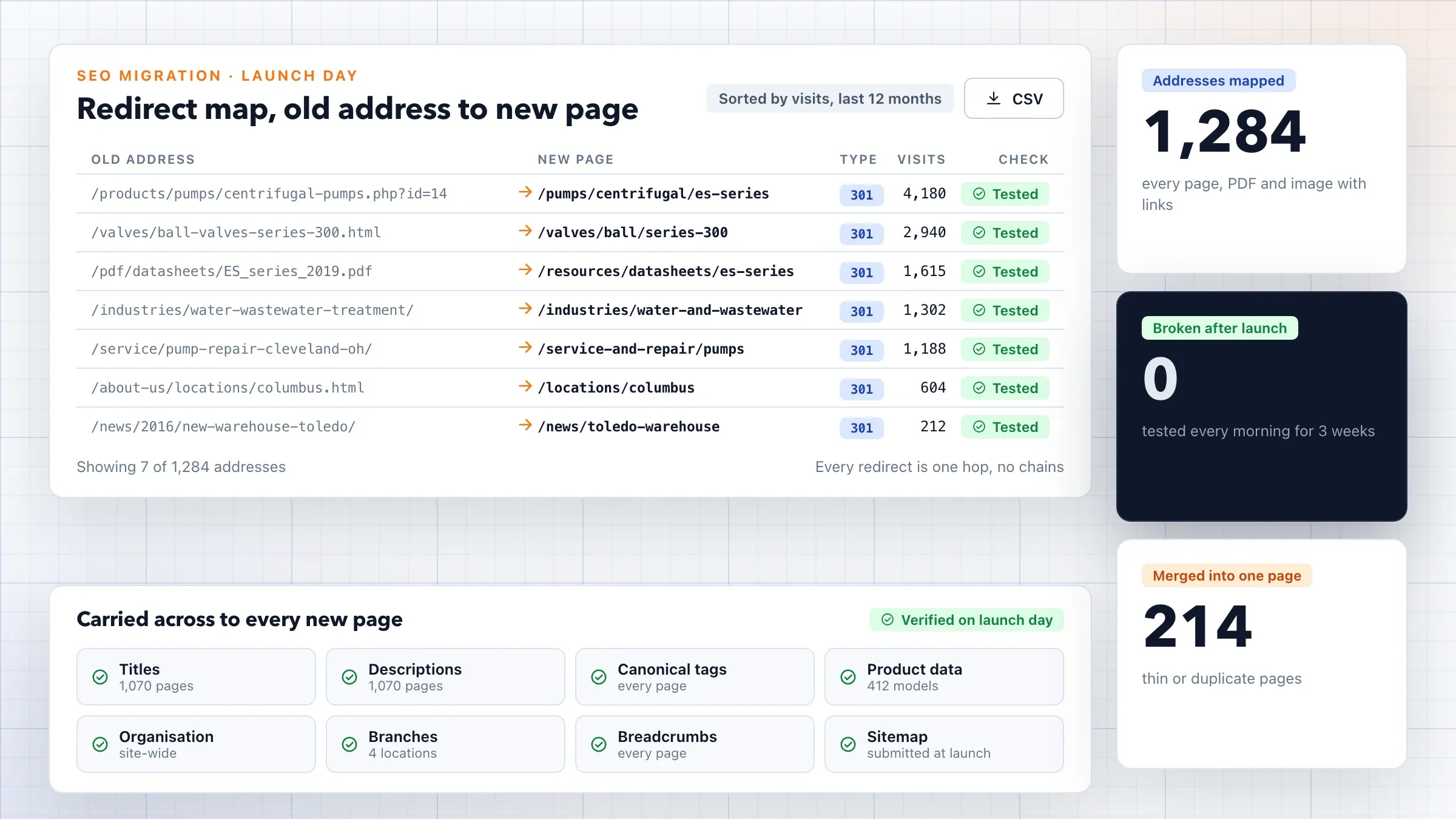 An ageing website replaced, rankings kept For an industrial equipment distributor in Ohio, a slow WordPress site built up over years was rebuilt on a headless CMS, with every old address redirected. Read the case study
 -
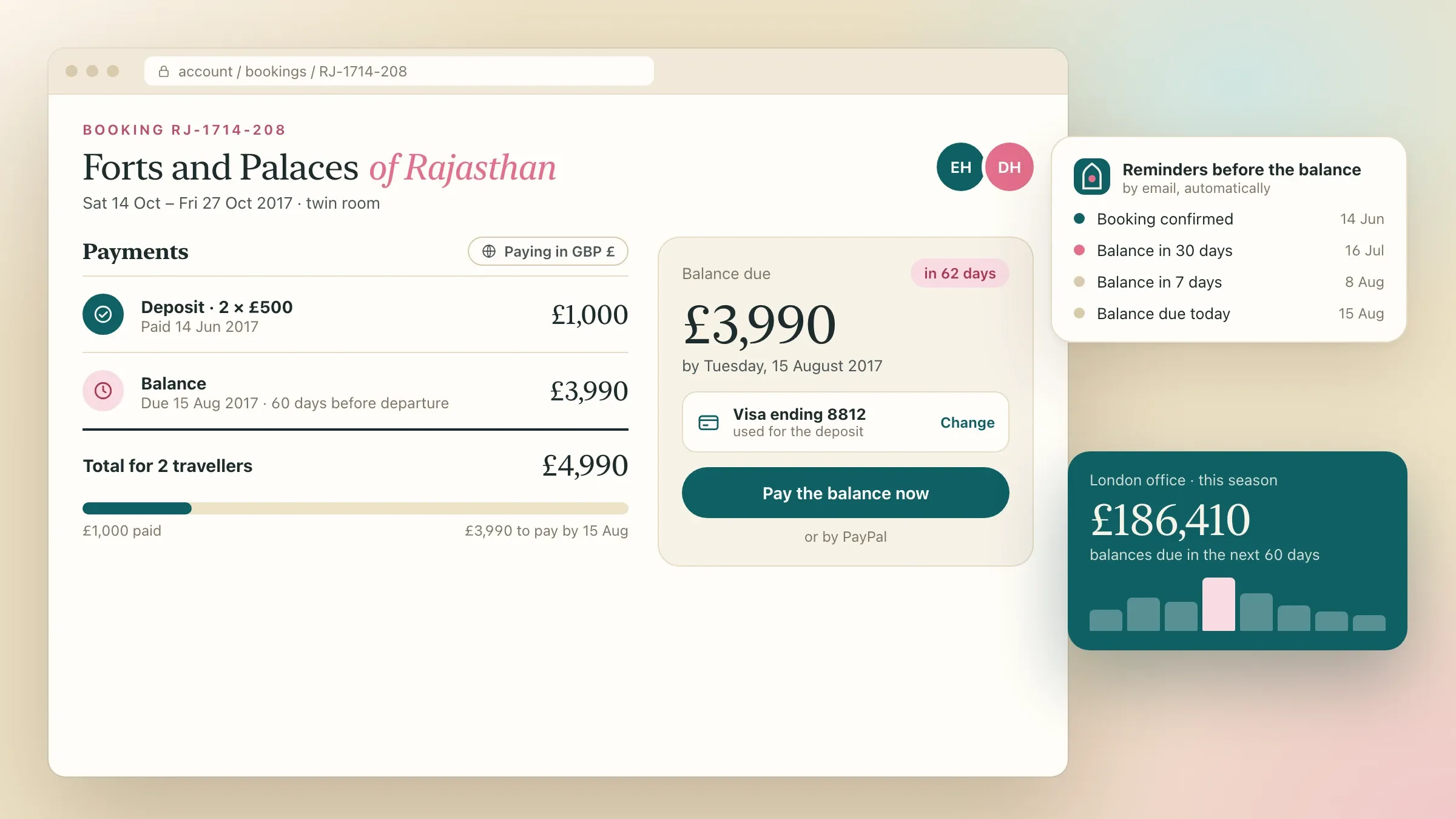 Bookings moved across before the switch For a small-group tour operator in London, seat spreadsheets and email gave way to a booking platform, with the coming season's bookings moved across first. Read the case study
What counts as legacy software
Legacy software is any system your business depends on that has become hard to change, hard to run or hard to find people for. Age alone is not the problem. Plenty of old software works well; the trouble starts when changing it costs more than the change is worth.
It takes many forms. A desktop billing program written in Visual Basic or FoxPro that runs on one office PC. A PHP website from 2010 that nobody dares update. An Access database that grew into the company’s stock system. A workbook of Excel macros that runs payroll. An ERP version the vendor stopped supporting years ago.
What they share is risk. The one person who understands the system may leave, the old Windows machine may die, and every new rule, from GST e-invoicing to a new payment method, is bolted on with a workaround that makes the next one harder.
Rebuild, move or replace: choosing the path
There are four honest answers, and the right one is the cheapest that solves the real problem. If the software works but the machine under it is failing, it may only need moving to the cloud, unchanged. If the screens are the trouble, a new web front can sit on top of the old data for a while.
If the software can no longer keep up with how you work, it needs rebuilding, part by part. And if a ready-made product does what you need, buying it is usually quicker and cheaper than building, whether it is one of our own products, such as Ember POS for billing and stock or Hearth HRMS for payroll, or someone else’s.
We look at the old system before recommending anything, and we write down why. Often the answer is a mix: one part moved as it is, another rebuilt, a third replaced by a product.
Finding the rules nobody wrote down
The hardest part of replacing old software is learning everything it does. After years of changes, the real rules live in the code, the database and the habits of the people who use it, not in any document.
So we read all three. We go through the code and the database: the calculations, the hidden checks, the reports, the jobs that run at night. We sit with the billing clerk, the storekeeper and the accountant and watch them work, because they know the exceptions: the dealer who always gets an extra discount, the invoice that must be printed twice, the stock that is counted in kilos in one place and in pieces in another.
We write the rules down in plain language and check them with your team. Then we save the old system’s outputs for real cases, such as invoices, payslips and reports, and the new system must produce the same results before it goes live.
Replacing it one part at a time
We replace old systems in parts, so the business never depends on one risky switch. The new system takes over one job, such as taking orders, while the old one carries on doing everything else. A connection between them keeps both in step, so an order entered in the new app still appears where the old billing screen expects it.
Each part goes live on its own, when it is ready and your team is ready. Then the next part moves across, and the old system does a little less each time, until one day it does nothing at all and can be switched off.
We choose the first part carefully. Usually it is the one that hurts most today, or the one that is easiest to separate, so your team sees the new system working early and the risk stays small.
Moving years of data
Data is usually the most valuable thing in an old system, and the messiest. Years of use leave duplicate customers, free-text fields where numbers should be, codes that changed meaning, and records nobody can explain.
We map every old field to its new home, merge duplicates with your team’s help, and convert what needs converting. In Gujarat and across India that often includes text typed years ago in old Gujarati or Hindi fonts that only look right on the original PC; we convert it to standard Unicode, so names and addresses display properly everywhere.
The move is rehearsed several times on copies before the real one. Each time, counts, totals and balances are compared with the old system: the number of customers, the outstanding amounts, the stock in each godown. The real move happens only when a rehearsal comes out clean.
Running old and new side by side
A parallel run is the clearest proof that the new system is right. For a period, both systems do the same work, and the results are compared.
For payroll, that means a full month’s salaries worked out in both and compared payslip by payslip. For billing, the same invoices raised in both, with GST and totals checked line by line. Every difference is traced: sometimes the new system has a bug, and sometimes it reveals a mistake the old one had been making for years.
A parallel run costs effort, because someone enters work twice or checks two sets of figures. We keep it as short as the confidence allows, and we automate the comparison wherever we can. When the results match and your team says so, the old part is switched off.
Connecting to Tally, GST and the tools that stay
Some systems stay, and the new one has to fit around them. Tally often remains the accounting system, so invoices, receipts and credit notes flow into it automatically instead of being typed again.
Invoices that need a GST e-invoice get their reference number and QR code through an authorised provider when they are raised, and e-way bills are created from the same record. Payment gateways, bank statements, WhatsApp messages, biometric attendance devices and your website are connected the same way.
Where the old system exchanged files, such as a spreadsheet exported every night, the new one uses proper connections that check what they send and say when something fails, so nothing goes missing quietly.
Helping your team make the switch
People trust a new system once they have used it on real work before it matters. We train a few key users first, the ones others ask for help, and they try the new system during the parallel run while the old one is still there to fall back on.
Where it helps, the new system keeps what people liked about the old one: the same order of fields, keyboard shortcuts for fast billing, the printed layouts customers recognise. A short guide for each role, in English, Hindi or Gujarati, covers the daily tasks.
On the day each part switches, we are on hand during your working hours, in India time, to answer questions and fix anything small straight away.
How we know it worked
Modernisation has worked when the old system is switched off and nobody misses it. Before we start, we agree what success means for your business: the same results as before, less typing, no double entry, work possible from phones, and changes that no longer take months.
We measure what can be measured, such as the time it takes to raise an invoice or close the month, and how often the same data is entered twice, before and after each part goes live. Your team tells us the rest.
The final checks are simple: every record has moved, every report the business relies on is available in the new system, and the old server and its licences can be retired.
After the switch: staying modern
The point of modernising is to never be stuck again. The new system is built on common, well-supported tools, the code is documented, and tests check its rules, so any capable developer can work on it, including your own.
We stay on to support it: fixing issues, applying updates, adapting it to new tax and payment rules, and adding what the old system never could, such as a mobile app for the field team or reports that once took a day to prepare. Each change goes out on its own, checked, so the system keeps improving without ever needing another big replacement.
How we work with you
From the first call to running it
- Start
Map the old system
We read the code and data, watch your team use it, and write down every screen, report and rule that matters.
- Plan
Agree the order
A written plan: which part goes first, how data moves, how old and new stay in step, and when each part switches.
- Build
Build part by part
Each part is built, connected to the old system and tested on your own data before anyone relies on it.
- Pilot
Run side by side
Your team uses the new part beside the old one, and we compare results until they match.
- Launch
Switch and retire
Each part goes live when your team is ready. The old system retires when the last part has moved.
- Every month
Support and improve
We look after the new system, keep it up to date with new rules, and add what the old one never could.
Safe and in your control
The old system keeps working
Nothing is switched off until its replacement has run beside it and your team has signed off.
A full copy first
We take a complete backup of the old system, its files and its data before we touch anything.
Every record accounted for
Counts, totals and balances are compared between old and new, and any difference is explained before go-live.
History you can still open
Old records stay searchable in an archive for as long as tax and audit rules need them.
Access by role
Each person sees and changes only what their job needs, and every change is logged with who made it.
You own the new code
The code, the database and the documents are yours, in your accounts, written so another team could take over.
Time and cost
Modernisation is priced part by part, not as one big project. We look at the old system first, then send a written plan with a quote for the first part and an outline of the rest, so you can decide as you go.
How big the old system is
A tool with a few screens is quick to replace. A system that runs the whole company is replaced in several parts over a longer time.
How much is written down
If nobody knows the rules inside the old code, we find them first, by reading it and asking the people who use it.
The state of the data
Clean data moves quickly. Years of duplicates, free-text fields and old-font Gujarati or Hindi text need cleaning and converting.
What it connects to
Tally, GST systems, payment gateways, banks and devices each need a connection built and tested.
How long both run
Running old and new side by side is the safest way to switch, and it takes time from your team as well as ours.
Built with
Chosen for each project, never by habit
Questions and answers
12 answered
What is legacy software modernisation?
Legacy software modernisation is replacing or rebuilding old software that your business depends on but can no longer change easily, while keeping its data and the rules it follows. Done well, it happens in parts, with the old system running until the new one has proved itself.
Should we rebuild, move or replace our old software?
It depends on what is wrong with it. If it works but runs on an ageing server, moving it may be enough; if it can't keep up with how you work, it needs rebuilding; if a ready-made product fits, that is usually cheaper. We recommend one, with reasons, after looking at it.
Can you replace it without stopping our work?
Yes, by replacing one part at a time and running each new part beside the old system until the results match. Your team keeps working throughout; the only pause is a short, planned switch for each part, at a quiet time you choose.
How much does legacy software modernisation cost?
It depends on how big the old system is, how much of it is written down, the state of the data, what it connects to and how long both systems run side by side. We send a quote for the first part and an outline of the rest, so you can decide step by step.
How long does it take to replace old software?
One part, such as orders or billing, is usually a matter of weeks to a few months. A system that runs the whole company is replaced in stages over a longer time. The written plan gives each part its date.
Will we lose our old data?
No. Records are moved, cleaned and checked against the original: counts, totals and balances must match before the switch. Anything that doesn't belong in the new system is kept in a searchable archive.
What if nobody understands the old code?
That is common, and it is where we start. We read the code and the database, test how the system behaves and ask the people who use it, then write the rules down before rebuilding them.
Can our old desktop software become a web app?
Yes, and it is one of the most common reasons to modernise. The new system works in any browser and on phones, and can keep the layouts and keyboard shortcuts your team relies on where they help.
Can the new system work with Tally and GST e-invoicing?
Yes. We connect new systems to Tally, to GST e-invoicing and e-way bills through authorised providers, and to payment gateways and banks, so nothing is typed twice.
Is a ready-made product an option instead of a rebuild?
Sometimes. For sales, HR and payroll, shops, clinics and schools we also make our own products: Flare CRM, Hearth HRMS, Ember POS, Pulse Clinic and Beacon School ERP. Each can bring in your existing records from spreadsheets, and we say so when one fits better than a rebuild.
Do you work with businesses outside India?
Yes. FIRELIFE Ventures works with small and mid-size businesses worldwide from Rajkot, India, on India time. Our portfolio includes replacing old tools for clients in the United States, the United Kingdom and India.
What happens after the switch?
We support the new system: fixing issues, updating it for new rules and adding what the old one never could. The old system is archived and switched off, along with the server and licences it needed.
Tell us what should work better
Write a few lines about what slows you down today. We reply with our questions, a first plan and how we would start.
Write to us