Build something new business process automation
Stop doing the same task twice
We automate the repetitive work between your tools: details retyped from one system into another, approvals chased by email, invoices, reports and reminders built by hand. Your team enters each thing once, the software does the rest, and a person still decides where it matters.
- We start with the task that costs most
- Every run is logged and can be checked
- Works with the tools you already use
Sound familiar?
What we hear before we start
- The same customer details are typed into the order sheet, the invoice and the accounts.
- Approvals wait in someone's inbox until a person chases them.
- Every Monday, someone spends the morning building last week's report from three exports.
- Month end means a week of spreadsheets, and one wrong formula undoes it.
- When the one person who knows the process is on leave, the process stops.
- Mistakes from retyping only show up when a customer, or the GST portal, rejects them.
What changes
-
Today: Data is retyped from one tool into the next.
After: It is entered once and reaches every tool that needs it.
-
Today: Approvals sit in inboxes for days.
After: The right person gets the request on their phone and decides in one tap.
-
Today: Reports are built by hand from exports.
After: Reports build themselves overnight from live data and arrive before the day starts.
-
Today: Errors are found at month end.
After: Checks run at every step, and exceptions reach a person the same day.
-
Today: The process lives in one person's head.
After: It is written down, runs the same way every time and keeps a log of every run.
What it does for you
-
Move data between your tools
Orders, invoices, leads, stock and attendance, carried from one system to the next without retyping.
For exampleA paid order in your online store becomes a GST invoice in Tally and a packing slip in the warehouse.
-
Route approvals
Purchase requests, discounts, leave, refunds and payments sent to the right person, with reminders and a record.
For exampleA purchase request over ₹50,000 reaches the owner's phone, and the purchase order goes out once approved.
-
Create documents
Invoices, quotes, challans, payslips, certificates and letters, filled from your data and sent automatically.
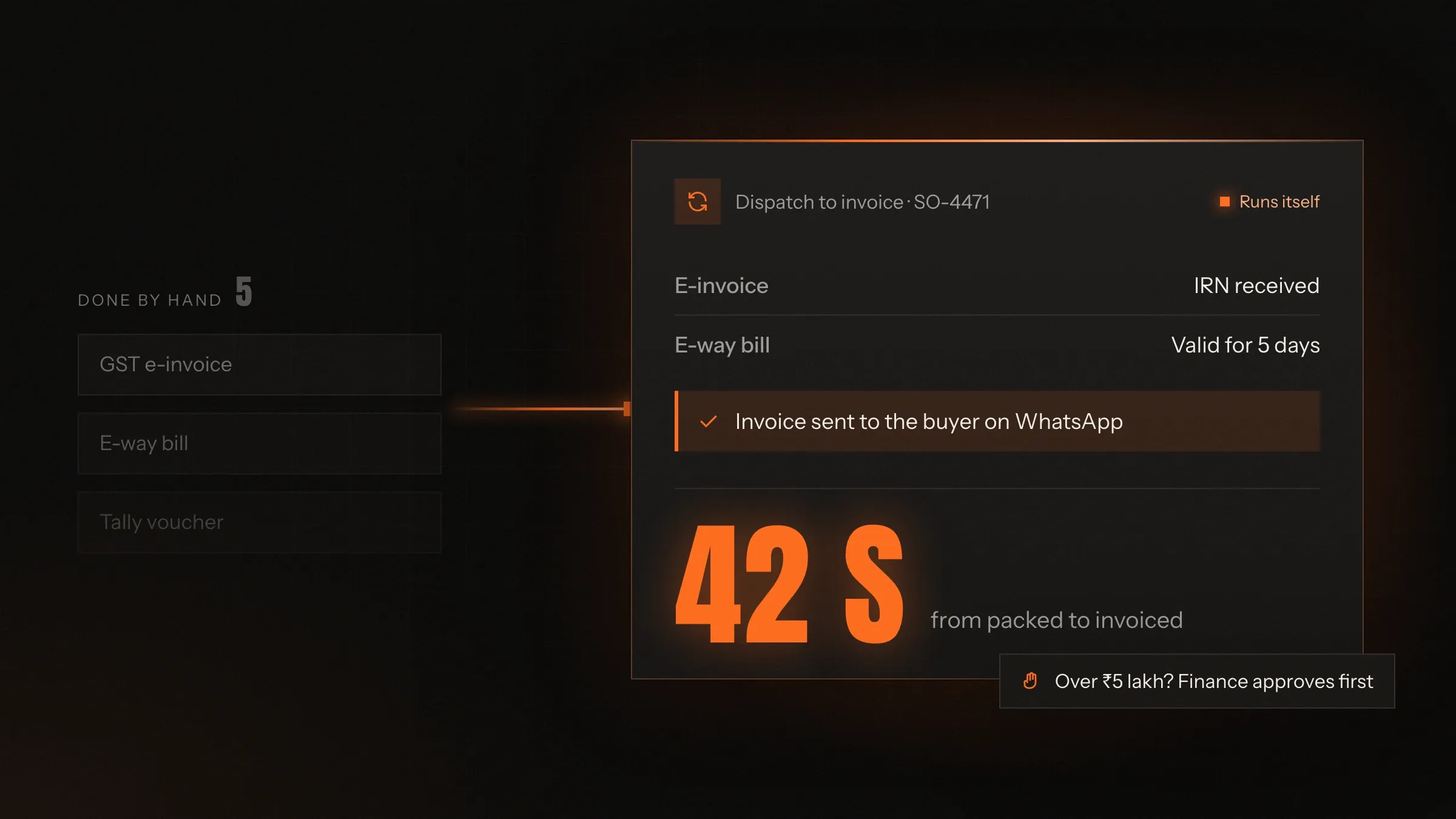
For exampleEvery dispatch produces its e-invoice and e-way bill, and the buyer receives both on WhatsApp.
-
Build reports on time
Daily, weekly and monthly reports assembled from your systems and sent before anyone asks.
For exampleThe sales summary reaches the owner at 8 every Monday, with the week compared to the one before.
-
Chase what is due
Payment reminders, renewals, expiring documents and overdue tasks, followed up on a schedule.
For exampleA customer with an invoice 15 days overdue gets a polite WhatsApp reminder with a payment link.
-
Catch exceptions
Rules that stop mismatches, missing details and duplicates before they travel any further.
For exampleAn invoice whose GSTIN doesn't match the customer record stops and goes to accounts.
-
Use AI where rules can't
Reading emails and documents, sorting requests and drafting text, with a person checking what matters.
For exampleSupplier emails are sorted into orders, queries and bills, and each lands on the right desk.
How it works
-
Something happens
An order is paid, a form is submitted, a file arrives or a date comes round.
-
The rules decide
The workflow checks the data and chooses which path the case takes.
-
Your systems are updated
Records are created or changed in each tool, through its API or a bridge we build.
-
People approve where needed
Anything above a limit or outside the rules waits for the right person.
-
Everyone is told
Customers, suppliers and staff get the message, document or task they need.
-
Every run is logged
Each run keeps a record of its inputs, results and timings, ready for anyone to check.
Where we've built it
5 from our portfolio
-
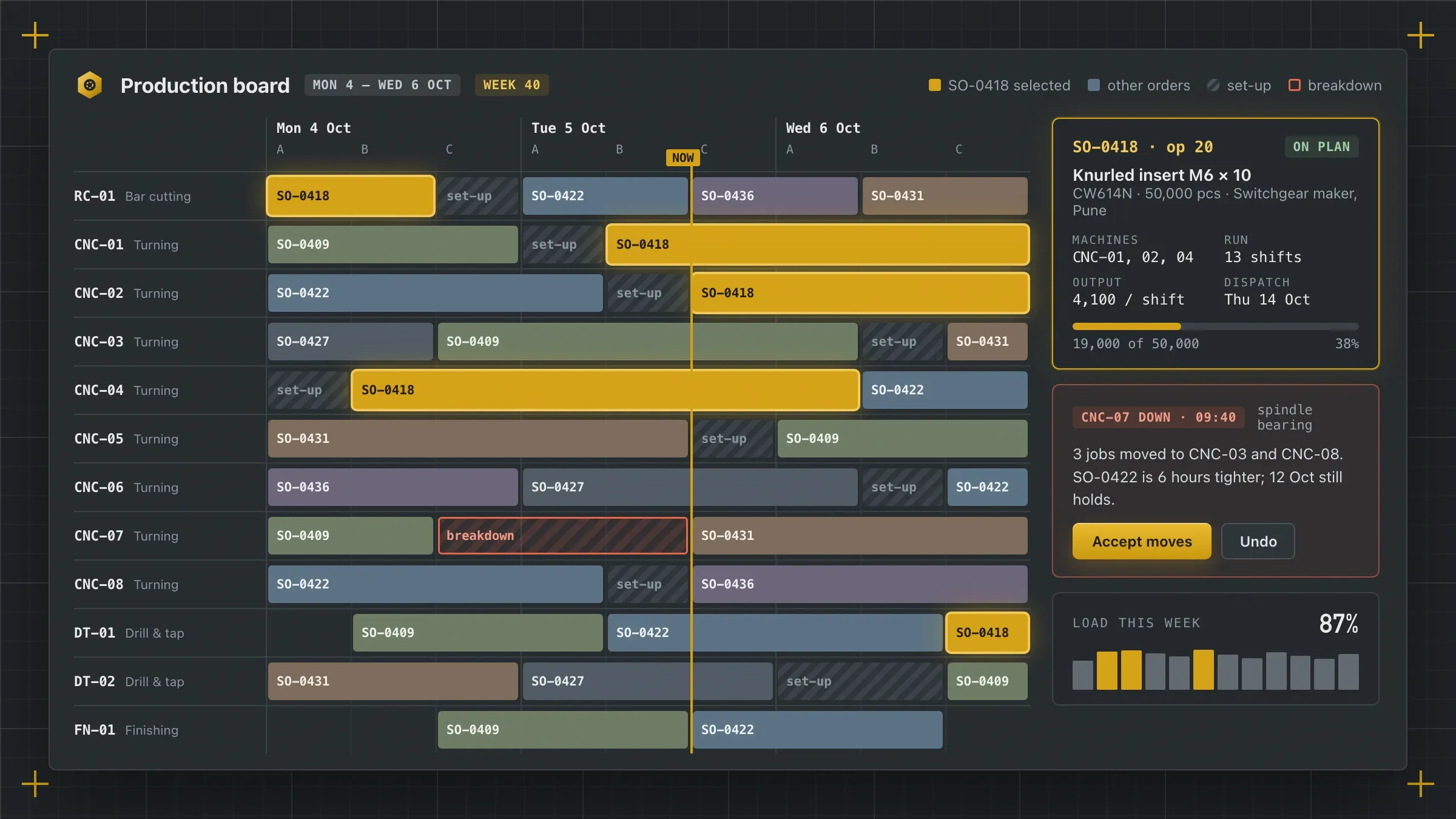 From purchase order to e-invoice, typed once For a brass components manufacturer in Jamnagar, every order is entered once, and e-invoices, e-way bills and invoices for Tally come straight from the dispatch records. Read the case study
 -
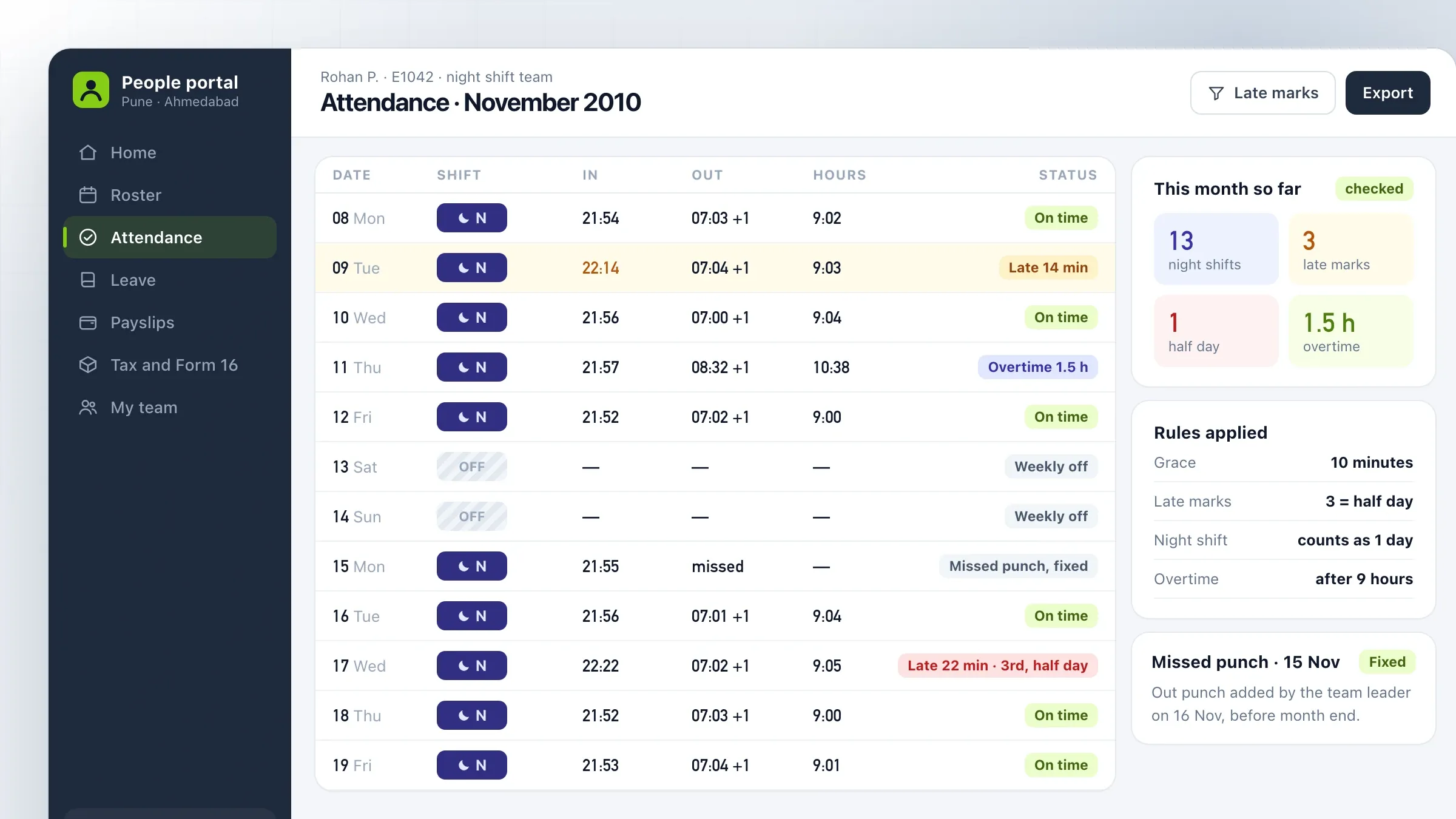 Attendance to payroll, by rule For a customer support company in Pune and Ahmedabad, biometric punches are imported every night and matched to shifts, and every payslip goes out by email. Read the case study
 -
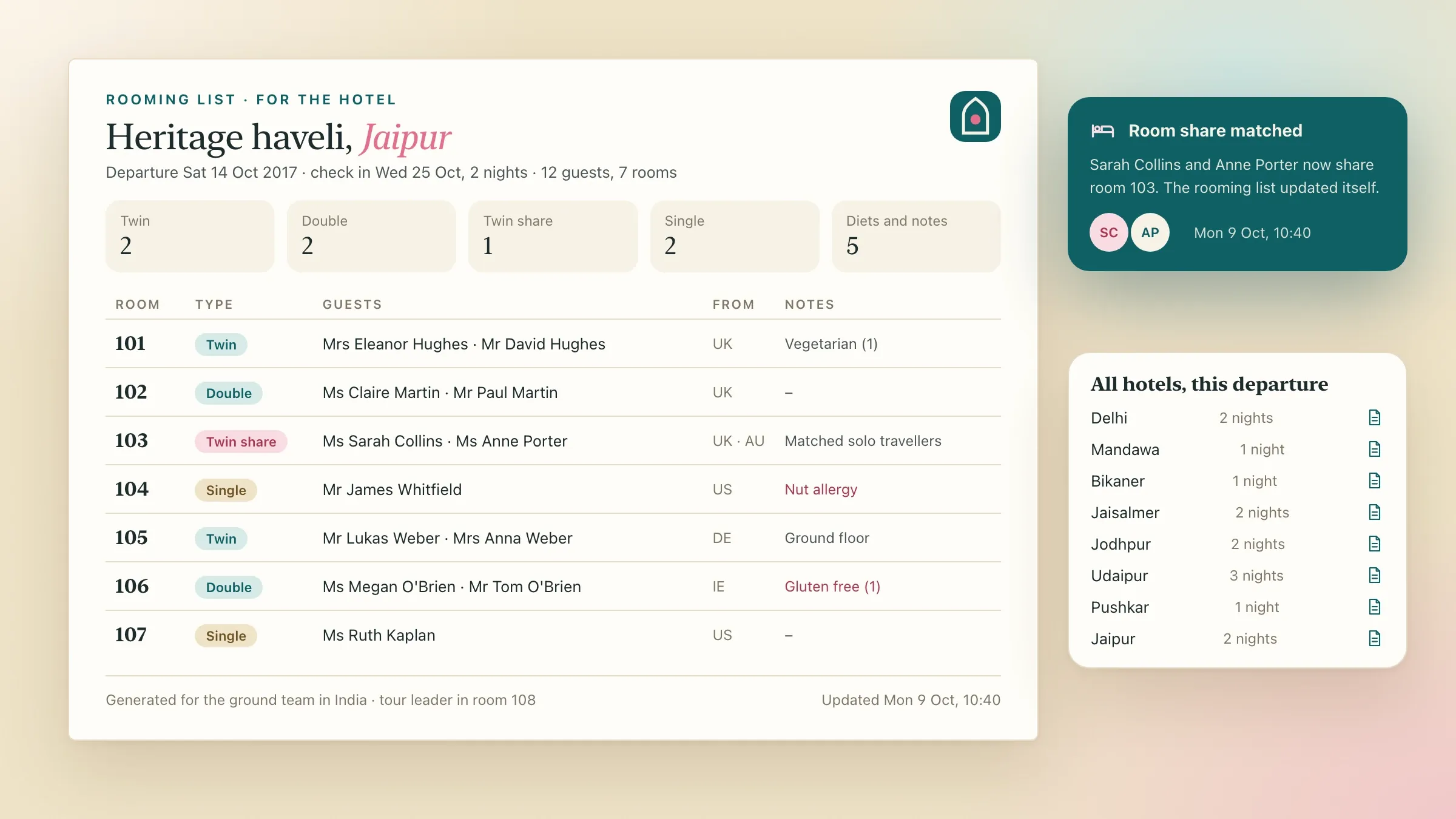 Rooming lists that update themselves For a London tour operator, rooming lists and manifests for the ground team in India are produced for each departure and update as bookings change. Read the case study
 -
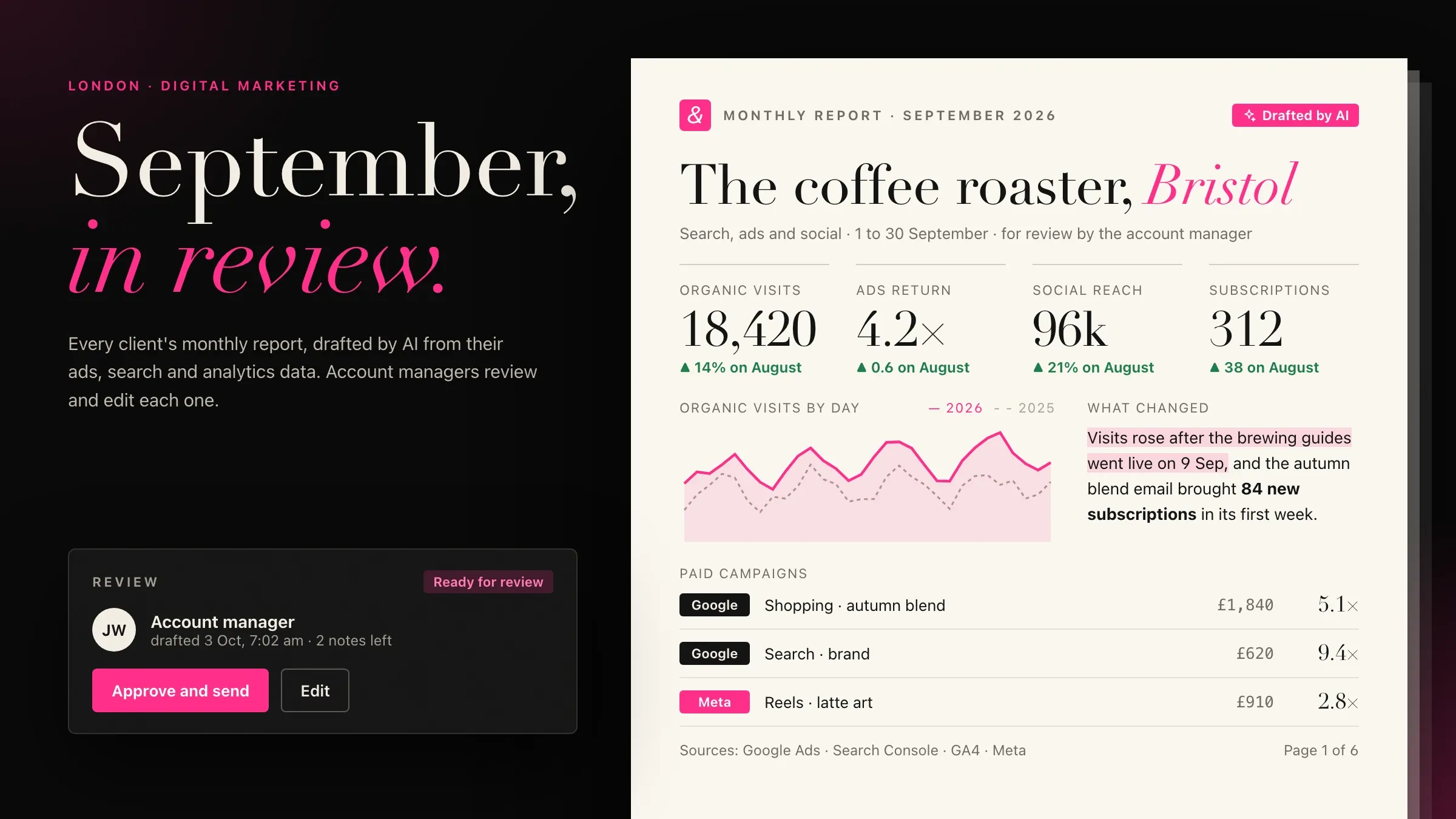 Monthly reports drafted by AI For the London marketing agency we partner with, AI pulls each client's ads, search and analytics data and drafts the monthly report for an account manager to review. View the investment
 -
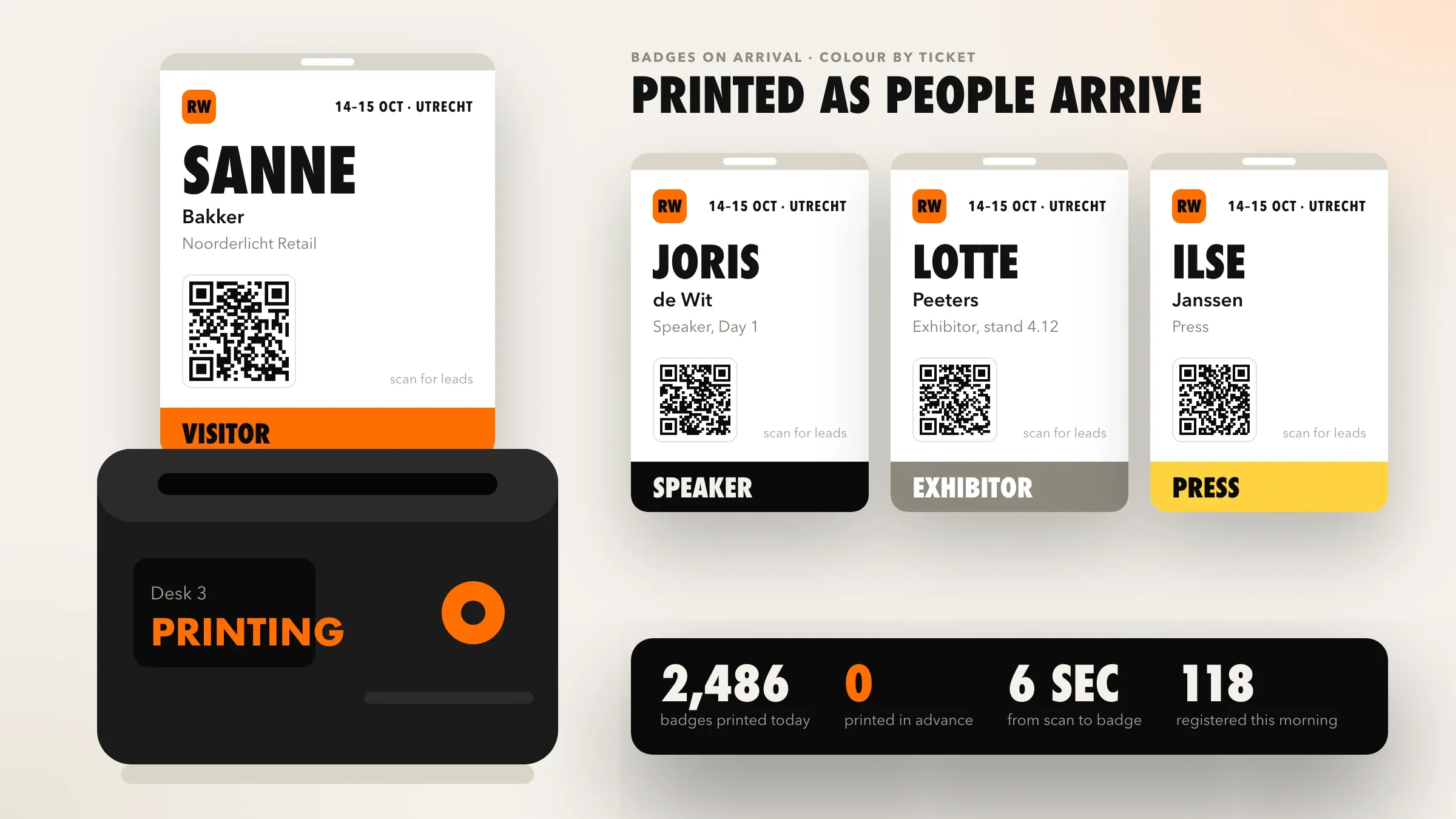 Badges printed as people arrive For a conference organiser in Utrecht, each badge prints at check-in, and company tickets are issued as soon as their bank transfer arrives. Read the case study
What business process automation means in practice
Business process automation means the software does the repeated steps of a process, and people do the thinking. In most small and mid-size businesses, the work that eats the day is not hard. It is the same order details typed into three tools, the same report rebuilt every Monday, the same approval chased by phone.
An automated process waits for something to happen, such as an order being paid, a form being submitted or a date coming round, and then carries out the steps your team would have done: checking the data, updating each system, creating the document and sending the message. Where a decision is needed, it asks the right person and waits for the answer.
The aim is simple. Each piece of information is entered once, by the person who knows it, and every other place that needs it receives it automatically.
Finding the work worth automating
Start with the process your team repeats most and enjoys least. We find it by following real cases: an order from enquiry to payment, an employee from punch-in to payslip, a supplier bill from email to the accounts.
For each step we note who does it, in which tool, how long it takes and what goes wrong. Steps that copy data from one screen to another, rebuild the same document or wait for someone to remember are the clearest candidates. Steps that need judgement, negotiation or a conversation stay with people.
We then rank the candidates by the time they cost, the mistakes they cause and how clear their rules are. That ranking becomes the plan: one process first, then the next.
Typical processes, department by department
Most businesses find their first candidates in the same places:
- Sales: enquiries from the website, WhatsApp and marketplaces landing in one list, quotes built from the price list, follow-ups sent on schedule.
- Accounts: invoices raised from orders, payments matched to invoices, overdue reminders sent, entries posted to Tally or your accounting software.
- Operations: dispatch documents, e-invoices and e-way bills created from the packing list, and stock updated across shops and marketplaces.
- People: attendance matched to shifts, leave approvals, payslips by email, and joining and exit checklists.
- Management: daily and weekly reports built from live data and sent before the working day starts.
Each of these is ordinary work. Together they are often the difference between a team that is always behind and one that has time to think about the business.
Rules first, AI where rules run out
Most automation needs no AI at all. If an order is paid, raise the invoice; if an invoice is 15 days overdue, send the reminder; if a request is above a limit, ask the owner. Clear rules are fast, cheap to run and easy to check, so we use them wherever they work.
AI earns its place where the input is messy: a supplier’s email that might be an order, a question or a bill; a scanned document whose fields have to be read; a summary or a reply that has to be written. There, AI reads, sorts or drafts, and the rules around it decide what happens next.
When AI output could cost money or upset a customer, a person checks it before it goes any further. As the checks show it is reliable for a kind of case, that check can be relaxed, one kind of case at a time.
Connecting the tools you already have
Automation works through the software you already use: your accounting package, online store, CRM, HR system, spreadsheets, email and WhatsApp. We connect each one through its API where it has one, and build a small bridge where it doesn’t, such as reading a scheduled export or watching a shared folder.
In India, many processes end in a government system. Through authorised GST API providers, a workflow can generate e-invoices and e-way bills from your own records, so nobody types them into the portal by hand. Payment gateways confirm UPI and card payments, and bank statements can be matched against open invoices.
Each connection uses its own account with only the permissions it needs, so every change the automation makes is visible in that tool and can be traced back to the run that made it.
Approvals and exceptions
A good automation knows when to stop and ask. We write the exceptions down with you: a discount above the usual limit, a payment to a new supplier, a customer over their credit limit, a document with missing details.
When one occurs, the run pauses and the right person gets a clear request on their phone or by email, with the facts they need to decide. Once they approve or reject it, the run carries on or stops, and the decision is recorded with their name. Requests that wait too long move to a second person.
This is often where automation pays off first, because approvals that used to wait days in an inbox are answered while the person is between meetings.
What we need from your team
Automating a process needs three things from your side: someone who knows the work, access to the tools and real examples. The person who does the task today is the most useful person in the project, because they know the exceptions no written procedure mentions.
Access means a test account or sandbox in each tool where one exists, so we can build without touching live data, and later an account for the automation itself, with limited permissions. Examples mean a few weeks of real cases: orders, invoices, emails and attendance files, including the awkward ones.
You also need an owner: one person who approves the rules, reads the monthly summary and decides what to automate next. They don’t need to write code, but they should feel the pain the process causes today.
Built so it doesn’t break quietly
Automation that fails quietly is worse than none. We build every workflow to fail loudly: if a step cannot finish, the run stops, the right person is told what went wrong, and the run is retried from that step once the cause is fixed.
Every run is logged with its inputs, each step’s result and the time it took. Before launch, the workflow runs on your past cases and its results are compared, line by line, with what your team actually did. The manual process stops only when they match.
We also plan for change. GST rates, price lists, approval limits and message templates live in settings your team can see and update, rather than buried in code.
Measuring what it gives back
Before we automate anything, we time the process as it runs today: how long each case takes, how often it goes wrong and how long it waits between steps. Those figures become the baseline.
After launch, the run log produces the same figures automatically: how many runs finished on their own, how many needed a person, how long approvals took and which steps failed. A monthly summary sets them beside the baseline, so you see what changed in your own terms rather than ours.
The log also points to what to automate next. The exceptions that come up most often are usually the next rules worth writing.
After launch: keeping processes in step with the business
Processes change as the business grows. New products, a new branch, a new tax rule or a new approval limit all need the automation to change with them.
We look after the workflows with you: we review failed runs, update rules and connections when your tools or regulations change, and add the next process once the first has settled. Because each new process reuses connections that already exist, the second and third are usually quicker to build than the first.
How we work with you
From the first call to running it
- Start
Map the work as it is
We sit with the people who do the task, follow real cases from start to finish and list every tool, rule and exception.
- Build
Automate the first process
We build the workflow, link each tool through an account of its own, and agree every rule and exception with the people who know them.
- Pilot
Run it alongside
The automation runs beside the old way on real cases, and we compare the results until they match.
- Launch
Switch over
The manual steps stop, your team handles only the exceptions, and everyone knows where to find the log.
- Every month
Watch and add
We check failed runs, adjust rules when your business changes and automate the next process when you are ready.
Safe and in your control
Its own accounts, limited access
Each workflow signs in to your tools with its own account and only the permissions its steps need.
Money decisions stay with people
Payments, discounts and anything above your limits wait for a named person to approve.
Failures are loud
If a step fails, the run stops, the right person is told why, and it can be retried from that step.
A record of every run
Each step's input, result and time is logged, so any invoice, message or update can be traced.
Tested on your past cases
Before launch, the workflow runs on real past data and its results are compared with what your team did.
Easy to pause
Any workflow can be paused in one click, and your team can go back to the manual way at any time.
Time and cost
The cost depends on the process, not on a package: how many steps and tools it touches, and how many exceptions it has to handle. Most businesses start with the one process that costs them the most time, then automate the next. After the first call we send a written plan and a quote.
Number of tools
Each system the process touches needs a connection. Tools with an API are quickest; older software may need a bridge.
Rules and exceptions
A process with a few clear rules is quick to automate. Every exception needs its own path and its own test.
Documents and AI
Steps that read emails or documents, or draft text, need AI and more testing than steps that move clean data.
Approvals and people
Approval steps, reminders and escalations add screens and messages for the people involved.
Volume and running costs
Running costs follow the number of runs: hosting, any paid APIs such as GST or WhatsApp providers, and AI usage.
Built with
Chosen for each project, never by habit
Questions and answers
12 answered
What is business process automation?
Business process automation is software that carries out the repeated steps of a business process by itself: moving data between tools, creating documents, sending reminders and routing approvals. People handle the decisions and the exceptions; the software does the copying and the chasing.
Which processes should we automate first?
Start with a process that happens often, follows clear rules and involves typing the same data into more than one place: order to invoice, attendance to payroll, enquiry to CRM, or monthly reporting. We help you pick one by timing how long it takes today.
Is business process automation the same as RPA?
Not quite. RPA (robotic process automation) clicks through screens the way a person would, which breaks when a screen changes. We connect systems through their APIs wherever possible, which is sturdier, and use screen-level automation only where an old system offers nothing else.
Can you automate with the software we already use, such as Tally?
Yes. We connect the tools you already use, such as Tally, Shopify, Google Sheets, your CRM or your own database, through their APIs or a small bridge we build. Your team keeps working in the tools it knows.
Can automation create GST e-invoices and e-way bills?
Yes. A workflow can generate the e-invoice and the e-way bill through an authorised GST API provider when an order is dispatched, attach them to the order and send them to the buyer, so nothing is typed into the GST portal by hand.
Where does AI fit in process automation?
AI handles the steps that rules can't: reading an email or a scanned document, sorting requests, or drafting a reply or a report. Clear rules still handle everything they can, and a person checks AI output wherever a mistake would matter.
How much does business process automation cost?
It depends on how many tools the process touches, how many rules and exceptions it has, whether it needs AI, and how many runs it handles each month. There is a one-time cost to build each process and a running cost that follows volume. We send a written quote after the first call.
How long does it take to automate a process?
One clear process across two or three modern tools is a matter of weeks. Processes with many exceptions, older software or approvals across several teams take longer. The plan after the first call sets out the steps and the timeline.
What happens when an automated step fails?
The run stops at that step, the right person is told what failed and why, and the run is retried once the cause is fixed. Every step is logged, so nobody has to guess what happened.
Will automation replace people on our team?
It replaces the copying, chasing and checking, not the people. Your team spends that time on customers, suppliers and decisions, and the process no longer depends on one person remembering every step.
Do you automate processes for businesses outside India?
Yes. FIRELIFE Ventures works with small and mid-size businesses worldwide from Rajkot, India, on India time. Our portfolio includes automation for clients in India, the United Kingdom and the Netherlands.
What happens after the automation goes live?
We look after it with you: we check failed runs, update rules when your prices, taxes or policies change, keep connections working when a tool changes its API, and automate the next process when you are ready.
Tell us what you want to build
Write a few lines about the idea and who it is for. We reply with our questions, a first plan and how we would start.
Write to us