Make it work better software maintenance and support
Keep your software running and improving
We look after the software your business runs on. We fix what breaks, keep it secure and up to date, watch it so problems are caught early, and keep improving it every month as your business and the rules around it change.
- We take over software others built
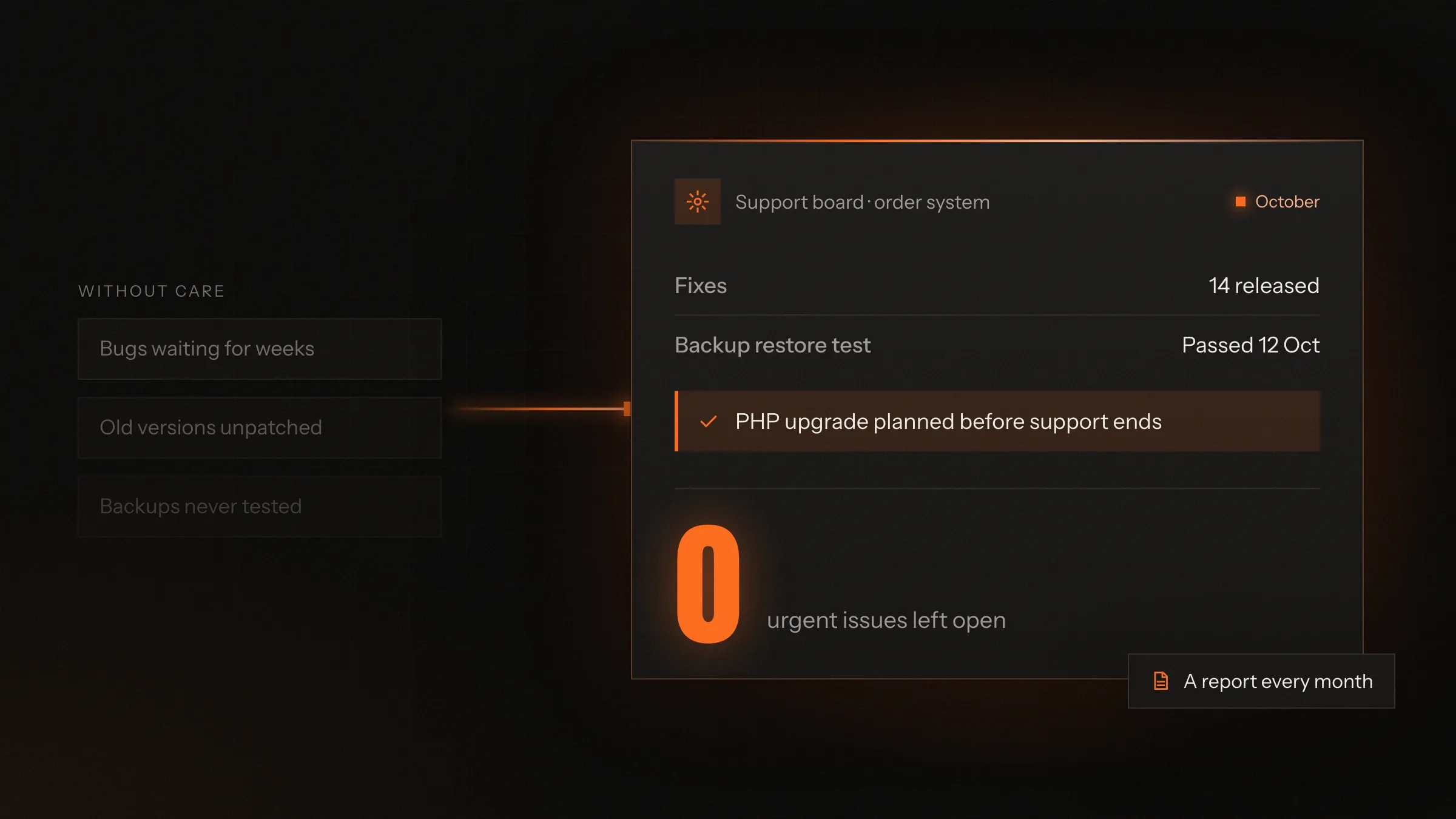
- A plain report every month
- You own the code and every account
Sound familiar?
What we hear before we start
- The company or freelancer who built your software has moved on, and nobody knows how it works.
- Small bugs pile up because every fix needs a new quote and a long wait.
- Your app still runs on versions that no longer get security updates.
- A tax rate or a government rule changes, and your system has to catch up in a rush.
- You hear about outages from customers, not from your own monitoring.
- Nobody is sure the backups would restore if you needed them.
What changes
-
Today: Bugs wait in an inbox until someone has time.
After: Every issue is logged, prioritised and tracked to a fix you can see.
-
Today: Frameworks and libraries fall years behind.
After: Updates go in every month, in small steps, tested before release.
-
Today: Customers are the first to tell you something is down.
After: Monitoring alerts us when something goes wrong, so work starts straight away.
-
Today: A change in GST, payroll or privacy rules means a rushed job.
After: Rule changes are planned ahead and released before they take effect.
-
Today: Only one person knows how the system works.
After: The system is documented, so knowledge never leaves with one person.
What it does for you
-
Fix what breaks
Bugs and problems are reproduced, fixed at the cause, tested and released, with every step visible in your tracker.
For exampleCustomers can't download invoices after a browser update. The cause is found, fixed and released, and a test is added.
-
Security and version updates
Frameworks, libraries, servers and databases kept on versions that still receive security fixes.
For exampleA framework version nearing the end of its support is upgraded before its security fixes stop.
-
Monitoring and alerts
Uptime, errors, slow pages, failed background jobs, certificates and domains, watched around the clock by tools that alert us.
For examplePayment errors jump after a gateway change. The alert reaches us and the change is rolled back.
-
Backups that restore
Automatic backups kept in more than one place, and restored to a test copy on a schedule to prove they work.
For exampleA database backup is restored to a test server, checked and the result noted in the monthly report.
-
Keep up with rules
Tax, payroll, privacy and platform changes, planned ahead and released before they take effect.
For exampleWhen GST replaced service tax in 2017, a coaching institute's fee receipts switched over without disrupting a payment.
-
Improve it every month
Small improvements your staff and customers ask for, planned with you and released in steady, tested steps.
For exampleStaff ask for an export button on the orders screen, and it arrives in the next release.
-
Take over someone else's code
We read the code, document how it works, secure the accounts and fix the most urgent risks first.
For exampleA shop's app built by a freelancer who moved on is documented, backed up and brought up to date, urgent risks first.
-
Hosting and running costs
Servers, domains, certificates and cloud bills kept tidy, with unused resources switched off.
For exampleA test server left running for a year is found and switched off, and the cloud bill drops.
How it works
-
You report
By email, your tracker or WhatsApp, or monitoring reports it for you.
-
We log and sort
Each issue is logged and given a priority you agree with, urgent first.
-
We fix and test
We find the cause, fix it on a test copy and run the tests.
-
We release
The fix goes live at a quiet time, with a way back if needed.
-
We watch
Monitoring confirms the fix holds, and a test is added so it can't return unnoticed.
-
We report
Each month you see what was fixed, updated, watched and improved.
Where we've built it
5 from our portfolio
-
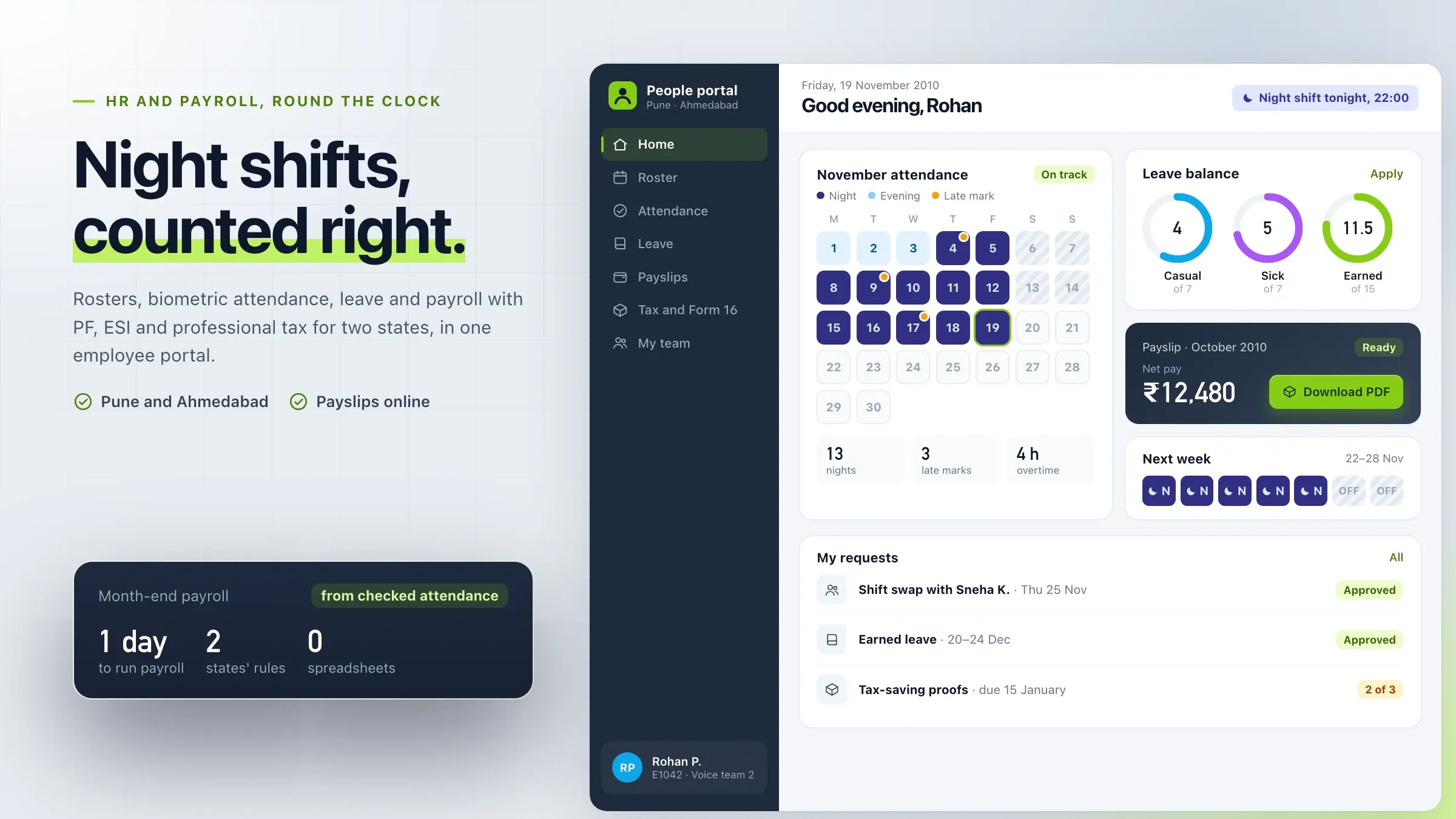 Payroll kept in step with the rules For a support company in Pune and Ahmedabad, we updated the payroll portal for every budget and statutory change in the years after launch, including the PF wage ceiling rise in 2014. Read the case study
 -
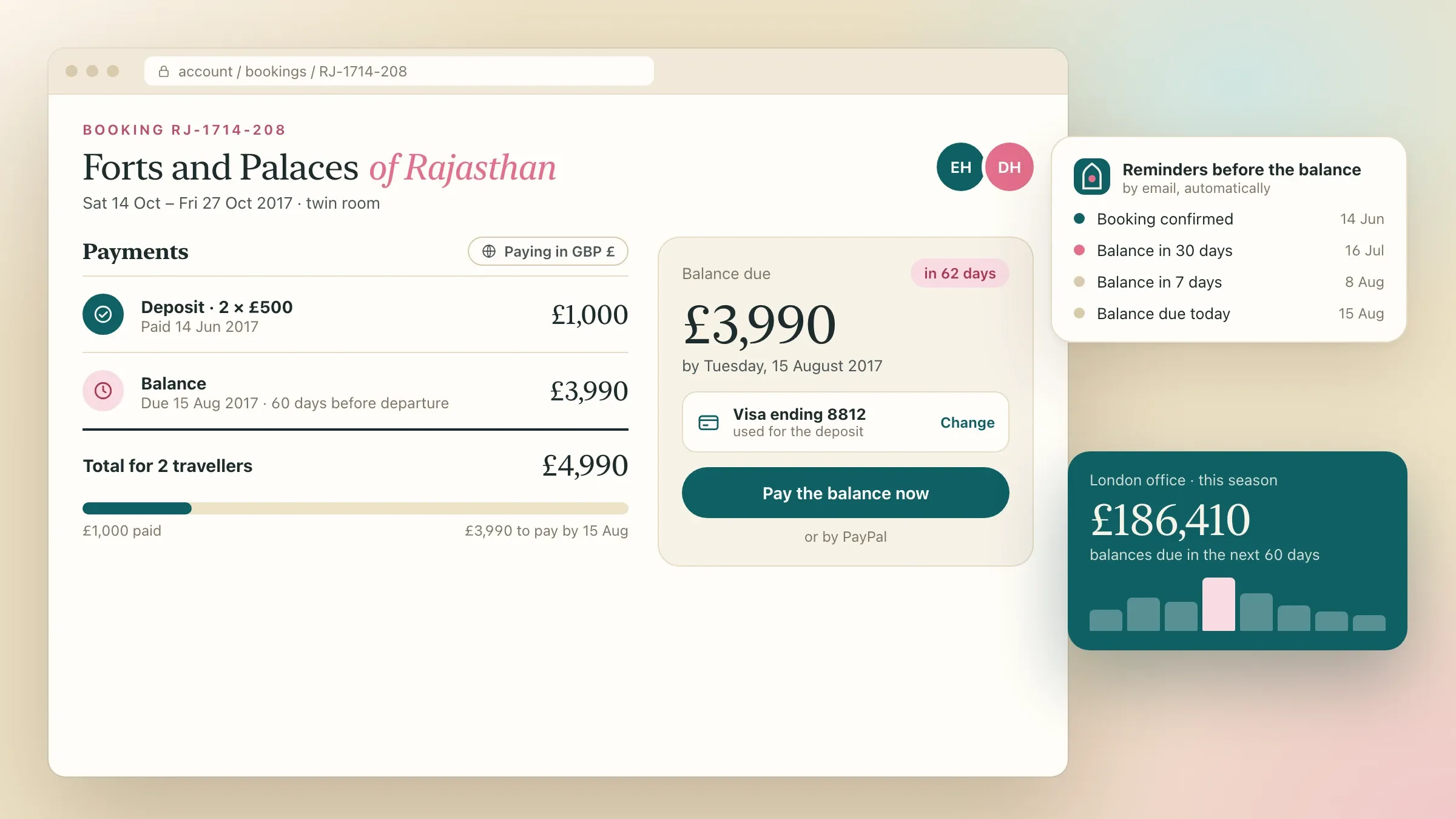 Ready for every season For a tour operator in London, we updated the booking platform before each season and added consent records, data export and deletion for the GDPR in May 2018. Read the case study
 -
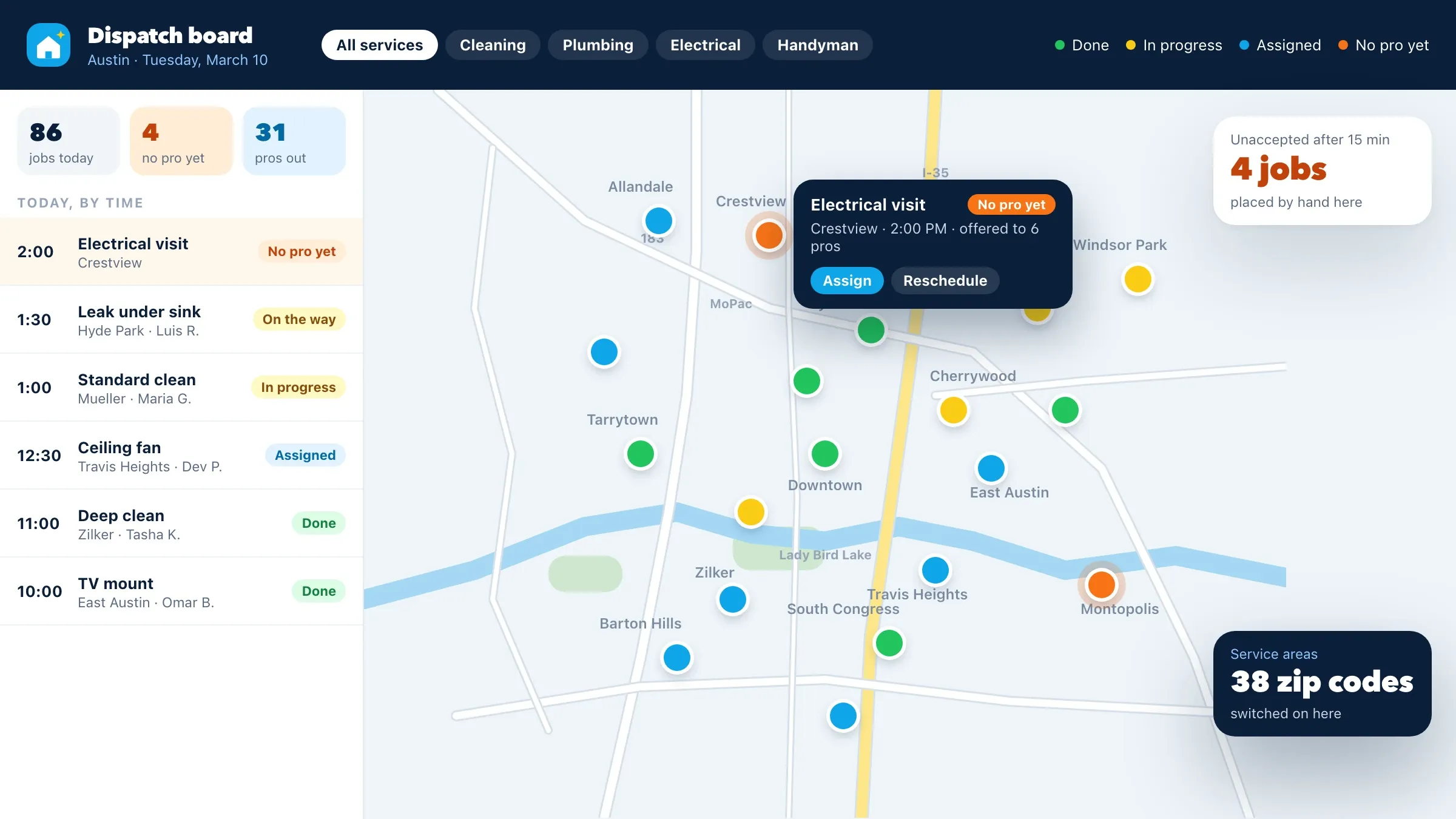 New services and zip codes For a home services company in Austin, support since 2016 has meant new services and zip codes, seasonal offers and continued tuning of how jobs are matched to pros. Read the case study
 -
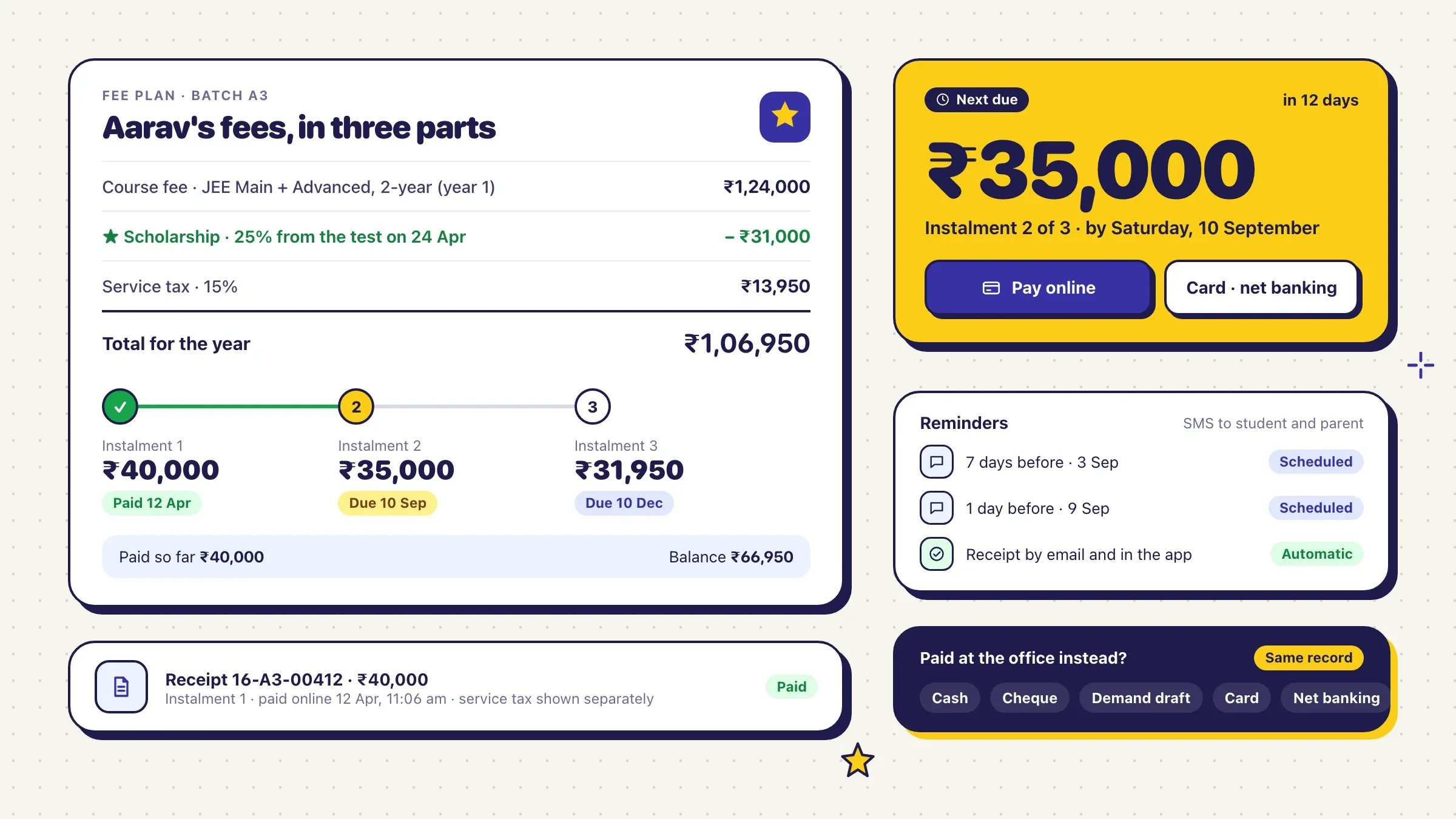 From service tax to GST For a coaching institute in Kota, we added new courses and test series each term, and switched fee receipts to GST in July 2017 without disrupting a single payment. Read the case study
 -
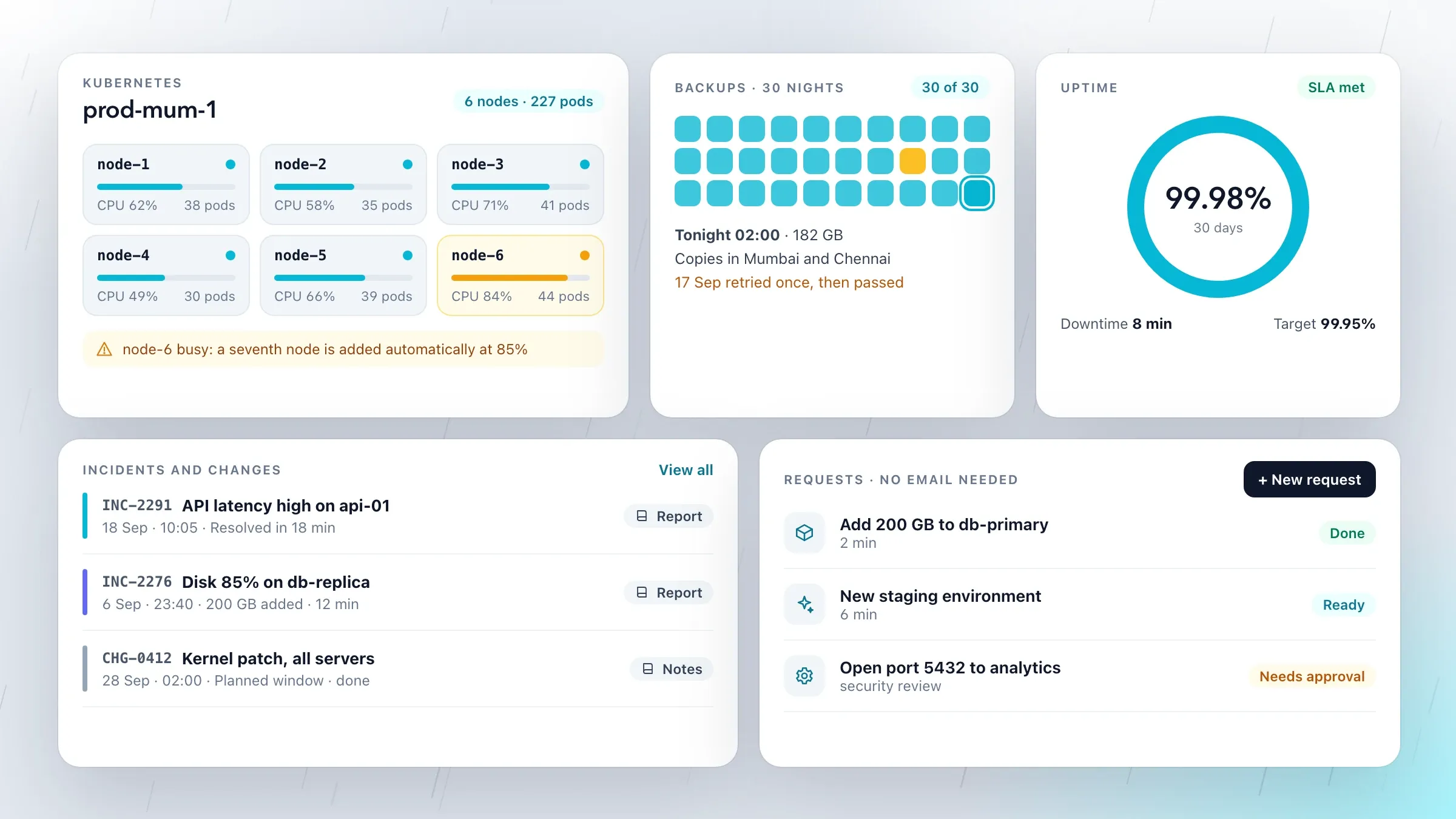 Hosting and software, one team With our managed cloud partner in Mumbai, customers deal with one team: we design and build the application, and the partner hosts it, backs it up and watches it around the clock. View the investment
What software maintenance and support cover
Software maintenance and support is everything that keeps your software working well after launch. It falls into four kinds of work, and a good plan covers all four.
Fixing: bugs and problems found by your staff, your customers or monitoring. Keeping up: changes forced from outside, such as a new phone operating system, a browser update, a payment gateway changing its API or a new tax rule. Preventing: security updates, monitoring and backups that stop small problems turning into outages. Improving: the small changes your team asks for that make the software fit the business better each month.
Support is how you reach the people who do this work, and how quickly and clearly they keep you informed. It should feel like having your own technical team, without hiring one.
Why software needs looking after
Software doesn’t wear out, but everything around it changes. Apple and Google release new versions of iOS and Android every year, and app stores require apps to keep up. Programming languages and frameworks stop receiving security fixes after a few years. Certificates and domains expire. Payment gateways, couriers and government portals change how they work.
The rules change too. GST rates and e-invoicing requirements shift, payroll ceilings for PF and ESI are revised, the RBI updates its directions, and privacy laws such as India’s DPDP Act and Europe’s GDPR set new duties.
And your business changes: new products, new branches, new staff, new questions from customers. Software that isn’t looked after slowly stops fitting, and then one day stops working.
Taking over software someone else built
Software often outlives the people who built it. When we take it over, we start with a review: the code, how it is deployed, the servers and cloud accounts, domains, app store and payment accounts, backups and whatever documentation exists.
The review usually finds the same things: backups nobody has restored, admin passwords shared by email, accounts in a former developer’s name, versions that no longer get security fixes and no record of how to release a change. You get a written list of these risks, most serious first.
We fix the urgent ones before anything new: accounts moved into your company’s name, passwords changed and two-factor switched on, a tested backup, monitoring, and a documented way to release. Then we write down how the system works, so knowledge stays with your business.
Fixing problems properly
A good fix removes the cause, not just the symptom. Every issue is logged in a tracker you can see, reproduced on a test copy, traced to its cause, fixed, tested and released, and where it makes sense a test is added so it cannot return unnoticed.
Priorities are agreed with you. A problem that stops sales, payments or your team’s work goes first; a typo can wait for the next release. You can see where every issue stands at any time, without having to chase anyone for an update.
Reporting is simple. Your team writes to [email protected], adds it to your own tracker or sends a WhatsApp message, ideally with a screenshot and what they were trying to do. We turn it into a proper issue with the steps to repeat it, so nobody has to explain the problem twice.
Security updates and staying current
Many security problems come from software that simply wasn’t updated. We keep frameworks, libraries, servers and databases on versions that still receive security fixes, using tools such as Renovate or Dependabot to raise each update, and automated tests to check it before release.
We apply updates in small steps every month rather than letting them pile up, because a jump of several versions at once is where upgrades become expensive and risky. Bigger upgrades, such as a new major version of PHP, Node.js or a framework, are planned ahead and done before the old version’s support ends.
App store rules are part of this too. Google Play and Apple’s App Store require apps to target recent versions and declare how they use data, and we keep your apps compliant so updates are never blocked.
Watching it so you hear first
You shouldn’t learn about an outage from a customer. We set up monitoring that checks your site and apps around the clock, records errors with tools such as Sentry, and watches the things that fail quietly: background jobs, payment webhooks, email delivery, disk space, certificates and domain renewals.
When something goes wrong, the alert reaches us, and work starts with the details already in hand. Dashboards in tools such as Grafana show trends, such as pages getting slower or errors creeping up, so they can be fixed before they become outages.
Backups that actually restore
A backup only counts if it restores. We set up automatic backups of your databases and files, kept in more than one place, and restore them to a test copy on a schedule to prove they work. The result goes into the monthly report.
We also write down what happens if the worst occurs: who does what, in which order, and how long a restore takes for your system. Our managed cloud hosting partner in Mumbai, for example, keeps customers’ backups in more than one location and tests recovery regularly.
Keeping up with rules and platforms
When a rule changes, your software has to be ready on the day it takes effect. We track changes that affect your system and plan them ahead: GST rates and e-invoicing, e-way bill rules, PF, ESI and professional tax, RBI directions for lenders and payments, and privacy laws in India, the UK and Europe.
Our portfolio shows this kind of work over many years. We updated a payroll portal for every budget and statutory change, including the PF wage ceiling rise in 2014; switched a coaching institute’s fee receipts from service tax to GST in 2017; added consent records and data deletion for a tour operator when the GDPR arrived in 2018; and brought FASTag toll records into a transport company’s fleet dashboard once FASTag became mandatory.
Improving it every month
Maintenance is not only about standing still. Your staff and customers have ideas: an export button, a faster search, a new report, a field that should fill itself in. We keep them in a list with you, agree each month which to do, and release them in small, tested steps.
Small, regular improvements add up. Over a year the software fits the business better, without the risk and cost of a big rebuild. When a bigger change is needed, such as a new module or a move to the cloud, we plan it as a project of its own.
Sometimes the honest answer is that the old system has reached its limit. When every change becomes slow and risky, we say so, and plan a step-by-step modernisation instead.
A plain report every month
Each month you receive a short report in plain words. It lists what was fixed, what was updated, what monitoring caught, the result of the backup check, what was improved, any risks ahead such as versions nearing the end of support, and the plan for next month.
The report is how you know the work is being done, and it is the basis for deciding together what comes next.
Once a year we step back further. Together we look at which versions reach the end of their support in the coming year, which rule changes are on the way, what the software costs to run and which parts slow your team down most. The result is a short plan for the year ahead, so the bigger upgrades are budgeted for rather than discovered in a hurry.
How we work with you
From the first call to running it
- Start
Review what you have
We go through the code, servers, accounts, backups and documentation, and give you a written list of risks in order.
- Settle in
Make it safe first
Accounts secured, backups tested, monitoring switched on and the most urgent updates applied, before anything new.
- Day to day
Fix and support
Issues are logged, prioritised with you and fixed, tested and released, with every step visible in the tracker.
- Every month
Update, improve, report
Security updates, a set of agreed improvements, a backup restore check and a plain report of the month.
- Every year
Plan the bigger steps
We review versions reaching the end of their support, upcoming rule changes and what to modernise next.
Safe and in your control
You own everything
The code lives in your repository, and domains, cloud, app store and payment accounts stay in your company's name.
Our own logins, the least access
We work through our own accounts with two-factor and only the access the work needs, removed when we stop.
Tested before every release
Fixes and updates are tried on a test copy and checked by automated tests before they reach your customers.
A way back
Every release can be rolled back, and big updates go out at quiet times you agree.
Backups proven, not assumed
Backups are restored to a test copy on a schedule, so we know they will work on the day you need them.
No lock-in
We document as we go, so your own team or another company could take over at any time.
You set the priorities
You decide what is urgent and what can wait. Urgent problems go ahead of planned work.
Time and cost
The cost depends on the size of your software and how much change you want each month, not on a package. Most businesses take a monthly plan that covers monitoring, updates and fixes, with improvements planned on top. After we review your software, we send a written plan and a quote.
Size and age of the software
A small app on current versions is quicker to look after than a large system several versions behind.
State at handover
Software with tests and documentation settles in quickly. Undocumented code needs a review first.
Systems and integrations
Each payment gateway, government API, app store and outside service is one more thing to watch and update.
Improvements each month
Fixes and updates alone are the base. More new features each month means more of our team's time.
Hours you need covered
We work on India time. Cover that overlaps your business hours elsewhere is planned into the agreement.
Who runs the servers
We can look after your servers and cloud accounts, or work with your hosting provider.
Built with
Chosen for each project, never by habit
Questions and answers
13 answered
What is software maintenance and support?
Software maintenance and support is the ongoing work that keeps software running safely after launch: fixing bugs, applying security updates, keeping up with new versions and rules, watching for problems, testing backups and making small improvements. Support is how you reach the people who do it.
What does a maintenance plan include?
Usually bug fixes, security and version updates, monitoring and alerts, backup checks, a set amount of improvement work and a monthly report. We agree the contents in writing, based on your software and how much change you want.
How much does software maintenance cost?
It depends on the size and age of the software, how many systems it connects to, how much improvement you want each month and which hours need cover. After reviewing your software, we send a written plan and a monthly quote.
Can you maintain software that another company built?
Yes. We start with a review of the code, servers, accounts and backups, document how it works and fix the most urgent risks first. It doesn't matter if the original developer is no longer around.
Which technologies can you look after?
Most common ones. Our portfolio includes systems in PHP with Laravel and CodeIgniter, Java with Spring Boot, Node.js with NestJS, Python, React, Vue.js, AngularJS and Next.js, Flutter and native Android and iPhone apps, on MySQL and PostgreSQL, hosted on AWS, Google Cloud and Indian data centres.
What happens if something breaks outside office hours?
Monitoring watches your software around the clock and alerts us when something goes wrong. We agree in writing how urgent problems reach us out of hours and what counts as urgent, so the most serious problems are handled first.
Do you keep our software up to date with tax and legal changes?
Yes. We plan changes such as GST rates and e-invoicing, PF and ESI rules, RBI directions and privacy laws like India's DPDP Act and the GDPR ahead of their start dates, and release them in time.
How do we report a problem?
By email to [email protected], in your own tracker, or on WhatsApp, whichever suits your team. Each report is logged, given a priority and tracked until it is fixed and released.
Will we be locked in to FIRELIFE?
No. The code stays in your repository, the accounts stay in your name and we document as we go, so your own team or another company could take over whenever you choose.
Do you host the software too?
We can look after your existing servers or cloud accounts. For businesses that need hosting in India, we work with our managed cloud partner in Mumbai, which hosts and watches the software while we look after the application.
Should we maintain our old software or rebuild it?
Maintain it while it still fits how you work and can be kept on supported versions. When every change becomes slow and risky, or the platform it runs on is out of support, a step-by-step modernisation is usually better. Our first review tells you which applies.
Do you support businesses outside India?
Yes. FIRELIFE Ventures works with small and mid-size businesses worldwide from Rajkot, India, on India time. Our portfolio includes long-running support for clients in the United Kingdom, the United States and India.
What do we see each month?
A short report in plain words: what was fixed, what was updated, what monitoring caught, the result of the backup check, what was improved, any risks ahead and the plan for next month.
Tell us what should work better
Write a few lines about what slows you down today. We reply with our questions, a first plan and how we would start.
Write to us