Make it work better DevOps services
Release every week without breaking things
We set up the tests, release pipeline and monitoring that let your team ship small changes every week, see problems before customers do, and undo a bad release in one step.
- Small changes, released often
- Every release can be undone
- Built on the tools you already use
Sound familiar?
What we hear before we start
- Releases happen once a month, late at night, with everyone on a call.
- Every release breaks something that worked yesterday.
- Only one developer knows how to deploy, and they are on leave.
- You hear about errors from customers, not from your own systems.
- Testing means someone clicking through the app by hand before each release.
- Nobody is quite sure which version is live, or what changed in it.
What changes
-
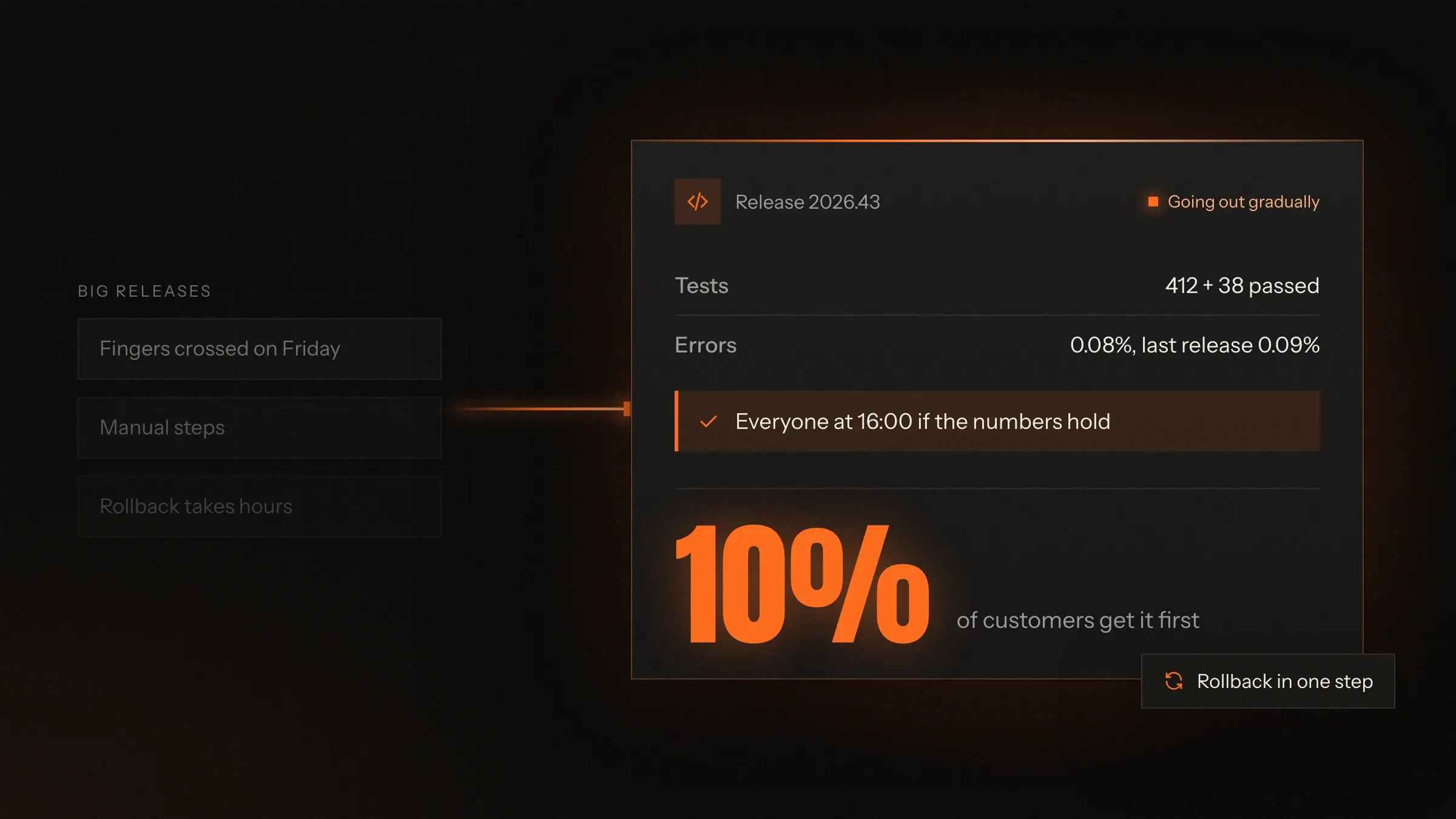
Today: Dozens of changes bundled into one big monthly release.
After: A few small changes go out every week, each easy to check.
-
Today: Deploying is a list of steps in one person's head.
After: One pipeline builds, tests and releases the same way every time.
-
Today: Bugs are found by customers.
After: Automated tests and a staging copy check every change before it goes live.
-
Today: A bad release means a long night of fixing forward.
After: The last good version goes back in one step, and the fix waits for the morning.
-
Today: Errors go unnoticed until someone complains.
After: Alerts reach your team when errors rise, naming the release that caused them.
-
Today: Servers set up by hand, never quite the same twice.
After: Servers and settings written as code and reviewed like any other change.
What it does for you
-
Automated tests
Tests for the paths that earn or cost you money: sign-in, checkout, payments, invoices and the exports your accounts depend on.
For exampleA change to GST rounding fails a test before it reaches a single invoice.
-
A release pipeline
Every change is built, tested, scanned and deployed by the same pipeline, in GitLab CI or GitHub Actions.
For exampleA developer merges a fix after lunch and it is live, checked and recorded by the end of the day.
-
Staging and preview copies
A copy of the app for each change, with realistic data, so the people who know the work see it before customers do.
For exampleThe sales head opens a link, tries the new quote screen and approves it before it ships.
-
Gradual roll-outs
Feature switches and staged releases: your own team first, then a small share of customers, then everyone.
For exampleA new checkout goes to staff on Tuesday and to every customer on Thursday, once the numbers look right.
-
One-step rollback
Every release is kept, so going back to the last good version is one command, not a night of fixes.
For exampleA release slows the search page; the team rolls back in one step and fixes the cause calmly the next morning.
-
Monitoring and alerts
Error tracking, uptime checks, logs and dashboards, with alerts that point to the release and the change behind a problem.
For exampleFailed payments rise after a release, and the alert names the release, the change and who made it.
-
Infrastructure as code
Servers, databases, networks and settings described in Terraform, reviewed before they change and rebuilt the same way every time.
For exampleA new staging copy is created from the same files as the live one, and matches it.
-
Database changes in small steps
Schema changes written as migrations, tried on a copy of real data, and released in steps both old and new code can use.
For exampleA new column is added one week and the old one removed the next, and nothing stops in between.
How it works
-
A small change is made
One fix or feature at a time, on its own branch, reviewed by another developer.
-
The pipeline checks it
It is built once, then automated tests, code checks and a security scan run on it.
-
It runs in staging
The change goes to a copy of your app with realistic data, where people who know the work try it.
-
It goes out gradually
First to your own team, then to a share of customers, then to everyone, watched at each step.
-
Monitoring compares it
Errors, speed and key actions such as orders and payments are compared with the release before.
-
Undo is one step away
If something looks wrong, the last good version goes back in one step, and the cause is fixed calmly.
Where we've built it
4 from our portfolio
-
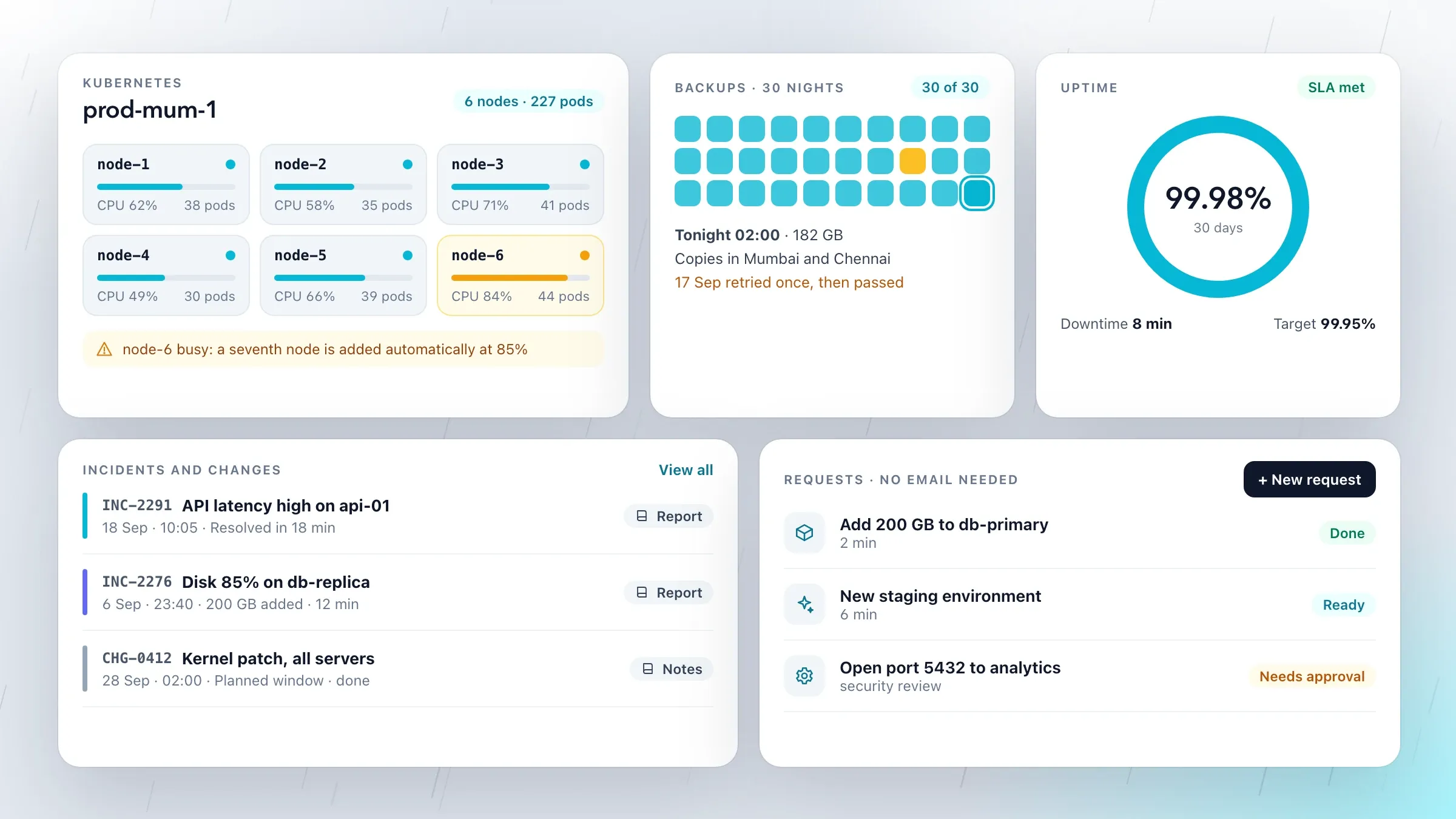 Environments set up from code For our managed cloud hosting partner in Mumbai, we built the Terraform automation that sets up new environments in minutes, the same way every time, instead of by hand. View the investment
 -
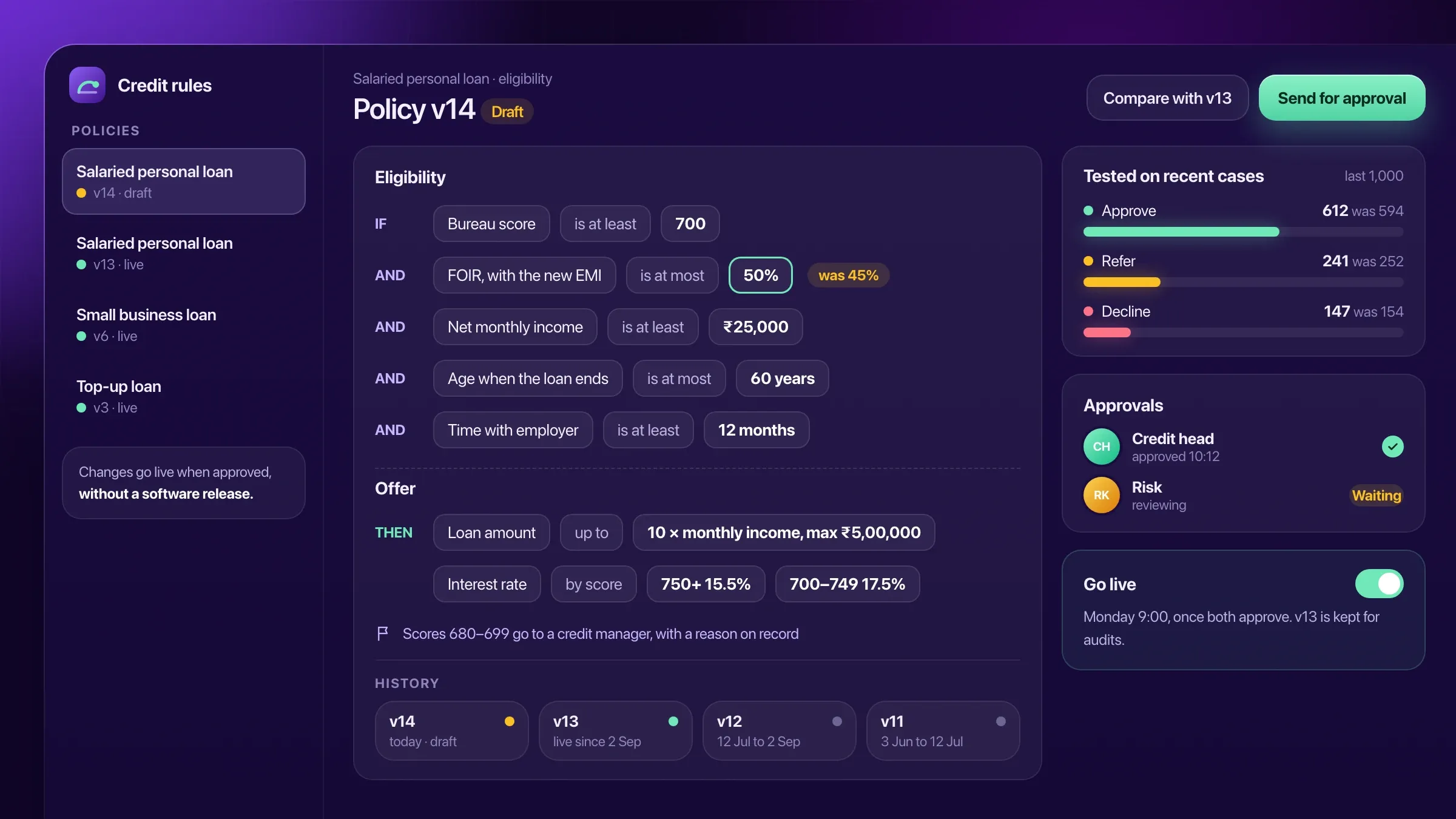 One loan product at a time For an NBFC in Kolkata, the lending platform passed independent security testing, launched one loan product at a time, and lets the credit team change policy without a release. Read the case study
 -
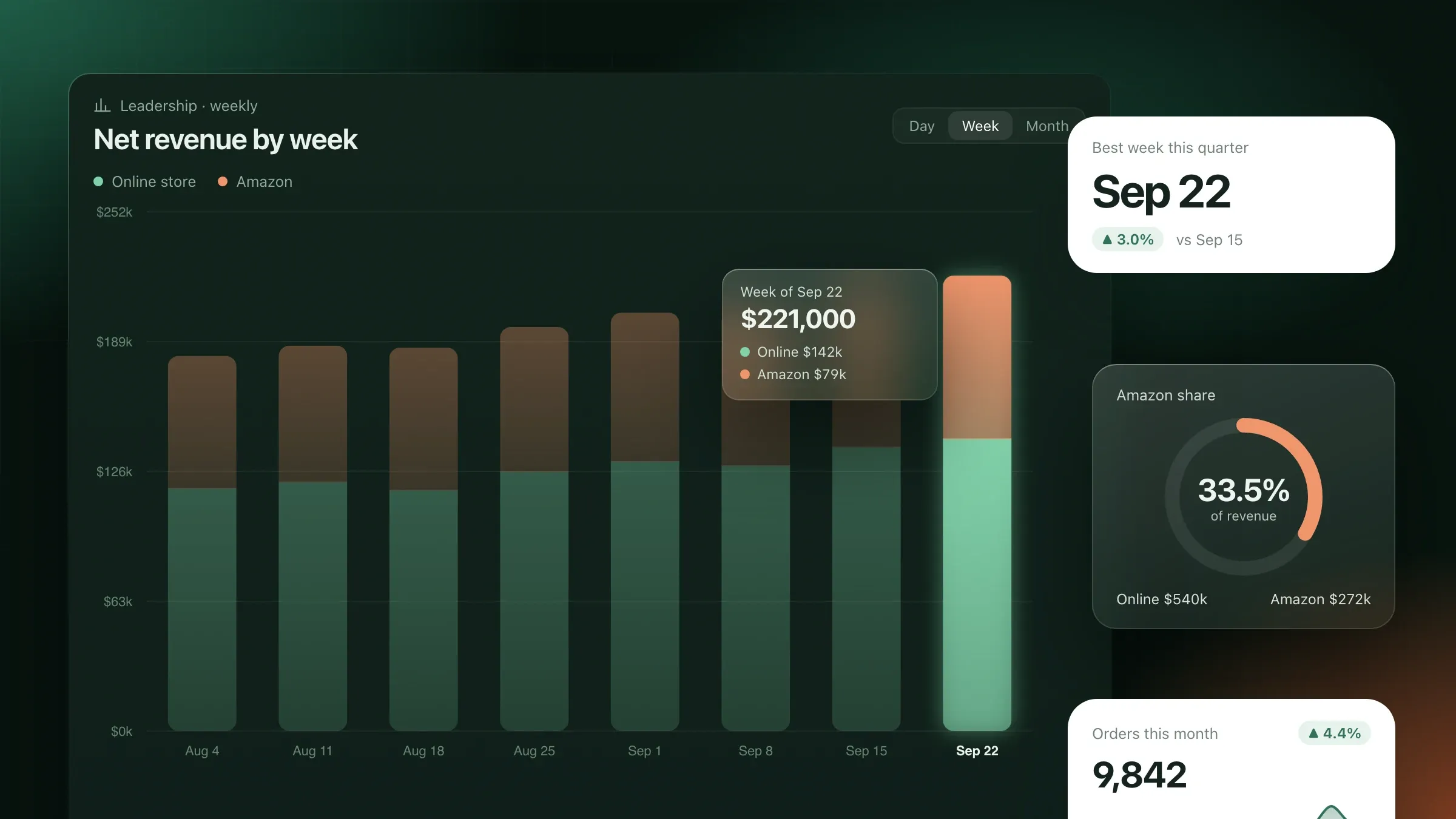 Tests that catch bad data first For a home goods brand in Denver, every data model is tested for missing, duplicated or late data, and the team is alerted before anyone reads a wrong number. Read the case study
 -
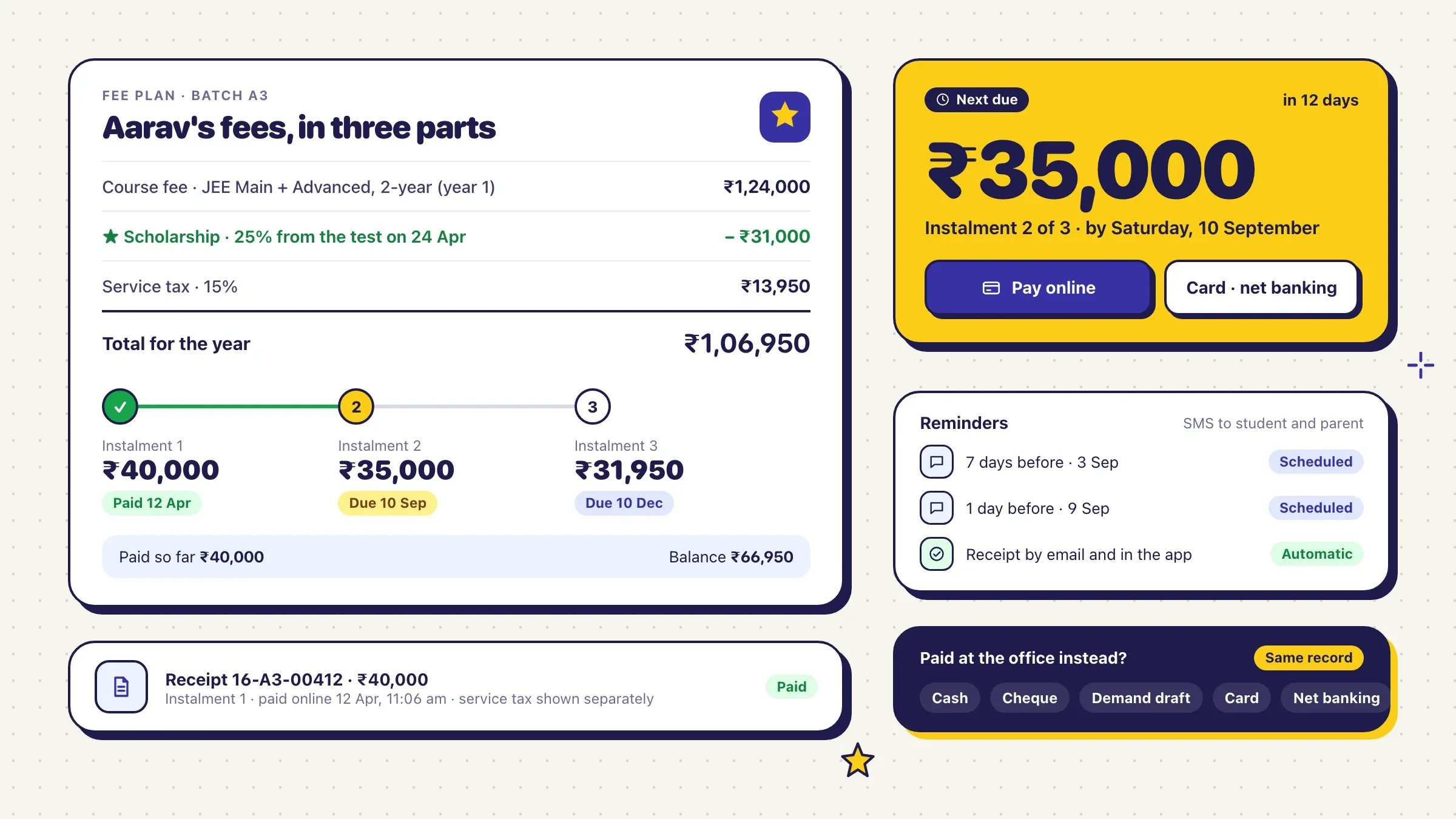 Switched to GST without a pause For a coaching institute in Kota, fee receipts and reports were switched from service tax to GST in July 2017 without disrupting a single payment. Read the case study
What DevOps means for a business like yours
DevOps is the way of working that makes releasing software routine instead of risky. It joins the people who write the software with the work of running it: building, testing, releasing, watching and fixing, done the same way every time by tools rather than from memory.
In a large company there may be a whole team for this. In a small or mid-size business there is usually nobody: a few developers write features, and one of them deploys late at night by following steps only they know. Nothing is wrong with the people. What is missing is the system around them.
Our DevOps work builds that system. It is a set of automated tests, a release pipeline, copies of your app to try changes on, monitoring that tells you when something is off, and servers described as code. None of it is exotic. The value comes from having all of it, working together, on every change.
Why weekly releases are safer than monthly ones
Smaller releases are easier to check, easier to explain and easier to undo. A monthly release bundles dozens of changes. If something breaks, nobody knows which change did it, and undoing the release also undoes the fixes customers were waiting for.
A weekly release holds a handful of changes. Each was reviewed and tested on its own, the people who made it still remember the details, and if one misbehaves it can be switched off or rolled back without losing the rest. Fixes reach customers in days instead of waiting for the next big night.
Weekly is a rhythm we agree with you, not a target to chase. Some teams settle on releasing whenever a change is ready; others keep a fixed day so support and sales know what is coming. What matters is that releasing stops being an event.
Start with the paths that earn money
Start by protecting the few things that must never break. For most businesses that means signing in, searching and ordering, taking payment by UPI or card, raising invoices with the right GST, sending order and delivery messages, and the exports your accountants depend on, such as the daily file into Tally.
We write automated tests for those paths first, end to end, the way a customer or a staff member uses them. A failing test stops the release before a single customer sees the problem.
Chasing a test for every line of old code is slow and rarely worth it. Tests grow where changes happen: each new feature arrives with its own, and each bug that escapes gets a test so it cannot return.
The pipeline, step by step
Every change takes the same path from a developer’s branch to your customers. The pipeline builds the code once and keeps that build, so what was tested is exactly what goes live.
Then come the checks: unit tests, end-to-end tests on the paths that earn money, code style, and a scan of every library the app uses for known security holes. A change that fails any of them goes back to its developer with the reason attached.
A change that passes is deployed to staging automatically and tried there. Releasing to production is then one approval in GitLab or GitHub, by someone you choose. The pipeline tags the release, records what changed and who approved it, and posts a short note to your team’s chat.
Staging, previews and feature switches
People who know the work should see a change before customers do. Staging is a copy of your app with realistic data, with personal details such as names, phone numbers and PAN masked, so it behaves like the real thing without exposing anyone.
For bigger changes, each one gets its own preview link. The owner of the feature, a sales head or the accounts team, opens it on their phone and says yes or no before it is merged.
Feature switches separate putting code live from turning a feature on. New code can go out switched off, be turned on for your own staff, then for a small share of customers, then for everyone. If the numbers look wrong, the feature is switched off in seconds without a new release.
Database changes without stopping the app
Database changes are where risky releases hide, so we make them in small steps. Renaming a column or splitting a table in one go breaks the running app for anyone mid-task, and makes rolling back the code useless.
Instead, each change is split into steps that old and new code can both live with. First the new column is added and filled. Then the code starts writing to both. Then it reads from the new one. Only when nothing uses the old column, often a release or two later, is it removed.
Every migration is tried first on a copy of the live database at full size, so a change that would lock a busy table for minutes is caught on a quiet copy, not on a Monday morning. A backup is taken before each release that touches data.
Knowing what happened: monitoring and alerts
You should hear about a problem from your own systems, not from a customer. We set up error tracking in the app, uptime checks from outside your network, logs gathered in one place, and dashboards for speed and errors.
We also watch the signals your business cares about: orders per hour, failed payments, messages not delivered, invoices stuck. A release that quietly stops a payment method is caught by these numbers even when no error is thrown.
Alerts are tied to releases, so the alert itself says what went out and when. We keep alerts few and meaningful, because a team that receives fifty a day learns to ignore all of them. Someone is named for each alert, with hours agreed in India time and cover for your busy seasons.
Rolling back, and learning from it
A release that cannot be undone should not go out. Every release keeps its build, so going back to the last good version is a single command or a button in the pipeline, and because database changes come in steps, the older code still works with the data.
The rule is simple: if a release looks wrong, roll back first and investigate second. Customers get the working version back while the team finds the cause without pressure.
Afterwards we write a short note on what happened, why the checks missed it and what changes. Usually the answer is one more test, one more alert or a smaller next release. The note blames no one; its job is to make the next release safer.
Security in the pipeline
Security checks run on every change, so they stop being a once-a-year event. The pipeline scans libraries for known weaknesses, looks for passwords and keys accidentally committed to code, and checks container images before they are deployed.
The pipeline itself is guarded. Its keys can deploy and nothing more, production approvals belong to named people, and every action is logged. Passwords live in a secrets store, never in the repository.
For businesses with rules to meet, such as RBI directions for lenders and payment companies or HIPAA-style privacy for health data, this record of who changed what and when is exactly what auditors ask to see. Deeper checks, such as penetration testing before a major launch, are planned as their own step.
Handing it over, or running it for you
When the set-up is done, your team should be able to run it without us. Everything lives in your repositories and your cloud accounts: the pipeline, the infrastructure code, the alerts and a short written guide for each routine job, from adding a new environment to rolling back a release.
We join the first weekly releases side by side with your developers until the routine feels ordinary, then step back. Some businesses keep us on to watch alerts, keep the pipeline fast and update the tools each month; others call only when they add something new. Either way, the releases keep going out every week.
How we work with you
From the first call to running it
- Start
Watch a release with you
We sit with your developers through a release, read the code and the servers, and list what breaks and what slows you down.
- Plan
Agree the first fixes
A written plan ordered by risk: usually tests on the paths that earn money, a pipeline and a way back, before anything clever.
- Build
Set it up while you keep shipping
Tests, the pipeline, staging, monitoring and rollback, added step by step without pausing your team's work.
- Pilot
Release together
We run the first weekly releases side by side with your team, remove what gets in the way and write down how it works.
- Every month
Keep it fast and honest
We keep the pipeline quick, the tests trustworthy, updates applied and alerts quiet unless something is really wrong. Or your team runs it alone.
Safe and in your control
Nothing goes live untested
Every change passes the same automated checks, and the pipeline refuses one that fails.
A way back for every release
Every release is kept and can be restored in one step, and database changes are planned so that going back still works.
Secrets kept out of the code
Passwords and keys live in a secrets store, never in the repository, and are changed when people leave.
Every release on record
Who changed what, who approved it and when it went live is recorded for every release.
Live servers kept out of reach
People release through the pipeline, not by logging in to live servers. Direct access is rare, logged and temporary.
Your code, your accounts
The repositories, the pipeline and the cloud accounts belong to you, and nothing depends on one of our laptops.
Time and cost
DevOps work is priced by what your team needs first, not by a package. Most teams start with tests on what earns money, a pipeline and a way back, then add the rest. After the first call we send a written plan and a quote for the first stage.
Where you are starting from
A team with some tests and a deploy script needs less than one that copies files to a server by hand.
How the software is built
One web app is quicker to automate than several services, mobile apps and night-time jobs.
How many tests are missing
Adding tests to older code that has none is the biggest single piece of work, so we start with the paths that matter most.
Where it runs
Modern cloud set-ups automate easily. An office server or old hosting may need moving first.
Who runs it afterwards
Handing over to your team includes training and written instructions. Running it for you is a monthly service.
Built with
Chosen for each project, never by habit
Questions and answers
12 answered
What are DevOps services?
DevOps services set up the tests, release pipelines, monitoring and infrastructure that let a software team ship changes often and safely. The aim is that releasing becomes routine: small, checked, watched and easy to undo.
How can we release every week without breaking things?
Release smaller changes, test each one automatically, try it on a staging copy, roll it out gradually and keep a one-step way back. Weekly releases are safer than monthly ones because each holds less that can go wrong and is easier to undo.
What is a CI/CD pipeline?
A CI/CD pipeline is the automated path from a developer's change to your live app: it builds the code, runs the tests and checks, deploys to staging and then to production. Continuous integration means changes are merged and tested often; continuous delivery means any tested change is ready to release.
How much do DevOps services cost?
It depends on where you are starting from, how your software is built, how many tests are missing, where it runs and who will run it afterwards. After the first call we send a written plan and a quote for the first stage, so you can see results before committing to more.
How long does it take to set up?
A pipeline, staging and rollback for one app on a modern set-up is a matter of weeks. Adding tests to older code and moving off hand-built servers takes longer. The plan sets out each stage, and your team keeps releasing throughout.
Do we need Kubernetes?
Probably not at first. Many businesses run well on simpler managed services. We recommend Kubernetes only when you run many services or need fine control over scaling, and we say so plainly when you don't.
Will this slow our developers down?
No, it should speed them up. The checks run by themselves on every change, and developers stop spending release nights on manual steps. If a check makes the pipeline slow, we fix it or move it.
Can you work with our existing team and tools?
Yes. We work in your repositories, your GitLab or GitHub, and your cloud accounts, beside your developers, and we write everything down so your team can run it without us.
What happens when a release goes wrong?
It is rolled back to the last good version in one step, and the team looks for the cause with the alert and the logs in hand. Afterwards we add a test or a check so the same problem cannot slip through unnoticed again.
Can you set up DevOps for mobile apps?
Yes. Mobile apps get automated builds and tests, test releases for your team, and staged roll-outs on Google Play and phased releases on the App Store, so a new version reaches a share of users first.
Do you work with businesses outside India?
Yes. FIRELIFE Ventures works with small and mid-size businesses worldwide from Rajkot, India, on India time. Our portfolio includes work for clients in the United States, the United Kingdom, Ireland, the Netherlands and India.
What happens after the set-up?
We can keep running it with you: watching alerts, keeping the pipeline fast, applying updates and joining the weekly release. Or we hand it to your team with written instructions and training, and stay available for questions.
Tell us what should work better
Write a few lines about what slows you down today. We reply with our questions, a first plan and how we would start.
Write to us