Make it work better software testing and QA
Test every release before your customers do
We test your web and mobile apps before every release. We write test plans from how your customers really use the product, automate the checks that repeat, try it on the phones and browsers they carry, and tell you plainly whether a release is ready.
- Tests written from your customers' real journeys
- Automatic checks on every change
- A clear go or no-go before each release
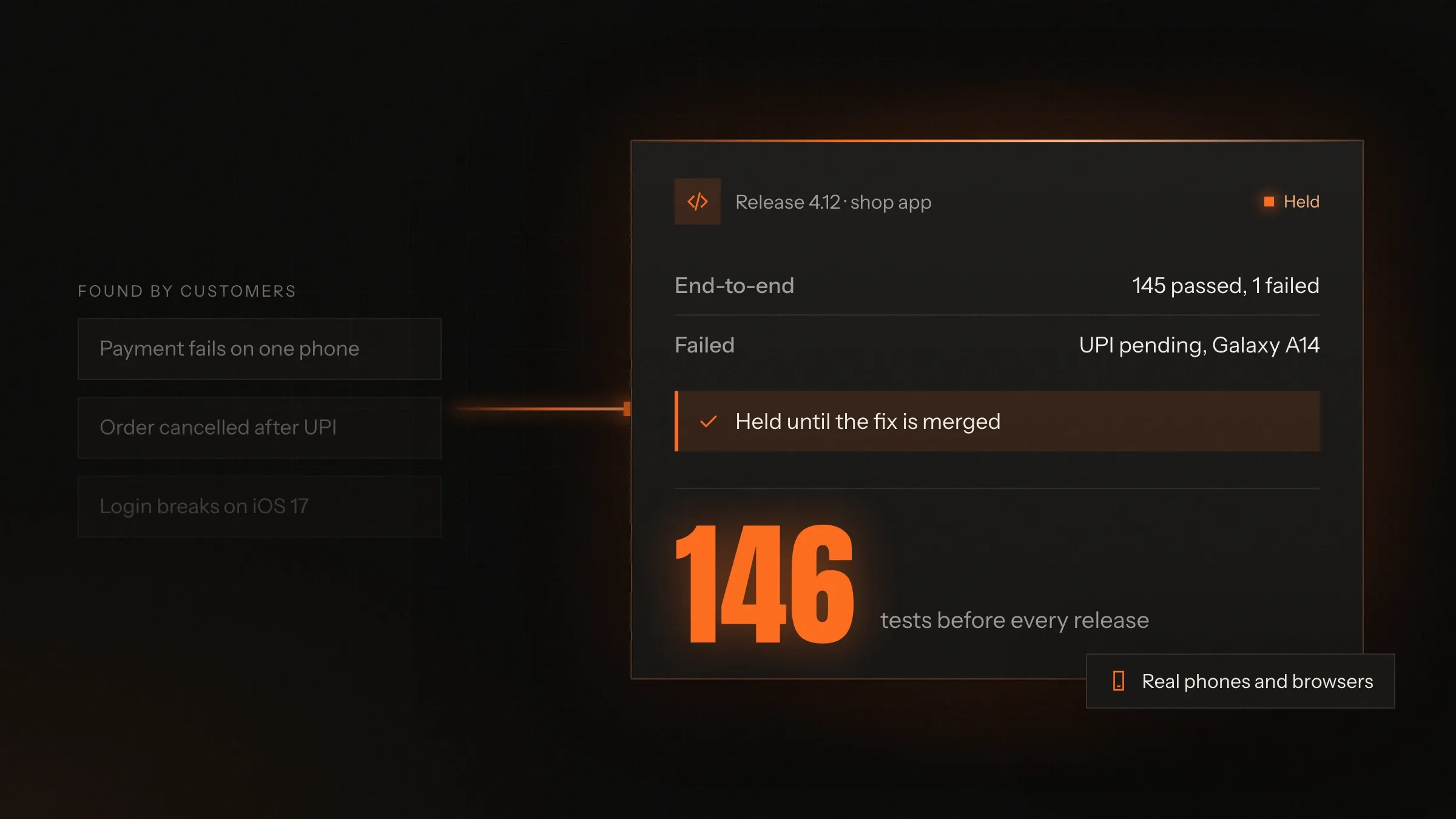
Sound familiar?
What we hear before we start
- Customers find bugs before your team does, and tell you in a one-star review.
- Every release fixes one thing and quietly breaks another.
- Developers test their own work, in a hurry, on their own laptop.
- The app works on the latest iPhone but not on the phones most of your customers carry.
- Releases go out late on a Friday and the weekend is spent fixing them.
- Nobody can say which features were checked before the last release.
What changes
-
Today: Bugs are found by customers and reported in reviews.
After: Bugs are found in testing and fixed before the release goes out.
-
Today: Testing means clicking around until it looks fine.
After: Testing follows written cases built from your customers' real journeys.
-
Today: Every check is done by hand, so checks get skipped when time is short.
After: The checks that repeat run automatically on every change.
-
Today: The app is tried on one phone and one browser.
After: It is tested on the phones, browsers and networks your customers use.
-
Today: Releases go out on hope.
After: Each release gets a clear go or no-go, with any open issues listed.
What it does for you
-
Test plans from real journeys
Written test cases for what your customers and staff actually do, most important first, including the awkward cases.
For exampleFor a store, the plan starts with: find a product, add it to the cart, pay by UPI and receive the GST invoice.
-
Automated regression tests
Checks that run on every change, so a fix in one place can't quietly break another.
For exampleA change to discount codes breaks the cart total. The automatic test fails and the change is stopped before release.
-
Real phones and browsers
The devices, browsers and screen sizes your customers use, on fast and slow networks.
For exampleOn a small Android phone the Pay button hides behind the keyboard. It is fixed before anyone sees it.
-
APIs and integrations
Payment gateways, couriers, accounting, WhatsApp and government APIs, tested for failures as well as success.
For exampleA UPI payment that stays pending is tested, so the order waits instead of being cancelled.
-
Calculations that must be right
Prices, taxes, discounts, payroll and invoices, checked case by case against figures your team trusts.
For exampleA new payroll system runs beside the old one for a full month until every payslip matches.
-
Load before the busy day
Your app tested under the rush it will meet: a sale, an admission season or the first hour of an event.
For exampleThe festival sale traffic is rehearsed on a test copy, and a slow product search is fixed the week before.
-
Release sign-off
A clear go or no-go for every release, with what was tested, what passed and what is still open.
For exampleA release is held for one failed payment test, fixed the same afternoon and signed off.
How it works
-
Learn the product
We use it like your customers do and read your past bugs and complaints.
-
Write the plan
We list the journeys and cases to test, most important first.
-
Automate the repeats
Checks that run every release become automatic tests in your pipeline.
-
Test the release
Automatic tests run on every change; people test what is new and what is risky.
-
Report the bugs
Each bug comes with steps, screenshots, the device and how serious it is.
-
Retest and sign off
Fixes are retested, and you get a clear go or no-go for the release.
-
Watch after release
We check the live app and its error reports, and add a test for every bug found.
Where we've built it
5 from our portfolio
-
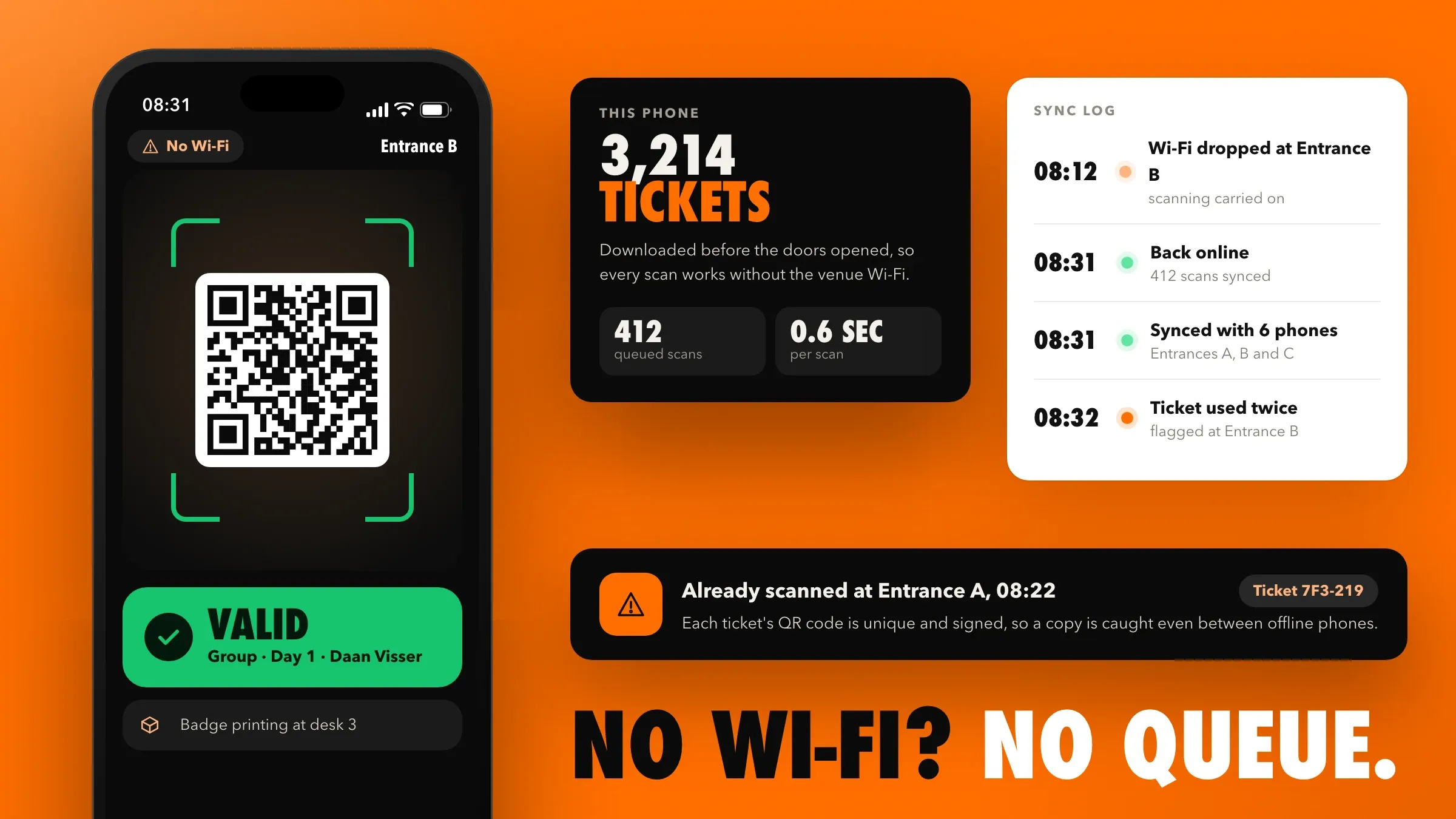 Doors rehearsed with the Wi-Fi off For a conference organiser in Utrecht, we rehearsed doors opening in full before the first event, with staff, badge printers, test tickets and the venue's Wi-Fi switched off. Read the case study
 -
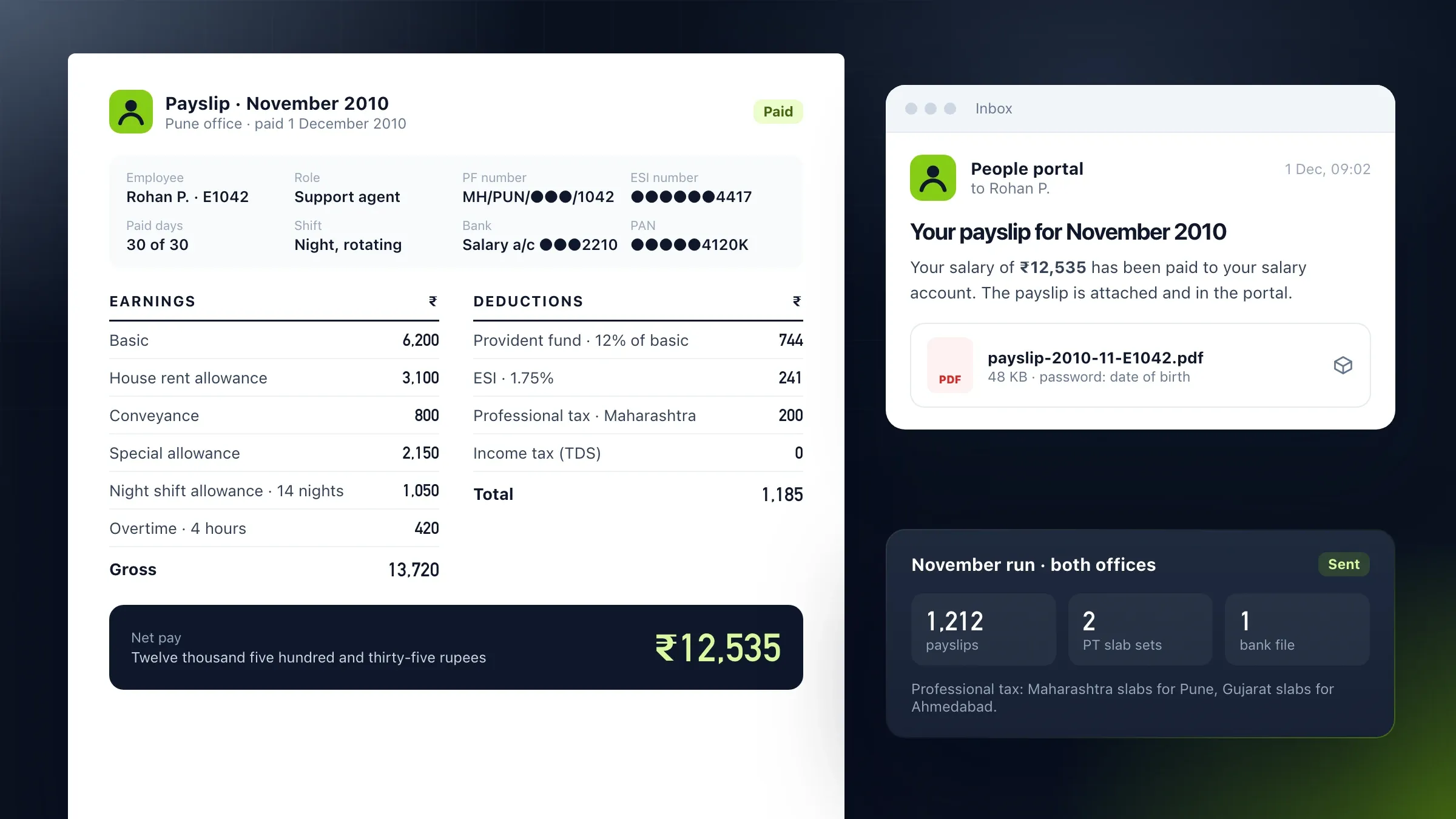 Payroll run side by side For a support company in Pune and Ahmedabad, payroll ran on the old spreadsheets and the new portal for a full cycle, compared line by line until every payslip matched. Read the case study
 -
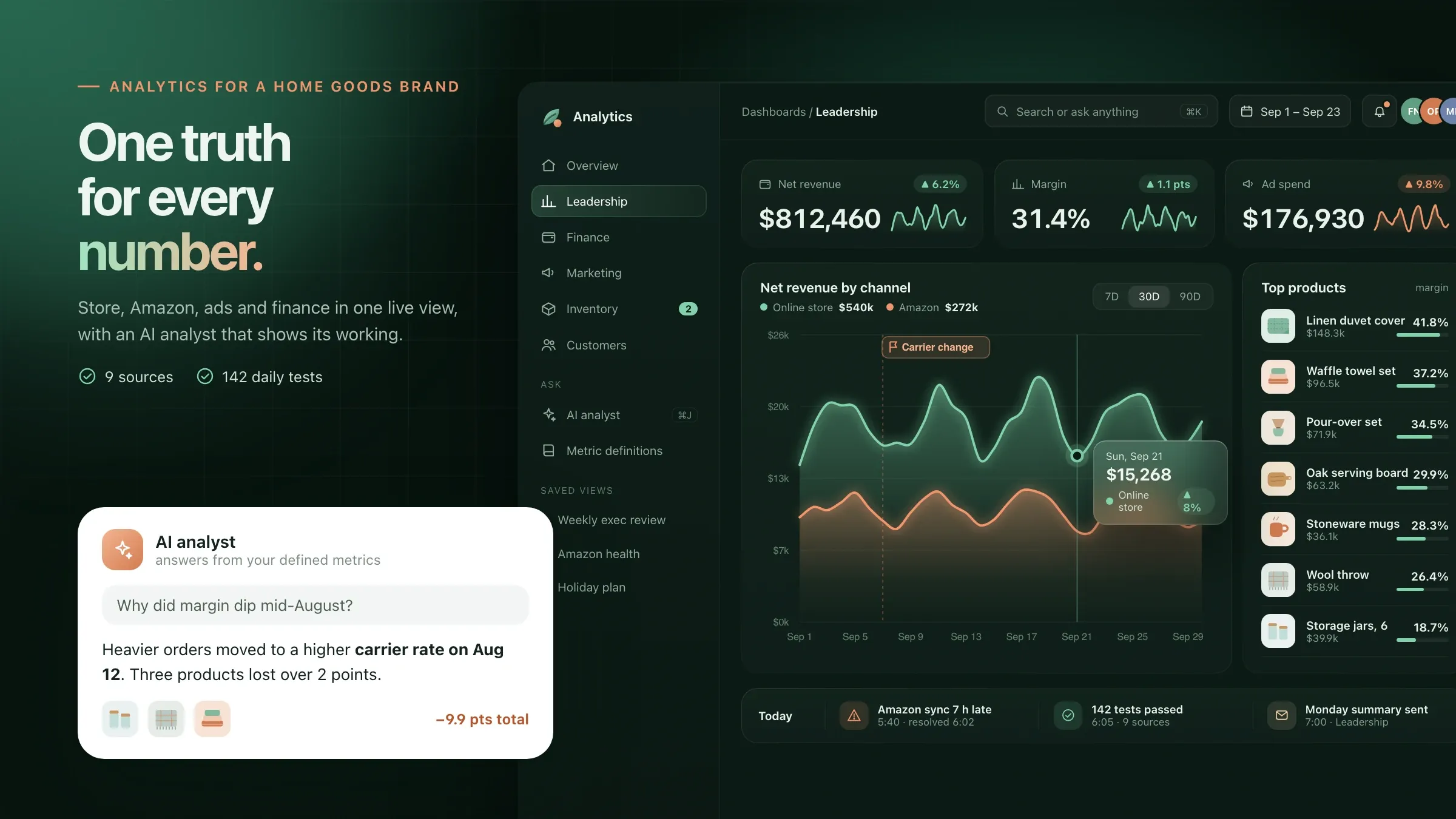 Numbers checked before launch For a home goods brand in Denver, every data model has tests for missing, duplicated or late data, and every dashboard was checked against finance's month-end figures. Read the case study
 -
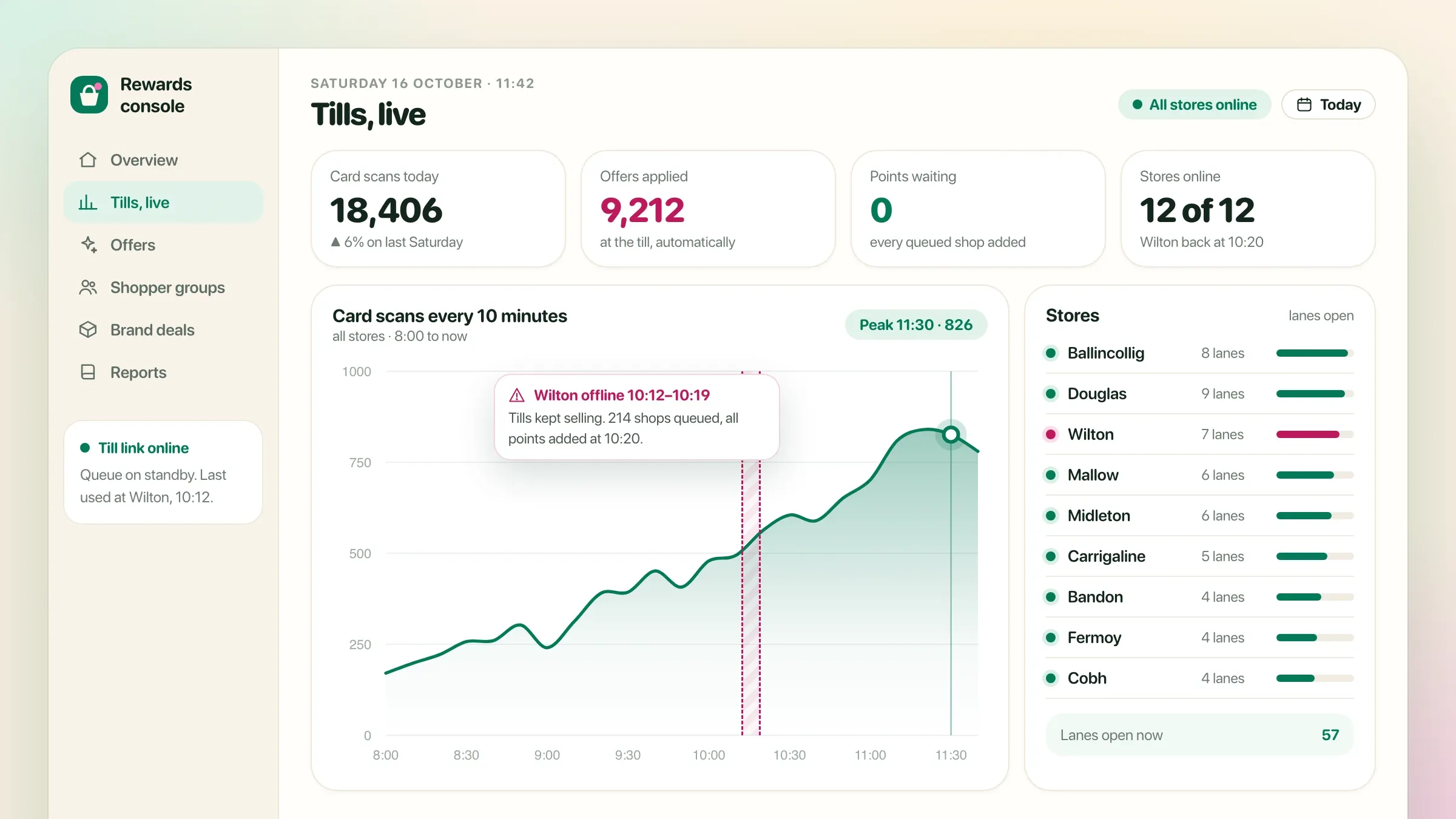 Two stores first, then all For a supermarket chain in Ireland, the loyalty app ran in two stores for a month before every store switched, with tills that keep working when the network drops. Read the case study
 -
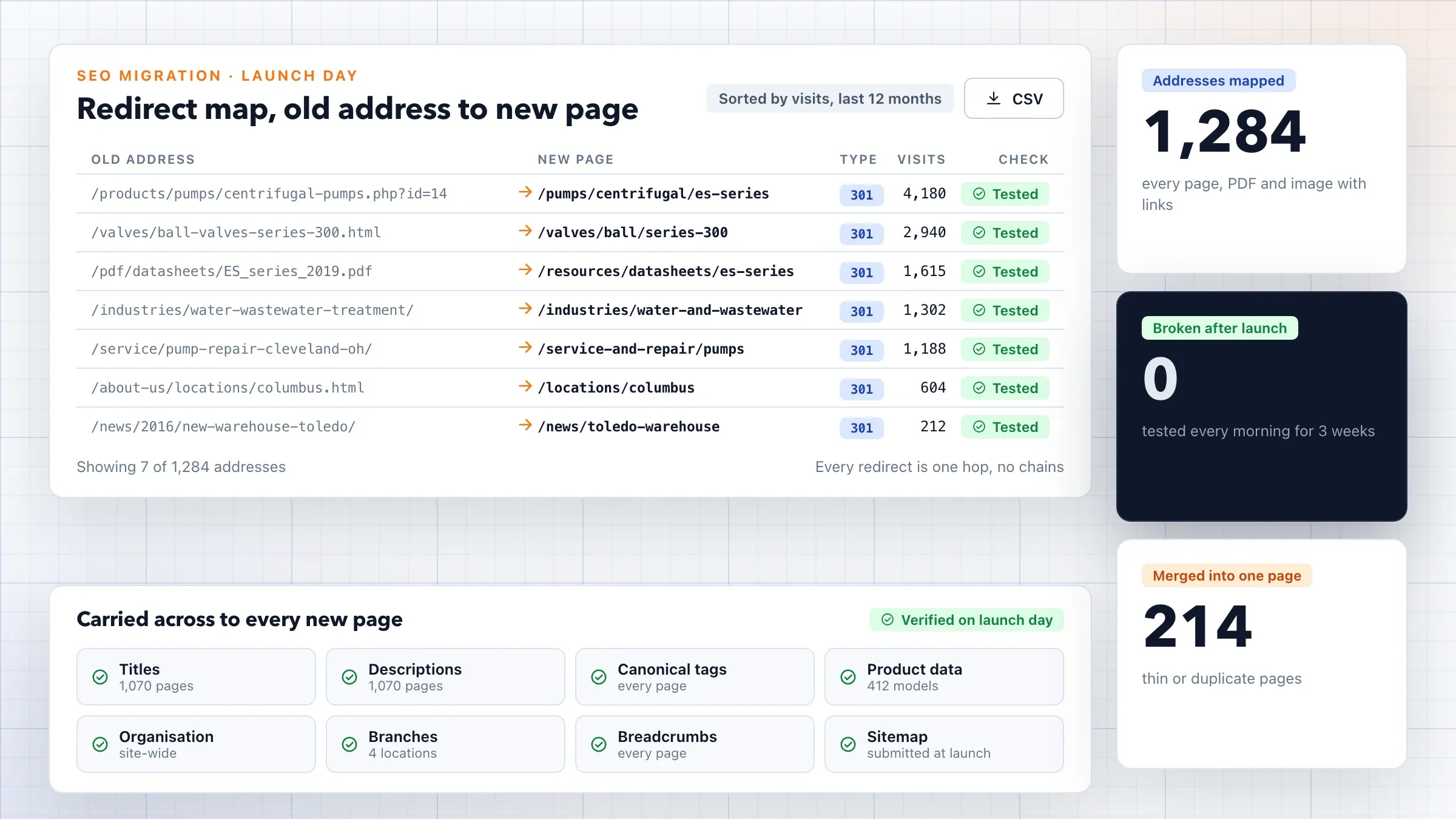 Every redirect tested For an industrial equipment distributor in Ohio, every page was tested against WCAG 2.1 AA, and every redirect from an old address was tested after launch. Read the case study
What software testing and QA mean
Software testing checks that your app does what it should, on the devices people use, before customers rely on it. QA, quality assurance, is the wider habit of making bugs rarer: clear requirements, written test plans, code reviews and automatic checks on every change.
Both serve one goal: your customers should not be the people who find your bugs. A bug found in testing is one more task for a developer. The same bug found by a customer costs a refund, a support call, a bad review and sometimes the customer.
Our job is to find problems early and to give a plain answer to the question every release raises: is this ready to go out? When the answer is no, we say exactly why and what needs fixing.
Where testing pays off first
Testing pays off first where a mistake costs money or trust. Payments, invoices and refunds; sign-up and login; the one or two journeys most customers take; calculations such as prices, taxes and payroll; and the integrations with outside services all come before cosmetic screens.
We also look at your history. Past bugs, support tickets and app reviews show where your software breaks most often, and those areas get tests first. A feature that broke twice will probably break again.
This risk-based order means you get value from the first test round, rather than waiting for complete cover of a product that keeps changing.
A test plan built from how your customers use it
A good test plan reads like a list of things your customers do. For a store: find a product, add it to the cart, apply a coupon, pay by UPI, receive the GST invoice, return an item. For a clinic: book a slot, move it, get a reminder, join a video visit.
Each journey then gets its awkward cases, because that is where bugs live: cancelling halfway, pressing back, paying twice by accident, opening the app in two tabs, losing signal in a lift, a name with an apostrophe, a pin code the courier doesn’t serve, a date that crosses midnight or a time zone.
We write the plan with your team, so it reflects the rules only your staff know, and keep it in your own tools so it grows with the product.
Automating the checks that repeat
The same checks are needed before every release, and people skip them when time is short. Automated tests don’t. We turn the checks that repeat into tests that run on every change in your build pipeline on GitLab or GitHub.
There are layers. Small unit tests check calculations and rules in the code. API tests check that each part of the system answers correctly, including when it should refuse. End-to-end tests, written with tools such as Playwright, Cypress or Flutter’s own testing, drive the app the way a customer would.
Automated tests must be trustworthy. A test that fails at random teaches the team to ignore failures, so we fix or remove unreliable tests quickly. What can’t be automated well, such as new features, design and the unexpected things real people do, stays with people.
Real phones, browsers and networks
Your customers don’t all use the latest iPhone on office Wi-Fi. We test on the devices your analytics show, which in India usually means a range of mid-range Android phones, and abroad a larger share of iPhones and Safari.
We test small and large screens, larger text settings, dark mode, slow 3G and patchy 4G, and what happens when the connection drops in the middle of a payment or a form. For apps that must work offline, such as a check-in app at a busy venue, we switch the network off on purpose.
Real devices catch problems that simulators miss, such as the keyboard hiding a button or a camera that won’t focus on a QR code. We test on real phones alongside a device cloud such as BrowserStack.
Payments, invoices and calculations
Anything that touches money is tested case by case. For payments, that means more than a successful card: UPI payments that stay pending, payments that succeed after a timeout, failed cards, refunds, partial refunds and a customer who taps Pay twice. All of it runs in the gateway’s test mode, so no real money moves.
Calculations are checked against figures your team trusts: prices with discounts and rounding, GST on mixed baskets, e-invoices and e-way bills, payroll with PF, ESI and professional tax, and prices in several currencies.
When a new system replaces an old one, the strongest test is to run both side by side. For a support company in Pune and Ahmedabad, payroll ran on the old spreadsheets and the new portal for a full cycle, compared line by line until every payslip matched.
Load and performance before the busy day
Most apps fail under pressure on the one day that matters most: a festival sale, results day, the start of admissions or the first hour of an event. We rehearse that rush before it happens.
Load tests with tools such as k6 send realistic traffic to a test copy of your system and show what slows down first: a database query, a search, a payment callback or a server that runs out of memory. Your developers fix the first bottleneck, and we test again.
Some rehearsals need people as well as tools. Before a conference organiser in Utrecht ran its first event on the ticketing platform we built, we rehearsed doors opening in full, with staff, badge printers and a crowd of test tickets, and the venue’s Wi-Fi switched off.
Bug reports your developers can fix
A good bug report saves more time than any tool. Ours go straight into your tracker, such as Jira, GitLab or GitHub, with the steps to repeat the bug, what should have happened and what did, screenshots or a short screen recording, the device and app version, and any error from the logs.
Each bug is rated by its effect on customers, so your developers fix what matters first. Once a fix arrives, we retest it, check nothing nearby broke and, where it makes sense, add an automatic test so the same bug can’t return unnoticed.
Release sign-off and life after release
Every release ends with a clear go or no-go. You see what was tested, what passed, what failed and which known issues remain, so the decision is yours and based on facts.
Larger changes can go out in stages: a pilot group first, a phased release in the app stores, or a feature switched on for some customers before everyone. After release, we run a short check on the live app and watch its error reports in tools such as Sentry.
Every bug that slips through becomes a lesson: we ask why testing missed it and add the test that would have caught it.
Working with your developers
We can be the testing team beside your own developers, test the work of another company, or test software our own team builds. In each case testing works best when it starts early: we read new requirements and ask how each one will be tested before code is written.
That changes how work is written. Each new feature gets a few checks in plain words, such as “a customer whose card is declined sees why and can pay another way”, so developers know when it is done and testers know what to check. Small releases, code reviews and a test copy that matches the live system make every later step easier.
Each month you get a short report: what was tested, how many bugs were found before release and how many after, and where they cluster. Over time the number found by customers should fall, and the report shows whether it does.
How we work with you
From the first call to running it
- Start
Learn your product
We use your app, read past bugs and support tickets, and see how you release today.
- Plan
Agree what to test
You get a written test plan: the journeys, the devices and browsers, and what will be automated first.
- Automate
Set up the checks
We add automatic tests to your build pipeline, starting with the journeys that earn or cost you the most.
- Every release
Test and sign off
Automatic tests run on every change, we test what is new by hand, and you get a go or no-go with the details.
- Every month
Report and improve
A short report on what was tested, what was found and where, and a new test for every bug that slipped through.
Safe and in your control
Test data, not customer data
We test with made-up records or a masked copy, so real customers' names, numbers and payments never appear in a test.
A test copy, kept apart
Testing happens on a separate test environment, so nothing we try can touch your live orders or accounts.
Payments in test mode
UPI, cards and wallets are tested in the payment gateway's test mode. No real money moves.
You decide what goes live
We give a go or no-go with the reasons; the release decision stays with you.
Your tests stay yours
Test plans, automated tests and reports live in your own code repository and tracker, during and after our work.
Access only while we need it
We get our own accounts with the least access testing needs, removed when the work ends.
Time and cost
The cost depends on the size of the product and how often you release, not on a package. Many teams start with their most important journeys automated and a test round before each release, then widen the cover. After the first call we send a written plan and a quote.
Size of the product
A focused app with a few journeys is quick to cover. A large product with many user roles takes longer.
Platforms and devices
Web, Android and iPhone each need their own runs, and every extra device or browser adds checks.
How often you release
Weekly releases make automation worth more; occasional releases may need mostly manual rounds.
Integrations
Payments, couriers, GST e-invoicing and other outside services each need their failure cases tested.
Load and performance
Testing for a big rush needs a realistic test copy and its own preparation.
Built with
Chosen for each project, never by habit
Questions and answers
13 answered
What is software testing and QA?
Software testing checks that an app does what it should, on the devices people use, before customers rely on it. QA, quality assurance, is the wider set of habits that make bugs rarer: clear requirements, test plans, code reviews and automatic checks on every change.
What is the difference between testing and QA?
Testing finds problems in a build. QA aims to stop them being made, through the way software is planned, reviewed and released. We do both: we test each release and help shape the process so fewer bugs reach testing at all.
Do we need manual or automated testing?
Usually both. Automated tests are best for checks that repeat every release, such as sign-up, checkout and calculations. Manual testing is best for new features, design and the unexpected things people do. We automate the repeats and keep people for the rest.
How much does software testing cost?
It depends on the size of the product, the number of platforms and devices, how often you release and which integrations need testing. We send a written test plan and a quote after the first call.
How long does it take to set up testing?
A first test round and a written plan for a focused app is a matter of weeks. Automated tests are added journey by journey, most important first, so you get value early while the cover grows.
Can you test software that another team built?
Yes. We can work beside your own developers or another company's, test what they deliver and report bugs in your tracker. We need access to a test copy of the app and the people who can answer questions about it.
Which devices and browsers do you test on?
The ones your customers use, based on your analytics: usually a range of Android phones including mid-range models, recent iPhones, and Chrome, Safari and Edge on desktop. We use real devices and a device cloud such as BrowserStack.
Do you test payments, UPI and GST invoices?
Yes. We test payments in the gateway's test mode, including UPI payments that stay pending, failed cards, refunds and duplicate clicks, and we check GST invoices, e-invoices and tax calculations against figures your accounts team trusts.
Can you test how the app copes with heavy traffic?
Yes. We rehearse the rush you expect, such as a sale or an admission season, on a test copy of your system, find what slows down first and help fix it before the day.
Do you need access to our live system or customer data?
No. We test on a separate test environment with made-up records or a masked copy of your data. After a release we only look at the live app as a customer would and read its error reports.
How do you report bugs?
Each bug goes into your tracker, such as Jira, GitLab or GitHub, with the steps to repeat it, what should have happened, screenshots or a short video, the device and how serious it is. Once fixed, we retest it and add a test so it can't come back unnoticed.
Do you test software for businesses outside India?
Yes. FIRELIFE Ventures works with small and mid-size businesses worldwide from Rajkot, India, on India time. For teams in Europe or the Americas, a build finished in your evening can be tested during our day.
What happens after a release goes live?
We run a short check on the live app, watch its error reports, and turn any bug that slipped through into a new automatic test. Each month you get a short report on what was tested and found.
Tell us what should work better
Write a few lines about what slows you down today. We reply with our questions, a first plan and how we would start.
Write to us