Make it work better cloud migration
Move to the cloud without stopping work
We move your software, databases and files from office servers or old hosting to the cloud in planned steps. Your team keeps working while we copy and check everything, and the switch happens at a quiet time you choose.
- A way back at every step
- The switch at a time you choose
- Your data in the region you need
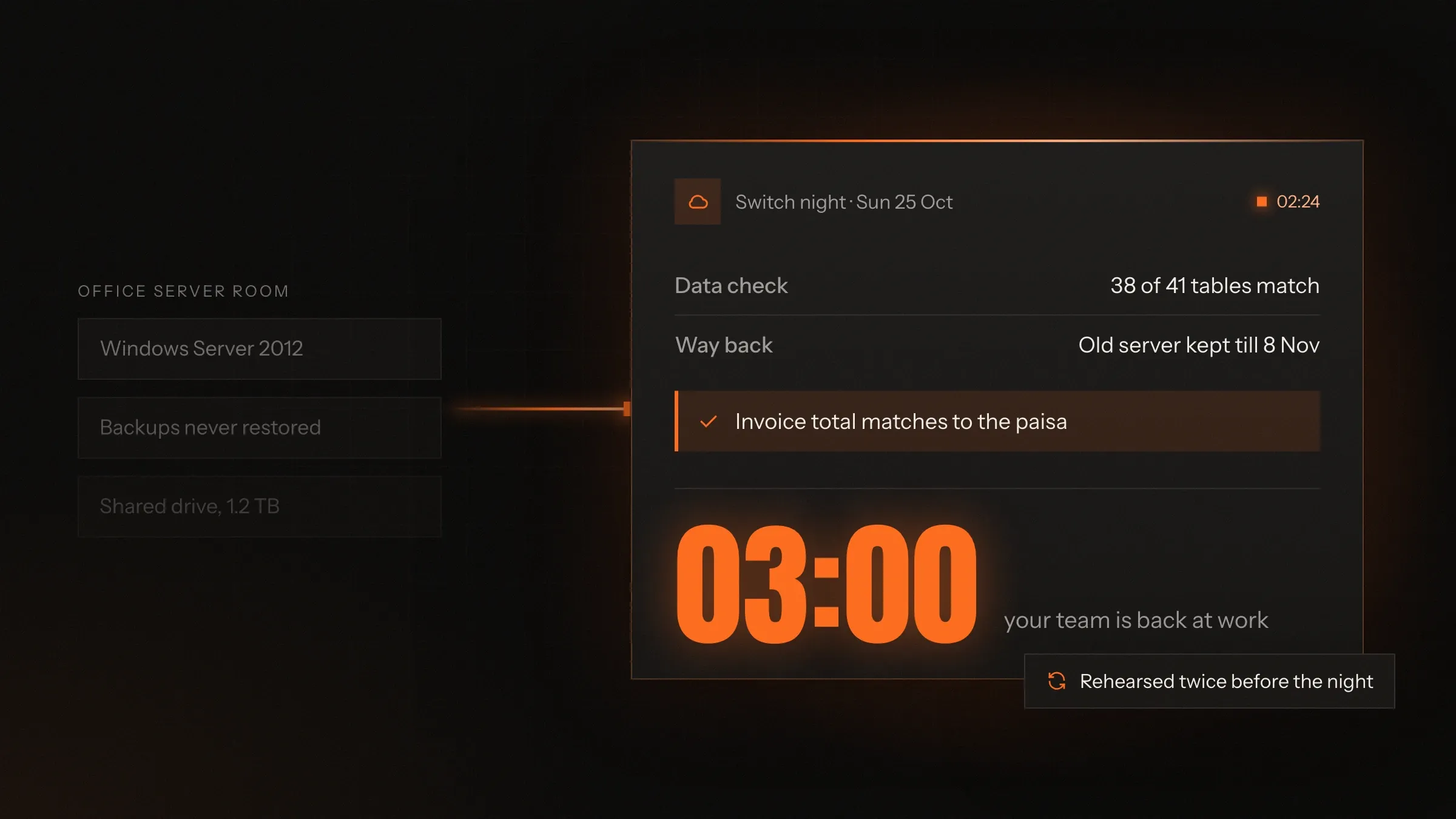
Sound familiar?
What we hear before we start
- Your software runs on one server in the office, and everyone holds their breath when the power goes.
- You think the backups work. Nobody has ever tried restoring one.
- The person who set up the server has left, and nobody else knows how it hangs together.
- The hosting bill goes up every year, and nobody can say what you are paying for.
- You know you should move to the cloud, but the business can't stand still for a day while you do.
What changes
-
Today: One server in the office, and a very bad day if it fails.
After: Your software runs on cloud servers spread across separate data centres.
-
Today: Backups on the same machine, or a drive someone takes home.
After: Backups every night in a second location, with restores tested on a schedule.
-
Today: More capacity means buying hardware and waiting for it.
After: Capacity is added for the busy season and removed when it ends.
-
Today: The set-up lives in one person's memory.
After: Every server and setting is written down as code, so it can be rebuilt the same way.
-
Today: A hosting bill nobody can explain.
After: A monthly report of what each part costs, with waste switched off.
What it does for you
-
Move servers and software
Office servers, old hosting or a single rented server, moved to AWS or Google Cloud, as they are or improved on the way, whichever suits each piece.
For exampleA distributor's billing software leaves the server in the back office, and staff log in to the same screens from the cloud on Monday.
-
Move databases safely
MySQL, PostgreSQL, SQL Server and others copied across, kept in sync while you work, and checked table by table before the switch.
For exampleEvery invoice table is counted and its totals compared in both places before anyone uses the new system.
-
Move files and shared drives
Shared folders, scanned documents and uploads moved to cloud storage, with the same folders and the same people allowed in.
For exampleA firm's project folders move to cloud storage, and each team still sees only its own.
-
Set up the cloud as code
Accounts, networks, access, budgets and alerts written in Terraform, so every environment is built the same way and changes are reviewed.
For exampleWhen European customers need their data kept in the EU, a second region is built from the same code instead of from scratch.
-
Backups you have restored
Automatic backups kept in a second location, and restores tested on a schedule instead of on the day you need one.
For exampleLast night's database is restored to a spare server, opened and checked, and the result goes in your monthly report.
-
Watch it day and night
Monitoring for servers, databases and the app itself, running around the clock, with alerts raised while there is still time to act.
For exampleThe database disk passes its warning level, and space is added before it runs out.
-
Keep data in the right country
Data kept in India, the EU, the UK or the US, wherever your customers, your regulator or your contracts need it.
For exampleA lender keeps borrower data in AWS's Mumbai region, as India's digital lending rules require.
How it works
-
We list what you have
Every server, app, database, file share and night-time job, and the people who rely on each one.
-
We decide how each piece moves
Some move as they are, some are tidied on the way, and some are retired instead of moved.
-
We build the new home
Accounts, networks, access, backups and monitoring set up from code before anything moves.
-
We copy and keep in sync
Your data is copied across and kept up to date while your team carries on with the old system.
-
We rehearse the switch
The whole move is run on a copy first, timed, and the way back is tested too.
-
We switch at a quiet time
On the agreed night we pause the old system, run the last sync, check the data and point everyone to the new home.
-
We watch, then tidy up
The new set-up is watched closely, the old one stays ready for a while, and then it is retired.
Where we've built it
3 from our portfolio
-
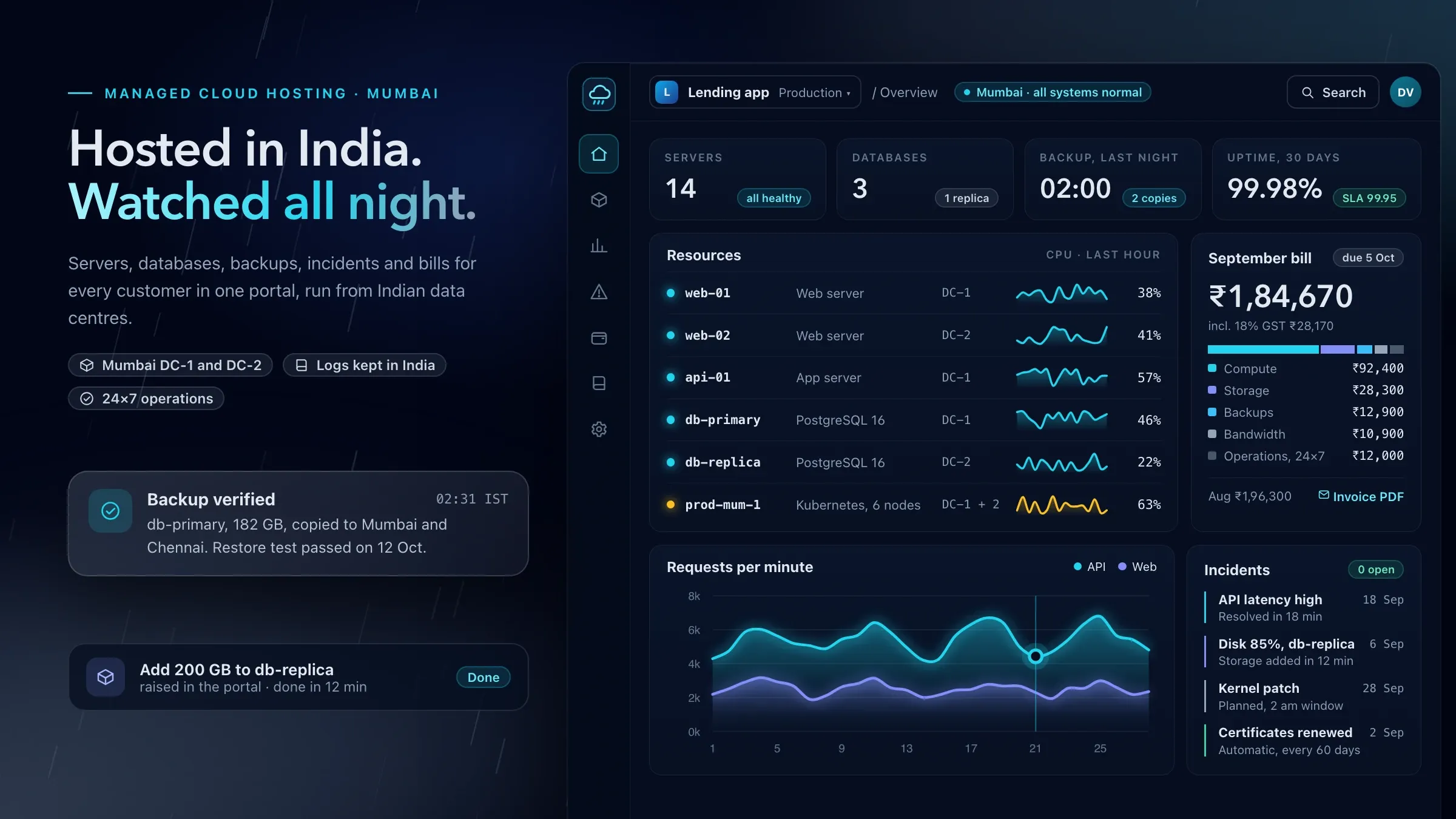 Cloud hosting in Indian data centres For our managed cloud hosting partner in Mumbai, we built the customer portal for servers, backups and bills, and the Terraform automation that sets up new environments. View the investment
 -
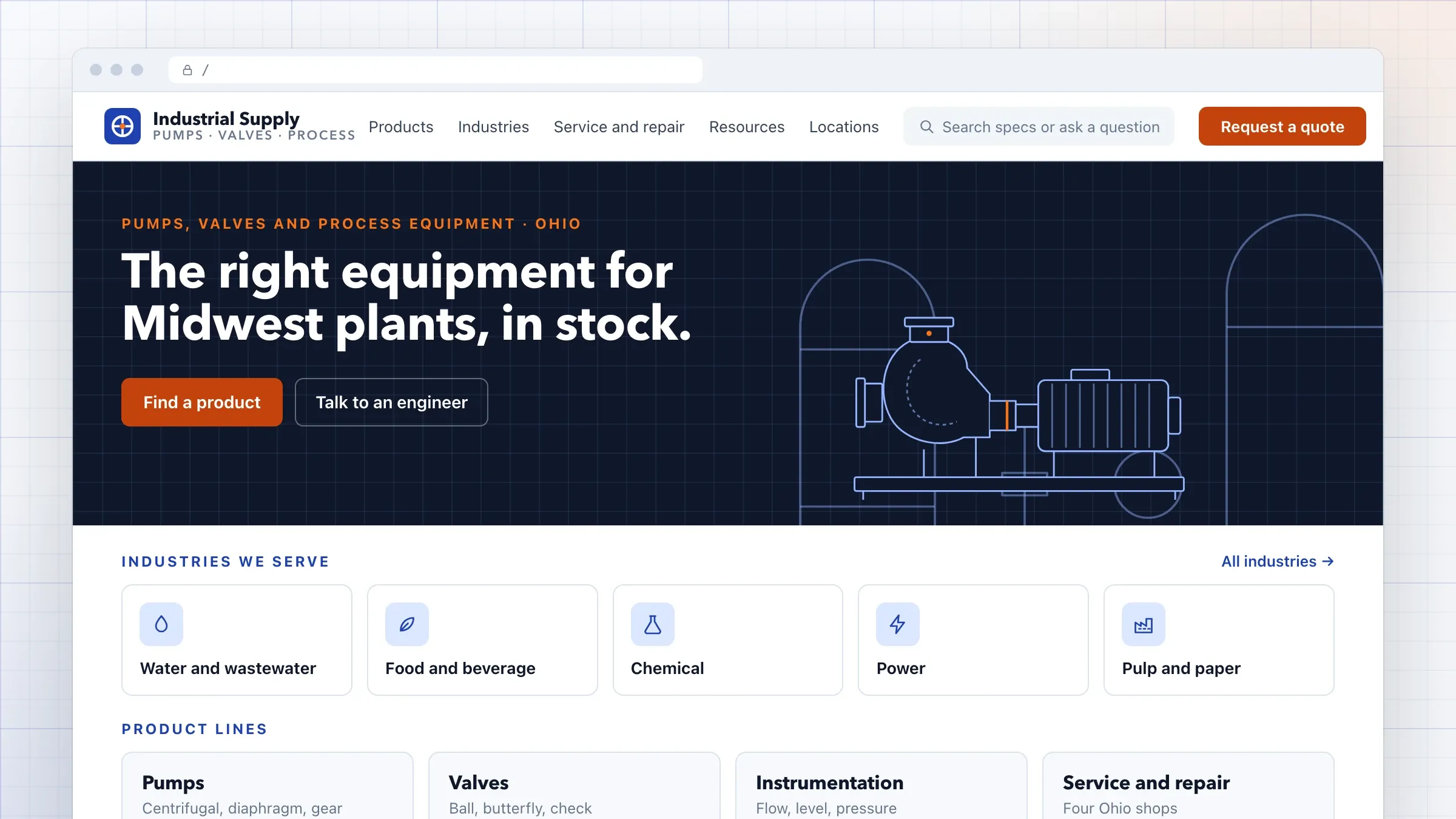 A years-old website moved to the edge For an industrial equipment distributor in Ohio, we moved a years-old WordPress site to a headless CMS on Vercel, with every old address mapped to its new page. Read the case study
 -
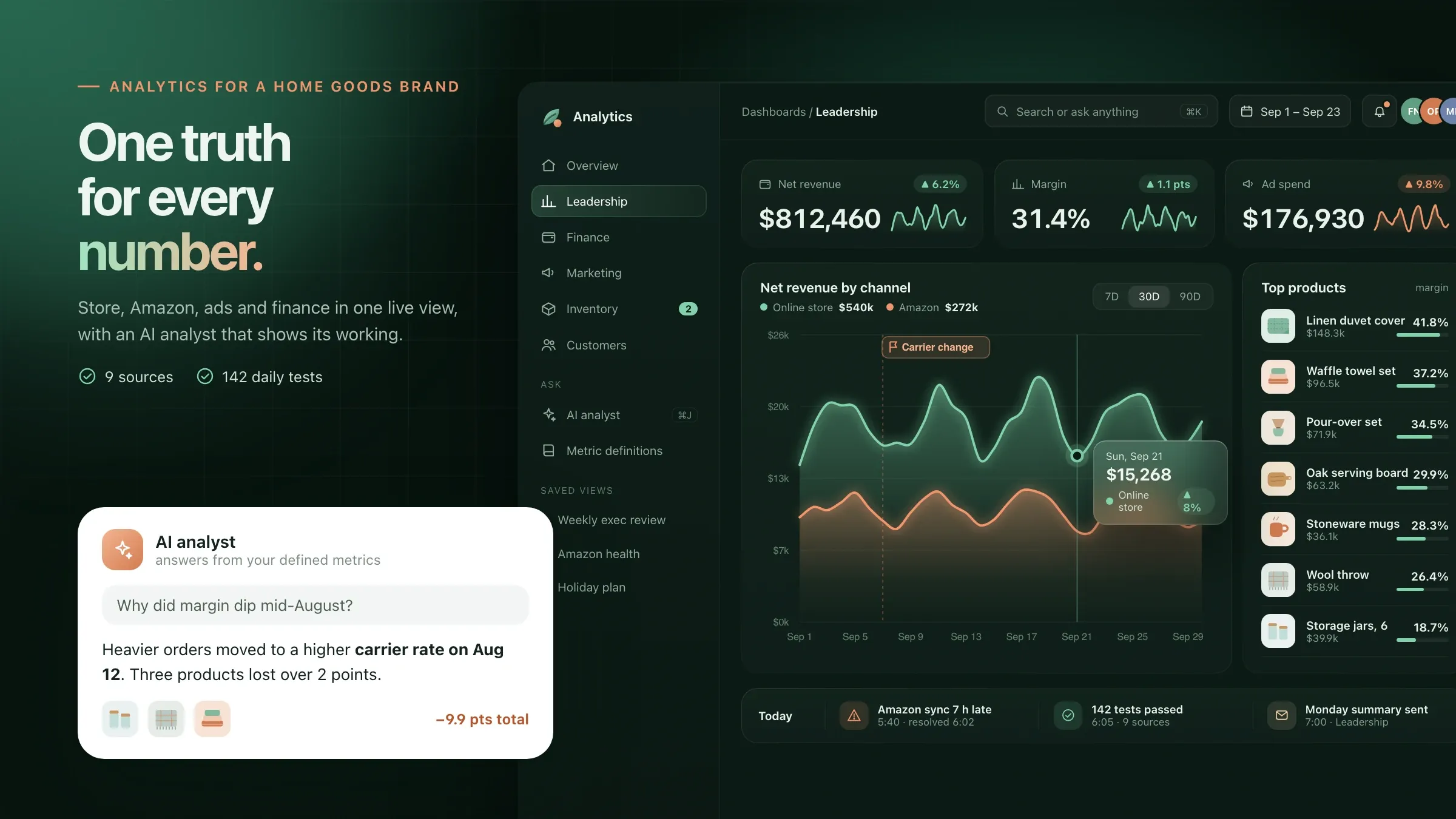 Reporting moved into a cloud warehouse For a home goods brand in Denver, a Monday spreadsheet rebuilt from eight exports gave way to one BigQuery warehouse on Google Cloud that fills itself. Read the case study
What a cloud migration really involves
A cloud migration moves the software your business runs on, with its data and files, from machines you own or old hosting to a cloud provider such as AWS or Google Cloud. It also changes how that software is looked after: backups, updates and monitoring become routines rather than favours.
The move itself is only part of the work. Most of the effort goes into finding everything that needs to move, deciding how each piece should travel, and proving on the other side that nothing was lost. A server that has run for years usually does more than anyone remembers: a nightly export to Tally, a script that emails a sales report, a folder of scanned delivery notes that one team depends on.
Done well, the move is quiet. Your team works on the old system until the agreed night, logs in to the new one the next morning, and finds the same screens and the same data, only faster and safer.
Signs it is time to move
It is time to move when the server has become a risk rather than a tool. The usual signs are easy to spot: a machine in the office that nobody dares restart, backups nobody has tested, a hosting renewal that keeps getting more expensive, or software that slows to a crawl at the busiest time of year.
Other reasons are about how you work now. Teams work from home, from branches and from the road, and a server in one office makes all of them depend on its internet line. Customers in other countries wait for pages served from far away. Rules about where data lives, from the RBI’s payment data rules to the GDPR for European customers, have become questions your auditors ask.
None of these means you must move everything at once. Many businesses start with the one system that worries them most.
What we need from you
We need a list of what you run, access to look at it, and one person who knows how the business uses it. The list does not have to be complete; finding what is missing is part of our job.
Access usually means a read-only look at the servers, the hosting account and the database, plus the passwords stored somewhere safe rather than in a notebook. We also need to know the quiet times in your week, the busy seasons to avoid, and anything the old system does at night.
The person on your side does not need to be technical. They should know which reports matter, who uses which screen, and who must be told when the switch happens. They are also the one who signs off that the new system looks right before the old one is retired.
Choosing what moves, and how
Not everything should move the same way, and some things should not move at all. For each piece we pick one of four routes.
Some software moves as it is, onto a cloud server that looks much like the old one. This is quick and suits software you cannot or will not change. Some moves and gets tidied on the way: a database you ran yourself becomes a managed database that the provider patches and backs up. A few parts are worth rebuilding for the cloud, usually because they are slow, costly or fragile today. And some things are retired, because a report nobody reads or an old copy of a website is cheaper to switch off than to move.
The order matters as much as the route. We usually start with something useful but low-risk, such as file shares or a staging copy, so the new home is tested before the system that runs your sales moves in.
Choosing a cloud and a region
Pick the provider that fits your software and your rules, then the region closest to your users and your obligations. AWS and Google Cloud both run data centres in India and around the world, and both suit most business software.
In India, the region decides more than speed. Payment data must stay in the country under the RBI’s rules, digital lending data must be stored in India, and CERT-In’s 2022 directions ask for system logs to be kept in India for 180 days. For customers in Europe, the GDPR shapes where personal data may go. Healthcare businesses often want patient data kept close, with HIPAA-style privacy controls even where no law demands them.
We write the choice and the reasons into the plan. The accounts are opened in your company’s name, so the decision stays yours even if you later change who runs them.
The switch, step by step
The switch is the shortest part of the move, because everything before it is rehearsal. A few days ahead, we shorten how long the internet remembers your old addresses, so the change takes effect quickly. Your data has been syncing to the new home for days or weeks, so only the last few changes are left to copy.
On the night, users get a notice, the old system becomes read-only, the final sync runs and the data checks start. When the checks pass, we point your web address and your users to the new home. Your team’s chosen people log in and try the tasks they do every day: raise an invoice, find a customer, print a report.
At every step there is a decision point. If anything looks wrong, we point everyone back to the old system, which has not changed, and try again another night.
Checking that nothing was lost
We prove the data arrived before anyone relies on it. For each table we compare row counts between old and new. For money, we compare totals: invoice values, GST amounts and outstanding balances for the year must match to the paisa or the cent.
Files are counted and checked by fingerprint, so a damaged scan is caught. Your team opens a handful of records they know well, such as a big customer’s ledger or last month’s sales report, and confirms they look right.
Connections get the same care. Payment gateway callbacks, SMS and WhatsApp messages, emails, the export to Tally and any device that sends data, such as a biometric attendance machine, are each tested from the new home before the switch is called done.
Security and access in the cloud
A cloud account is only as safe as the way it is set up. The top-level account belongs to your company and is locked away, with two-step sign-in, and used only in an emergency.
Everyone else, including us, signs in with their own account and only the permissions their job needs. Software gets its own service accounts, so a leaked key opens one door, not all of them. Databases are never left open to the internet, passwords and keys live in a secrets store rather than in files, and data is encrypted on the move and at rest.
Every sign-in and change is logged. When someone leaves, their access is removed in one place, and the log shows that it was.
Keeping the monthly bill under control
The cloud only saves money if someone watches it. The first month on the new home shows the real load, and we resize servers to match it instead of guessing.
Testing and staging copies switch off at night and at weekends. Steady workloads use reserved capacity, which costs less than paying by the hour. Old backups and files move to cheaper storage tiers. Every resource is tagged by project, so the bill can be read by team or by product.
You get a monthly cost report with the total, what changed and why. If a cost jumps, an alert reaches us before the invoice reaches you.
After the move: running it
A migration ends when the old server is switched off and the new set-up runs smoothly on its own. For the first weeks we watch closely, tune alerts, and fix anything the move uncovered. The old system stays ready until you agree it can go, then it is backed up one last time and retired.
From then on, the work is routine: updates applied on a schedule, backups restored in tests, certificates renewed, alerts answered and the cost report sent. We can run all of it for you every month, or hand it to your team with written instructions for every routine job and stay on call for the rest.
How we work with you
From the first call to running it
- Start
See what you run
We look at your servers, software, data and night-time jobs, and talk to the people who depend on them.
- Plan
Agree the plan and the way back
A written plan: what moves, in which order, when each switch happens, how we check it and how we go back if we must.
- Build
Build the new home and rehearse
We set up the cloud from code, copy your data across, and run the whole move on a copy before the real one.
- Switch
Move at a quiet time
At the time you choose, usually a night or a weekend, we switch, check the data with your team and stay on watch.
- Every month
Run it and keep the bill honest
Monitoring, updates, tested backups and a cost report, with changes made as your business grows. Or we hand it to your team.
Safe and in your control
A way back at every step
The old system stays ready until the new one has proved itself, and we test going back before we go forward.
Every record checked
Row counts, money totals and records your team knows well are compared between old and new before anyone works in the new system.
Your accounts, your keys
The cloud accounts are in your company's name and you hold the top-level access. We work inside them with the access you grant.
Only the access needed
Separate sign-ins for each person and each service, two-step sign-in everywhere, and no shared administrator passwords.
Encrypted, in the region you choose
Data is encrypted on the move and at rest, and kept in the country or region your rules require.
Logs kept for audits
Sign-ins, changes and system logs are kept for the period your rules require, such as CERT-In's directions in India.
Time and cost
A cloud migration is priced by what has to move, not by a package. After the first call we look at what you run today and send a written plan, a quote for the move and an estimate of the monthly cloud bill.
How much you run
A few servers and one database move quickly. Many apps, file shares and night-time jobs take longer and move in waves.
Move as it is, or tidy on the way
Lifting software across unchanged costs least now. Reworking parts of it for the cloud costs more at first and often less every month after.
How much data, and how busy
A large database that changes all day needs a sync running before the switch. Files that rarely change are simpler.
How long you can pause
A short pause at night keeps the switch simple. Moving with no pause at all needs more work and more rehearsal.
Rules about where data lives
Data that must stay in India or the EU, and logs that must be kept, add set-up and checks.
The monthly bill
Running costs follow what you use. We size servers to the real load and report the cost each month.
Built with
Chosen for each project, never by habit
Questions and answers
12 answered
What is cloud migration?
Cloud migration is moving your software, databases and files from your own servers or old hosting to a cloud provider such as AWS or Google Cloud. Done well, it happens in planned steps, with the data checked on arrival and a way back kept until the new set-up has proved itself.
Will our business have to stop during the move?
Usually only for a short, planned pause. Your data is copied and kept in sync while you keep working, and the final switch happens at a quiet time you choose, often a night or a Sunday. If even a short pause is not acceptable, we plan a move without one, which needs more preparation.
How much does cloud migration cost?
It depends on how much you run, whether it moves as it is or gets reworked, how busy your database is, how long you can pause and your rules about where data lives. After the first call we send a written plan, a quote for the move and an estimate of the monthly cloud bill.
How long does a cloud migration take?
A small set-up of a few servers and one database is a matter of weeks. Larger estates with many apps, file shares and connections move in waves over a longer period. The written plan gives each wave its date.
Which cloud should we choose: AWS or Google Cloud?
Choose the one that fits your software, your team and your rules. Both have data centres in India and around the world. We recommend one in the plan, with our reasons, and the choice stays yours.
Can our data stay in India?
Yes. AWS has regions in Mumbai and Hyderabad, and Google Cloud in Mumbai and Delhi, so data can stay in the country, as RBI rules require for payment data and digital lending. We can equally keep data in the EU, the UK or the US.
Will the cloud cost more than our current server?
It can, if it is set up carelessly. We size servers to the real load, switch off what isn't needed, use reserved capacity where it pays and send a monthly cost report, so you see what every part costs. The plan includes an estimate before you decide.
What happens to our data during the move?
It is copied over an encrypted connection, kept in sync and checked. Before the switch we compare row counts, money totals and records your team knows well between old and new, and the old system stays untouched until you are happy.
Can old software move to the cloud?
Most can. Software that runs on a Windows or Linux server usually moves as it is, and old desktop software can often run on cloud desktops. If something is too old to move safely, we say so and suggest replacing it instead.
Do we still need IT support after moving?
Yes, someone still has to watch, update and back up the new set-up. We can run it for you every month, or hand it to your team with written instructions for every routine job.
Do you work with businesses outside India?
Yes. FIRELIFE Ventures works with small and mid-size businesses worldwide from Rajkot, India, on India time. A switch planned for an American night falls inside our working day, and our portfolio includes cloud work for clients in the United States and India.
What happens after the move?
We watch the new set-up closely, keep the old one ready until you are sure, then retire it. After that we run it with you every month: updates, tested backups, alerts and a cost report.
Tell us what should work better
Write a few lines about what slows you down today. We reply with our questions, a first plan and how we would start.
Write to us