Build something new headless CMS website
A fast website your team can edit
We build websites on a headless CMS: pages that load fast on any phone, and an editor your marketing team uses to change text, launch landing pages and schedule what goes live, without waiting for a developer.
- Your team edits from launch day
- We carry your SEO across page by page
- English, Hindi, Gujarati and more
Sound familiar?
What we hear before we start
- Every new landing page waits in a developer's queue.
- The site loads slowly on phones, and visitors leave before it finishes.
- Layers of plugins and page-builder code break with each update.
- Changing one page risks breaking three others.
- Product details are typed into pages, so nothing can be filtered or reused.
- Campaigns go live late because the website can't keep up with the plan.
What changes
-
Today: A developer changes every headline and banner.
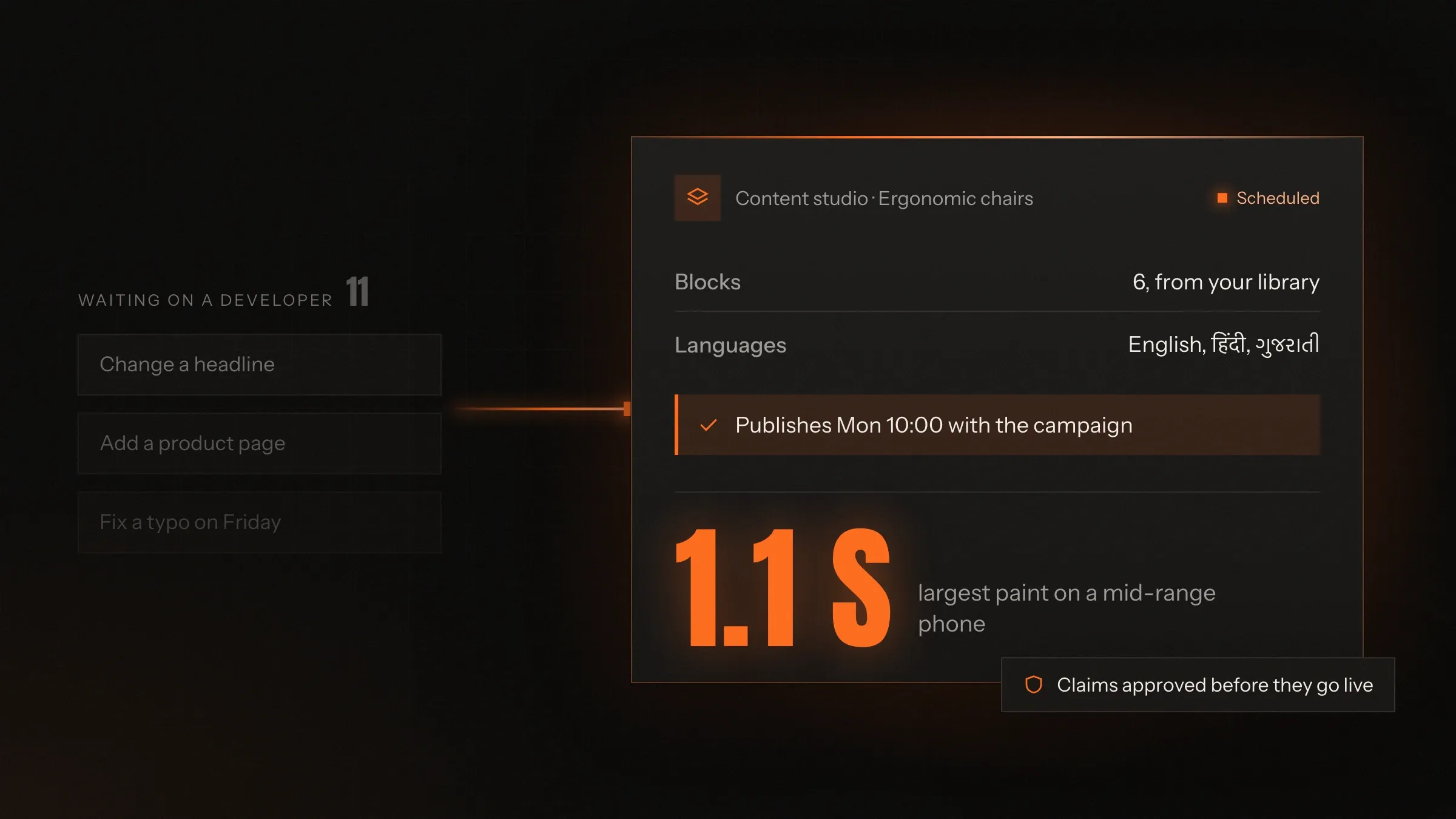
After: Your team edits text, images and pages in the CMS and previews them before publishing.
-
Today: Each campaign page is built from scratch.
After: Pages are put together from a library of ready-made blocks in your brand.
-
Today: Heavy themes and plugins slow every page down.
After: Pages are built ahead of time and served from a network close to each visitor.
-
Today: Content is typed into pages and can't be reused.
After: Content is structured once and appears wherever it belongs: pages, filters, apps.
-
Today: Plugin updates and security patches pile up.
After: The public site has no plugins and no admin login for attackers to find.
What it does for you
-
Edit without a developer
Text, images, menus, banners and whole pages, edited in the CMS with a live preview of the real design.
For exampleThe marketing lead corrects a price on the pricing page at 8 pm, and it is live a minute later.
-
Build pages from blocks
A library of blocks designed for your brand: page headers, feature rows, product grids, comparison tables, questions and forms.
For exampleA campaign page for a new product is put together from existing blocks in an afternoon.
-
Schedule and approve
Drafts, review steps for sensitive content, and publishing at a set date and time.
For exampleA launch page goes live at 10:00 on launch day, after the product team approved its claims.
-
Load fast on every phone
Pages generated ahead of time, served from a content delivery network, with images resized for each screen.
For exampleA buyer on mobile data at a factory opens a product page without waiting.
-
Structure content once
Products, locations, people, case studies and articles kept as structured content and reused across pages, filters and apps.
For exampleA new branch is added once and appears on the locations page, the contact form and the map.
-
Keep search working
Titles, descriptions, structured data, sitemaps and redirects managed in the CMS, with your existing SEO carried across.
For exampleAn editor changes a page's address, and the redirect from the old one is created with it.
-
Publish in more than one language
Each page in English, Hindi, Gujarati or other languages, with the language tags search engines need.
For exampleA visitor from Ahmedabad switches to Gujarati and stays on the same page.
-
Connect your tools
Forms to your CRM, analytics with consent, site search, chat and your online store.
For exampleA quote request lands in HubSpot with the product and quantity attached.
How it works
-
Your team edits
Text, images and pages in the CMS, with a live preview of the real site.
-
Someone approves
Drafts go to a reviewer where you want one, such as prices or product claims.
-
The site rebuilds
Publishing rebuilds only the pages that changed.
-
Pages go to the edge
Served from a content delivery network close to each visitor.
-
Visitors act
Forms, quote requests and sign-ups go straight to your CRM or inbox.
-
You see what works
Analytics and Search Console show which pages bring visitors and enquiries.
Where we've built it
3 from our portfolio
-
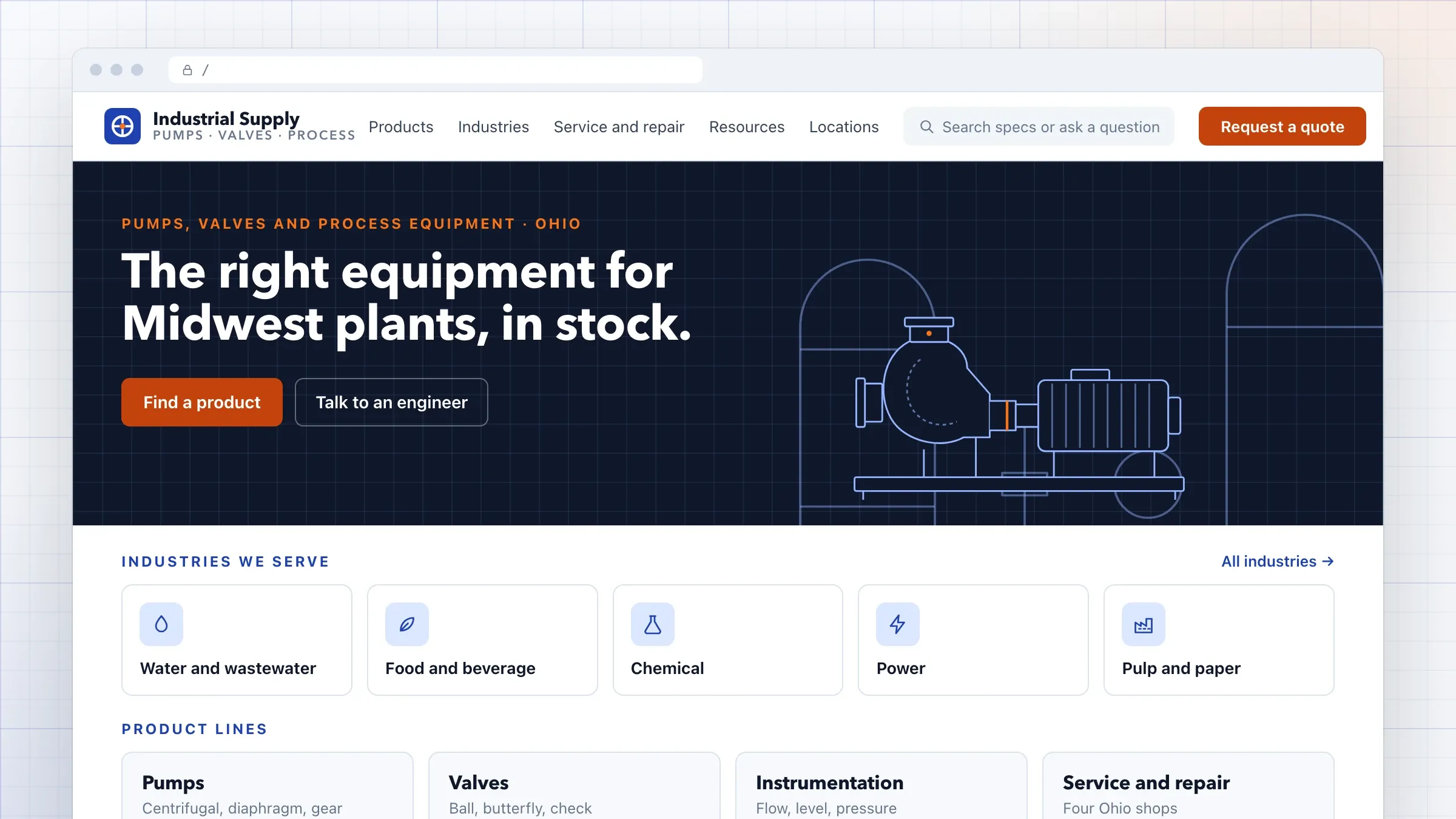 A headless CMS for an industrial distributor For an industrial equipment distributor in Ohio, we rebuilt the website on Sanity: a product catalogue the marketing team runs, pages built from blocks, AI search over datasheets and quote requests sent to HubSpot. Read the case study
 -
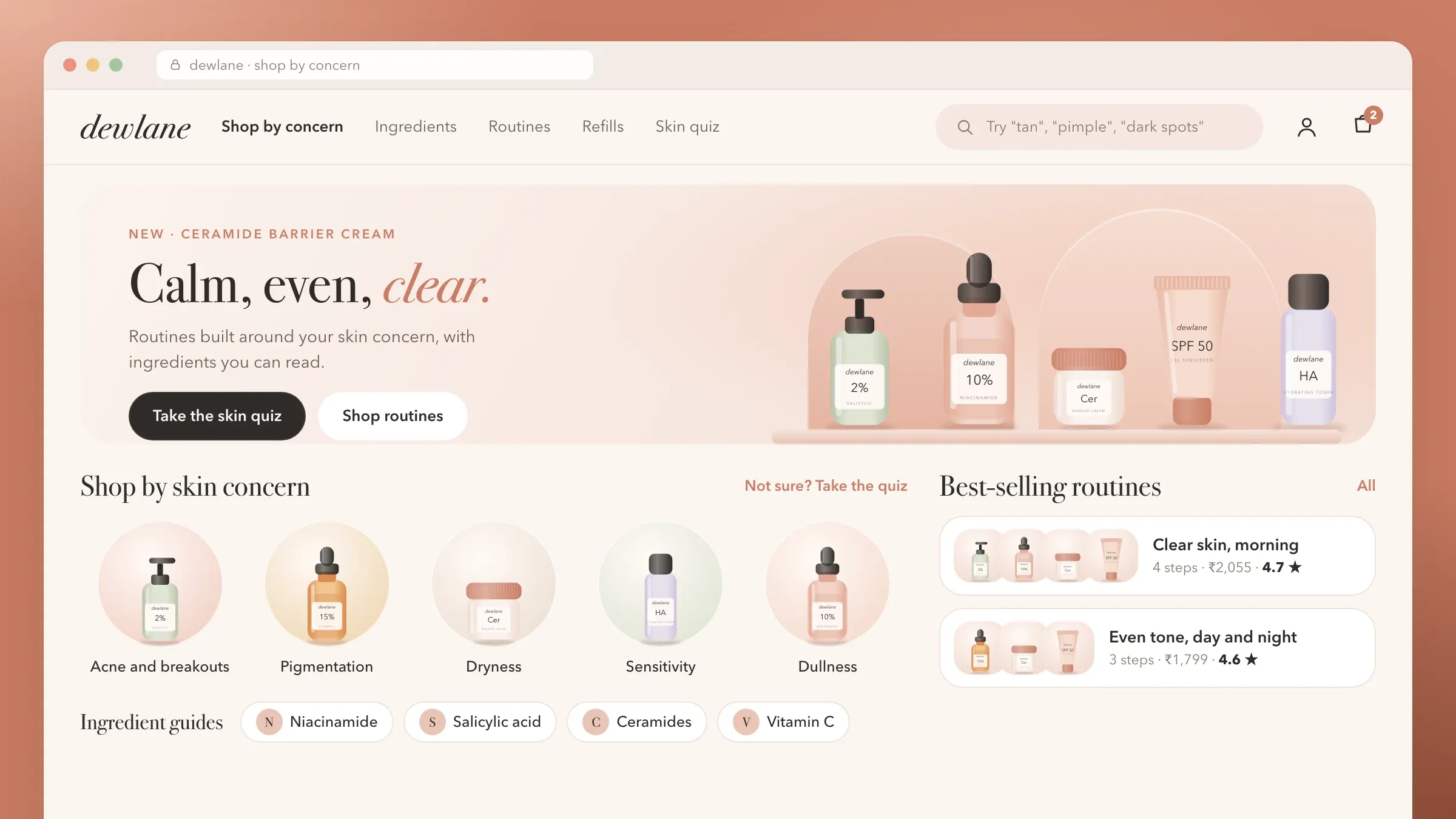 A storefront the marketing team runs For a skincare brand in Mumbai, a headless Next.js storefront over Shopify, with landing pages, ingredient guides and launches edited in Sanity by the marketing team. Read the case study
 -
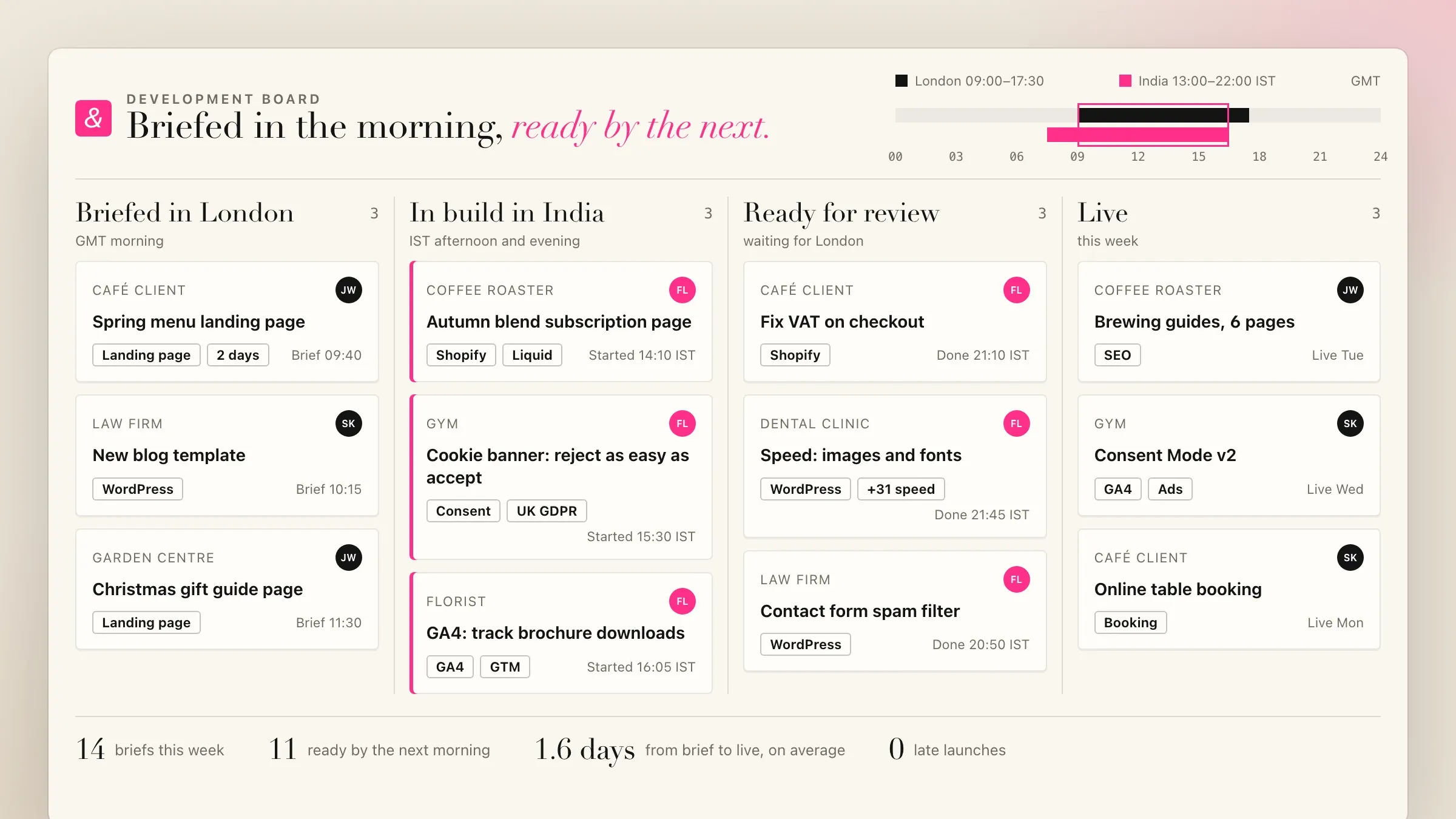 Websites for a London agency's clients For the London marketing agency we partner with, our team builds and maintains its clients' websites and stores, on WordPress, Shopify and custom builds, under the agency's name. View the investment
What a headless CMS website is
A headless CMS website splits the website in two. The content (text, images, products, locations, articles) lives in a content management system your team logs into. The website itself is a separate front end that takes that content and turns it into fast pages.
In a traditional setup such as WordPress with a theme, the editor and the website are one piece of software, so every plugin, theme update and page-builder layer slows the public pages and adds something to patch. Headless keeps the editing where your team needs it and lets the website be built for speed.
For your team, the day-to-day feels familiar: they log in, change a headline, swap an image, build a page from blocks, preview it and press publish. The difference is what visitors get: pages that load quickly on a mid-range phone and a site that doesn’t break when someone updates a plugin.
When headless is worth it
Headless pays off when your website changes often and matters to sales. Marketing teams that run campaigns, companies with product catalogues, brands with online stores and businesses with content in several languages get the most from it.
It is less useful for a small brochure site that changes twice a year. If no one on your side will edit the website, a simpler build can be the better spend, and we will say so.
It also pays off when the same content appears in several places. Products, locations or team profiles kept as structured content can feed the website, an app, a store and an AI search from one source, instead of being copied into each.
Running costs are usually modest. Pages served as files from a content delivery network cost little to host, even with plenty of traffic. The CMS has its own plan, often free for a small team and paid as more editors and content are added, and an open-source CMS can run on your own hosting instead.
A content model that fits your business
Before any design, we decide what your content actually is. A content model describes each kind of content and its fields: a product has a name, a series, specifications, images and documents; a location has an address, hours and a map; an article has an author, a date and a topic.
Getting this right is what makes a site easy to run later. When products are structured data rather than paragraphs typed into pages, visitors can filter them, compare them and find them by specification, and your team changes a detail once instead of hunting through pages. We build the model with the people who will edit the site, because they know which fields they reach for every week.
Blocks, previews and approvals
Your team builds pages from a library of ready-made blocks: page headers, feature rows, product grids, comparison tables, questions and answers, quote and contact forms, image galleries and calls to action. Each block is designed in your brand and works on every screen size.
Blocks give freedom without breaking the design. An editor can build a campaign page in an afternoon, but can’t accidentally pick the wrong font or a colour that fails contrast. Blocks are built to WCAG 2.1 AA, so pages work with screen readers and keyboards whoever puts them together. When your team needs something new, we add a block, and it is ready for every page.
Every change can be previewed on the real design before it goes live, and earlier versions of any page can be restored. Where content needs a second pair of eyes, such as prices, product claims or legal text, it passes through an approval step first. Launch pages can be scheduled to go live at a set time, so a campaign starts when the ads do. Roles decide who may edit, who may approve and who may change the site’s settings.
Speed on every phone
Fast pages come from how the site is built, not from tuning later. Pages are generated ahead of time as complete HTML and served from a content delivery network close to each visitor. Images are resized and compressed for every screen, fonts are loaded from your own domain, and scripts are kept to what each page needs.
We measure Core Web Vitals, Google’s measures of loading, responsiveness and visual stability, on real mid-range phones over mobile data before launch, and fix whatever holds a page back. After launch, the same measures are checked as your team adds pages and blocks.
Speed matters most where you pay for visitors. Every click from an ad that leaves before the page appears is money spent for nothing, and landing pages built from the same fast blocks as the rest of the site load just as quickly on the first visit.
Search, structured data and AI answers
A rebuilt site should help search, not hurt it. Titles, descriptions and the addresses of pages are fields your team manages in the CMS. Structured data for your organisation, products, articles, locations and questions is produced from the content model, so it stays correct as content changes.
The sitemap updates itself on every publish, and changing a page’s address creates a redirect from the old one. Clear pages with direct answers near the top also help AI assistants and answer engines quote you accurately, which matters more as people ask them instead of searching.
Moving from your current website
Most headless projects replace an existing website, and that website has earned its place in search. Before we design, we audit every page, the search terms each ranks for and the links pointing in from other sites.
Every old address is mapped to its new page with a permanent redirect, content is carried across and checked, and titles, descriptions and structured data move with it. On launch day the new sitemap is submitted, and afterwards we watch Search Console, test the redirects and fix any page that drops out. If the move is a large part of your project, our website migration page covers it in depth.
Connecting forms, CRM and tools
A website is part of your sales, so its forms go where your team works. Contact and quote forms send to your CRM, such as HubSpot or Zoho, with the page, product and campaign attached. Site search can run on Algolia, and a store’s products and checkout can come from Shopify behind your own design.
Analytics and advertising tags wait for each visitor’s consent where the law requires it, and events are set up so you can see which pages lead to enquiries, not just visits.
What we need from you
We need access to what you have and time from the people who will run the site. That means your current website and its analytics and Search Console accounts, your brand files, and any product data, documents or spreadsheets the new site should draw on.
Most of all we need the people who will edit the site: an hour or two with them while we build the content model, and their feedback on the editing screens before launch. One person on your side should own the website, approve the blocks and decide what goes live first. Copy can be written by your team, or we can work with your writer to fit it to the new pages.
After launch
We train your team on launch day and stay with you afterwards. New blocks and page types are added when your team asks for them, the CMS and the code are kept up to date, and speed and search are checked regularly.
Over time, the content model grows with the business: new product lines, new languages, new locations. Because the content is structured, each addition is a field or a block, not a rebuild. And because the website and the CMS are separate, either can be changed later without starting the other again.
How we work with you
From the first call to running it
- Start
Audit what you have
Every page, what it ranks for, the links pointing in from other sites, and how your team works on the website today.
- Design
Model the content, design the blocks
A content model that fits your business, and a library of blocks designed in your brand and tested on phones first.
- Build
Build the site and the editor
The website, the editing screens, previews and publishing, connected to your forms, CRM and analytics.
- Move across
Move content and redirects
Content carried across and checked, and every old address redirected to its new page.
- Launch
Launch and train
The site goes live, the new sitemap is submitted, and your team is trained on the CMS.
- Every month
Improve
New blocks when your team needs them, speed and search checks, and updates kept current.
Safe and in your control
Little to attack on the public site
Pages are served as files from a content delivery network, with no admin login or plugins on the public website.
Roles and approvals
Editors, reviewers and admins each get the access they need, and sensitive pages can require approval.
Every change kept
Each edit is saved with who made it and when, and any page can be rolled back to an earlier version.
Seen before it is published
Changes are previewed on the real design before any visitor sees them.
Tracking with consent
Analytics and advertising tags wait for the visitor's choice where the law requires it, under the GDPR, the UK's rules or India's data protection law.
Your content is yours
The CMS and hosting accounts are in your name, and your content can be exported at any time.
Time and cost
The cost depends on how much content you have and how it is structured, not on the page count alone. A site with a few page types and a block library is quicker than a catalogue of thousands of products in several languages. After the first call we send a written plan and a quote.
Content model
Each type of content, such as products, locations or articles, is modelled, designed and built.
Blocks and templates
The size of the block library and the number of page templates your team needs.
Content to move
A few dozen pages move quickly. Thousands of pages, PDFs and products take longer, especially with redirects for each.
Languages
Each language adds translation steps, language tags and testing.
Integrations
Your CRM, site search, online store, analytics and other tools each add work.
CMS and hosting plans
Hosted CMSs such as Sanity or Contentful have their own plans as your team and traffic grow; open-source ones such as Strapi or Payload run on your own hosting.
Built with
Chosen for each project, never by habit
Questions and answers
13 answered
What is a headless CMS website?
A headless CMS website keeps the content in a CMS and the design in a separate front end. Your team edits text, images and pages in the CMS, and the website takes that content and builds fast pages from it. Headless means the CMS has no website of its own attached.
Is a headless CMS better than WordPress?
It depends on what you need. A headless CMS gives faster pages, fewer security worries and content you can reuse anywhere, which suits growing businesses with a marketing team. A simple brochure site can be fine on WordPress, and WordPress can also run headless, as the editor behind a fast front end.
Which headless CMS do you use?
We choose for each project. Sanity suits flexible, structured content and custom editing screens; Contentful suits larger teams with set workflows; Strapi and Payload are open source and can run on your own hosting. We have built client websites and stores on Sanity.
Will my team be able to edit the website?
Yes, that is the point of it. Your team edits text, images, menus and pages, builds new pages from ready-made blocks, previews changes on the real design and publishes or schedules them without a developer. We train them at launch.
Are headless CMS websites good for SEO?
Yes, when they are built properly. Pages are generated ahead of time as complete HTML, load fast and carry titles, descriptions and structured data your team manages in the CMS. Speed and clean code help; the content still has to answer what people search for.
Will we lose our Google rankings if we move to a headless CMS?
A rebuild always carries some risk, so we plan the move page by page. Every old address is redirected to its new page, titles, descriptions and structured data are carried across, and we watch Search Console after launch and fix any page that drops out. No one can promise rankings, but this gives search engines what they need to move them to the new pages.
How fast will the website be?
Fast, because pages are built ahead of time and served from a content delivery network close to each visitor, with images resized for every screen. We measure Core Web Vitals before launch and fix whatever holds a page back.
Can the website be in Hindi and Gujarati?
Yes. Each page can have English, Hindi, Gujarati or other language versions, edited side by side in the CMS, with the language tags search engines use to show the right version to each visitor.
How much does a headless CMS website cost?
It depends on the number of content types, the size of the block library, how much content and how many old addresses have to move, the languages and the tools it connects to. After the first call we send a written plan and a quote.
How long does it take to build a headless CMS website?
It depends on the content more than the design. A company website with a handful of page types is a matter of weeks; a large catalogue, several languages or a big migration takes longer. The written plan after the first call sets out the timeline.
Who hosts the website and the CMS?
The website runs on a host such as Vercel or Cloudflare Pages, and a hosted CMS runs in its provider's cloud. Both accounts are in your name, so you own them. An open-source CMS can run on your own servers instead.
Do you build websites for businesses outside India?
Yes. FIRELIFE Ventures works with businesses worldwide from Rajkot, India. We built a headless CMS website for an industrial equipment distributor in Ohio, and our team builds websites for a London agency's clients.
What happens after launch?
We stay with you: new blocks and page types when your team needs them, regular speed and search checks, updates to the CMS and the code, and help when your team wants to try something new.
Tell us what you want to build
Write a few lines about the idea and who it is for. We reply with our questions, a first plan and how we would start.
Write to us