Build something new multilingual app development
Speak your customers' language
We build apps, websites and customer messages that work fully in your customers' own languages, from Hindi, Gujarati, Marathi and Tamil to European languages, with translation your team controls, voice input for people who would rather speak than type, and screens designed for every script.
- Designed for every script from day one
- Every language reviewed by a fluent speaker
- New languages without a rebuild
Sound familiar?
What we hear before we start
- Many of your customers would rather read Hindi or Gujarati, but your app speaks only English.
- Customers who can't follow the screen call your office to ask what it means.
- Your team translates messages by hand, and each language says something slightly different.
- Search finds nothing when people type product names in their own script.
- Farmers, drivers and older customers struggle to type on a phone in any language.
- Adding a language to your current app means a developer and a new release.
What changes
-
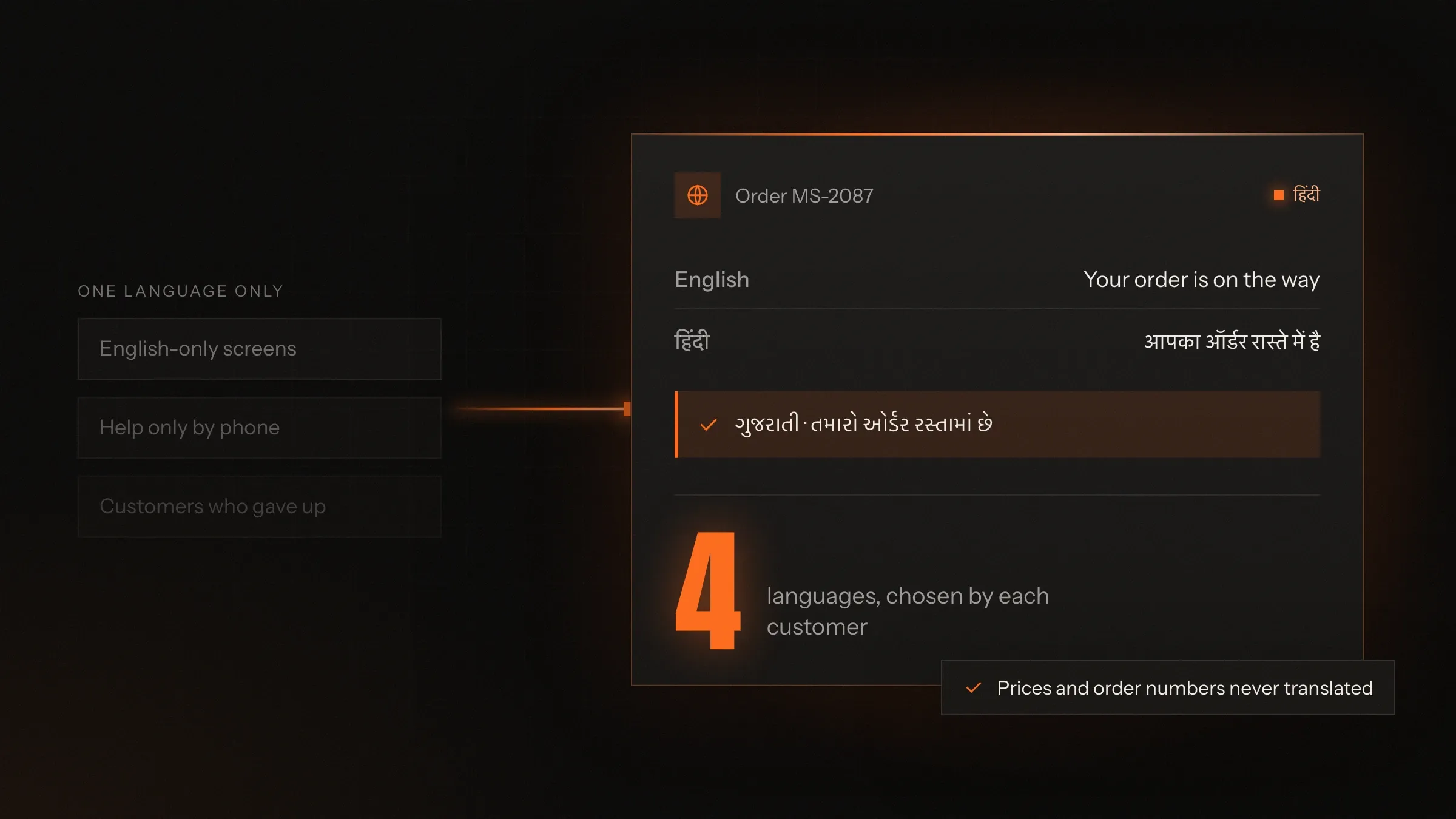
Today: Customers struggle through English screens.
After: They use the app in the language they think in.
-
Today: Translations are done by hand and drift out of step.
After: Text is written once, then translated, reviewed and released together.
-
Today: Typing in a local script is slow and frustrating.
After: People can speak, and the app fills in the fields for them to confirm.
-
Today: Search fails on local scripts and spellings.
After: Search understands scripts, English-letter spellings and mixed language.
-
Today: A new language means new development.
After: A new language means new text, ready in the next release.
What it does for you
-
Every screen in every language
Menus, buttons, messages, emails, notifications and PDFs, switched with one tap and remembered for next time.
For exampleA customer picks Gujarati once, and the app, the invoice and the WhatsApp updates all follow.
-
Speak instead of type
Voice input that turns speech in Hindi, Marathi, Tamil and other languages into text and form fields.
For exampleA farmer says the crop, the quantity and the harvest date in Marathi, and the listing fills itself in.
-
Read and write every script
Devanagari, Gujarati, Tamil, Bengali and other scripts typed, searched and sorted correctly.
For exampleSearching for carrots in Gujarati script or as "gajar" finds the same product.
-
Understand mixed language
Hinglish and other mixes, in English letters or the local script, understood in search and support.
For exampleA customer types "order kab aayega" and gets the delivery date.
-
Local formats
Amounts in lakh and crore, dates, currencies, phone numbers and addresses written the local way.
For exampleA customer in Utrecht sees prices in euros and dates in the Dutch order.
-
Translation your team controls
A glossary of your terms, AI first drafts and approval by people who speak the language.
For exampleA new offer is written once in English, drafted in four languages and reviewed before it goes live.
-
Support in the customer's language
Chat, WhatsApp and AI assistants that reply in the language the customer wrote in.
For exampleA customer asks about a refund in Tamil and gets the answer in Tamil.
How it works
-
Choose the languages
From your customers and your growth plans, we agree which languages come first.
-
Design for every script
Layouts, fonts and spacing are set for the longest language and every script.
-
Write once, translate with care
Text lives in one place; AI drafts the translations and fluent reviewers approve them.
-
Customers choose
The app follows the phone's language or asks, and remembers the choice everywhere.
-
Voice, search and support follow
Speech, search and support understand the same languages as the screens.
-
Add languages later
A new language is new text and a round of review, not new code.
Where we've built it
5 from our portfolio
-
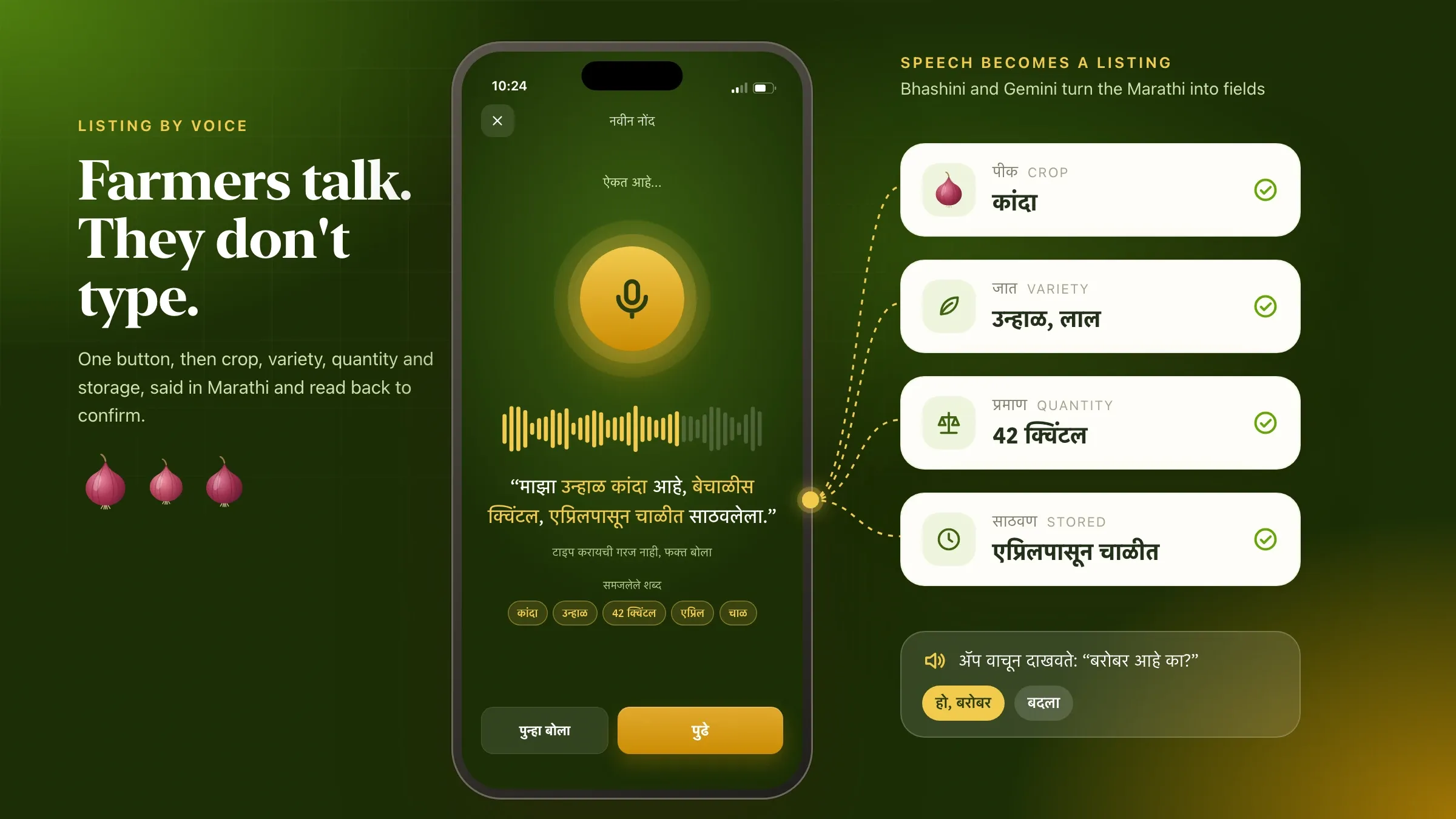 Produce listed by voice, in Marathi For a farmer producer company near Nashik, farmers list produce by speaking Marathi, and the app reads the listing back for them to confirm or correct. Read the case study
 -
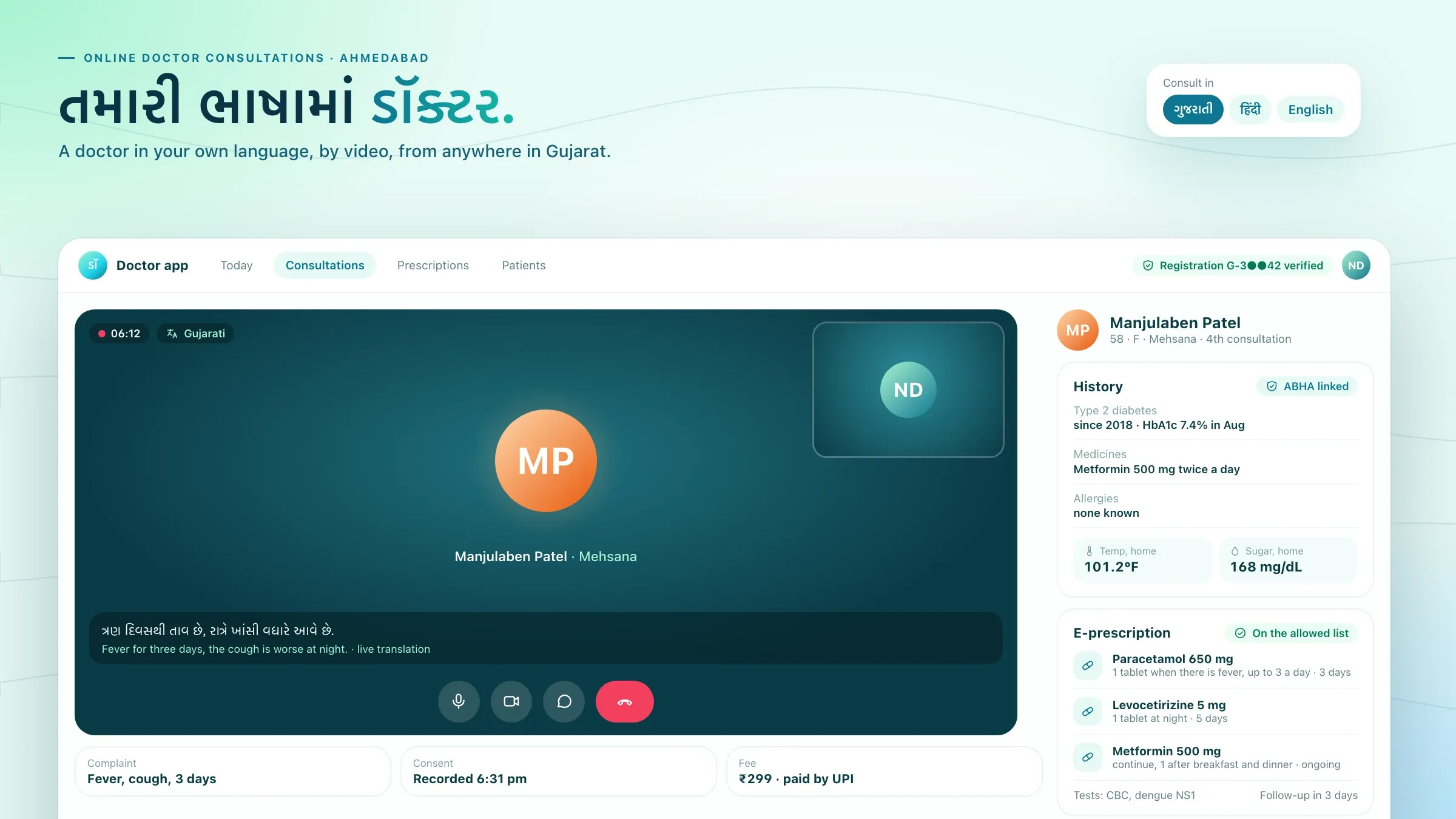 Doctor visits in Gujarati, Hindi and English For a HealthTech startup we back in Ahmedabad, patients book on WhatsApp and see registered doctors by video in Gujarati, Hindi or English. Meet the startup
 -
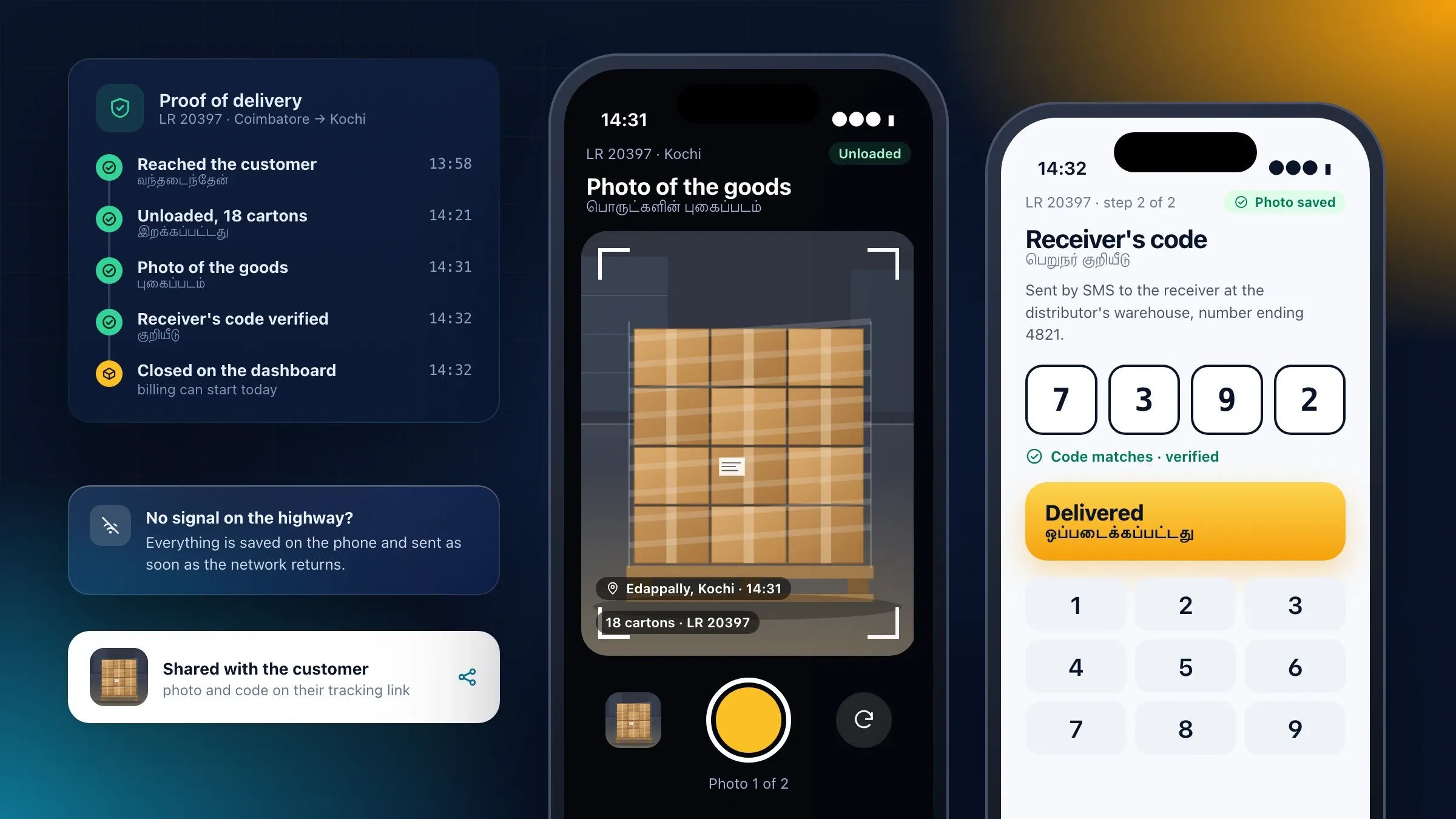 A driver app in Tamil and English For a transport company in Coimbatore, drivers use an Android app with large buttons in Tamil and English, and record proof of delivery even without signal. Read the case study
 -
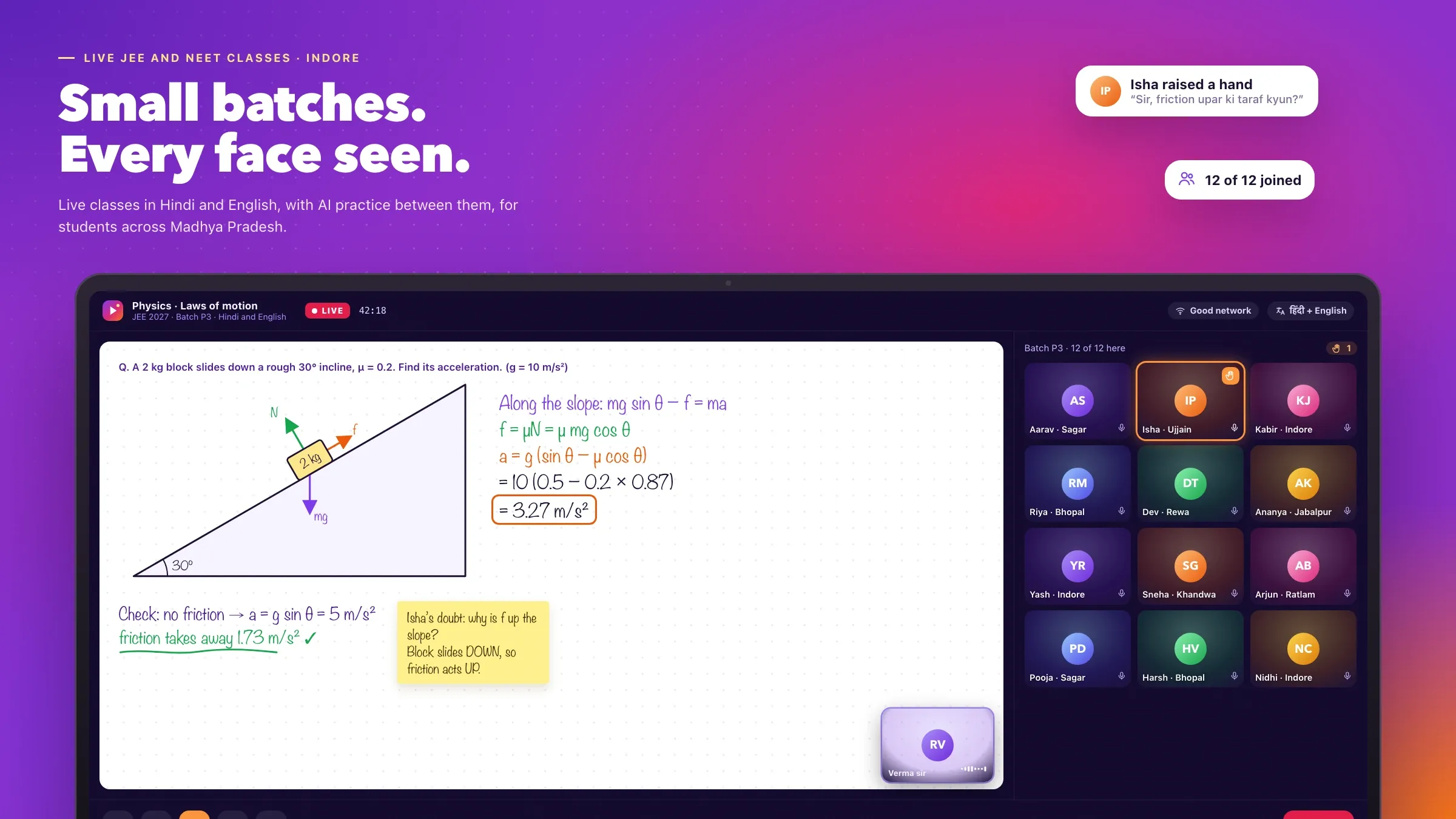 Classes and reports in Hindi and English For an EdTech startup we back in Indore, classes and study material come in Hindi and English, and parents get a weekly report on WhatsApp in either. Meet the startup
 -
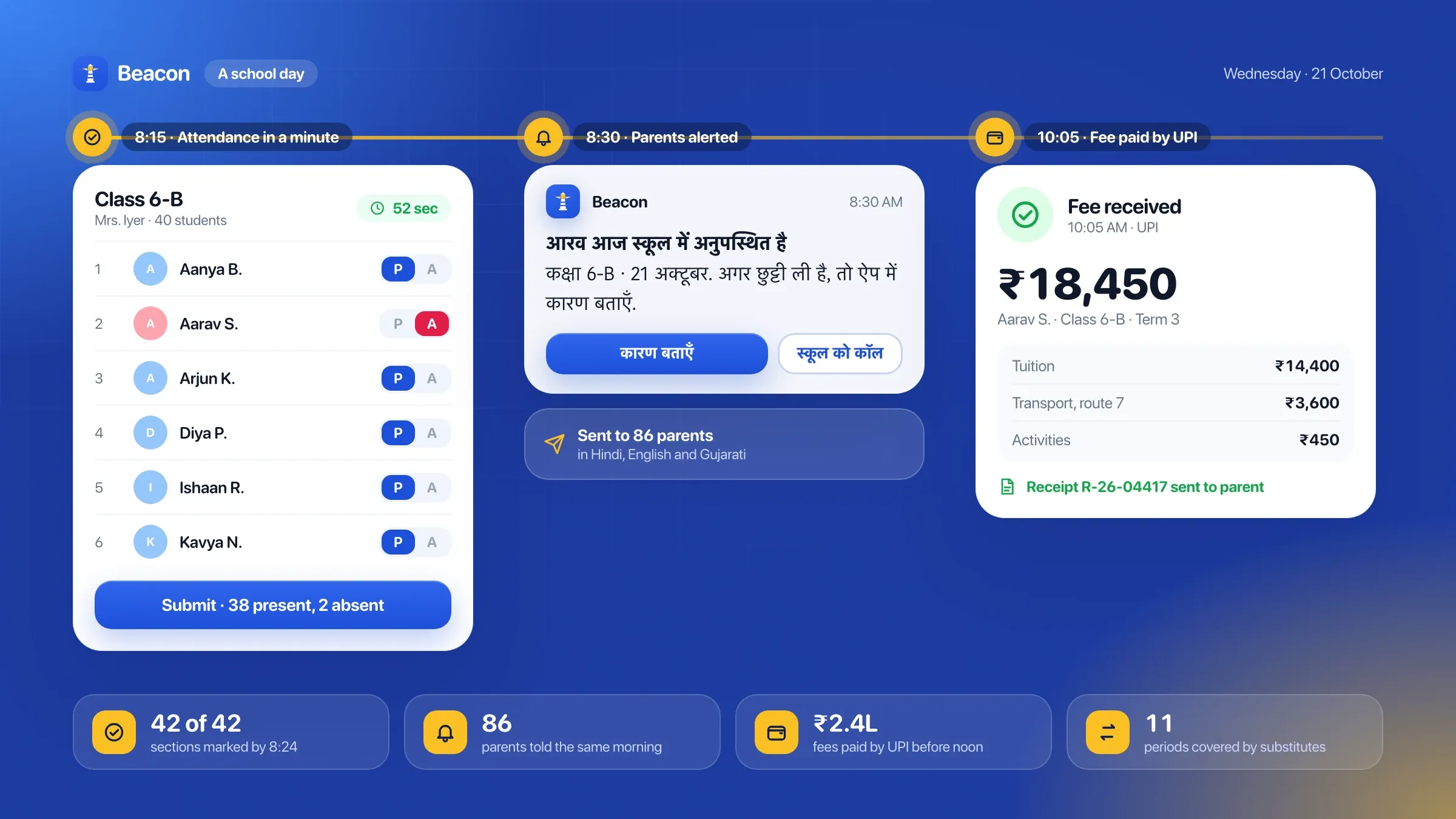 A parent app in the parent's language In Beacon School ERP, our own school software, the parent app shows notices, attendance, results and fees in English, Hindi or regional languages. See the product
What multilingual app development means
A multilingual app works completely in every language it offers, not just on the home screen. Menus, buttons, error messages, notifications, emails, invoices, WhatsApp updates, help pages and support all follow the language the customer chose.
Translation is part of it, but most of the work is in the build: keeping every piece of text out of the code so it can be translated, designing screens that hold Hindi, Tamil or German without breaking, writing dates and amounts the local way, and making search, voice input and support understand the same languages as the screens.
Done from the start, adding a language later is mostly new text. Done as an afterthought, every new language becomes a project of its own.
Why language matters to your customers
People decide faster and trust more when they read in the language they think in. Many customers in India are comfortable with English for a price or a button, but want Hindi, Gujarati, Marathi or Tamil when something matters: a medical instruction, the terms of a loan, a problem with a payment.
Language also widens who can use your product at all. Farmers, drivers, shopkeepers and older customers who avoid English apps will use one that speaks to them, especially if they can talk to it instead of typing.
It cuts support work too. Customers who understand the screen don’t need to call and ask what it means.
For lenders, clinics and insurers, it is also a matter of fairness. A borrower signing a loan agreement or a patient reading a prescription should understand every word of it.
Choosing which languages come first
Start with the languages your customers already use. Your support calls, WhatsApp messages, delivery addresses and sales regions usually make this clear. A business in Gujarat may need Gujarati and Hindi beside English; a transport company in Tamil Nadu, Tamil; a brand selling across India, Hindi first and then the largest regional languages.
We also look at where you plan to grow, and at which parts of the product matter most. Sometimes the customer app needs three languages while the staff dashboard stays in English, or the WhatsApp messages need more languages than the app.
The first languages don’t limit you. Built properly, a fifth language is no harder to add than the second.
From your side, we need three things: whatever you know about your customers’ languages, a list of the words that make up your brand and products, and someone for each language, inside your team or outside it, who can say whether a screen sounds right.
Designing for every script
Every language changes the shape of a screen. Some run far longer than English. Scripts such as Devanagari, Gujarati and Tamil need more line height for the marks above and below their letters, and languages such as Urdu run right to left.
We design every screen for its longest version from the first sketch: buttons that grow, labels that wrap cleanly and no text baked into images. Screens are tested with real translations, never English stand-ins, on low-cost phones as well as new ones.
Fonts matter as much as words. We choose fonts that cover every script you need and look consistent side by side, and ship them with the app, so text appears the same on every phone.
Translation your team can trust
Good translation reads as if it was written in that language. We keep all text in one place, with a note on where each line appears, so translators see the context rather than a list of fragments.
AI produces a quick first draft for every language, following a glossary of your terms: product names, legal phrases and words that should never be translated, such as UPI or your brand name. A fluent reviewer, from your team or arranged for you, then approves each language before release. Medical, financial and legal wording gets a specialist review.
When the English text changes, the matching translations are flagged for update, so the languages never drift apart.
Voice input for people who would rather speak
Many people speak more easily than they type, especially in their own language on a small keyboard. Voice input lets them say what they want and see it written down for them.
Speech recognition for Indian languages is now good enough to fill in real forms. In an agritech app we built near Nashik, farmers list their produce by speaking Marathi; the app turns their words into the crop, the quantity and the harvest date, then reads it back for them to confirm. Services such as Bhashini, Google Gemini and OpenAI Whisper make this possible across many languages.
Voice works best for short, structured input with a clear confirmation step, and we design it that way. Background noise in a field or a market, and the accents and dialects of the people who will use the app, are part of the test: we try speech services on real recordings from those places before choosing one.
Search and support in the customer’s language
Search has to match the way people actually type. A customer may write a product name in the local script, in English letters or in a mix, with spellings that vary from person to person. We set up search to treat these as the same, so the customer finds the product however they write it.
Support follows the same language. Chat, WhatsApp and AI assistants reply in the language the customer wrote in, including mixed Hindi and English, and hand over to staff who speak it.
Messages, documents and everything outside the app
A customer’s language has to reach beyond the app. The order confirmation on WhatsApp, the SMS with a one-time password, the invoice PDF, the email receipt and the push notification are often what customers read most, and they are the easiest to forget.
Each of these goes out in the language the customer chose. WhatsApp templates are written and approved in each language. PDFs such as invoices and prescriptions use fonts that carry every script, so Hindi or Tamil prints as clearly as English. Push notifications are kept short enough to fit on a lock screen in every language.
Staff screens can stay in one language while showing customer-facing text in the customer’s. A support agent who reads English can still see exactly which message a Gujarati-speaking customer received.
Local formats, not just words
Language comes with local habits. In India, amounts are grouped in lakhs and crores; in much of Europe, the comma and the full stop swap places in numbers. Dates are written in different orders, names are structured differently, and Indian addresses lean on landmarks and pincodes.
We handle these for each language and region, so prices, dates, phone numbers and addresses look right to each customer, and documents such as invoices and receipts follow local conventions.
Testing with people who speak the language
Every language is tested by people who speak it. Before launch, customers or staff fluent in each language go through the main journeys, and we fix anything that reads oddly, breaks a layout or sounds too formal for your brand.
Testing also happens where the app is used. For a transport company in Coimbatore, we built the driver app in Tamil and English with large buttons, and it saves everything on the phone when highways have no signal, then sends it when the network returns.
Automated checks run on every release: no screen with missing translations, no text cut off, and no language quietly falling back to English. After launch, we keep the languages in step with new features, add languages when you are ready, and improve voice and search from what customers actually say and type.
How we work with you
From the first call to running it
- Start
Agree the languages
We look at who your customers are and which languages they use, and plan the first languages and the parts of the product they cover.
- Build
Build for every script
We design every screen for the longest language and every script, build the app and set up translation and review.
- Pilot
Test with native speakers
Customers and staff who speak each language use the app, and we fix anything that reads oddly or breaks a layout.
- Launch
Release every language together
All languages go live in the same release, with each customer's choice remembered across the app and messages.
- Every month
Add and improve
We keep translations in step with new features, add languages when you are ready and improve voice and search.
Safe and in your control
People approve every language
AI drafts translations; a fluent reviewer approves each language before customers see it.
One glossary for your terms
Product names, legal terms and prices follow rules you set, in every language.
Regulated wording reviewed separately
Terms, consent text and medical or financial wording are checked with your legal or compliance team in each language.
Consent in the customer's language
Customers agree to terms and messages in a language they understand, and their choice is recorded.
Nothing half-translated
Every release is checked so no screen goes live with missing text or falls back to English unexpectedly.
Voice handled with care
Recordings are used to fill the form, kept only as long as you decide and processed in the region you need.
Time and cost
The cost depends on how many languages and scripts you need, how much text the product has, and whether it needs voice input or multilingual search, not on a package. Many businesses start with two or three languages and add more later. After the first call we send a written plan and a quote.
Languages and scripts
Each language adds translation and testing; each new script adds design checks for fonts and layout.
Amount of text
A few screens are quicker than long help pages, emails, PDFs and legal text in every language.
Voice and search
Speech input, and search that understands scripts and spellings, add work beyond translated screens.
Who reviews
Your own staff can review, or reviewers can be arranged; regulated wording needs specialist review.
New app or existing one
Building languages in from the start is simpler than adding them to an app that assumed English everywhere.
Built with
Chosen for each project, never by habit
Questions and answers
12 answered
What is multilingual app development?
Multilingual app development means building an app or website that works fully in several languages: screens, messages, emails, documents, search and support. Customers choose their language once, and every part of the product follows that choice.
Which languages can you build apps in?
English, Hindi, Gujarati, Marathi, Tamil, Bengali, Telugu, Kannada, Malayalam, Punjabi and other Indian languages, as well as European languages such as Dutch. Our team works in English, Hindi and Gujarati, and other languages are reviewed by fluent speakers before launch.
Is translation done by AI or by people?
Both. AI produces a quick first draft that follows your glossary, and a fluent person reviews and approves every language before customers see it. Legal, medical and financial wording gets a specialist review.
Can customers use voice instead of typing?
Yes. Voice input can turn speech in Hindi, Marathi, Tamil and many other Indian languages into text or straight into form fields, then read it back for the person to confirm. It suits people who find typing on a phone hard.
Can search work in Hindi and Gujarati?
Yes. Search can understand words typed in the local script or in English letters, common spelling variations and mixed language, so a product is found whichever way the customer writes its name.
Can you add languages to our existing app?
Usually, yes. We move the app's text into translation files, fix screens that assumed English lengths and add the new languages. How much work that is depends on how the app was built, so we check before we quote.
Does each language need its own design?
No. One design works for every language if it is planned that way. Some languages run much longer than English, and scripts such as Devanagari and Tamil need more height, so we design for the longest version from the start.
What is Bhashini?
Bhashini is the Government of India's language platform, offering translation, speech recognition and text-to-speech for Indian languages. We have used it, with other AI services, to turn speech in Indian languages into structured data in an app.
How much does multilingual app development cost?
It depends on the number of languages and scripts, how much text the product has, whether you need voice input or multilingual search, and who reviews the translations. We send a written quote after the first call.
How long does multilingual app development take?
Adding two or three languages to a well-built app is a matter of weeks. A new app in several languages takes as long as the app itself, plus time for translation and review; voice input and multilingual search add more. The plan after the first call sets out the timeline.
Do you build multilingual apps for businesses outside India?
Yes. FIRELIFE Ventures works with small and mid-size businesses worldwide from Rajkot, India, on India time. Our portfolio includes an AI assistant for a conference organiser in Utrecht that answers attendees in English and Dutch.
What happens after launch?
We keep every language in step as features change, add new languages when you are ready, and improve voice and search from what customers actually say and type.
Tell us what you want to build
Write a few lines about the idea and who it is for. We reply with our questions, a first plan and how we would start.
Write to us