Build something new mobile app development
Turn your idea into an app people use
We design, build and launch mobile apps for Android and iPhone that people keep opening: apps that take bookings and payments, work on a weak signal, speak your customers' language and connect to the systems you already run.
- Android and iPhone, built together
- Tested on the phones your customers carry
- We stay after launch day
Sound familiar?
What we hear before we start
- Your customers keep asking for an app, and all you have is a website and a WhatsApp number.
- Bookings, orders and payments arrive by phone and message, and someone types them in again.
- You had an app built once. It crashed, nobody updated it, and the reviews still say so.
- An aggregator owns your regular customers and takes a cut of every order they place.
- You have an idea for an app, but no clear idea where to start, what it should cost or who to trust.
What changes
-
Today: Customers call or message to book, order or ask where things stand.
After: They do it in the app in a few taps, at any hour, and see the status for themselves.
-
Today: Payments are chased by phone and written down by hand.
After: Customers pay by UPI, card or wallet in the app, and every payment is matched to its order.
-
Today: Every offer goes out as one message to everyone.
After: Notifications reach the customers each offer suits, and the rest are left in peace.
-
Today: Your staff and field team work from paper, calls and memory.
After: They have their own app with today's work, directions and a record of what was done.
-
Today: The app breaks with every new phone and every system update.
After: It is tested on real devices and updated for each new Android and iOS release.
What it does for you
-
Bookings and orders
Customers book a slot, order a meal or reserve a seat, with live availability from your own system.
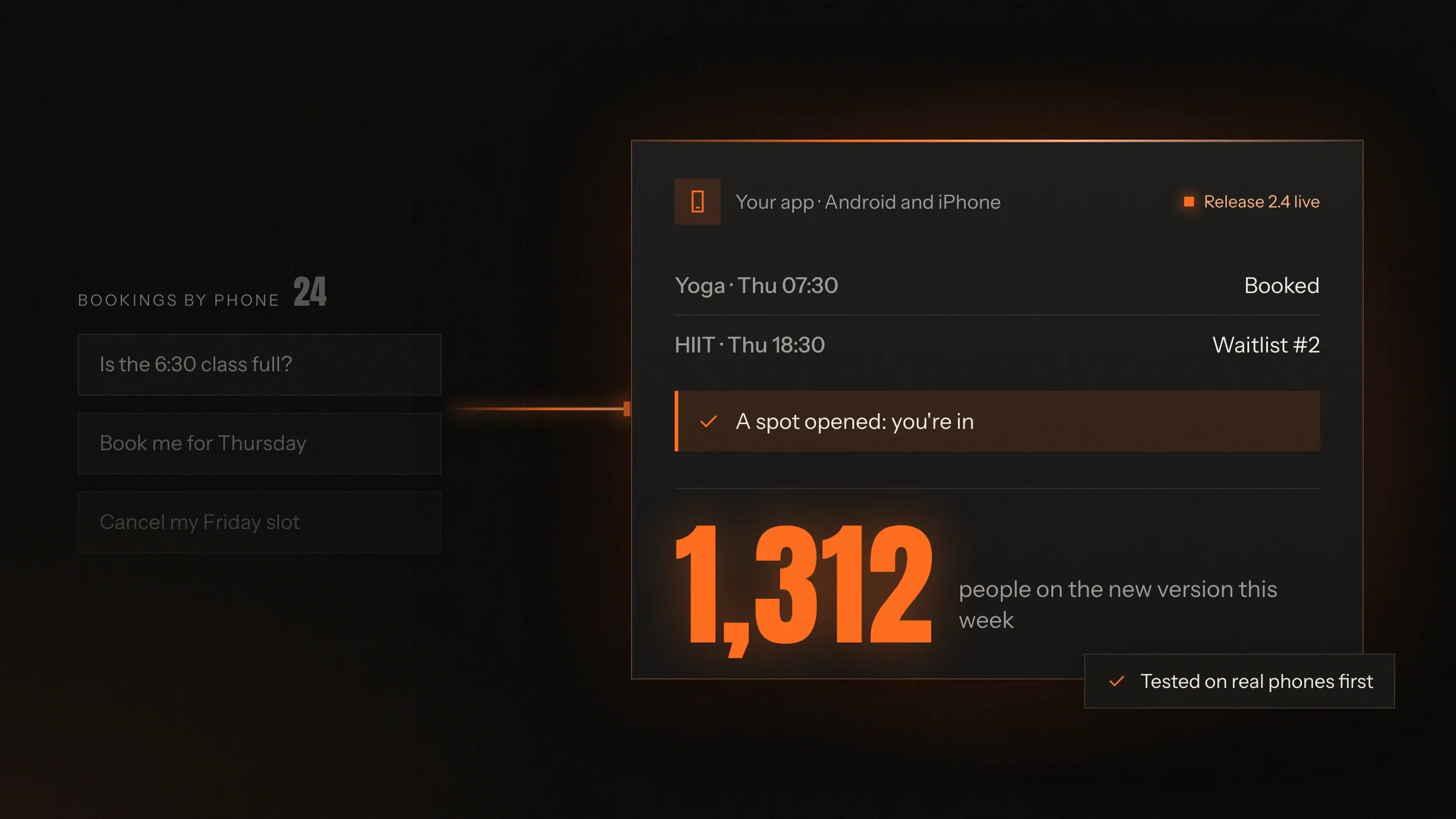
For exampleA member finds the evening yoga class full, joins the waitlist and is booked when a spot opens.
-
Payments in the app
UPI, cards and wallets, subscriptions and autopay, with receipts and GST invoices sent on their own.
For exampleA monthly membership renews on UPI AutoPay, with a pre-debit notice before each charge.
-
Maps and live tracking
Addresses confirmed with a pin, delivery areas, directions for your team and a live map for the customer.
For exampleA customer watches the rider leave the outlet and knows when to come to the door.
-
An app for your own team
A separate app or view for staff, riders, trainers or technicians, showing only what their job needs.
For exampleA plumber accepts a job, gets directions and adds before-and-after photos before closing it.
-
Works on a weak signal
Forms, scans, photos and listings are saved on the phone and sent as soon as the network returns.
For exampleA field officer registers a farmer in a village with no signal, and it syncs on the way back.
-
Your customers' language
Screens and messages in English, Hindi, Gujarati or other languages, and voice input for people who would rather speak.
For exampleA farmer lists his onions by speaking Marathi, and the app reads the listing back to confirm.
How it works
-
Someone opens the app
On Android or iPhone, signed in with a phone number and a one-time code, or with Google or Apple.
-
It shows what's real
Prices, slots, stock and account details come live from your system, not from a copy.
-
They act
They book, order, pay, scan or upload, and the app confirms it straight away.
-
Your team sees it
The booking or order appears at once on your web console, kitchen screen or staff app.
-
Everyone stays informed
Each change of status goes out as a notification, so nobody has to call to ask.
-
You learn from it
Usage, crashes and the steps where people give up are tracked, so the next release fixes what matters.
Where we've built it
5 from our portfolio
-
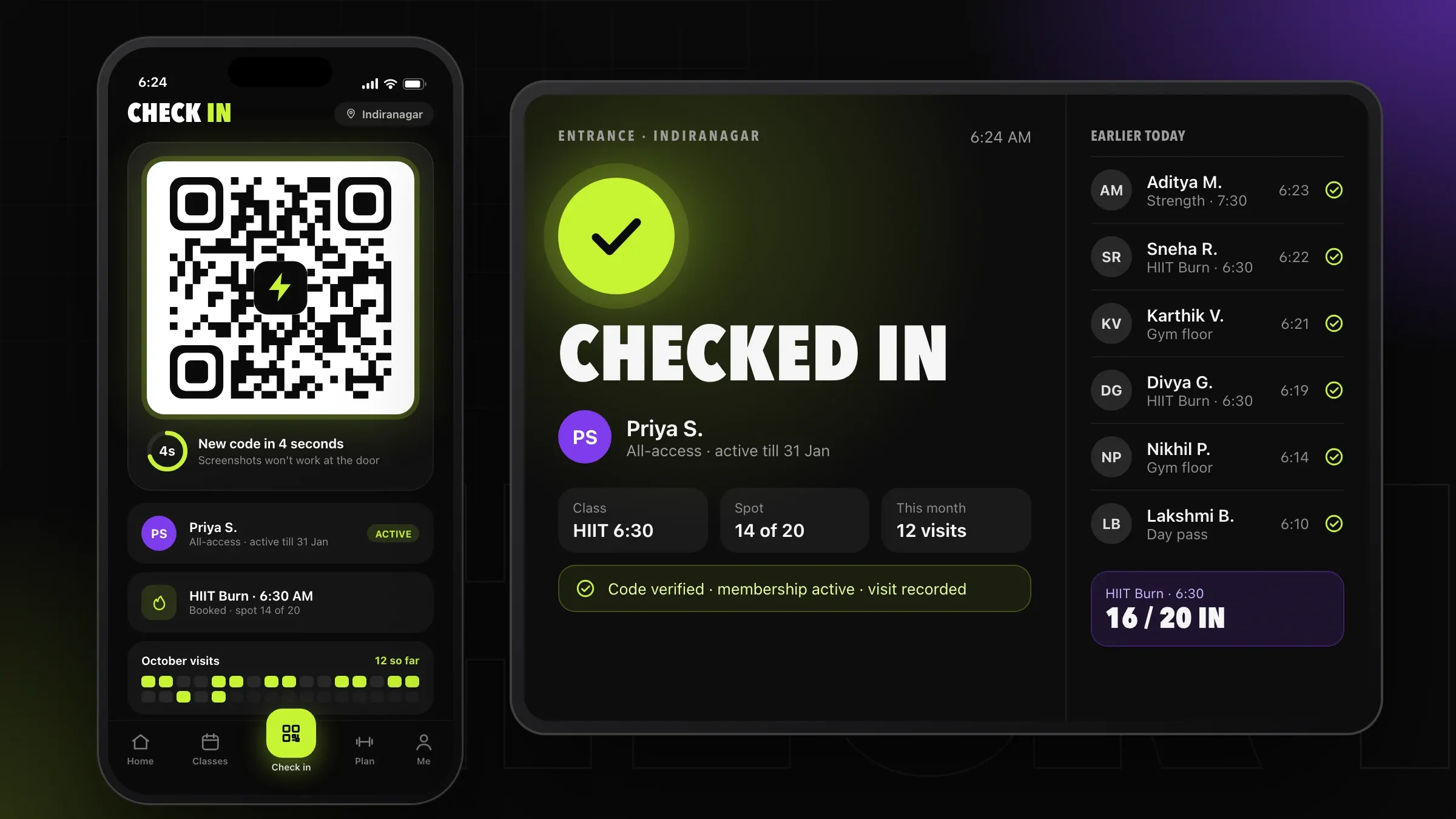 Memberships on UPI AutoPay For a chain of fitness studios in Bengaluru, an app for Android and iPhone where members renew on UPI AutoPay, book classes with waitlists and check in by QR code. Read the case study
 -
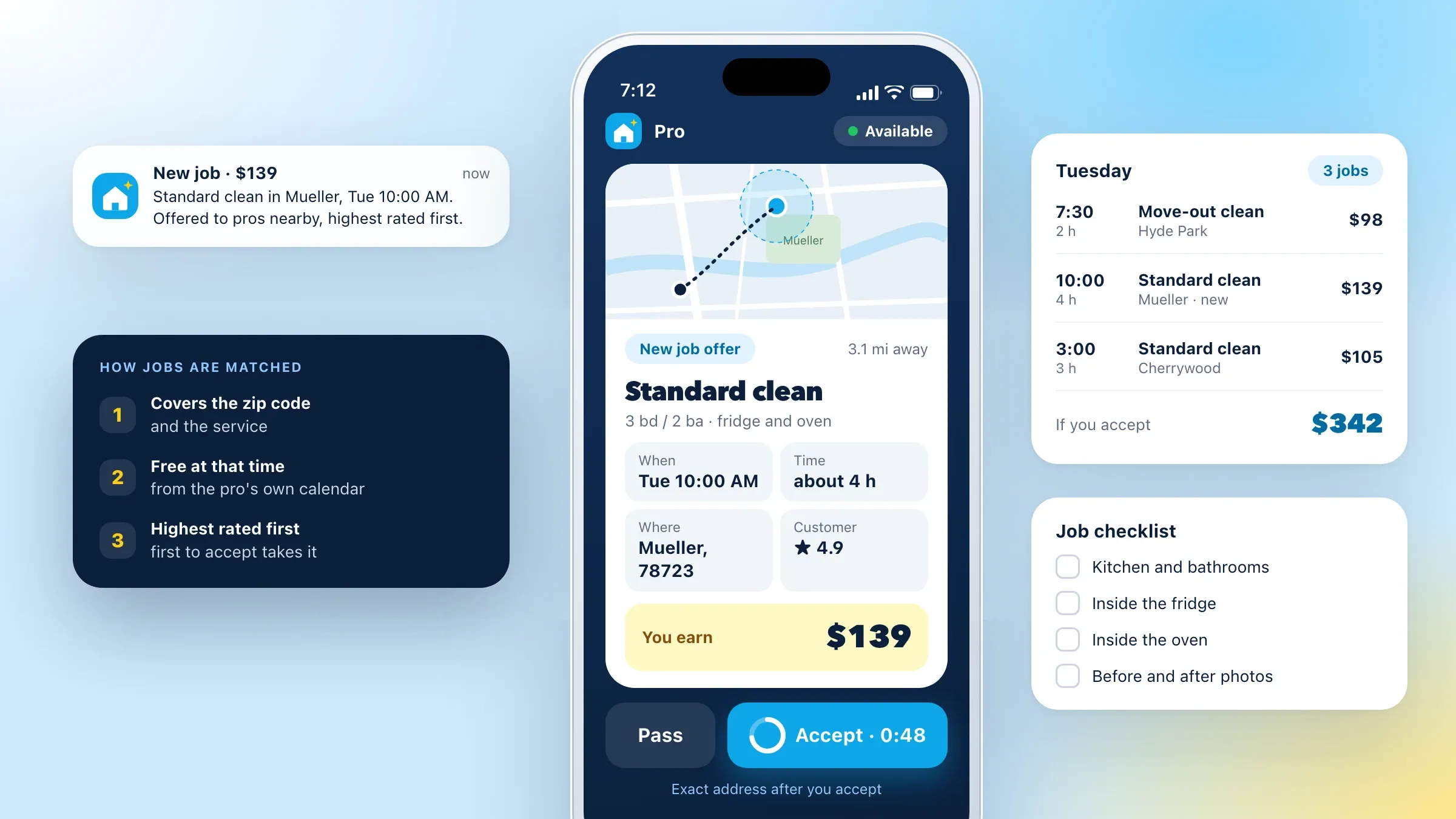 Two apps for a home services marketplace For a home services company in Austin, Texas, a customer app with upfront prices and a pro app with job offers, directions and automatic payouts. Read the case study
 -
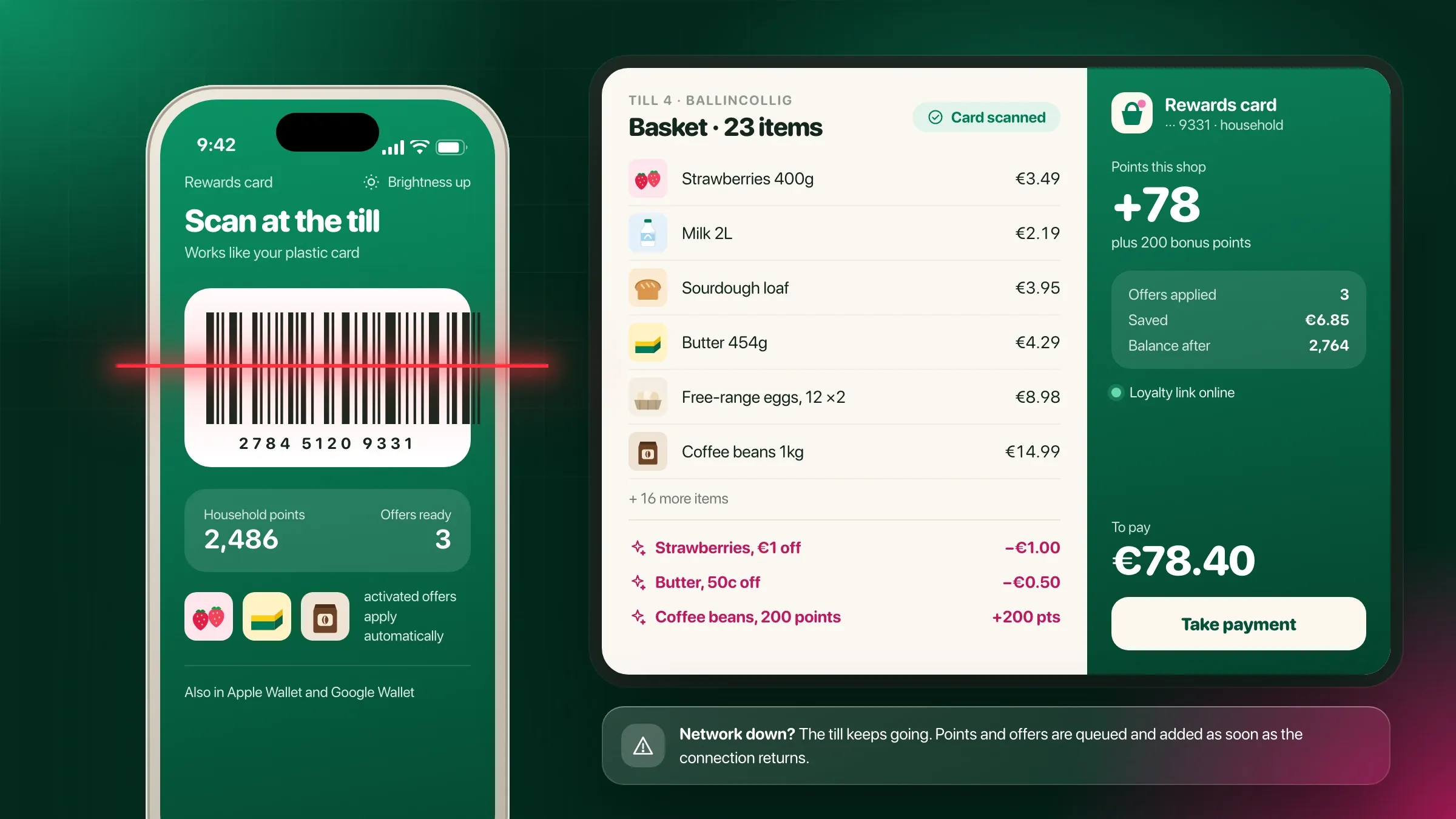 The loyalty card, on the phone For a supermarket chain in Cork, Ireland, an app whose digital loyalty card is scanned at the existing tills, with household points and personalised offers. Read the case study
 -
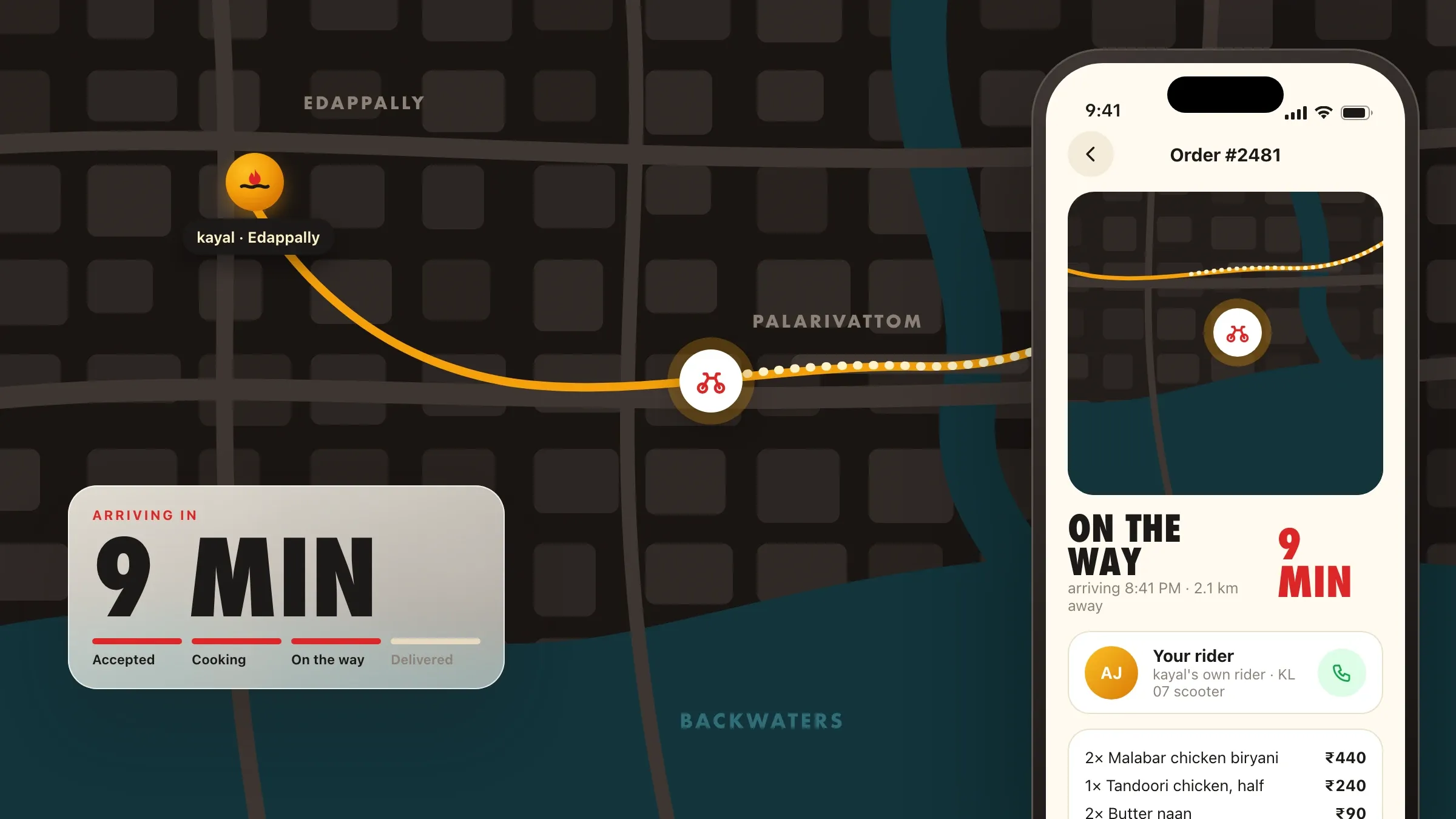 Ordering direct, with live tracking For a family restaurant chain in Kochi, a branded ordering app with a rider on the map and loyalty points, so regulars order from the chain itself. Read the case study
 -
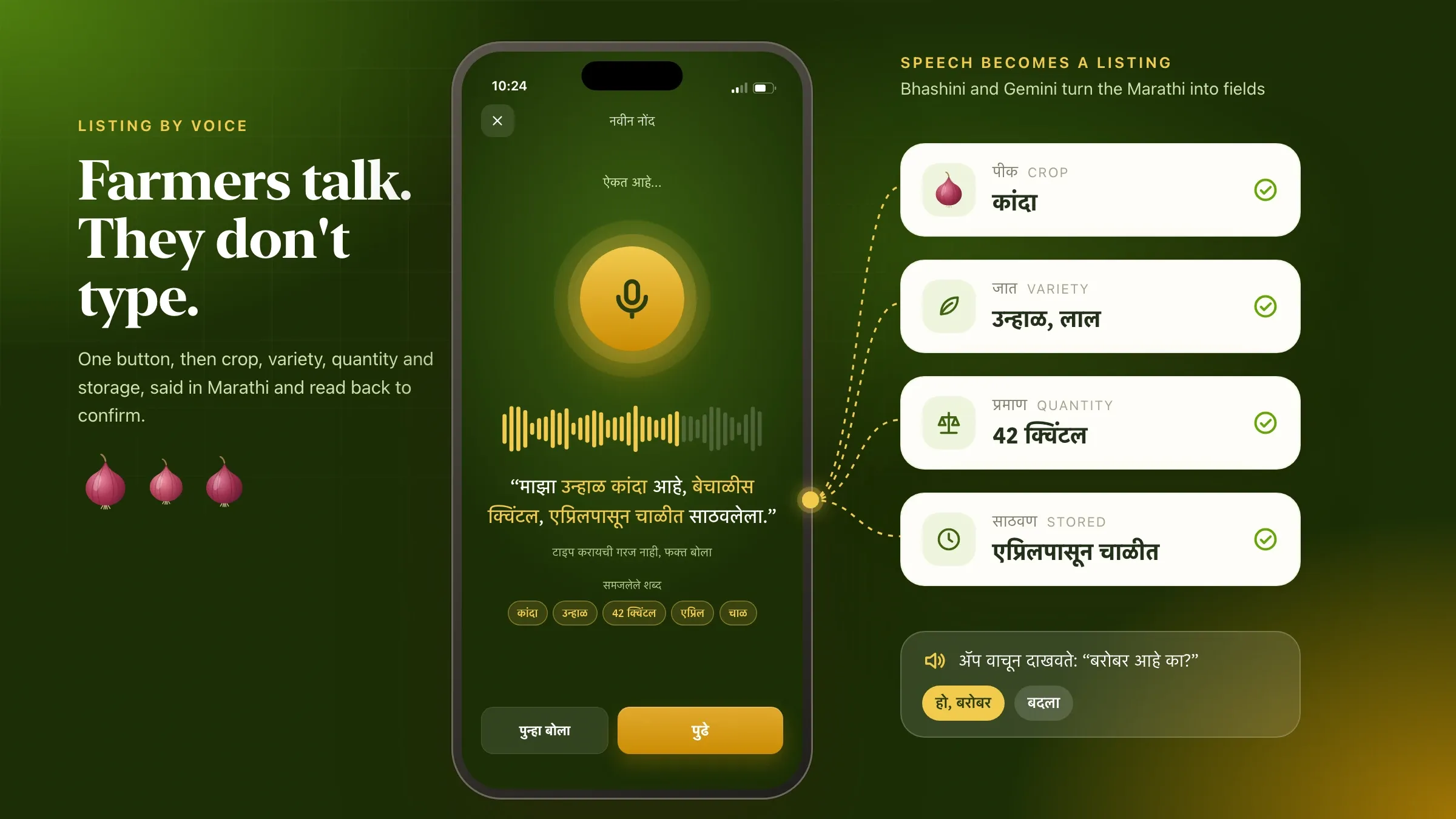 Listing produce by voice, in Marathi For a farmer producer company in Nashik, a farmer app that turns spoken Marathi into a listing and keeps it on the phone until the signal returns. Read the case study
What goes into a mobile app
A mobile app is more than the screens on a phone. Behind every app people use each day there is a server that holds the data, a web console where your team runs things, and connections to payments, maps, messaging and your own software. The app is the part customers see; the rest is what makes it reliable.
When a business says “we need an app”, it usually means one of three things. A customer app, which lets people book, order, pay or track something on their own. A team app, which gives staff, riders, trainers or technicians the day’s work and a way to record it. Or both, joined together, like a home services marketplace with one app for homeowners and another for the pros who do the jobs.
We build all three, for Android and iPhone, along with the console and the server behind them. Knowing which one you need, and for whom, is the first decision, and it shapes every decision after it.
Start with the one thing people will open it for
People keep an app when it does one job better than a phone call. A gym member opens it to book tomorrow’s class. A regular opens it to reorder last Friday’s dinner. A shopper opens it at the till to show a loyalty card. Each of those apps does many things, but each began with the single reason someone reaches for it.
So we start there. We ask who will open the app, how often, and what they are trying to get done in that moment. That becomes the heart of the first version, built carefully and tested hard. Everything else, such as offers, referrals and profile settings, waits its turn.
This keeps the first version focused and affordable, and it puts the app in real hands sooner. What people actually do in the weeks after launch is a far better guide to the next feature than any list written before the first line of code.
What we need from you
We need three things from you: access to the people who will use the app, the rules your business runs on, and one person who can decide.
The people come first. Before designing anything, we spend time with your customers and staff, at the counter, on the floor or on a video call, to see how they book, order or work today. A short conversation with a handful of real customers is worth more than a long requirements document.
The rules are the details only you know: how prices are worked out, who can cancel and until when, what happens when a payment fails, and which branch delivers where. We write them down in plain words and you check them.
The decision-maker is someone on your side who can say yes or no to a screen, a feature or a launch date. It doesn’t need to be a technical person. It should be someone who knows your customers and can answer quickly, because waiting for answers slows app projects more than anything else.
Android, iPhone, or both
For most businesses the answer is both, from one codebase. Cross-platform frameworks such as Flutter and React Native let one team build one app that runs on Android and iPhone, looks right on each, and still uses the phone’s camera, location and notifications. That means one set of features, one set of fixes, and both platforms updated on the same day.
Native apps, written in Swift for iPhone and Kotlin for Android, still make sense in some cases: apps that lean heavily on the phone’s hardware, need the newest platform features straight away, or draw demanding graphics. Our portfolio has both kinds, and the plan recommends one with the reasons written down.
Where your customers are matters too. In India most people use Android, often on budget phones, while the iPhone has a much larger share in the United States, the UK and Ireland. If your customers are mostly on one platform, testing there hardest, or launching there first, is the sensible move.
Built for the phones your customers carry
An app has to work on the phone in your customer’s hand, not only the one on a developer’s desk. In India that often means a budget Android phone with little free storage, an older version of the system and a mobile signal that comes and goes. Elsewhere it may be an iPhone that hasn’t been updated in years.
We test on a spread of real devices and network conditions, including slow and dropping connections. Apps are kept light, pictures are sized for the screen they appear on, and the first screen shows quickly even on a slow network.
Where people work away from a good signal, we design for it from the start. A field app can keep forms, photos and scans on the phone and send them when the network returns, as the farmer app we built in Nashik does with listings made in the fields. A check-in app can download the guest list before the doors open, so scanning carries on when the venue Wi-Fi gives up.
Language belongs here too. Screens can be in English, Hindi, Gujarati or other languages, and voice input helps people who would rather speak than type.
Payments, maps and notifications
Most business apps rest on the same three building blocks, and each has its own rules.
Payments in India mean UPI, cards, wallets and net banking through a gateway such as Razorpay; abroad they mean cards, Apple Pay and Google Pay through a provider such as Stripe. Memberships and subscriptions can renew on UPI AutoPay or a card mandate, with the pre-debit notice the RBI requires. Every payment produces a receipt or a GST invoice, and refunds follow your own policy.
Maps power addresses, delivery areas, directions and live tracking. A customer can drop a pin to confirm an address, watch a rider on the way or find the nearest branch. Location is used only while it is needed, and the app explains why it asks.
Notifications bring people back or drive them away. We send them for things people want to know, such as an order on its way, a class spot that opened or a renewal coming up, and aim offers at the customers they suit rather than at everyone. Messages that must arrive, such as one-time codes, can fall back to SMS or WhatsApp.
The system behind the app
Every app needs a back end: the server, database and web console that hold your data and let your team run the business. This is where prices, slots, orders and customers live, and where your staff add a dish, change a price or refund an order without calling a developer.
We build the back end alongside the app, usually on Node.js or Python with a PostgreSQL database, hosted on AWS or Google Cloud. If you already run billing, a till system, an ERP or accounting software such as Tally, the app connects to it so nothing is typed twice. A supermarket loyalty app we built works through the checkouts already in every store, and a restaurant chain’s app sends every order, from every channel, to one kitchen screen.
Getting this layer right is what lets the app grow. New branches, new kinds of user and new features are added on top of it, instead of starting again.
Getting into the App Store and Google Play
Publishing is a step of its own, and we handle it. Apple and Google both review apps before they go live. They check the privacy details, and they turn away apps that ask for permissions without explaining them or that crash on their test devices.
We prepare the store listing, screenshots and privacy details, set up the test account reviewers need, and answer their questions. We recommend publishing under your own developer accounts, so the app, its reviews and its users belong to your business.
Releases go out in stages. A new version reaches a small share of users first while we watch crash reports and feedback, then rolls out to everyone. If something goes wrong, the rollout stops before most people ever see it.
How we know it’s working
We agree what success means before we build. For most apps that is how many people sign up, how many come back each week, how many bookings or orders move from the phone line to the app, and how stable it must be.
After launch, the app reports the usage, crashes and drop-off points we agreed, and nothing it doesn’t need. We look at where people give up in a booking or a checkout and fix that step first. A screen that loses half the people who reach it is a better use of the next release than a new feature.
You get the same figures in a short monthly report, with what changed and what we suggest doing next.
After launch: updates and the next version
An app is never finished on launch day. Apple and Google release new versions of their systems every year, phones change, and your customers will ask for things nobody predicted.
We keep the app working with each new Android and iOS release, fix what the crash reports show, and keep its libraries and security up to date. Then we add the next feature, chosen from what people do in the app and what your team hears at the counter.
The fitness studio app in our portfolio grew this way: after launch, new class formats, offers and studios were added as the chain grew, one release at a time, on the same system.
How we work with you
From the first call to running it
- Start
Agree what it must do
We talk to the people who will use the app, list what the first version must do, and write down what can wait.
- Design
Try it before it's built
You tap through the screens on your own phone and change what doesn't feel right, before any code is written.
- Build
Watch it grow
You get a new test version on your phone at every step, so problems are caught while they are small.
- Pilot
Real people, real phones
A small group of your customers or staff use it on their own phones, and we fix what they find.
- Launch
Into the stores
We prepare the store listings, take the app through Apple's and Google's reviews and release it in stages.
- Every month
Update and improve
We keep it working with each new Android and iOS version, fix what crash reports show and add what users ask for.
Safe and in your control
Sign-in that fits
A phone number with a one-time code, email, or Google and Apple sign-in, with sessions you can end from the console.
Card details never touch the app
Payments go through the payment provider's own secure screens, so neither the app nor your servers store card or UPI details.
Only the permissions it needs
The app asks for location, camera or contacts only when a feature needs them, and says why.
Protected on the phone and on the way
Data travels encrypted, and anything saved on the phone for offline use is stored in the phone's secure storage.
Privacy built in
Consent, data download and account deletion are part of the app where the law asks for them, such as India's data protection law or the GDPR.
Your app, your accounts
We recommend publishing under your own App Store and Google Play accounts, so the app, its reviews and its users stay with your business.
Time and cost
The cost depends on what the app has to do and who uses it, not on the number of screens. Most apps start with a focused first version, launch, and grow from what people actually do in them. After the first call we send a written plan and a quote for the first version.
What the first version includes
Bookings or orders alone is a quicker start than bookings, payments, loyalty and referrals together.
How many kinds of user
A customer app is one build. An app for staff, riders or pros, and the web console behind them, add to it.
Cross-platform or native
One Flutter or React Native app for both platforms usually costs less than two native apps. Native suits apps that lean hard on the phone's hardware.
What it connects to
Payments, maps and notifications are well-trodden ground. Your own billing, till or ERP software can take more work.
Offline use and languages
Working without a signal, and each extra language, is designed and tested on its own.
Running costs
Servers, maps, SMS and store fees grow with the number of users, and the plan sets them out.
Built with
Chosen for each project, never by habit
Questions and answers
12 answered
What is mobile app development?
Mobile app development is designing, building, testing and publishing apps for Android phones and iPhones, together with the server and web console behind them. It runs from the first idea to the App Store and Google Play, and carries on with updates after launch.
How much does it cost to build a mobile app?
It depends on what the app does, how many kinds of user it serves and what it connects to, not on a fixed package. A focused first version for one kind of user costs far less than a customer app, a staff app and a console together. After the first call we send a written plan and a quote.
How long does it take to build an app?
It depends on the scope. A focused first version with one kind of user can be a matter of weeks; an app with several kinds of user, payments and connections to your systems takes longer. The written plan after the first call sets out the timeline stage by stage.
Should we build for Android or iPhone first?
Usually both at once, from one codebase. Flutter and React Native build one app that runs on Android and iPhone, so you don't have to choose. If nearly all your customers use one platform, launching there first can make sense, and we say so in the plan.
Native or cross-platform: which is right for my app?
For most business apps, cross-platform is the sensible choice: one codebase, one team and both platforms updated together. Native apps in Swift and Kotlin make sense when the app depends heavily on the phone's hardware or the newest platform features. We recommend one and explain why.
Do we need a web console as well as the app?
Almost always. Your team needs somewhere to manage orders, bookings, prices and customers, and that is usually a web console used on a computer. We plan the app and the console together, so they work from the same data.
Can the app work in Hindi, Gujarati or other languages?
Yes. Screens, notifications and messages can be in English, Hindi, Gujarati and other languages, and the app can follow the language set on the phone. Voice input helps people who would rather speak than type. Each language is tested on real screens before launch.
Will the app work without internet?
The parts that need to can. Forms, scans, checklists and listings can be saved on the phone and sent when the signal returns. Payments and live availability still need a connection, and the app makes that clear to the user.
Who publishes the app on the App Store and Google Play?
We do the work: the listing, screenshots, privacy details, the test account reviewers need, and any questions from Apple or Google. We recommend publishing under your own developer accounts, so the app and its users belong to your business.
Can you take over an app someone else built?
Yes, after a review. We read the code, check how it is built and hosted, and tell you plainly whether to fix it, rebuild parts of it or start again, with the reasons.
Do you build apps for businesses outside India?
Yes. FIRELIFE Ventures works with small and mid-size businesses worldwide, from Rajkot, India, on India time. Our portfolio includes apps for clients in the United States, Ireland and India.
What happens after the app is launched?
We keep it running and improving: updates for each new Android and iOS version, fixes from crash reports, and new features based on how people actually use the app. Most apps change a lot after launch, and the plan allows for it.
Tell us what you want to build
Write a few lines about the idea and who it is for. We reply with our questions, a first plan and how we would start.
Write to us