Make it work better payment gateway integration
Take payments by UPI, card and wallet
We add payments to the websites, apps and software you already run: UPI, cards, wallets and net banking in India, cards, wallets and local methods abroad, recurring payments on UPI AutoPay or card mandates, and every payment matched to its order and its settlement.
- We work inside the software you already run
- Every payment matched to its order
- Card details never touch your servers
Sound familiar?
What we hear before we start
- Customers drop off at checkout because the way they like to pay isn't there.
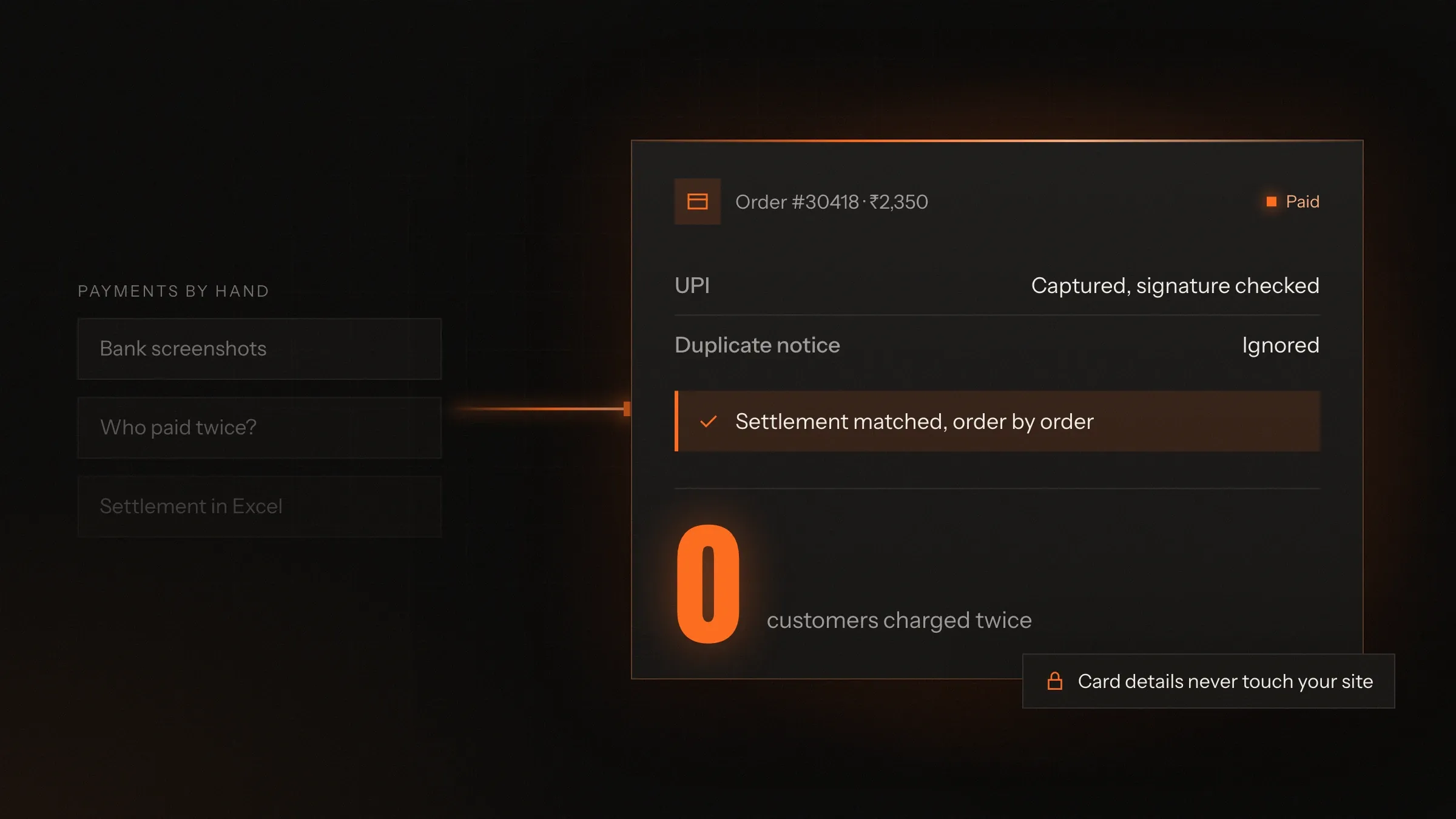
- Orders show as unpaid, though the money has left the customer's account.
- Someone matches bank settlements to orders in a spreadsheet every week.
- Renewals and instalments are chased by phone, one customer at a time.
- Refunds take days, because each one is typed into the gateway by hand.
- Customers abroad can't pay, or pay in a currency that confuses them.
What changes
-
Today: Checkout offers whatever the old plugin supported.
After: Checkout offers UPI, cards, wallets, net banking and the methods your market uses.
-
Today: An order stays unpaid when the customer closes the page too early.
After: The gateway tells your server directly, so every paid order is marked paid.
-
Today: Settlements are matched to orders by hand.
After: Each settlement is matched to its orders, fees and refunds automatically.
-
Today: Renewals depend on someone remembering to call.
After: UPI AutoPay or a card mandate collects them, with notice before each charge.
-
Today: Refunds are typed into the gateway one by one.
After: Refunds start from your own software and go back the way the customer paid.
What it does for you
-
The methods your customers use
UPI, cards, wallets, net banking and EMI in India; cards, Apple Pay, Google Pay, PayPal and local methods such as iDEAL abroad.
For exampleA visitor from the Netherlands pays for a conference ticket with iDEAL and gets the ticket straight away.
-
Payments confirmed by the gateway
Webhooks and status checks mark an order paid only when the gateway confirms it, even if the customer closes the page.
For exampleA customer's phone dies just after paying by UPI; the order is still marked paid and confirmed.
-
Recurring payments
UPI AutoPay, card mandates and e-mandates for subscriptions, memberships and instalments, with notice before each charge.
For exampleA gym member approves AutoPay once and gets a notice before every monthly fee.
-
Payment links and QR codes
Links by WhatsApp, SMS or email, and dynamic UPI QR codes at the counter, each tied to one invoice.
For exampleA school sends a fee link on WhatsApp, and the receipt goes out as soon as the parent pays.
-
Split payments and payouts
For marketplaces and platforms: your fee kept, and each seller's share paid to their bank on rules you set.
For exampleA cleaner's share is paid out automatically when the job is marked complete.
-
Deposits, balances and currencies
Part-payment now and the balance later, with fixed prices in the customer's own currency.
For exampleA traveller in Sydney pays a deposit in Australian dollars and the balance before departure.
-
Refunds and reconciliation
Refunds started from your own software, and every settlement matched to its orders, fees and refunds.
For exampleFinance sees which orders made up Tuesday's settlement, and the gateway's fee on each one.
-
Invoices and receipts
A GST or VAT invoice and a receipt for every payment, sent automatically.
For exampleA company buying ten tickets gets a VAT invoice its finance team accepts first time.
How it works
-
The customer chooses how to pay
On your checkout, from a payment link, or by scanning a QR code.
-
The gateway takes the payment
Card and bank details go straight to the gateway's secure page or fields, never to your servers.
-
The gateway tells your server
A signed webhook reports the payment, and your server checks it before marking the order paid.
-
Your software moves on
The order is confirmed, the invoice goes out, and stock, bookings or access are updated.
-
The money settles
The gateway pays the money into your bank account, minus its fees.
-
Everything is matched
Settlements, fees, refunds and orders are matched, and anything that doesn't match is flagged.
Where we've built it
6 from our portfolio
-
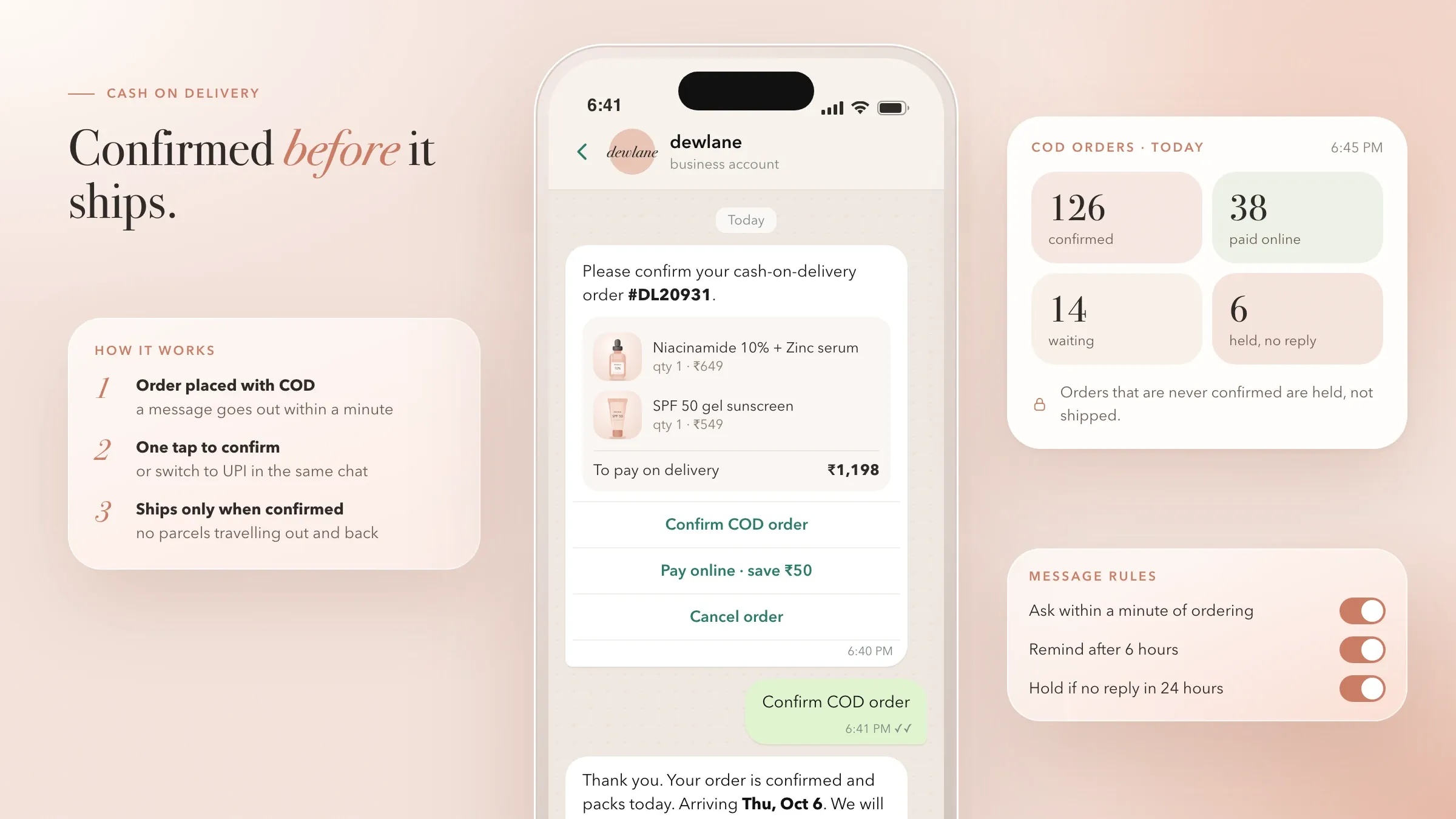 UPI, cards, cash on delivery and AutoPay refills For a skincare brand in Mumbai, a one-screen checkout with UPI, cards, wallets and cash on delivery, and refill subscriptions on UPI AutoPay through Razorpay. Read the case study
 -
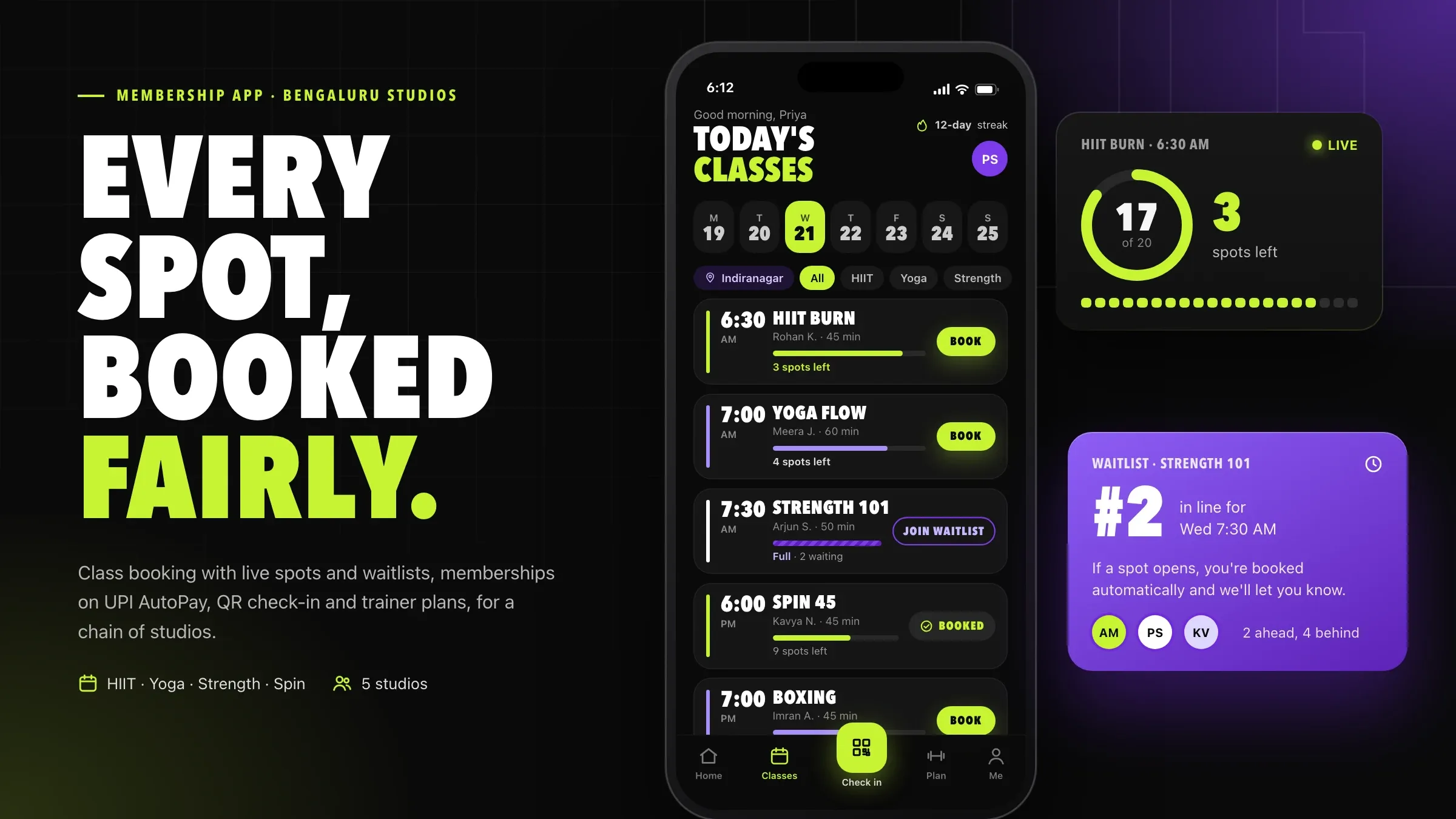 Memberships on UPI AutoPay For a chain of fitness studios in Bengaluru, memberships on UPI AutoPay or card mandates, a pre-debit notice before every charge and a GST invoice for every payment. Read the case study
 -
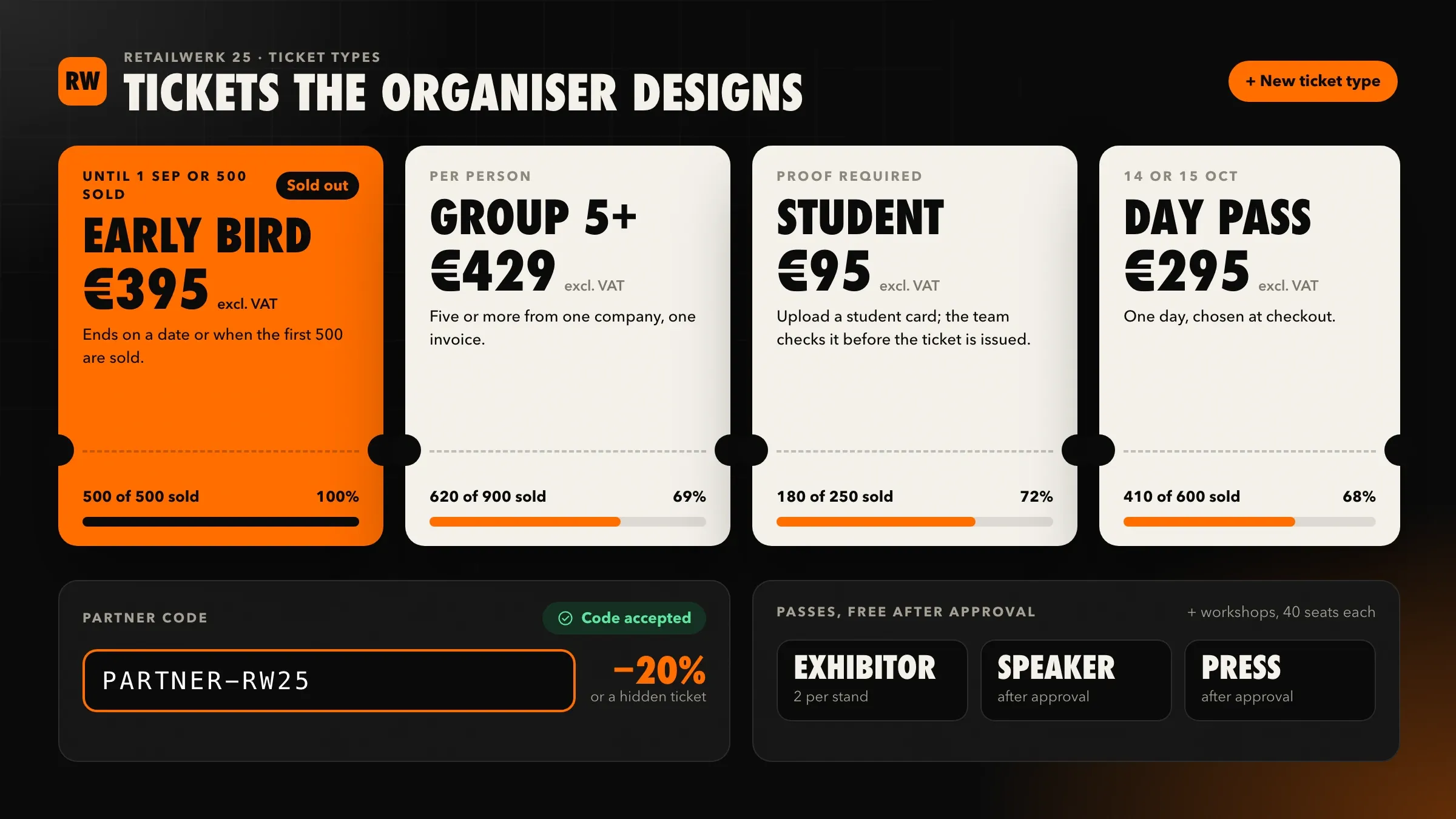 iDEAL, cards and VAT invoices For a conference organiser in Utrecht, tickets paid by iDEAL, cards, Apple Pay, Google Pay or Bancontact through Stripe, with VAT invoices and bank transfer for companies. Read the case study
 -
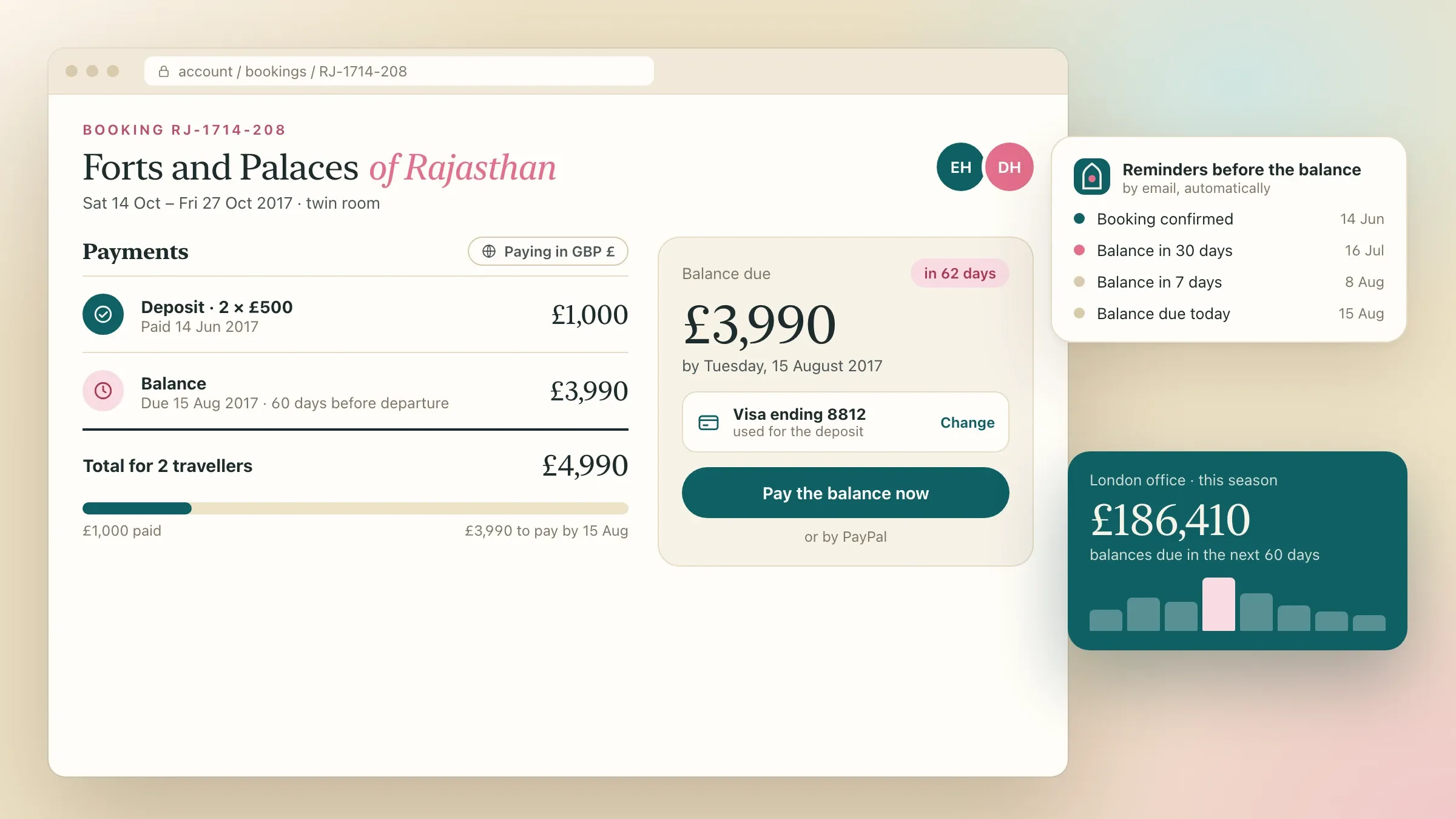 Deposits and balances in four currencies For a London tour operator, deposits and balances paid by card or PayPal, with every tour priced in pounds, US dollars, euros and Australian dollars. Read the case study
 -
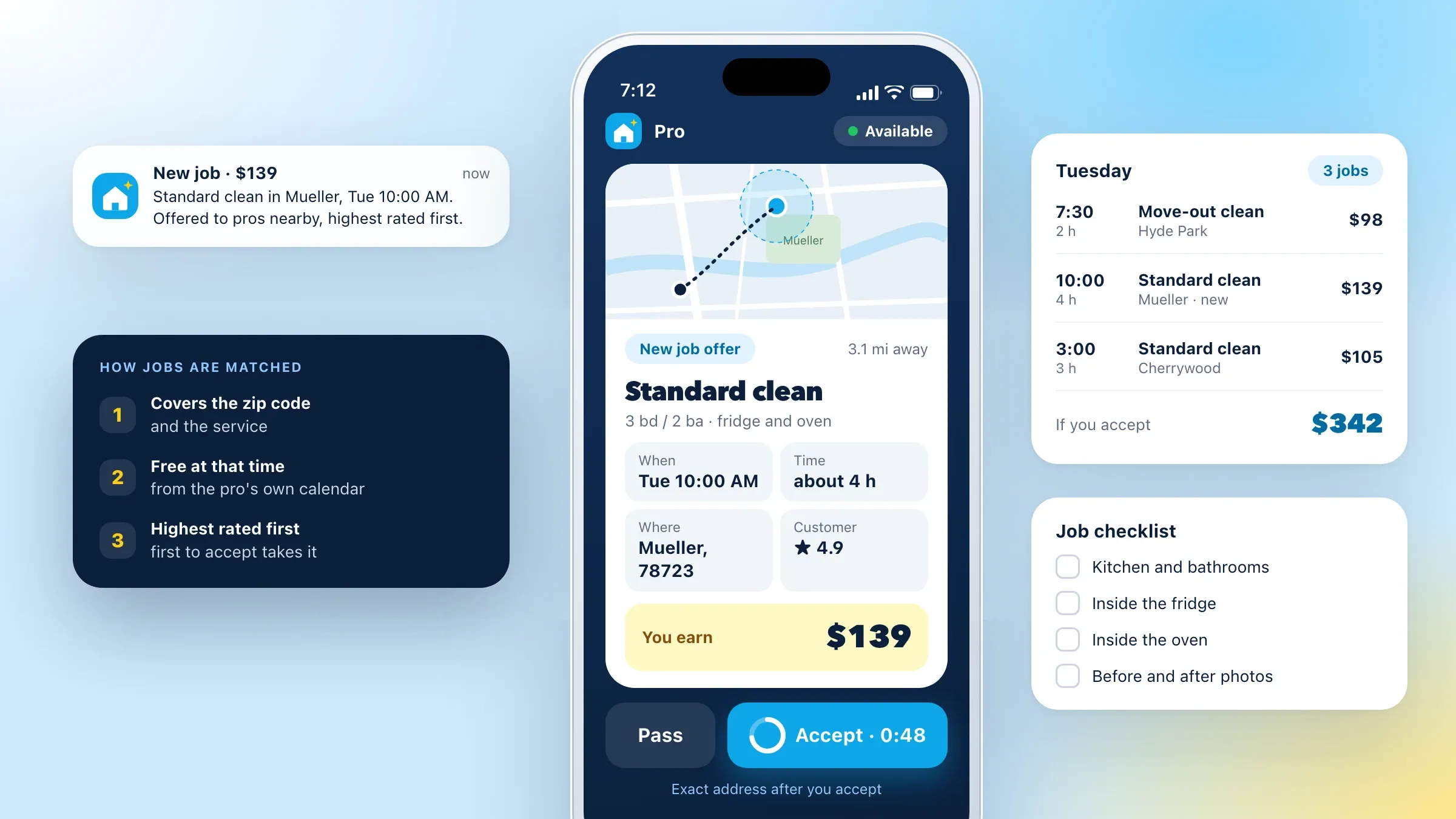 Split payments and automatic payouts For a home services marketplace in Austin, cards charged when the job is complete, the platform's fee kept, and each pro paid out through Stripe Connect. Read the case study
 -
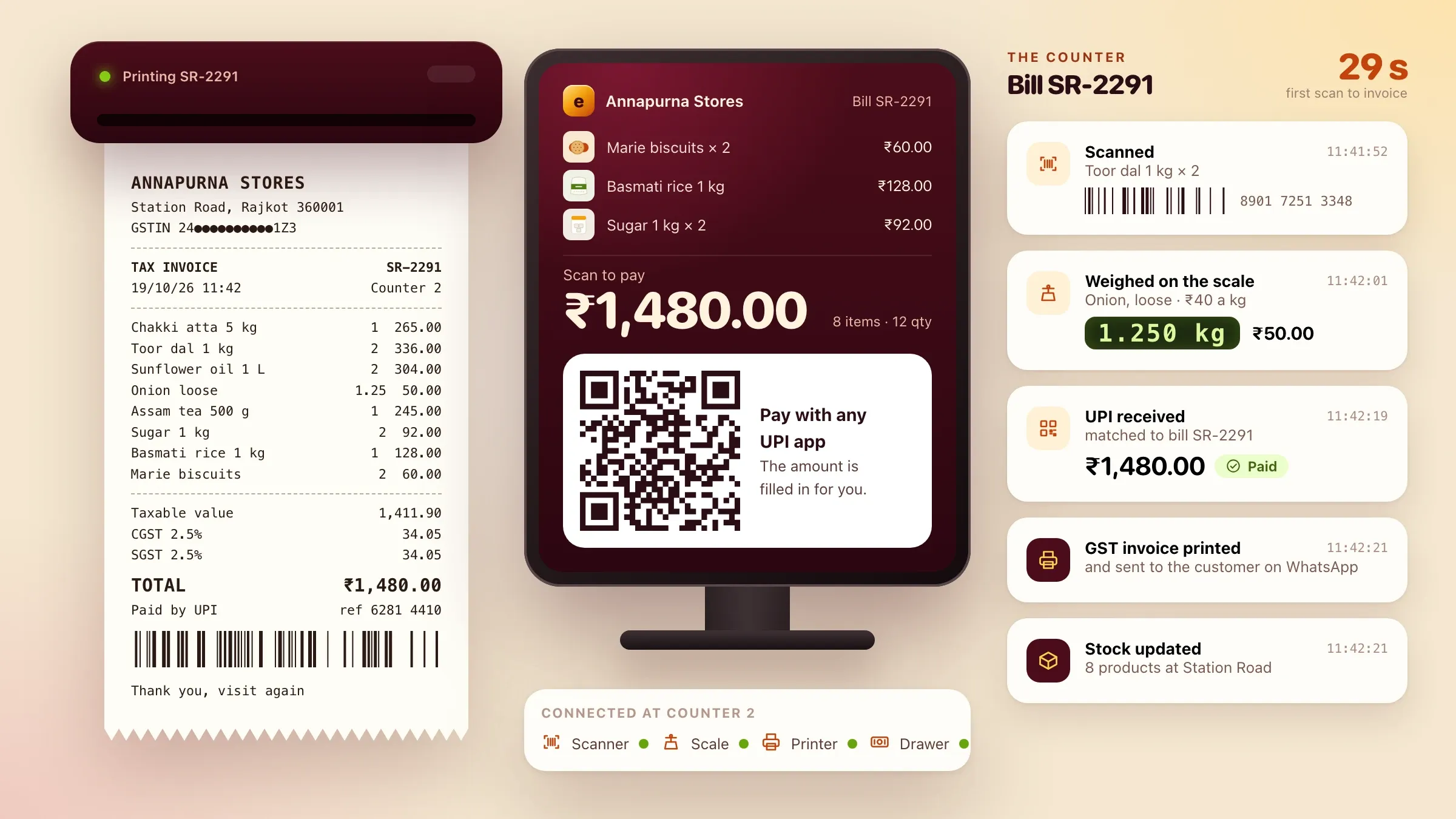 UPI at the counter, matched to the bill In Ember POS, our own billing software in development, the UPI QR shows the exact amount on the customer display and the payment is matched to the bill. See the product
What payment gateway integration involves
Payment gateway integration is everything between “Pay now” and the money arriving in your bank, done so your software always knows where each payment stands. The checkout is the visible part. Behind it, your server has to confirm each payment with the gateway, mark the order paid, send the invoice, handle refunds and failures, and match what the gateway settles to your bank with the orders it covers.
Most payment problems we are asked to fix live behind the checkout: orders stuck as unpaid, customers charged twice, renewals that silently stopped, refunds that never reached the customer, and settlements nobody can explain.
We work inside the software you already run, whether it is an online store, a booking system, membership or school software, an ERP or your own app. Where it has a good plugin, we set it up and test it properly. Where it doesn’t, we write the integration ourselves.
Where it pays off first
It pays off first at the checkout and in the accounts. A checkout that offers the methods your customers prefer, and works on a phone without errors, turns more visitors into paid orders. In India that means UPI first, with cards, wallets and net banking close behind. Abroad it means cards and wallets, plus the local methods people trust, such as iDEAL in the Netherlands.
The second payoff is time. When every payment is confirmed by the gateway and matched to its order automatically, nobody spends Monday morning working out which payments came in, chasing customers who already paid, or matching bank lines to invoices.
The third is recurring revenue. Memberships, subscriptions and instalments collected on AutoPay or mandates stop depending on reminders and phone calls.
Choosing a gateway and payment methods
The right gateway depends on where your customers are, what you sell and how you want to be paid. In India, gateways such as Razorpay cover UPI, cards, wallets, net banking, EMI and AutoPay in one integration. Abroad, Stripe covers cards, Apple Pay, Google Pay and many local methods, and PayPal is still expected in some markets.
We compare the options with you: methods covered, fees, how quickly money settles, recurring payments, split payouts if you run a platform, international cards, and how good the gateway’s reports and support are. Some businesses use two gateways, one as a fallback.
The merchant account is opened in your business’s name. The gateway checks your business first, usually asking for your registration and tax details, a bank account, and a website with clear terms, privacy, refund and contact pages. We prepare those pages with you so approval isn’t held up.
UPI in practice
UPI is the method most Indian customers reach for first, and it works differently on each device. On a phone, the checkout opens the customer’s UPI app directly, with the amount filled in. On a desktop, it shows a QR code to scan. At a counter, a dynamic QR on the customer display carries the exact amount for that bill.
The tricky part is what happens next. The customer approves the payment in another app, and may never come back to your page. So we confirm every UPI payment from the gateway’s side, by webhook and status check, and treat “pending” as its own state with its own timeout, rather than guessing.
Payment links extend the same idea beyond the checkout: a link by WhatsApp, SMS or email for an invoice, a fee or a balance due, marked paid in your software the moment the money arrives.
Recurring payments: AutoPay, mandates and subscriptions
Recurring payments turn renewals into something that happens on its own. With UPI AutoPay, the customer approves a mandate once in their UPI app. Card mandates work the same way for cards, and e-mandates through the bank suit larger or longer-running payments such as loan instalments.
The rules in India are clear about the customer’s rights: a pre-debit notice before each charge, and the freedom to pause or cancel the mandate. We build those notices in, along with what happens when a charge fails: a retry, a message to the customer with a link to pay, and a clear status for your team.
Abroad, subscriptions run on saved cards through the gateway, with strong customer authentication in Europe where it applies.
Confirming payments, and the edge cases
The browser is never trusted with the truth about a payment. When the gateway takes a payment, it sends a signed webhook to your server. The server checks the signature, confirms the amount and order, and only then marks the order paid. If a webhook is late or lost, a scheduled status check catches the payment anyway.
Each payment attempt carries its own key, so a double tap or a retry can’t charge twice. Payments that arrive after an order expired, partial captures, amounts that don’t match and duplicate notifications each have a rule, so nothing ends up in a state nobody understands.
Before launch, we test every failure we can create in the gateway’s test mode: declined cards, abandoned UPI requests, timeouts and refunds.
Refunds, settlements and reconciliation
Refunds start from your own software, not from the gateway’s dashboard. A cancelled order or a returned item triggers the refund, full or partial, and it goes back the way the customer paid. The customer is told, and the order shows the refund.
Settlements are where finance spends its time. The gateway pays out in batches, minus its fees and the tax on them, with refunds and disputes taken off. We match each settlement to the orders it covers, line by line, and flag anything that doesn’t match. The matched figures go to Tally or your accounting software, so the books agree with the bank without a spreadsheet in between.
Security and the rules
The safest card number is one your servers never see. We use the gateway’s hosted checkout or secure fields, so card details go straight to the gateway. That keeps your share of PCI DSS small, often a short self-assessment, with the gateway confirming which form applies.
In India, card numbers can’t be stored by merchants; saved cards work through network tokens the gateway manages. Card payments go through the extra authentication the rules require, and in Europe strong customer authentication applies to most online card payments.
Live keys stay in a secrets store, not in the code, and can be replaced at any time. Every payment, refund and payout is logged with who started it and when.
What we need from you
We need access to your current setup and a few decisions. Access means your website or software, your gateway dashboard if you already have one, and a few weeks of recent payments and settlements, including the ones that went wrong.
The decisions are yours: which methods to offer, refund rules, what happens to unpaid orders, how renewals work and what customers are told. Someone from finance should be involved from the start, because reconciliation is built around how your accounts work.
The merchant account, its checks and its keys stay in your business’s name.
Running it: success rates and new methods
Payments need watching after launch, because banks, apps and gateways change. We track success rates by method and by bank, pending and failed payments, refunds and settlement mismatches, and alert your team when something drops.
When a gateway has a bad day, a second gateway can take over. When customers start asking for a method you don’t offer yet, or you start selling in a new country, we add it to the same integration, tested the same way.
Each month you get a short report: how many payments succeeded by method, where customers dropped out, refunds and how long they took, and any settlement that needed a person to explain it. It is the quickest way to see whether a change at the checkout actually helped.
How we work with you
From the first call to running it
- Start
Look at what you have
We review your checkout, your gateway, where payments fail and how finance reconciles today.
- Choose
Pick the gateway and methods
We recommend a gateway and the payment methods your customers need, and you open the merchant account in your business's name.
- Build
Integrate and test
Checkout, webhooks, refunds, recurring payments and reconciliation, tested in the gateway's test mode with every failure we can create.
- Launch
Switch on carefully
Live payments start small, and every transaction is watched until orders, payments and settlements agree.
- Every month
Watch and improve
Success rates, failures and settlements reviewed, and new methods added as your customers ask for them.
Safe and in your control
Card details never touch your servers
Hosted checkout pages or secure fields send card details straight to the gateway, which keeps your share of PCI DSS small.
Paid only when the gateway says so
Orders are marked paid from signed webhooks checked on the server, never from what the browser reports.
No double charges
Each payment attempt carries its own key, so a retry or a double tap can't charge a customer twice.
Keys kept out of the code
Live gateway keys sit in a secrets store, not in the code, and can be replaced at any time.
Notice before every recurring charge
Customers are told before each AutoPay or mandate charge, as the rules require, and can cancel whenever they like.
Every money movement on record
Payments, refunds and payouts are logged with who started them and when.
Time and cost
The cost depends on what you need to take and where, not on a package. Adding UPI and cards to a modern website is a small job; recurring payments, split payouts, several currencies and automatic reconciliation in older software are bigger. After the first call we send a written plan and a quote.
Your current software
Modern platforms with plugins or APIs are quicker. Older or custom software may need more work around the checkout.
Methods and countries
Each payment method and each country is set up and tested on its own.
Recurring payments
AutoPay, card mandates and e-mandates add sign-up, notices, retries and cancellations.
Split payments and payouts
Platforms need seller onboarding with the gateway, split rules and payout reports.
Reconciliation
Matching settlements to orders automatically and sending them to your accounting software.
Gateway fees
Paid to the gateway on each transaction. We help you compare them, but they are separate from our quote.
Built with
Chosen for each project, never by habit
Questions and answers
13 answered
What is payment gateway integration?
Payment gateway integration connects your website, app or software to a payment gateway, so customers can pay by UPI, card, wallet or bank and your software knows straight away. It covers the checkout, confirming payments, refunds, recurring payments and matching settlements to orders.
Which payment gateway should we use?
It depends on where your customers are and what you sell. In India, gateways such as Razorpay cover UPI, cards, wallets, net banking and AutoPay. Abroad, Stripe covers cards, wallets and many local methods, and PayPal suits some markets. We recommend one after looking at your customers, fees and software.
How much does payment gateway integration cost?
It depends on your current software, the payment methods and countries, recurring payments, split payouts and how much reconciliation you want automated. Gateway fees are separate and paid to the gateway. We send a written quote after the first call.
How long does payment gateway integration take?
Adding UPI and cards to a modern website is a small, quick job. Recurring payments, split payouts, several currencies or reconciliation in older software take longer. The gateway's own checks on your business also take time, so we start them on day one.
How does UPI AutoPay work?
The customer approves a mandate once in their UPI app. Before each charge they get a pre-debit notice, as RBI rules require, and the amount is then collected automatically. They can pause or cancel the mandate from their UPI app at any time.
Why do orders show as unpaid when the customer has paid?
Usually because the website waits for the customer to come back from the payment page, and they closed it or lost signal. We confirm payments from the gateway's webhooks and status checks on the server, so the order is marked paid either way.
Do we need to be PCI DSS compliant?
Every business that takes cards has some PCI DSS duties, but how much depends on how cards are taken. With the gateway's hosted checkout or secure fields, card details never reach your servers, which keeps your part small, often a short self-assessment. Your gateway confirms which form applies.
Can we save customers' cards in India?
Not the card numbers themselves. Under RBI rules, saved cards work through tokens issued by the card networks, which the gateway handles; your software keeps only a reference to the token.
Can you add payments to the software we already use?
Yes. That is most of our payment work: online stores, booking systems, school, clinic and membership software, ERPs and custom apps. Where the software has no plugin, we add the integration to its code or build a small service beside it.
Can we take payments from customers abroad?
Yes. We use gateways such as Stripe or PayPal for cards, Apple Pay, Google Pay and local methods such as iDEAL and Bancontact, and price in the customer's own currency where it helps, as we did for a London tour operator selling in four currencies.
How do you reconcile payments with our accounts?
Each settlement from the gateway is matched to the orders it pays for, the gateway's fees and tax on them, and any refunds. Anything that doesn't match is flagged, and the matched figures can go to Tally or your accounting software.
Do you work with businesses outside India?
Yes. FIRELIFE Ventures works with small and mid-size businesses worldwide from Rajkot, India, on India time. Our payment work includes payouts through Stripe Connect in Austin, iDEAL in Utrecht and deposits in four currencies in London.
What happens after payments go live?
We watch them with you: success rates by method and bank, failed and pending payments, refunds and settlements. We update the integration when the gateway or the rules change, and add new methods when your customers ask for them.
Tell us what should work better
Write a few lines about what slows you down today. We reply with our questions, a first plan and how we would start.
Write to us